Hermit-V2 is a minimal, fast, and actively maintained Hugo theme built for bloggers who want a clean, focused website. It is a maintained fork of Hermit, extending the original with bug fixes, modern Hugo compatibility, and a steady stream of new features — whilst staying true to its minimal roots.
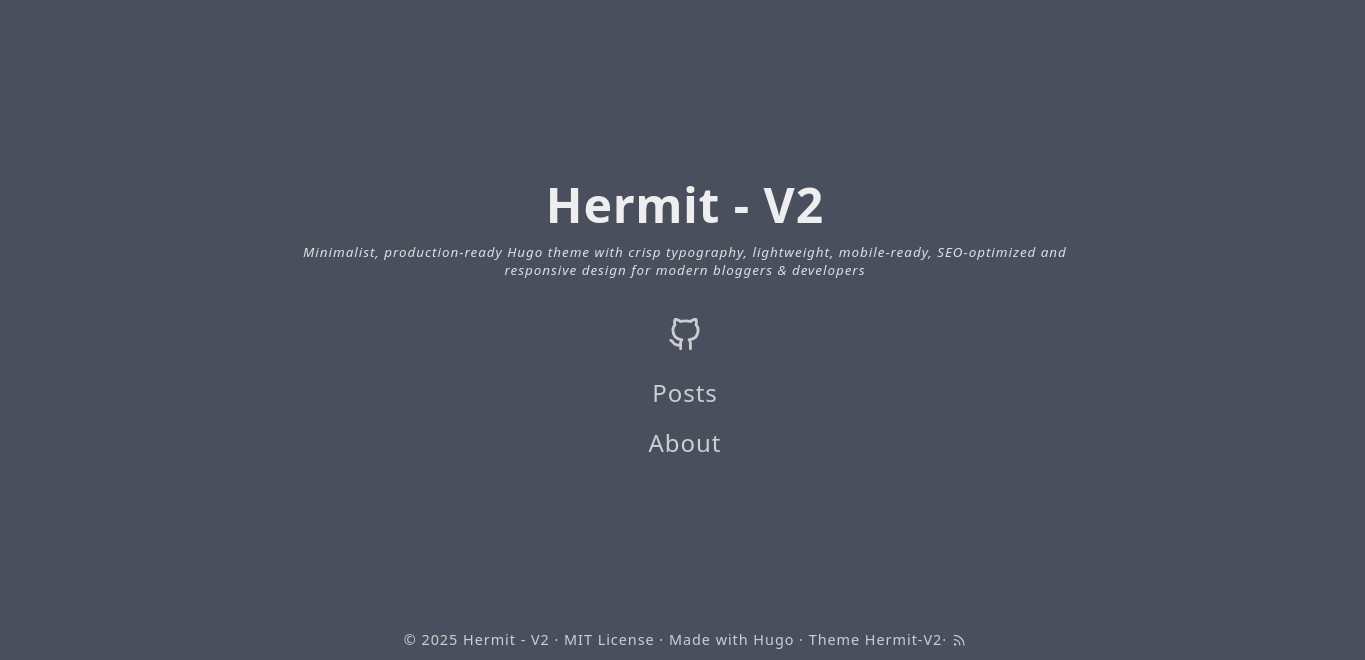

Live demo: https://1bl4z3r.github.io/hermit-V2
The demo site doubles as the theme's full documentation — every feature is showcased there. Its source lives in the staging branch.
-
Hugo Extended
v0.146.0or later is required.-
Upgrading from an older version? Hugo
0.146.0introduced a new flat layout system —_defaultis removed,partialsis renamed to_partials, andshortcodesto_shortcodes. If you have customised any layout files in your site root, you will need to rename those directories accordingly. See the full migration overview from the Hugo team. -
Debian users: the Debian repositories may still carry an older Hugo binary. You will need to grab the
v0.146.0+ binary directly from the Hugo releases page.
-
If you don't have a Hugo site yet, create one first:
hugo new site myblog
cd myblog
git init
Then proceed with adding the theme below.
Run the following from the root of your Hugo site:
git clone https://github.com/1bl4z3r/hermit-V2 themes/hermit-v2If your site is already a Git repository, using a submodule makes future updates much simpler:
git submodule add -b main https://github.com/1bl4z3r/hermit-V2 themes/hermit-v2To pull the latest version at any time:
git submodule update --remoteThen set the theme in your hugo.toml:
theme = "hermit-v2"Start the local development server with:
hugo server -DYour site will be available at http://localhost:1313. The -D flag includes posts marked
draft: true so you can preview content before publishing it.
When you're happy and ready to build for production, run:
hugoThe generated site will be output to the public/ directory. For hosting and deployment options,
see the Hugo deployment docs.
All site configuration lives in hugo.toml (or hugo.yaml) in the root of your Hugo project. A fully annotated example is available at hugo.toml.example. For a detailed walkthrough of every option, see Explaining Configs.
A minimal starting configuration looks like this:
baseURL        = "https://example.com/"
defaultContentLanguage = "en"
defaultContentLanguageInSubdir = true
theme          = "hermit-v2"
enableRobotsTXT = true

[params]
  homeSubtitle     = "Just a humble blogger."
  readTime         = true
  code_copy_button = true
  scrollToTop      = true
  shareSocial      = true
Multilingual sites only:
defaultContentLanguageanddefaultContentLanguageInSubdir = trueare only needed if you are running a multilingual site. WithdefaultContentLanguageInSubdir = trueset, your site will be served from/en/(or whichever language code you set), so visitinghttp://localhost:1313will redirect you there automatically.
If you are running a single-language site, remove these two lines and your site will serve from
/as expected:# Remove these if your site is single-language defaultContentLanguage = "en" defaultContentLanguageInSubdir = true
Menu items in the top navigation bar are configured in hugo.toml under [[menus.main]]. Each entry needs a name, a url, and a weight (which controls display order — lower numbers appear first):
[[menus.main]]
  name   = "Posts"
  url    = "/posts/"
  weight = 10

[[menus.main]]
  name   = "About"
  url    = "/about/"
  weight = 20
The URLs should match the path where that content lives under your content/ directory.
These have been part of the theme since the original Hermit and remain front and centre.
- Single-column layout with carefully crafted typography for a great reading experience
- Navigation bar that hides as you scroll down — and reappears when you reach the end of a page
- Featured image support, displayed as a dimmed full-page background
- All posts displayed on a single page, grouped by year
- Extremely lightweight — no third-party frameworks, no unnecessary code
- Syntax highlighting and one-click code copying on all code blocks
- Responsive and retina-ready, scales gracefully from desktop to the smallest phone
- LaTeX support via MathJax and diagram support via Mermaid
Hermit-V2 builds on the minimal foundation of the original Hermit theme, adding new capabilities whilst keeping the same lean footprint. Jump to any feature below, or read through for a full walkthrough with configuration snippets.
Out of the box
- Single-column layout with focused typography
- Navigation bar that hides on scroll and reappears at the bottom of a page
- Posts listed on a single page, grouped by year
- Syntax highlighting and one-click code copying
- Responsive and retina-ready
Content & Display
- Featured image with optional copyright notice
- Image gallery with lightbox
- Admonition and collapsible summary call-out blocks
- Scroll to Top button
- Read time estimate
- Pinned posts
- Related posts
- Print styling per page
Writing & Formatting
- Markdown extended inline styles
- Table of Contents
- The
figureshortcode with automatic WebP conversion - LaTeX support via MathJax
- Diagram support via Mermaid
Site Configuration
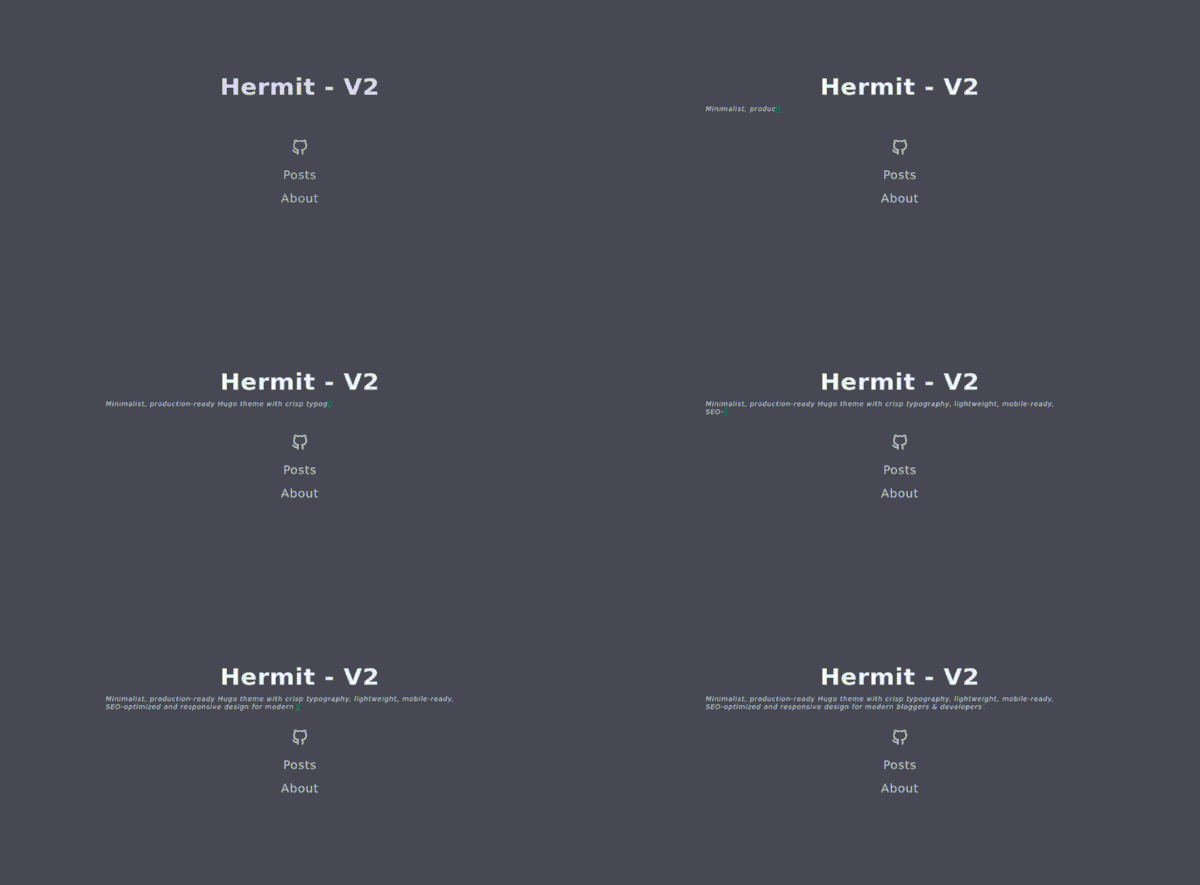
- Multi-line typewriter homepage subtitle
- Configurable date formats
- Colour palette and accent colour
- Animations toggle
- Post list layout customisation
- Social sharing bar
- Multiple authors
- Footer customisation
- robots.txt and per-page noIndex controls
- humans.txt support
Customisation
- Per-page custom CSS and JS
- Site-wide SCSS overrides
- Layout overrides without forking
- Page-specific footers
Embed a lightbox-style image gallery anywhere in your content using the built-in gallery shortcode. It supports local images (from /assets or /static) and remote URLs, generates smart-cropped 300×300 thumbnails for local images, and powers a keyboard-navigable lightbox — all with no external libraries. For a full demo, see the Image Gallery Shortcode page.
Step 1 — Enable the gallery in hugo.toml:
[params.gallery]
  enable    = true
  thumbnail = "300"  # thumbnail size in px, default is 300
Step 2 — List image paths (one per line) inside the shortcode in your post:
{{< gallery >}}
images/photo1.jpg
/static-images/photo2.png
https://example.com/remote-photo.jpg
{{< /gallery >}}
Image path conventions:
assets/images — use the path relative toassets/, e.g.images/photo.jpgfor/assets/images/photo.jpgstatic/images — prefix with/, e.g./photos/photo.jpgfor/static/photos/photo.jpg- Remote images — full
http://orhttps://URL; thumbnails are CSS-scaled rather than server-processed
Captions are generated automatically from the filename. The gallery JavaScript is only loaded on pages where the shortcode is used. Gallery and lightbox colours can be fine-tuned via SCSS variables in _colors.scss — the full variable list is in the gallery docs.
Set a featured (background) image for any post by adding an images array to the front matter. Only the first URL is used as the background; all entries are also used in Open Graph and Twitter Card metadata:
images:
  - https://picsum.photos/1024/768/?random
Adding a copyright notice — if your image requires attribution, add ImgCopyright to the same front matter. Any valid HTML is accepted:
images:
  - https://picsum.photos/1024/768/?random
ImgCopyright: "By <a href='https://example.com'>Photographer Name</a>"
The notice colours are customisable in _colors.scss:
$featured-image-text:       $bright-grey !default;
$featured-image-background: rgba($arsenic, 0.45) !default;
See it in action here.
Hermit-V2 supports multiple authors on a single site. Each author can have their own bio page, and posts can attribute authorship in three ways. For a working example, see the Michael Henderson author page.
First, define the site-level fallback author in hugo.toml:
[author]
  name = "BLZR"
  link = "/en/about-hugo/"
Scenario 1 — Author with a name and a link to their own bio page:
author: "Michael Henderson"
authorLink: "/en/michael-henderson/"
The post byline links directly to the URL provided in authorLink.
Scenario 2 — Author with a name but no personal link:
author: "Michael Henderson"
The byline link falls back to the site-level author page defined in hugo.toml.
Scenario 3 — No author specified in front matter:
The site-level [author] values from hugo.toml are used entirely.
Author bio pages are regular content pages — create one at content/<author-slug>.md and write freely.
A floating button that returns the reader to the top of the page — useful for long posts. The button appears after the reader has scrolled past 40% of the page and hides again when they scroll back up. For full implementation details, see The New Scroll.
Step 1 — Enable it site-wide in hugo.toml:
[params]
  scrollToTop = true
Step 2 — Enable it on each post where it is needed, in the front matter:
scrolltotop: true
Not every page needs this — short posts will be just fine without it.
The button icon lives in layouts/_partials/svg.html under the scrollup key, and all its styles are in assets/scss/_scrolltotop.scss — both are straightforward to override if you want a different look.
The admonition shortcode lets you add styled call-out banners to any post. Eight types are supported: note, info, tip, success, warning, failure, danger, and bug. See the Admonition Shortcode page for a live demo of each type.
Both type and title are optional positional parameters — type defaults to note, and title defaults to the type name. Markdown and HTML are both supported inside the banner body.
{{< admonition type=tip title="This is a tip" >}}
A **tip** banner — Markdown is supported inside.
{{< /admonition >}}

{{< admonition warning >}}
A warning with no custom title.
{{< /admonition >}}
The shortcode also doubles as a collapsible summary block using type=summary:
{{< admonition type=summary title="Click to expand" >}}
Details that are hidden by default until the reader expands them.
{{< /admonition >}}
Need a page to look polished when printed? Set print: true in the front matter and create a corresponding SCSS file:
Front matter:
print: true
File to create: assets/custom_css/print.scss
Add any print-specific overrides there. The theme will only include this stylesheet on pages where print is enabled.
The entire colour scheme is customisable. Copy _colors.scss from the theme into your own assets/scss/ directory and edit to your liking.
For a quick accent colour without touching SCSS, use the accentColor param:
[params]
accentColor = "#e83e8c"The homepage subtitle supports a typewriter animation effect, including multi-line and long-form content. Enable it in hugo.toml:
[params]
  homeSubtitlePrinter = true
  homeSubtitle        = "Writer. Thinker.\nSometimes both at once."
The \n character produces a line break mid-animation. Text wrapping is handled consistently across screen sizes.
Date formats are defined in a nested map, giving you fine-grained control. They also ship with sensible defaults so a fresh hugo new site will work without any extra configuration:
[params.dateform]
  LongDate      = "Jan 2, 2006"
  ShortDate     = "Jan 2"
  NumDateShort  = "2006-01-02"
  NumDateLong   = "2006-01-02 15:04 -0700"
  CopyrightDate = "2006"
CopyrightDate controls the year format shown in the footer copyright line.
Automatically surface related content at the bottom of every post:
[params]
  relatedPosts = true
Hugo's built-in taxonomy matching handles the rest — no extra configuration required.
Highlight important posts at the top of your post list:
[params]
  pinned        = "Pinned"
  pinnedSVGname = "pin"
Then add pinned: true to the front matter of any post you wish to pin.
Display an estimated reading time on every post:
[params]
  readTime          = true
readTimeSeparator = "·"Add a social sharing bar to your posts:
[params]
  shareSocial = true
To customise which platforms are shown, copy layouts/_partials/social-share.html to your own layouts/_partials/ and edit accordingly.
Hermit-V2 gives you granular control over search engine indexing. Enable the built-in robots.txt template:
enableRobotsTXT = trueFor per-page control, use front matter:
noIndex: true
denyRobots:  "noindex, nofollow, noarchive"
allowRobots: "index, follow"
To disable indexing across the entire site:
[params]
siteNoIndex = trueTo display a humans.txt link in the footer, either place a humans.txt file in your /static directory or define a humans.txt layout. The link is suppressed automatically if neither is present.
To remove the "Made with Hugo / Theme Hermit-V2" line from the footer:
[params]
  footerHideThemeName = true
Animations are enabled by default. To disable them site-wide (useful for accessibility or performance preferences):
[params]
usesAnimation = falseControl what metadata is shown on the post list page:
[params]
  listLayout = ["description", "tags", "categories"]
Valid values include description, tags, categories, and legacy (which restores the original Hermit list style).
Standard Markdown inline styles work out of the box. A number of extended styles require additional Goldmark configuration in hugo.toml. See the Typography page for a live rendering of each.
| Syntax | Renders as | Requires config? |
|---|---|---|
**strong** |
strong | No |
*emphasis* |
emphasis | No |
`code` |
code |
No |
[Link](https://example.com) |
Link | No |
~~strikethrough~~ |
Yes | |
++inserted text++ |
inserted text | Yes |
==marked text== |
marked text | Yes |
subscript~2~text |
subscript₂text | Yes |
superscript^6^text |
superscript⁶text | Yes |
:joy: |
😂 | enableEmoji = true |
<cite>HTML tag</cite> |
HTML tag | unsafe = true |
To enable the extended styles, add the following to hugo.toml:
enableEmoji = true

[markup]
  [markup.goldmark]
    [markup.goldmark.renderer]
      unsafe = true
    [markup.goldmark.extensions]
      strikethrough = false
      [markup.goldmark.extensions.extras]
        [markup.goldmark.extensions.extras.insert]
          enable = true
        [markup.goldmark.extensions.extras.delete]
          enable = true
        [markup.goldmark.extensions.extras.mark]
          enable = true
        [markup.goldmark.extensions.extras.subscript]
          enable = true
        [markup.goldmark.extensions.extras.superscript]
          enable = true
strikethroughis set tofalsehere to hand off rendering to theextras.deleteextension, which handles the~~text~~convention more reliably.
The theme renders a Table of Contents for posts. By default it includes level 2 and level 3 headings as an unordered list. Customise this in hugo.toml:
[markup]
  [markup.tableOfContents]
    startLevel = 2
    endLevel   = 3
    ordered    = false
See the Hugo docs for the full range of options.
Hermit-V2 supports three approaches to syntax highlighting.
1. Fenced code blocks (backtick syntax)
The standard Markdown approach — specify the language after the opening triple backtick:
```javascript
var sum = parseInt(num1) + parseInt(num2)
alert("Sum = " + sum)
```
2. Code blocks without backticks
Indent your code block by four spaces for plain, unhighlighted preformatted text:
    dt = {5:4, 1:6, 6:3}
    sorted_dt = {key: value for key, value in sorted(dt.items())}
3. The highlight shortcode
For fine-grained control — line numbers, line ranges, a custom starting line number — use Hugo's highlight shortcode:
{{< highlight css "linenos=table,linenostart=5" >}}
.chroma .hl { display: block; width: 100%; background-color: #55595ebb }
{{< /highlight >}}
To adjust the highlight line colour, edit line 5 of assets/scss/_syntax.scss.
Hermit-V2 extends Hugo's built-in figure shortcode to automatically convert local images to WebP format (with a JPG fallback), wrap them in a <picture> tag, and support lazy loading. For the full attribute reference and live examples, see The Figure Shortcode.
{{< figure src="images/photo.jpg" alt="A scenic view" caption="Caption text" loading="lazy" >}}
Image source conventions:
| Source | src format |
Notes |
|---|---|---|
assets/ folder |
images/photo.jpg |
Hugo converts to WebP automatically |
static/ folder |
/images/photo.jpg |
Prefix with /; no WebP conversion |
| Remote URL | https://example.com/photo.jpg |
No processing |
Layout classes (take effect when page width exceeds 1300px):
| Class | Behaviour |
|---|---|
| (none) | Behaves like a standard Markdown image |
big |
Breaks out of the content column width |
left |
Floats image left; text wraps around it |
right |
Floats image right; text wraps around it |
Mounting static/ as an assets directory (to enable WebP conversion for images stored in static/):
[[module.mounts]]
source = 'assets'
target = 'assets'

[[module.mounts]]
source = 'static/images'
target = 'assets'LaTeX is supported via MathJax. For a full demo, see the MathJax Support Demo.
Step 1 — Enable Goldmark's passthrough extension so Hugo doesn't mangle LaTeX delimiters:
[markup]
  [markup.goldmark]
    [markup.goldmark.extensions]
      [markup.goldmark.extensions.passthrough]
        enable = true
        [markup.goldmark.extensions.passthrough.delimiters]
          block  = [['\[', '\]'], ['$$', '$$']]
          inline = [['\(', '\)']]
Step 2 — Enable MathJax globally or per-page:
# Site-wide in hugo.toml
[params]
  global_mathjax = true
# Per-page in front matter
mathjax: true
To point MathJax at your own library copy rather than the CDN default:
[params]
  mathjaxLib = "https://your-cdn.example.com/mathjax/tex-chtml.js"
Mermaid diagrams are rendered natively. Use a fenced code block with mermaid as the language identifier:
```mermaid
flowchart TD
  A[Start] --> B{Is it working?}
  B -- Yes --> C[Great!]
  B -- No  --> D[Debug]
```
To point Mermaid at your own library copy rather than the CDN default:
[params]
  mermaidLib = "https://your-cdn.example.com/mermaid/mermaid.esm.min.mjs"
See the Typography page for a live diagram example.
You can load custom CSS and JS on specific pages only — handy for things like a bespoke contact form or a one-off interactive element. See About Hugo for a working example.
Declare the files in the page's front matter:
custom_css: ["custom_css/contact.css"]
custom_js:  ["custom_js/contact.js"]
Place the files in the corresponding assets subdirectories:
assets/custom_css/<file>.cssassets/custom_js/<file>.js
If the files are in a subdirectory, include the relative path in the front matter value.
Copy any of the following from the theme into your own assets/scss/ and edit freely:
| File | Purpose |
|---|---|
_colors.scss |
All colour variables |
_fonts.scss |
Typography and font stacks |
_syntax.scss |
Code block colour scheme |
_scrolltotop.scss |
Scroll-to-top button styles |
_accessibility.scss |
Accessibility-related styles |
For site-wide CSS additions that don't fit neatly into the above files, create assets/scss/userstyles.scss. Styles defined there are appended last and will override everything else.
Any file in your site's layouts/ directory takes precedence over the theme's equivalent. This lets you customise the theme without forking it, which keeps upgrades painless. Common overrides:
| File | Purpose |
|---|---|
layouts/_partials/svg.html |
Add or modify SVG icons |
layouts/_partials/comments.html |
Swap in a different comment system |
layouts/_partials/analytics.html |
Use an analytics platform other than Google Analytics |
layouts/_partials/extra-head.html |
Inject HTML into every page's <head> |
layouts/_partials/extra-foot.html |
Inject HTML just before every closing </body> tag |
Create any of the following partials in layouts/_partials/ to inject content into the footer of specific page types:
| File | Applies to |
|---|---|
index-footer.html |
Homepage / landing page |
list-footer.html |
Post list pages |
single-footer.html |
Single pages (non-articles) |
posts-footer.html |
Individual post/article pages |
Social links are configured in hugo.toml under [[params.social]]. Add one block per platform. The name field must exactly match a value from the table below:
[[params.social]]
  name = "github"
  url  = "https://github.com/yourusername"

[[params.social]]
  name = "twitter (Now X)"
  url  = "https://x.com/yourhandle"

[[params.social]]
  name = "email"
  url  = "mailto:you@example.com"
email |
codepen |
facebook |
github |
gitlab |
instagram |
linkedin |
slack |
stackoverflow |
telegram |
twitter (Now X) |
youtube |
shutterstock |
freepik |
adobestock |
dreamstime |
dribbble |
behance |
123rf |
paypal |
twitch |
qq |
mastodon |
discord |
matrix |
etsy |
tiktok |
imgur |
bluesky |
xmpp |
medium |
medium old |
pixelfed |
ko-fi |
threads |
wechat |
Need an icon that isn't listed? Copy layouts/_partials/svg.html to your site and add it — see Layout Overrides.
Use RealFaviconGenerator to produce your favicon files, then place them in your site's static/ folder:
apple-touch-icon.pngfavicon.icofavicon.svgfavicon-96x96.pngsite.webmanifestweb-app-manifest-192x192.pngweb-app-manifest-512x512.png
If your favicon is in SVG format, you have two options:
- Clean directory, no minification: place
favicon.svginstatic/ - Minified by Hugo: place
favicon.svginassets/images/
When you create a new post with hugo new posts/post-title.md, Hugo generates a file with
minimal front matter. Here is a more complete example showing the fields Hermit-V2 recognises:
---
title: "My First Post"
date: 2025-01-01T09:00:00+00:00
draft: false
description: "A short summary shown on the post list page."
tags: ["hugo", "blogging"]
categories: ["general"]
images:
  - https://picsum.photos/1024/768/?random
readTime: true       # show estimated reading time for this post
scrolltotop: true    # show scroll-to-top button on this post
mathjax: false       # enable LaTeX rendering on this post
---- Set
draft: truewhile you're still writing. Draft posts are hidden in production builds but visible when runninghugo server -Dlocally. descriptionis shown on the post listing page and used in Open Graph metadata.- All fields except
titleanddateare optional.
# Create a new page
hugo new page-title.md

# Create a new blog post
hugo new posts/post-title.md
Regular pages live in content/, and blog posts live in content/posts/.
The theme is built with i18n in mind. Translations for English, Spanish, French, Italian, German, and Simplified Chinese are included in the staging branch. The theme works without any translation files if your content is English only.
To add your own language:
- Create
i18n/<language-code>.toml— find your RFC 5646 language code here - Copy the English translation keys and translate the
other = "..."values into your language
There's a community-maintained list of sites built with Hermit-V2 over on the Wiki. It's a great place to find inspiration or see how others have extended the theme.
To add, edit, or remove your site from the list, raise an issue using the format below.
Copy the block, fill in the details, and paste it as the body of your issue:
Add to / Remove from Sites using hermit-V2

**Site Name**
<Name of your site>

**Site URL**
<URL of your site>

**Action**
<Add / Edit / Remove>

**Description** *(required for Add or Edit)*
<A brief description of your site>
Found a bug? A feature that isn't quite working? Have a suggestion? Please raise an issue using the format below so the maintainer can understand and act on it quickly.
Copy the block, fill in the details, and paste it as the body of your issue:
[BUG/FEEDBACK] - <Brief Title>

**Description**
<Describe the bug or feedback in detail so the maintainer can understand it>

**To Reproduce**
<Step-by-step instructions to reproduce the issue>

**Expected Behaviour**
<What you expected to happen>

**Screenshots** *(optional)*
<Attach any screenshots that help illustrate the problem>

**Hugo Information**
- Hugo version: <output of `hugo version` or `hugo.exe version`>
For general feedback and open-ended conversations that don't fit the above, the Discussions section is the right place.
- Add support for the Speculation Rules API
- Add support for the Page Transition API