Flows
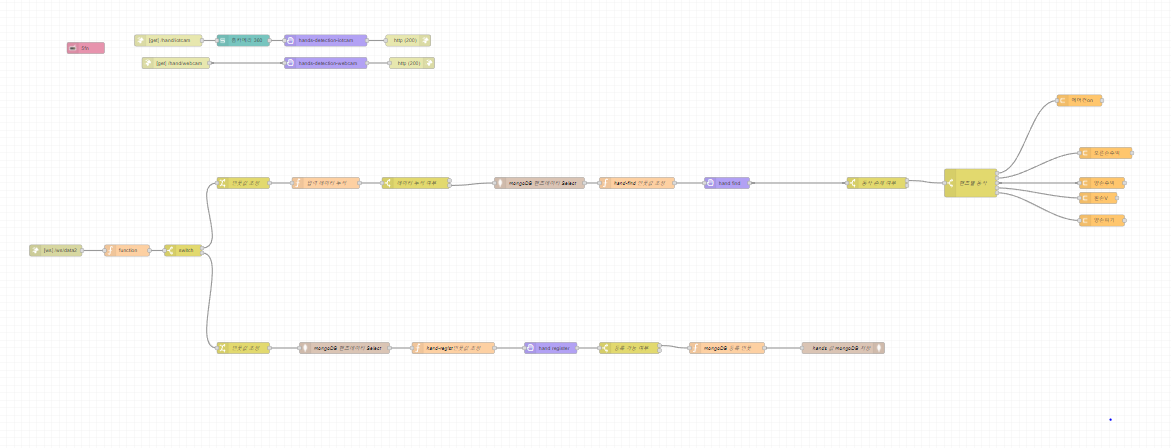
This flow shows how to control Samsung SmartThings IoT devices using node-red-contrib-motion-pose and node-red-contrib-samsung-automation-studio-nodes.
This flow can do the follows.
- control IoT devices with hands motion input from webcam or Samsung SmartThings IoT camera.
- register custom hands motion.
- check if there is similar hands motion already registered.
This flow shows how to control Samsung SmartThings IoT devices using node-red-contrib-motion-pose and node-red-contrib-samsung-automation-studio-nodes.
This flow can do the follows.
- control IoT devices with body motion input from webcam or Samsung SmartThings IoT camera.
- register custom body motion.
- check if there is similar body motion already registered.

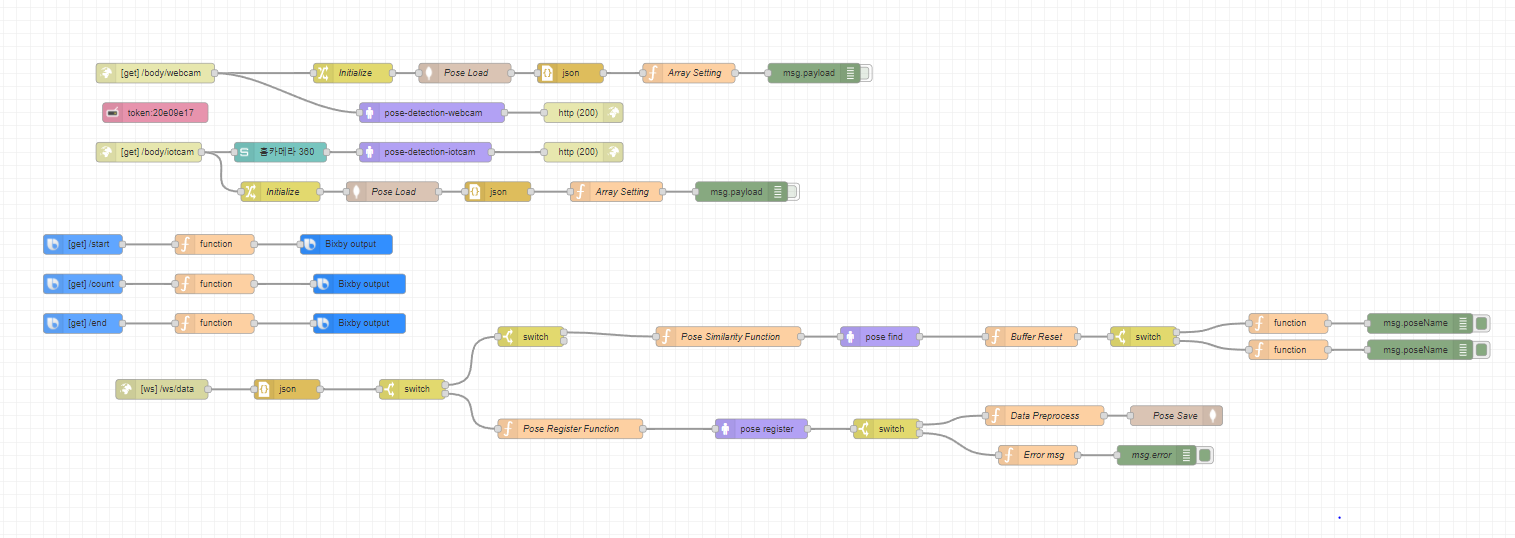
This flow shows how to enhance a home training exprience using node-red-contrib-motion-pose and node-red-contrib-samsung-automation-studio-nodes.
This flow can do the follows.
- start by Bixby utterances.
- This capsule was used to control Bixby using speech patterns in the flow.
- connect a webcam or Samsung Smartthings IoT camera to recognize the motion.
- count how many squats you did.
- register custom motion to recognize and count.
- check if there is similar motion already registered.