You probably have come across posts like these on Forums or Reddit:
<dict>
	<key>Base</key>
	<string>\_SB.PCI0.LPCB.HPET</string>
	<key>BaseSkip</key>
	<integer>0</integer>
	<key>Comment</key>
	<string>HPET _CRS to XCRS</string>
	<key>Count</key>
	<integer>1</integer>
	<key>Enabled</key>
	<false/>
	<key>Find</key>
	<data>X0NSUw==</data>
	<key>Limit</key>
	<integer>0</integer>
	<key>Mask</key>
	<data></data>
	<key>OemTableId</key>
	<data></data>
	<key>Replace</key>
	<data>WENSUw==</data>
	<key>ReplaceMask</key>
	<data></data>
	<key>Skip</key>
	<integer>0</integer>
	<key>TableLength</key>
	<integer>0</integer>
	<key>TableSignature</key>
	<data></data>
</dict>
Isolated patches in text format instead of a ready-made .plist. I hate if patches are posted this way for several reasons:
- In this form, it's a drag to integrate them into an existing
config.plist - The data is represented in Base64, so you can't really comprehend it, which makes adding it to your config manually even more tedious
- There's always a chance to mess up the structure of the config.plist if you have to integrate it in text mode.
- Some plist editors don't even allow pasting raw text. If you would paste this patch into PlistEdit Pro for example, it wouldn't even convert it into a plist item since the file header and the rest of tree structure is missing.
Enter ProperTree to save the day! With ProperTree, you can just copy raw text with ⌘c, run the App, hit ⌘v and boom, a <Dict> will be created:
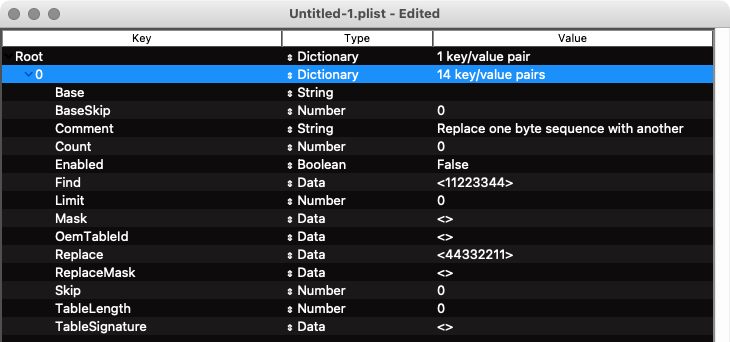
You can then right-click the Dictionary entry, copy and paste it into your config in the correct location as a child and you're done.
Another example: somebody posts his config as raw text on Pastebin or wherever, like this
Just highlight the whole raw text, copy it into memory. Open ProperTree, paste it – boom, the config has been imported successfully:
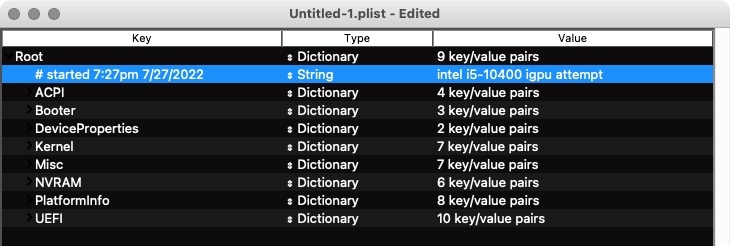
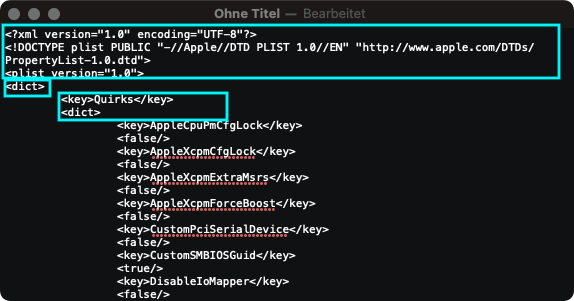
Another feature I noticed is that you can use ProperTree to convert plists or sections of it into raw text really easy. And the best thing about it: it automatically creates a correct file header and structure required for .plist files, so if you share a patch as raw text, other user can easily use it.
- Open a config.plist with ProperTree
- Select the
Rootdictionary: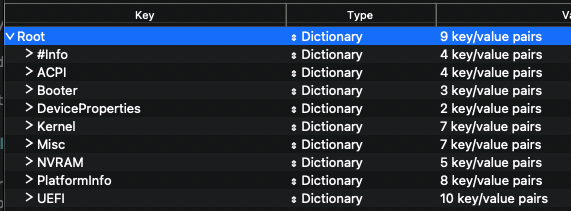
- Press ⌘c
- Open TextEdit
- Change Format to raw text (CMD+SHIFT+T)
- Press ⌘v and there's your config as raw text:
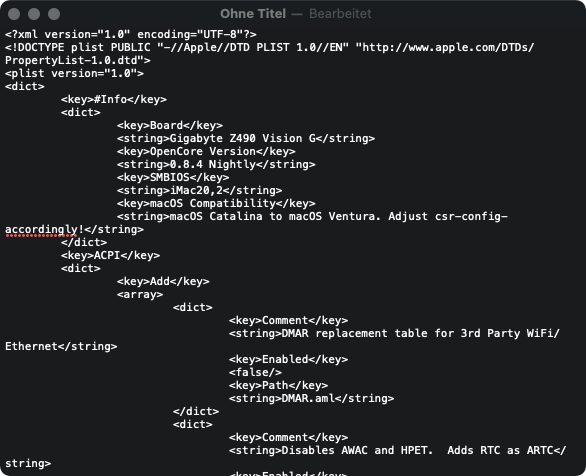
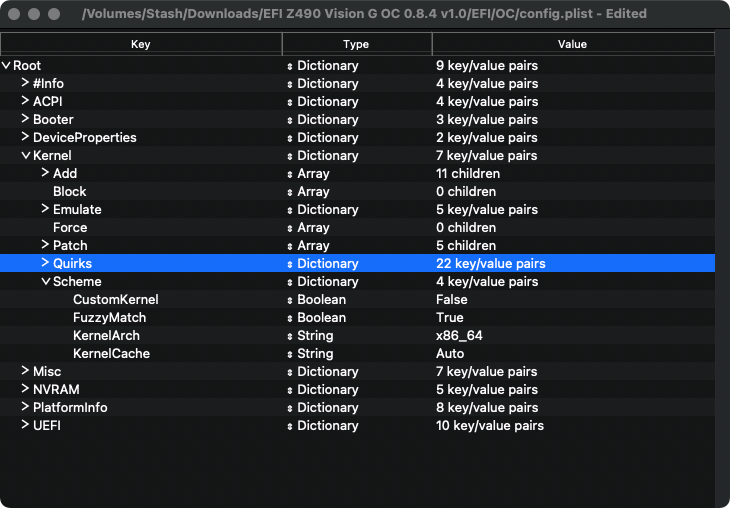
Same goes for specific sections like arrays and dictionaries. In this example Kernel/Quirks.
- Open a .plist with ProperTree
- Highlight the array or dictionary you want to copy:
- Press ⌘c
- Open TextEdit
- Change Format to raw text (⌘Shiftt)
- Press ⌘v and there's you have to copied section in raw text (file header and correct plist structure included):
corpnewt for ProperTree