Real-time lyric translation extension for Spicy Lyrics on Spicetify.


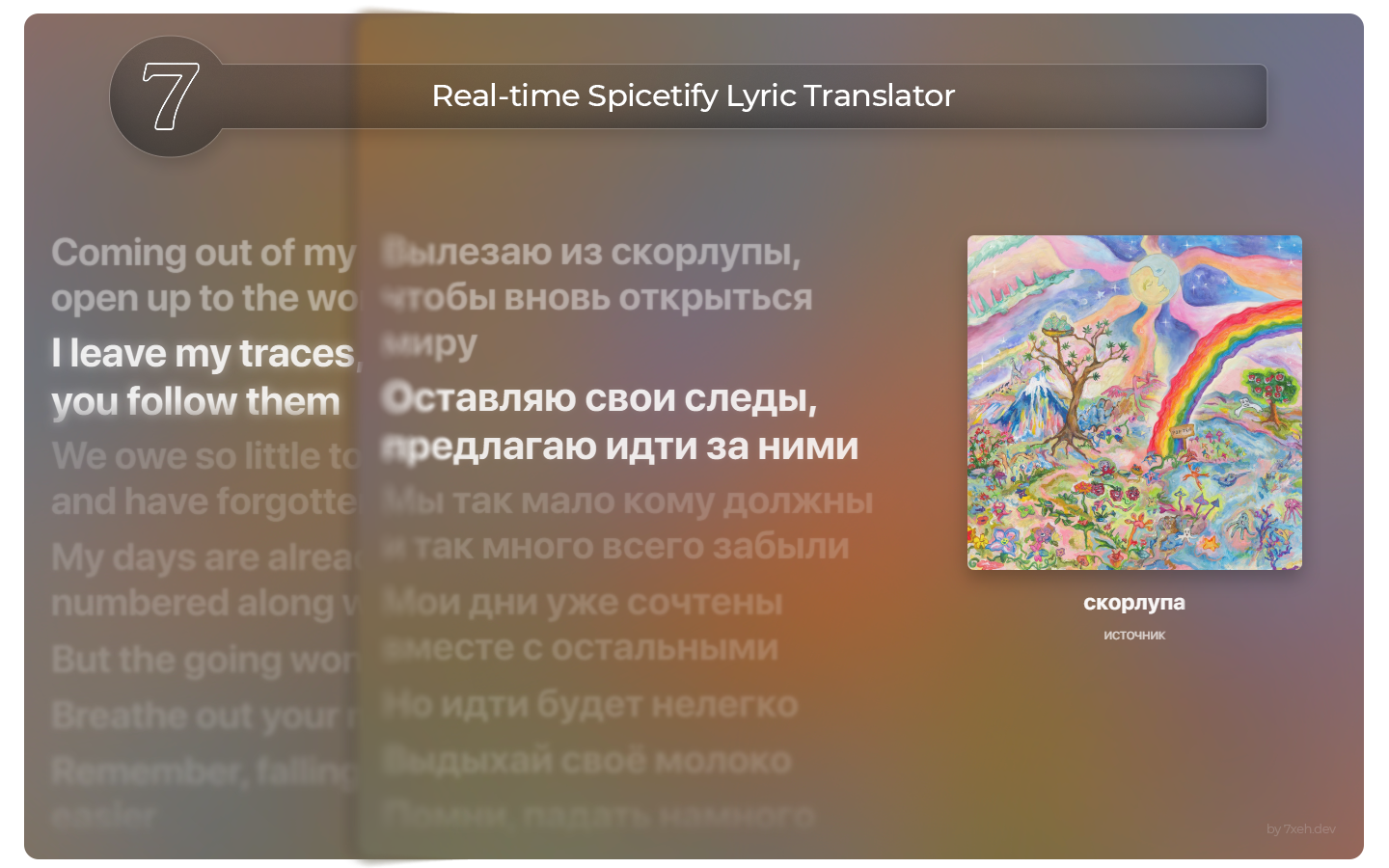
- Two display modes
- Replace: swaps original lines with translated lines.
- Below each line: keeps original lyrics and adds translations underneath.
- Real-time translation pipeline
Uses Google Translate, LibreTranslate, or a custom LibreTranslate-compatible endpoint. - Smart language detection
Detects source language and skips unnecessary translation when lyrics are already in the target language. - Track-aware caching
Stores per-track translations for faster reloads and better offline resilience. - Native Spotify settings integration
Injects settings directly into Spotify preferences (plus a quick modal via right-click on the translate button). - Keyboard shortcut
Press Alt+T to toggle translation on/off. - Update checks
Built-in update checker with release metadata and one-click update flow.
- Interactive Flashcard System
- Introduced a new "Learning Mode" toggle that transforms lyric lines into word-by-word paired flashcards.
- Original words are blurred by default and revealed on hover, paired directly with their translated counterpart.
- Karaoke Integration
- Fully integrated with the existing karaoke gradient sync system, allowing translated words to highlight in perfect time with the music.
- Spicetify
>= 2.0.0 - Spicy Lyrics extension installed and working
- Internet connection for first-time translations and update checks
Install from Spicetify Marketplace:
- Open Spicetify Marketplace.
- Search for Spicy Lyric Translator.
- Click Install.
No additional setup required.
If you install manually, use the loader in loader/SLT-loader.js so you can receive hosted updates:
- Copy
SLT-loader.jsto your Spicetify extensions folder asspicy-lyric-translater.js. - Register extension:
spicetify config extensions spicy-lyric-translater.js
spicetify apply
Windows users can also use the installer script in installer/install-spicetify-SLT.cmd.
npm install
npm run build
Build output is written to dist/spicy-lyric-translater.js.
Useful scripts:
npm run build— production bundle + typechecknpm run build:watch— watch mode for developmentnpm run deploy— build and copy to%APPDATA%\spicetify\Extensions\npm run apply— runspicetify apply
- Open a track with available lyrics in Spicy Lyrics.
- Click the translate button in lyric view controls.
- Right-click the translate button to open quick settings.
- (Optional) Enable Auto-Translate on Song Change.
The extension works across full lyrics view, sidebar lyrics, and picture-in-picture lyrics contexts when available.
- Target Language
- Translation Display (
ReplaceorBelow each line) - Translation API (
Google,LibreTranslate, orCustom API URL) - Auto-Translate on Song Change
- Show Notifications
- Debug Mode (shown when dev tools are enabled)
- Cache tools (view/clear)
- Check for Updates
- Track cache keeps up to 100 tracks (with expiry pruning).
- Line translation cache keeps up to 500 entries with 7-day expiry.
- Connectivity indicator shows install/viewer counts and latency at a glance.
- No personal data is collected — ever.
- No translate button appears: ensure Spicy Lyrics is installed and open.
- No translations: verify internet/API availability and try switching Translation API.
- Wrong language or stale lines: clear cache from settings and retry.
- Extension not loading after manual install: re-run
spicetify applyand restart Spotify. - Custom API issues: endpoint must be LibreTranslate-compatible.
Setup & usage guide:
https://7xeh.dev/apps/spicylyrictranslate/docs
Service status:
https://7xeh.dev/apps/spicylyrictranslate/status/
Song issue or bad translation? Report it here:
https://7xeh.dev/apps/spicylyrictranslate/report/
Join the Discord for support, updates, and feedback:
https://discord.gg/fXK34DeDW5
Made with care for the Spicetify community by 7xeh.