{% embed url="https://ardupilot.org/copter/docs/common-arkflow.html" %} Most Up to date ArduPilot documentations {% endembed %}
The ARK Flow is connected to the CAN bus using a Pixhawk standard 4 pin JST GH cable. For more information, refer to the CAN Wiring instructions.
Multiple sensors can be connected by plugging additional sensors into the ARK Flow’s second CAN connector.
The recommended mounting orientation is with the connectors on the board pointing towards back of vehicle, as shown in the following picture.
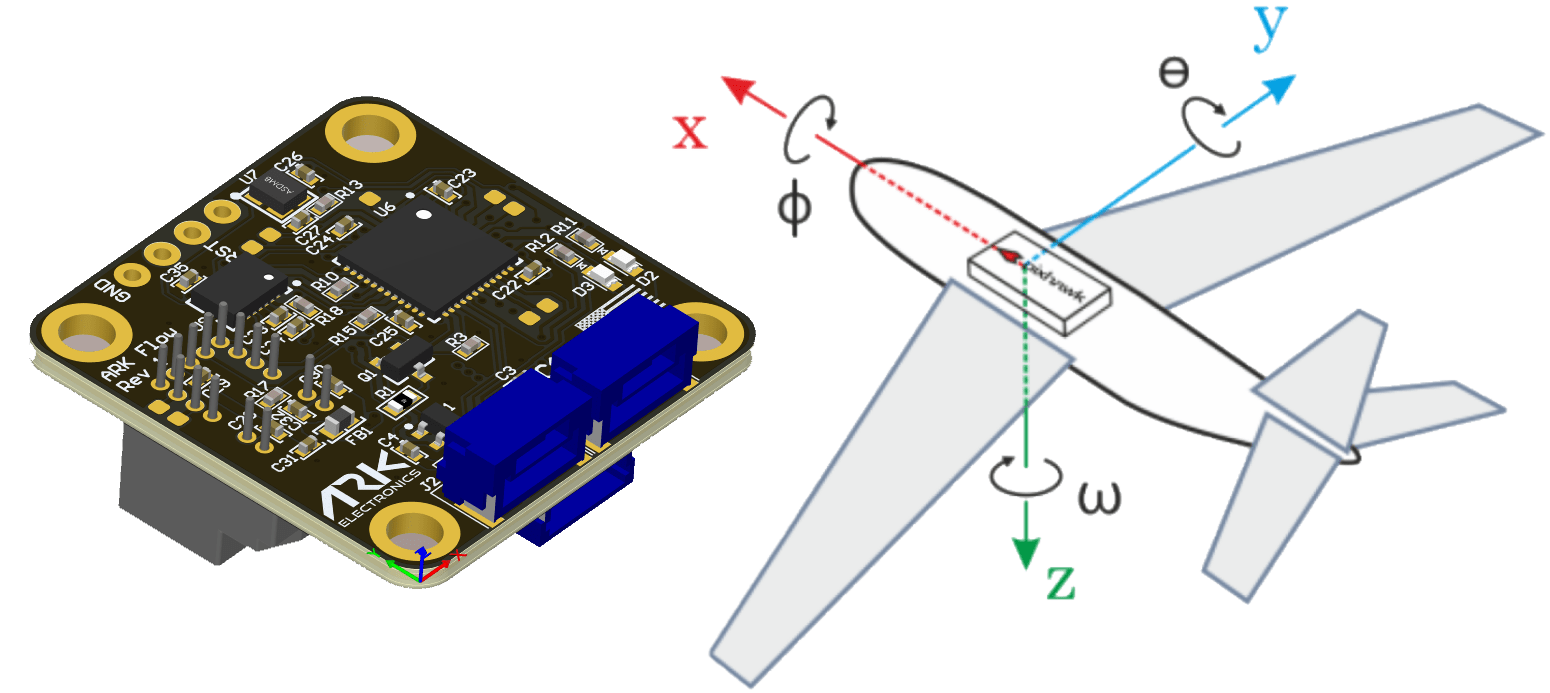
- Connect the sensor to the autopilots’ CAN port
- Set FLOW_TYPE = 6 (DroneCAN)
- Set CAN_P1_DRIVER = 1 to enable DroneCAN
- Set CAN_D1_PROTOCOL = 1 (DroneCAN)
To use the onboard lidar:
- Set RNGFND1_TYPE = 24 (DroneCAN)
- Set RNGFND1_MAX = 3000 to set range finder’s maximum range to 30m
- FlowHold does not require the use of a rangefinder
- Performance can be improved by setting the sensors position parameters. For example if the sensor is mounted 2cm forward and 5cm below the frame’s center of rotation set FLOW_POS_X to 0.02 and FLOW_POS_Z to 0.05.
{% embed url="https://ardupilot.org/copter/docs/common-optical-flow-sensor-setup.html" %} Sensor Setup Instructions {% endembed %}