A VS Code extension for viewing large dataset files with lazy loading and token counting.
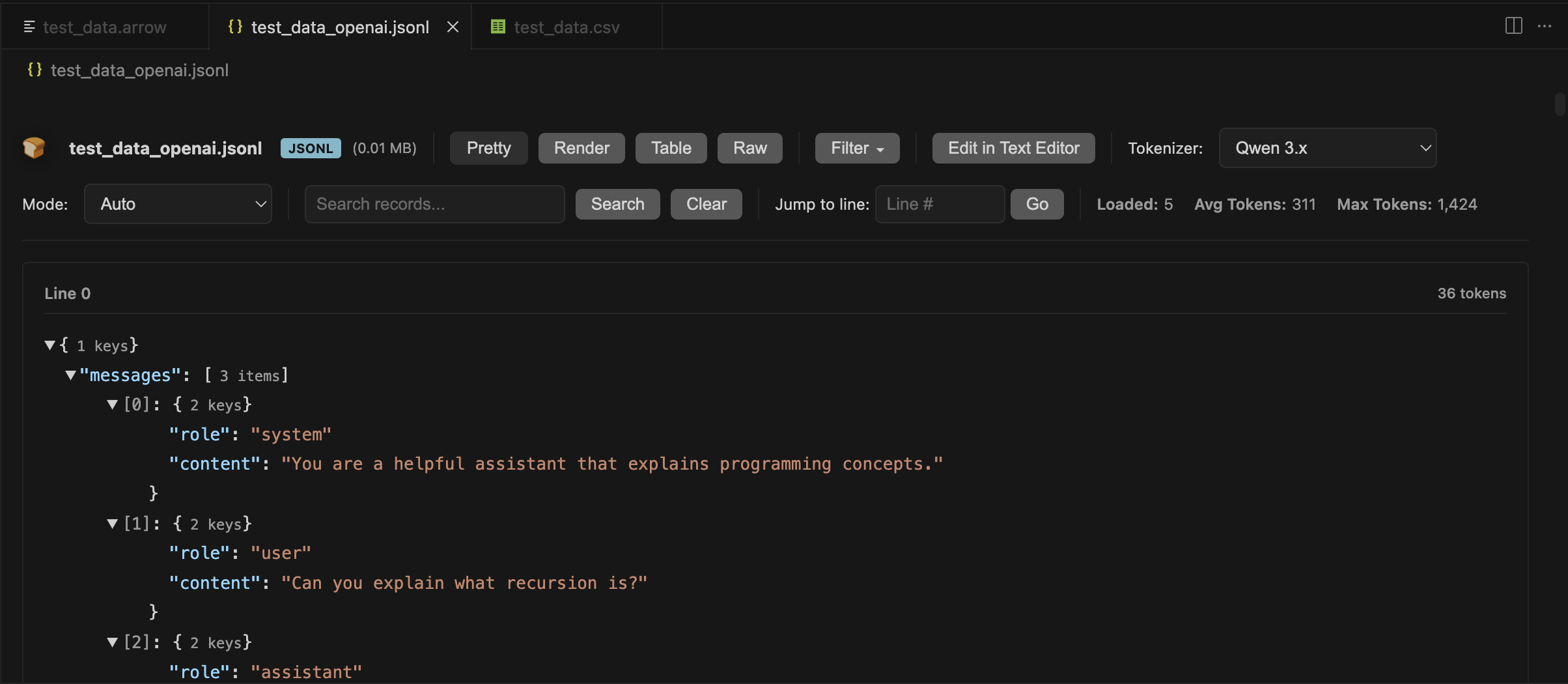
Opens JSONL, CSV, Parquet, and Arrow files of any size by streaming and lazy-loading data. Includes token counting with real model tokenizers for ML training datasets.
VS Code normally crashes or freezes when opening files over 50MB. This extension handles files up to 100GB+ by only loading what's visible.
- JSONL (JSON Lines)
- JSON
- CSV/TSV
- Parquet
- Arrow/Feather
Lazy Loading Opens large files instantly by loading data on-demand. Jump to any line without loading the entire file into memory.
Token Counting Shows exact token counts using real tokenizers from Qwen, DeepSeek, Llama, GPT, Claude, Mistral, Phi, and others. Supports chat templates for multi-turn conversations.
Multiple Views
- Pretty: Collapsible JSON trees
- Render: Chat messages with markdown/LaTeX
- Table: Spreadsheet columns
- Raw: Plain text with line numbers
Search and Navigation Search by content, jump to line numbers, filter JSON paths, and load more records as needed.
Install the extension and click any supported file. The viewer opens automatically. Use the toolbar to switch views, select tokenizers, or search.
For ML work: Pick a tokenizer from the dropdown to see accurate token counts for your training data.
VS Code 1.85.0 or higher
ML Workbench collects anonymous usage data to help improve the extension. We take your privacy seriously.
We collect analytics to understand feature usage and identify areas for improvement:
- Feature usage: Which features are used (file opens, view switches, tokenizer selection)
- Performance metrics: Load times, file size categories (small/medium/large), row count categories
- Error patterns: Error types and sanitized error messages (no file paths or user data)
- Format popularity: Which file formats are opened (JSONL, JSON, CSV, Parquet, Arrow)
- Tokenizer usage: Which tokenizers and modes are selected
- Session information: Extension version, VS Code version, platform (Windows/Mac/Linux)
We never collect personally identifiable information (PII):
- ❌ No file paths, names, or contents
- ❌ No search terms (only categorized length: short/medium/long)
- ❌ No actual token counts (only success/failure and timing)
- ❌ No user data from your files
- ❌ No email addresses, usernames, or credentials
All error messages are automatically sanitized to remove file paths, emails, tokens, and other sensitive data before transmission.
Telemetry respects your VS Code global telemetry settings:
- Open VS Code Settings (
Cmd/Ctrl + ,) - Search for "telemetry"
- Set Telemetry Level to
off
When disabled, no data is collected or sent.
- Uses Azure Application Insights for analytics
- GDPR compliant with automatic PII sanitization
- All telemetry code is open source in this repository
- Application Insights key is included in the extension (standard practice for client-side telemetry)
- Rate limiting and security are handled server-side by Azure
MIT
Note on Bundled Tokenizers: This extension includes tokenizer files from various HuggingFace models for offline token counting. Each tokenizer retains its original license from the source model. See /tokenizers/MANIFEST.md for details.