5. Assembling the Keypad & Control Board
The keypad, which is a replica of a TRW keypad, contains the control board, ESP32, lenses, enter button, volume knob, sd card slot and power supply. There are some important assembly steps that need to be followed for the keys of the number keypad to work properly with the 3d printed keypad housing and bezel.
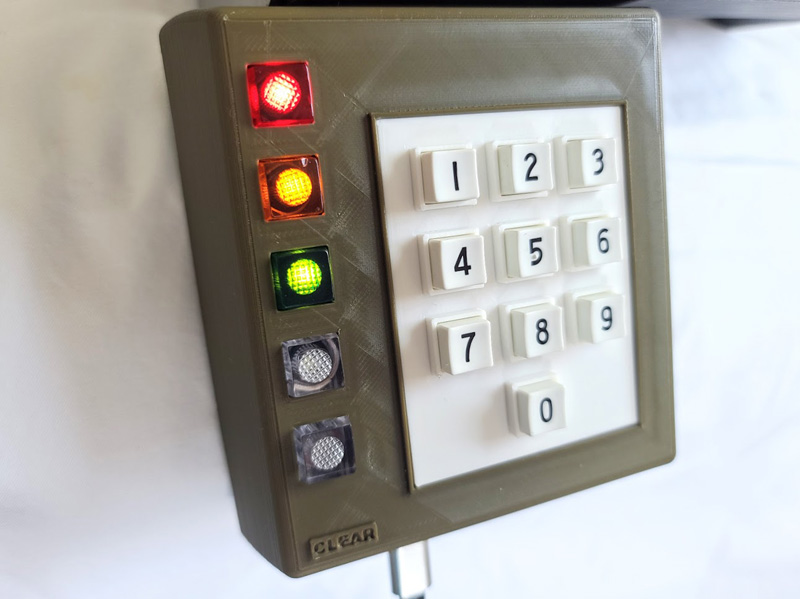
- Flush cutters
- 3d printed keypad bezel
- 3d printed keypad body
- Number keypad
- 4 small included screws
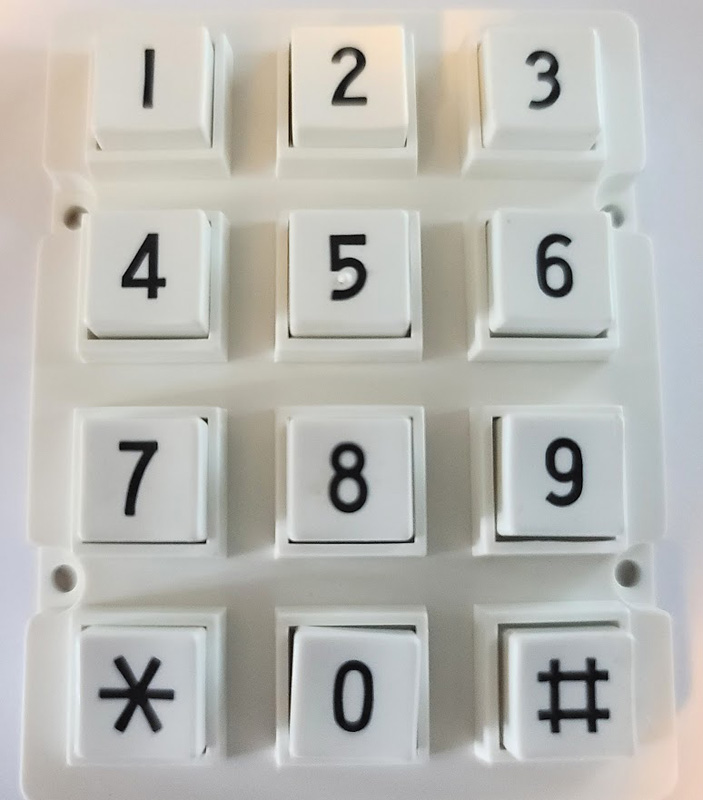
The number only keypad that comes with the TCD kit needs to be disassembled. Here is how:
- Use flush cutters to cut the plastic welds off of the back of the number keypad
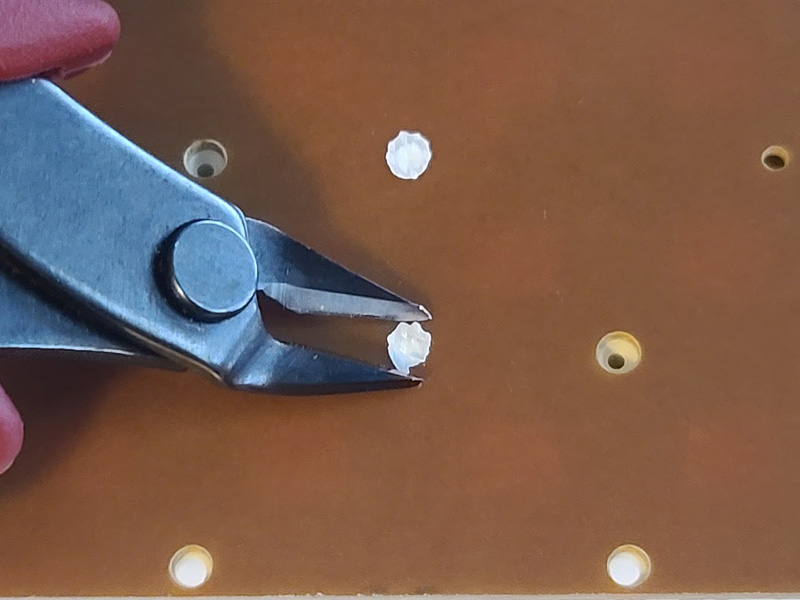
- Carefully separate the keypad pcb from the white plastic housing
- Take out the rubber key membrane and keys
- Put the keys in the 3d printed keypad bezel minus the # and * keys (make sure they are the correct direction and order!)
- Place the rubber key membrane over the back of the keys with the black pads up
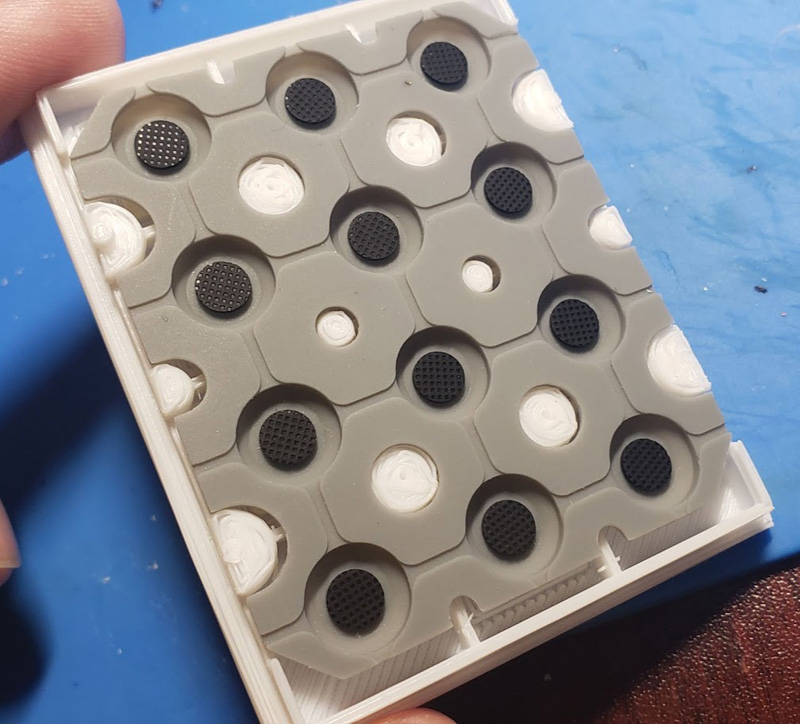
- Place the modified keypad assembly in from the front of the keypad body
- Screw in the keypad pcb with the cable connector towards the bottom
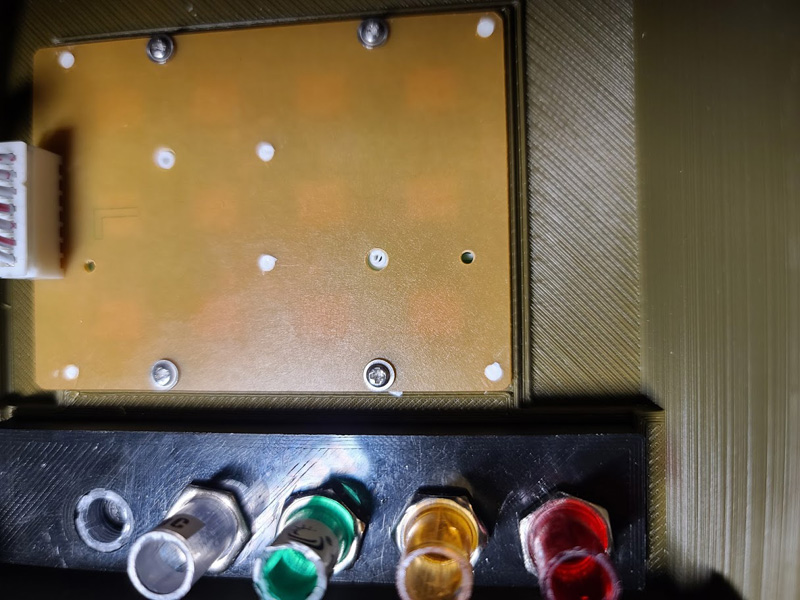
- 5 colored led lenses
- 3d printed button lens bracket
- 3d printed enter button spacer
- Something to but brittle plastic
- The enter button needs to be cut just above the threading to fit properly in the keypad body
- Insert the enter button spacer into the lens when cutting is complete (this pushes the enter button on the control board pcb)
- Take off the nuts from the led lenses
- Insert the lenses into the lens bracket (red, yellow, green, white, white enter button) & screw on the nuts
- Do not screw on a nut for the enter button
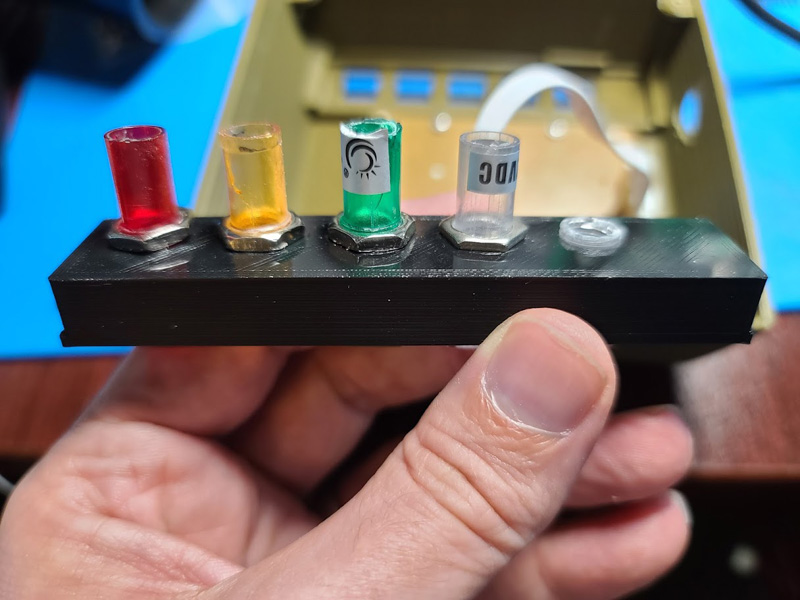
- Carefully snap the lens bracket into the keypad housing. It will be a tight fit and trimming of the backet and/or housing may be required.
- Control board
- ESP32
- 4 included screws
- 7p ribbon cable
- Phillips screwdriver
- Insert the ESP32 with the usb jack towards the edge of the control board pcb
- Connect the 7p ribbon cable from the control board to the keypad pcb
- Carefully align the leds and enter button with the lenses already in the keypad
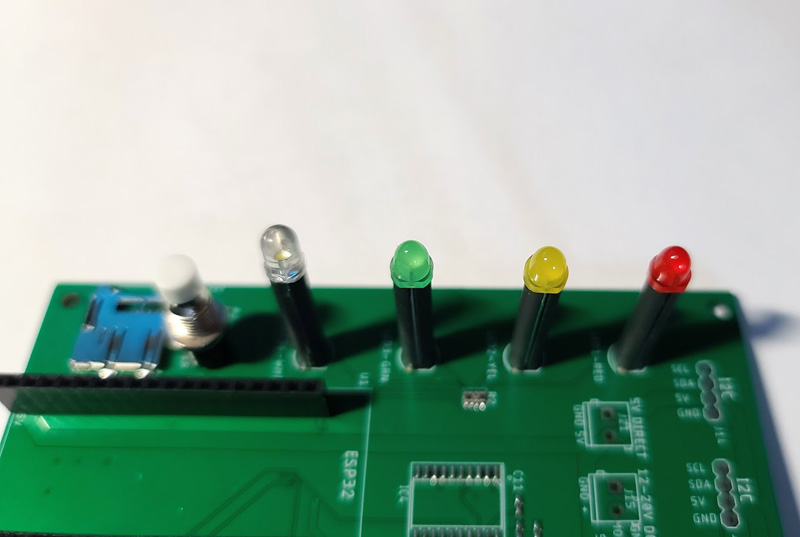
- Make sure the control board sits flush with the mounting tabs of the keypad
- Use your phillips screwdriver to secure the control board to they keypad using 4 provided screws