There are some Breeze commands that are used to support Apache Airflow project UI.
Those are all of the available ui commands:
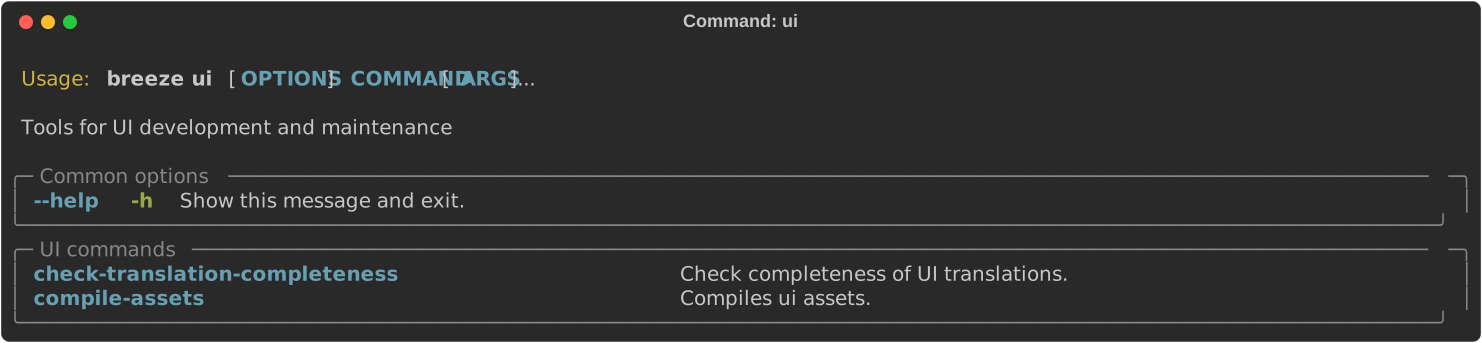
Before starting Airflow, Airflow API server needs to prepare www assets - compiled with node and yarn. The
breeze ui compile-assets command takes care about it. This is needed when you want to run API server
inside of the breeze.

Note
This command requires the prek tool, which should be installed by following
this guide.
To check if the UI translations are complete for all languages, you can use the
breeze ui check-translation-completeness command. This command compares all non-English
locale translations against the English (base) translations to identify:
- Missing translation keys that need to be added
- Extra translation keys that should be removed
- TODO markers indicating incomplete translations
- Translation coverage percentages per language
The command supports language-specific plural forms (e.g., Polish has 4 forms, Arabic has 6) and can automatically add missing keys or remove extra keys.
These are all available flags of check-translation-completeness command:
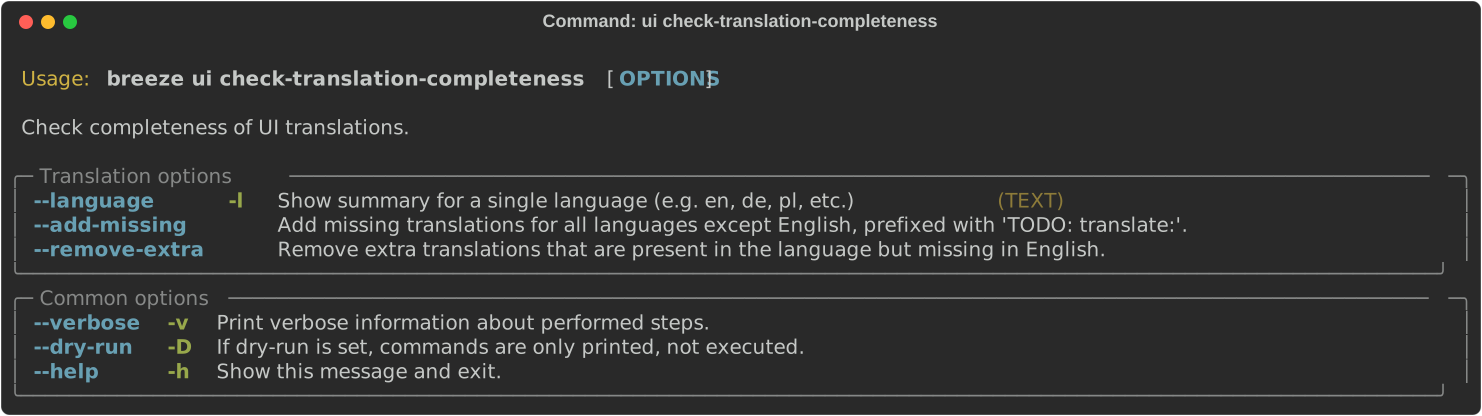
Example usage:
# Check all languages
breeze ui check-translation-completeness

# Check a specific language
breeze ui check-translation-completeness --language pl

# Add missing translations with TODO markers
breeze ui check-translation-completeness --add-missing

# Remove extra translations not present in English
breeze ui check-translation-completeness --remove-extra

# Fix translations for a specific language
breeze ui check-translation-completeness --language de --add-missing --remove-extra
Next step: Follow the Registry tasks instructions to learn about the provider registry commands.