

-
|
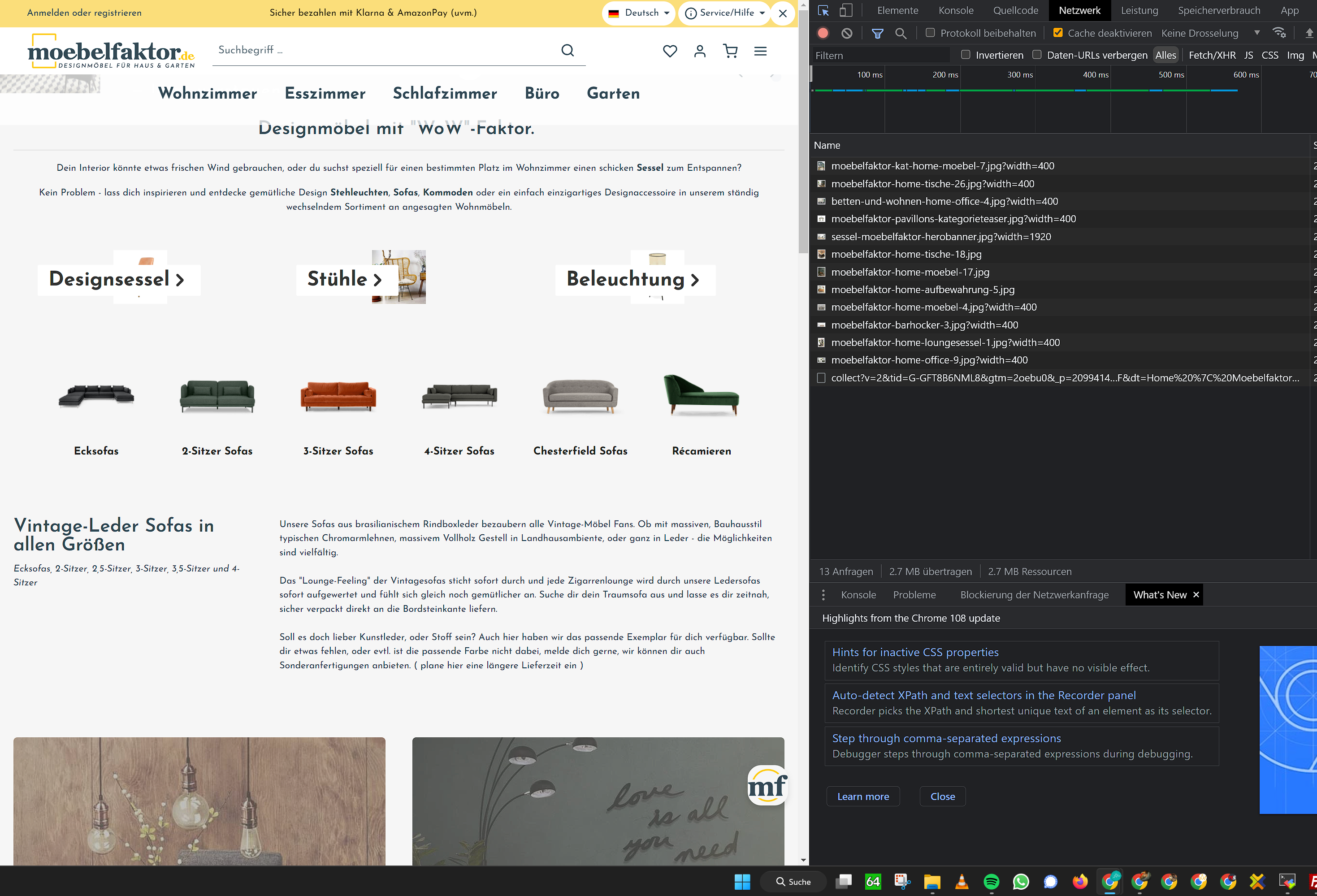
Hi first of all a big thank you for all your work, whether here or in another PLugin. I love your works. I have a problem understanding here, or do not get it set up correctly. After installing the two plugins (Bunny CDN and Thumbnail Processor), my thumbnails, and also generally linked images in the store are super small. What could be the reason for this? What information can I share to better isolate the problem? Thanks in advance and best regards Translated with www.DeepL.com/Translator (free version)
|
Beta Was this translation helpful? Give feedback.
Replies: 1 comment 2 replies

-
|
Hi @markeymakey EDIT: I just had a look into your shop. |

Beta Was this translation helpful? Give feedback.

-
|
ahhh i see the plugin will add the class img.lazyloaded to all the images? Can one disable / enable that in the plugin somewhere? After using devtools to deactivate the class it looks just fine! |
Beta Was this translation helpful? Give feedback.

-
|
No, you can't because it's the basic function of this plugin in storefront :-( I see you are using any other plugin for the images. While this is a paid-plugin, you might want to ask him, to try being compatible with this free plugin. |
Beta Was this translation helpful? Give feedback.

Hi @markeymakey
it looks like your containers are missing some CSS for specifying width and or height.
Try setting to 100% or auto. Had this issue with some custom cms-elements, too, but had to consult our frontend dev :-(
EDIT: I just had a look into your shop.
This is what you have in your own styles.