Download Now Button - Session of Buttons #181

Description

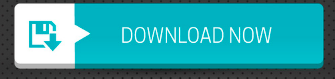
Inline with our "session of Buttons", We would be building different kinds of buttons..
Design a Button that looks like the button in this image...
Create a file "DOWNLOAD_NOW_BUTTON_BY_YOUR_NAME.html" in the modules/buttons folder.
Use simple HTML and CSS to create the button. You can use the interface development https://kwickerhub.com (This project) or you can write the lines of code yourself.
Step by Step Guide.
-
Fork this project(Use the 'fork' button in the top right corner) and Clone your Fork.
git clone https://github.com/YOUR_USERNAME/frontend -
Open your code Editor and Create a file "DOWNLOAD_NOW_BUTTON_BY_YOUR_NAME.html" in the "modules/buttons" folder of this project you just cloned. No need to create head, title and body tags, Just Add a div tag with some embedded style(i.e use the style tag) and the script tag where necessary.
If you want to add an image resource, please add it in the folder "modules/buttons/images_and_icons". We recommend you use an svg for your image/icon. -
Push your Code: You need to push your recent changes back to the cloud. Use the command below in the main directory of this Repository
git push origin dev
or use a GUI tool to avoid mistakes or complexity. LOL.
- Make you Pull Request... if you do not know how to go about it, Just visit your fork on GitHub and you would see the button/suggestion to make a pull request to this project(the upstream)
Good-luck.
You can check out examples from the "modules/buttons" folder.
For some additional info, You should read the instructions.txt file in "buttons" folder.