DevTools "add column" button reported as not working #354


-
|
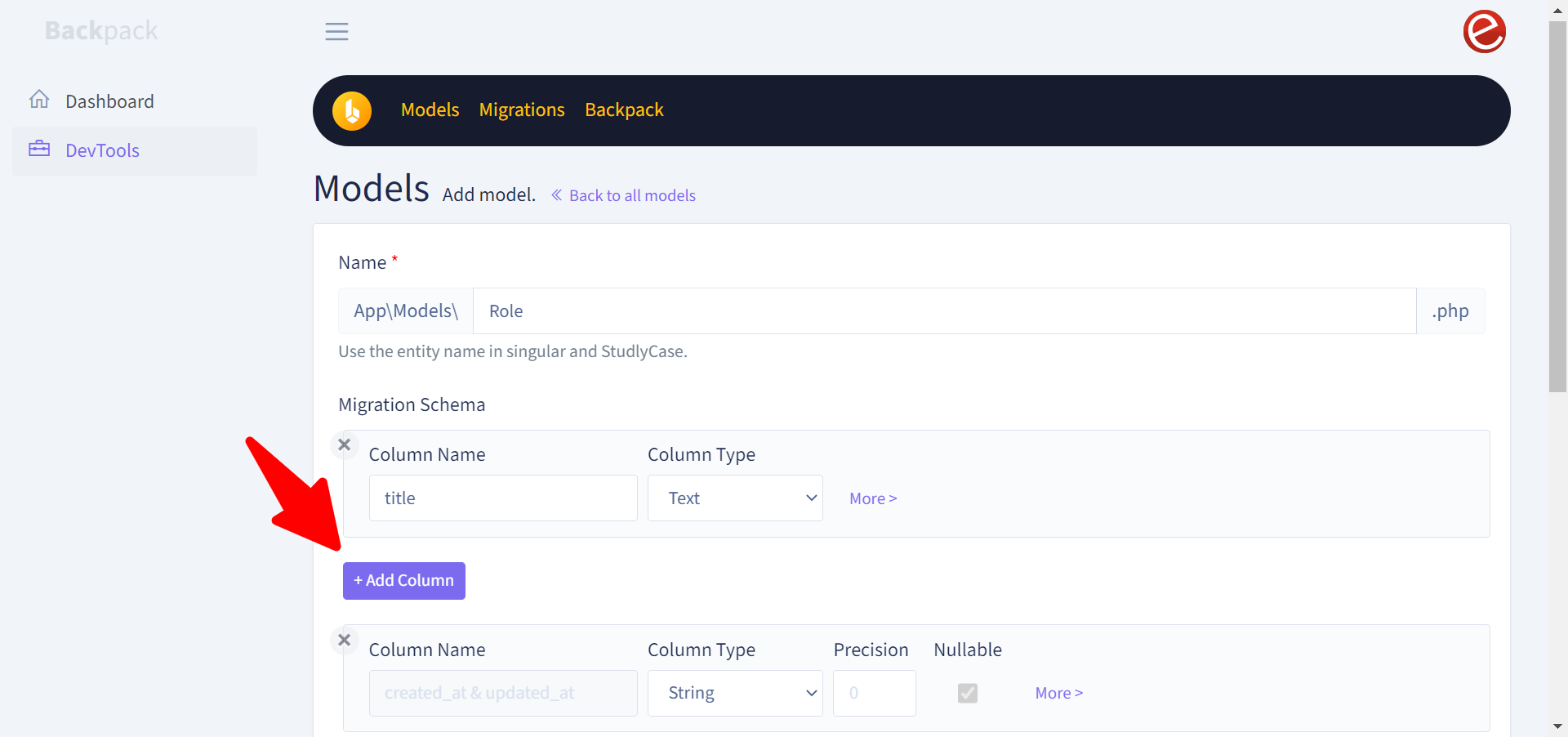
Fabiano just reported on email that "I updated the packages, however there is now an issue with the add model in DevTools. The add column is not adding. It’s not working. What else could be wrong with?"
@pxpm can you please investigate? |
Beta Was this translation helpful? Give feedback.
Replies: 1 comment 6 replies

-
|
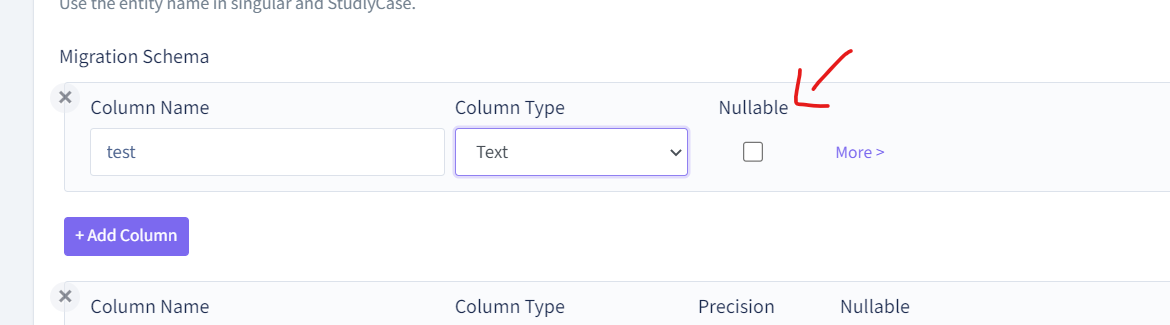
Sure thing @tabacitu , unfortunately I wasn't able to reproduce the issue. I think there must be some JS error. I've just freshly installed devtools, and I seen an important thing missing in the screenshot you provided, that I have on mine: So when the type of column change, those inputs are dynamically created. In the provided screenshot I can see that the JS didn't trigger those changes, so in Possible solutions include:
Let me know |
Beta Was this translation helpful? Give feedback.

-
|
Ugh looks like Livewire isn't installed. Right @pxpm ? |
Beta Was this translation helpful? Give feedback.

-
|
Indeed @tabacitu that seems to be the case. Can you do a Cheers |
Beta Was this translation helpful? Give feedback.

-
|
Hi @pxpm |
Beta Was this translation helpful? Give feedback.
-
|
@fabianotrentin there must be some issue with your setup then, and the livewire scripts are not beeing loaded. I see that your url looks like I think you probably need to setup a vhost (say http://test.local) that points to your Maybe this could help you: https://medium.com/@ajtech.mubasheer/configure-a-virtual-host-for-laravel-project-in-xampp-for-windows-10-d3f0068e7e1b Also, can you check the Cheers |
Beta Was this translation helpful? Give feedback.
-
|
@pxpm it seems to be working smoothly now. Thanks. |
Beta Was this translation helpful? Give feedback.


@fabianotrentin there must be some issue with your setup then, and the livewire scripts are not beeing loaded.
I see that your url looks like
localhost/**public**/admin, when usually it should be onlylocalhost/adminwithout the public part, because that public part should be handled by your php server using rewrite rules in the configuration.I think you probably need to setup a vhost (say http://test.local) that points to your
www/test/publicdirectory.Maybe this could help you: https://medium.com/@ajtech.mubasheer/configure-a-virtual-host-for-laravel-project-in-xampp-for-windows-10-d3f0068e7e1b
Also, can you check the
Networktab on developer console and see where the request to load …