Config Help #152


-
|
Hello! I couldn't find my particular issue in the discussions, but it has to do with what apps I need installed in order for TTController to connect properly. I'm new to pc so I hope I provide enough detail. I have the "Toughpower iRGB Plus 850w" thermaltake power supply. The apps I have are the "TT RGB Plus" and "Tt DPS G App", along with the TTController you made, and Razer Synapse. But the only thing showing up in Razer Synapse is the TT RGB Plus. I'm not sure if this is an issue, but I also don't have a physical in person TT Controller. I can control the rgb from the DPS G app, but nowhere else. I'm not sure where to go from here, but if you could help me out, that would be awesome! |
Beta Was this translation helpful? Give feedback.
Replies: 2 comments 18 replies

-
|
You only need razer synapse and TTController. In TTController you would configure the detected DPSG controller to use the razer effect. Note that with TTController running you wont be able to use "Tt DPS G App" to check psu stats like voltage etc. |
Beta Was this translation helpful? Give feedback.

-
|
Did you make a profile with Read the docs first on how to use this program, you cannot just throw random text into the config file and expect it to work. Also post the whole output of the report from debug menu. |
Beta Was this translation helpful? Give feedback.

-
|
I'm trying to figure out how to post the report, but I don't know how to export it into a log or "copy paste" it into here. Sorry, I'm very inexperienced when it comes to this stuff. |
Beta Was this translation helpful? Give feedback.
-
|
|
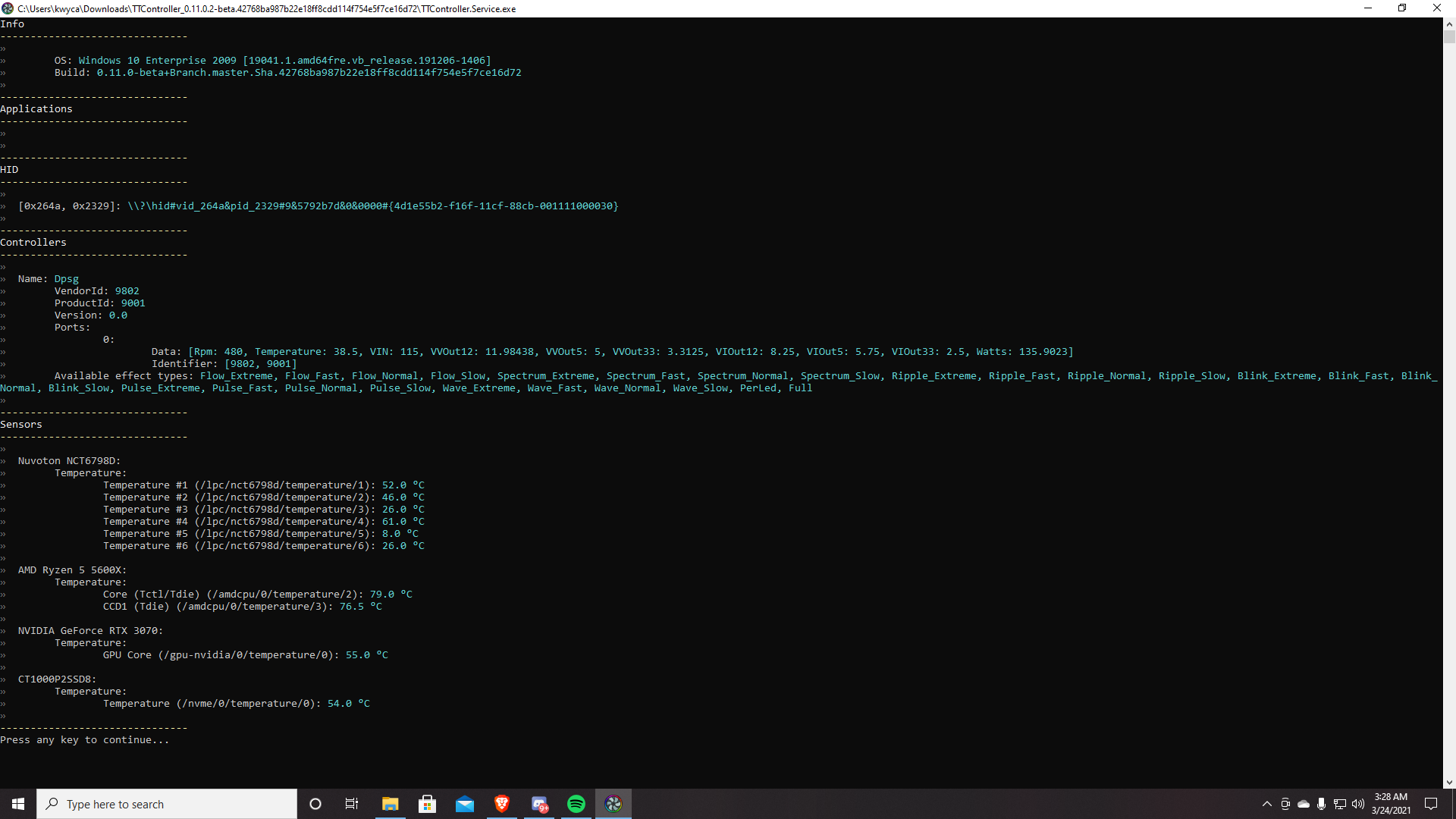
Beta Was this translation helpful? Give feedback.
-
|
what do you have in your |
Beta Was this translation helpful? Give feedback.
-
|
I tried to go along the tutorial as best I could but I couldn't find what the port was. I hope this doesn't look too bad. |
Beta Was this translation helpful? Give feedback.
-
|
Your config looks ok, assuming it works then this will enable you to use razer synapse: {
"Profiles": [
{
"Name": "PSU",
"Ports": [
[9802, 9001]
],
"Effects": [
{
"Type": "RazerConnectEffect",
"Config": {
"Trigger": {
"Type": "AlwaysTrigger"
}
}
}
]
}
],
"PortConfigs": [
{
"Ports": [
[9802, 9001],
],
"Config": {
"ColorModifiers": [
{
"Type": "LerpLedColorModifier"
}
]
}
}
]
} |
Beta Was this translation helpful? Give feedback.
-
|
What synapse version are you using? |
Beta Was this translation helpful? Give feedback.
-
Beta Was this translation helpful? Give feedback.
-
|
I'm using ver 3.6.331.31613 |
Beta Was this translation helpful? Give feedback.
-
|
The log says that the config is not getting loaded, you must save it in |
Beta Was this translation helpful? Give feedback.
-
|
IT WORKS! I just had to copy and paste the config from |
Beta Was this translation helpful? Give feedback.


Your config looks ok, assuming it works then this will enable you to use razer synapse:
{
  "Profiles": [
    {
      "Name": "PSU",
      "Ports": [
        [9802, 9001]
      ],
      "Effects": [
        {
          "Type": "RazerConnectEffect",
          "Config": {
            "Trigger": {
              "Type": "AlwaysTrigger"
            }
          }
        }
      ]
    }
  ],
  "PortConfigs": [
    {
      "Ports": [
        [9802, 9001],
      ],
      "Config": {
        "ColorModifiers": [
          {
            "Type": "LerpLedColorModifier"
          }
        ]
      }
    }
  ]
}