[LEMFO LEMP Full Android 9.1] Unable to start Bluetooth Service (Dexcom / MiaoMiao / Bubble) #161

Replies: 10 comments 22 replies

-
|
The issues platform has become cluttered with items that should really be in a forum for discussing many different subjects. We have added guidelines for using the discussions, when someone attempts to open an issue. You have now added a link to the closed issue. In the meantime, I will ask the right person to have a look at this discussion thread. |
Beta Was this translation helpful? Give feedback.

-
|
Link deleted... |
Beta Was this translation helpful? Give feedback.

-
|
Thanks |
Beta Was this translation helpful? Give feedback.

-
|
@parapenT1sta You could enable "Store logs for troubleshooting" in extra logging. It requires enabling the engineering mode and maybe a restart of xDrip. It creates a "xdriplogcat.txt" on the watch. Hopefully, something is logged. You can also enable verbose logging for the various Dexcom and Bluetooth related classes. BTW: Looks like the transmitter is an old one with reused batteries. |
Beta Was this translation helpful? Give feedback.
-
|
Can you please check this information: #161 (reply in thread)? Btw, I couldn't find the xdriplogcat.txt on the watch. The option to save is selected but no file is created I think also because this Full Android 9.1 watch is detected as an Android Wear. |
Beta Was this translation helpful? Give feedback.
-
|
If you install xDrip again, does it still fail to connect to the Dexcom transmitter? |
Beta Was this translation helpful? Give feedback.
-
|
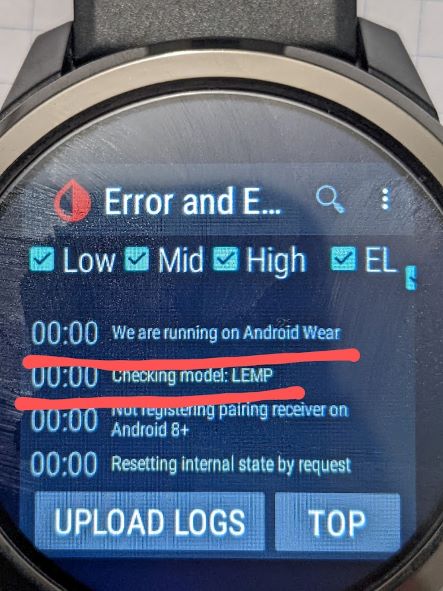
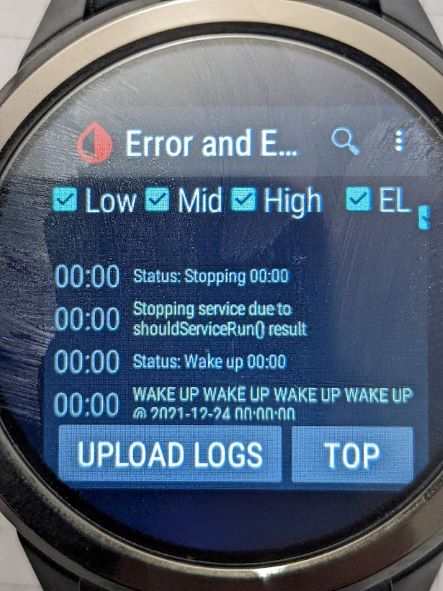
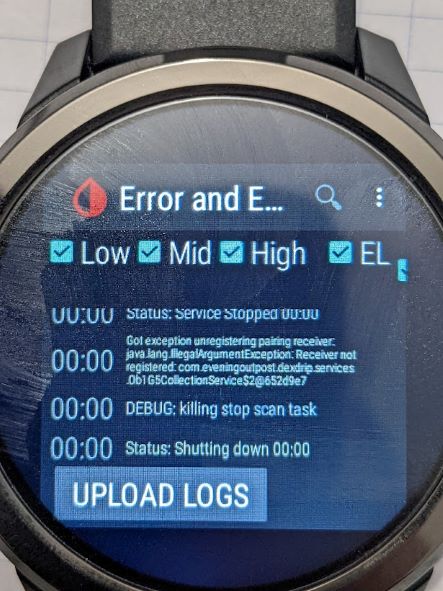
@Navid200 @tolot27 I tried your steps already but I think I found the issue running the extra logging Ob1G5CollectionService:v, just let me know if it helps, this is the only information I could get. It seems this Full Android 9.1 Watch is detected as an Android Wear (this option is disabled on xDrip) or is not related? "We are running on Android Wear" Can you provide me the extra logging tag for Libre Bluetooth service, is it DexCollectionService?
|
Beta Was this translation helpful? Give feedback.

-
|
@Navid200 and @tolot27 Is it possible to get a version for testing proposes setting the device as "Phone" all the time just to avoid Android Wear detection and to verify if the issue is solved for Dexcom and MiaoMiao/Bubble on this device. As mentioned on the previous post this is the order of the logs: |
Beta Was this translation helpful? Give feedback.
-
|
This is a full Android watch, right? |
Beta Was this translation helpful? Give feedback.
-
|
@Navid200 Yes, as I mentioned on the previous comment, this is a Full Android Watch (works like a phone) and Android Wear option is disable. |
Beta Was this translation helpful? Give feedback.
-
|
Android wear must be enabled for that log to show up: |
Beta Was this translation helpful? Give feedback.
-
|
@Navid200 You're getting annoying! If I'm telling you that I have the option is disabled is because is DISABLED! |
Beta Was this translation helpful? Give feedback.
-
|
I don't think I can help you. |
Beta Was this translation helpful? Give feedback.
-
|
Maybe something is wrong on the code assuming that the full watch is an Android Wear and skipping the option. But at least did you check my preferences? Because you were so right that I have the option enabled and this is annoying for me as I am here to try to provide all right the information to check if Xdrip can Work at least with Dexcom as per official Dexcom app works perfectly fine. Try to accept the information people are giving to you... |
Beta Was this translation helpful? Give feedback.
-
|
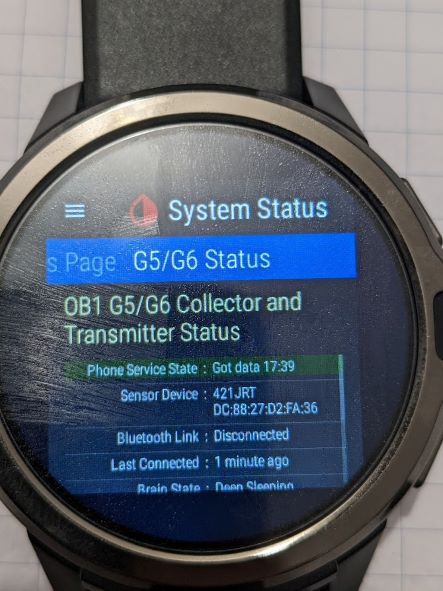
Finally I made it! Modified xDrip code with some workarounds and built my own app and now Dexcom G5 it's working with LEMFO LEMP Full Android 9.1. Next step is to modify DexCollectionService to make it work with MiaoMiao and Bubble. If anyone is facing the same issue I can sent my xDrip version.
|
Beta Was this translation helpful? Give feedback.
-
|
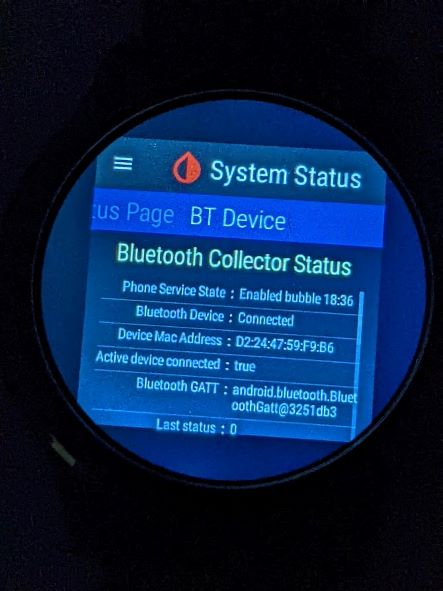
Now, also working with Bubble! Since I'm not a programmer at all and just used workarounds in the code, I don't know how to fix it properly but at least it's working...
|
Beta Was this translation helpful? Give feedback.
-
|
Changes that I've done on Ob1G5CollectionService.java to make it work with G5. I will describe my thoughts on the code changes as Bluetooth Service was being shutdown due wrong Android wear detection. 960 - Looks like even being an Android 9.1 watch needs this command to make it work: registerReceiver(mPairingRequestRecevier, pairingRequestFilter); , so I increased the SDK version from 26 to 29. 974-975 - The watch is being wrongly detected as Android Wear, so I hid the command wear_broadcast = Pref.getBooleanDefaultFalse("ob1_wear_broadcast"); 1011-1016 - Avoid to stop the service |
Beta Was this translation helpful? Give feedback.
-
|
@tolot27 I was just following the message from event logger and then verifying the issue was the Bluetooth Service was forcing to shutdown. |
Beta Was this translation helpful? Give feedback.

-
|
Let me adapt the changes and create an APK. |
Beta Was this translation helpful? Give feedback.
-
|
Thank you ! :-) I'll be waiting :-) |
Beta Was this translation helpful? Give feedback.
-
|
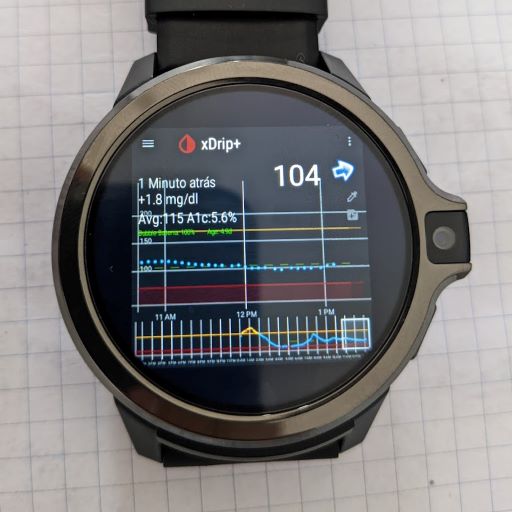
I've testing and has been working fine. I've search for Configuration.UI_MODE_TYPE_WATCH and it's also used in JoH but I think is not necessary to change there. Configuration.UI_MODE_TYPE_WATCH
|
Beta Was this translation helpful? Give feedback.
-
|
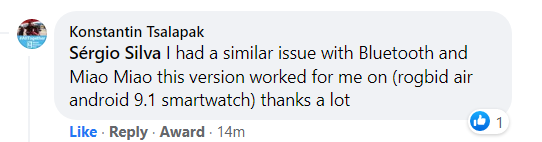
@tolot27 As per this comment, this code is also working for rogbid air android 9.1 smartwatch |
Beta Was this translation helpful? Give feedback.
-
|
NightscoutFoundation#1988 was merged today. |
Beta Was this translation helpful? Give feedback.
-
|
Thank youuu!!!! |
Beta Was this translation helpful? Give feedback.


Uh oh!
There was an error while loading. Please reload this page.
Uh oh!
There was an error while loading. Please reload this page.
-
A friend of mine bought a LEMFO LEMP with Android 9.1 hoping was going to work like the previous models running Android 7.1.1 with MiaoMiao and Bubble but in fact he is unable to use it.
xDrip cannot start the Bluetooth Service, at least it seems. Since I have Dexcom, I tried to connect Dexcom on xDrip and the same issue, tried all settings, then I installed Dexcom Built Your Own App and it connects with no issue.
xDrip with Dexcom: Phone Service State: Service Stopped
xDrip with Bubble or MiaoMiao: Phone Service State: Full Service Stopped
Is anything that I can debug for further investigation or this is a case where nothing can be done?
UPDATE: #161 (reply in thread)
Beta Was this translation helpful? Give feedback.
All reactions