
Replies: 6 comments 4 replies

-
|
@Lynd You have entered B as the first character of your transmitter serial number. Can you show a screenshot of the transmitter box? If it's a G6, the serial number starts with 8. |
Beta Was this translation helpful? Give feedback.
-
|
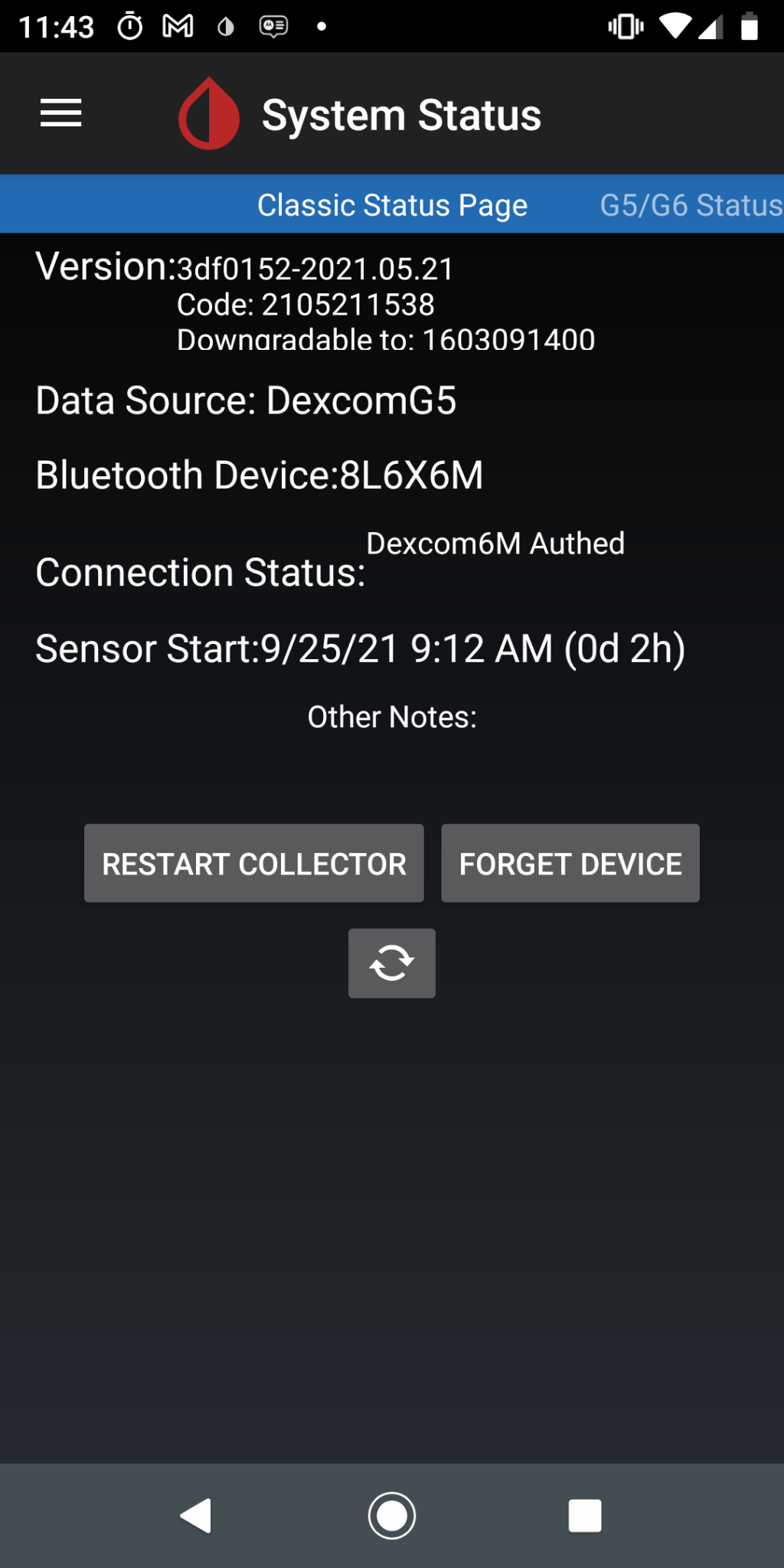
@Lynd You say that it is a G6. Then, you need to change the settings as shown here: According to the classic status page you are showing, you have set it up as a G5. |
Beta Was this translation helpful? Give feedback.

-
|
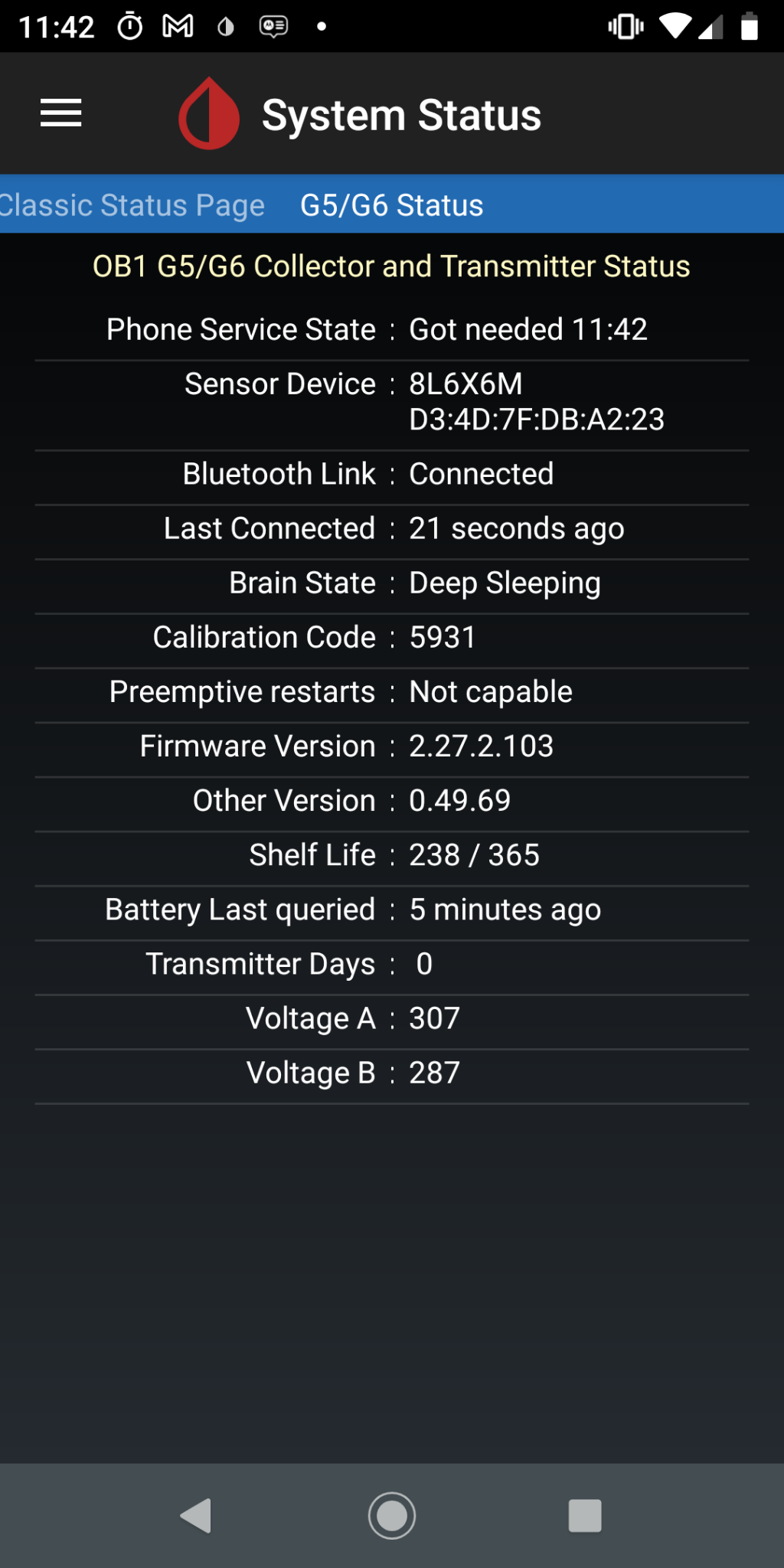
I had misread the "8" as "B" (-‸ლ) . Fixed that, but it still shows as "G5". A pop screen shows "Collecting Initial Recordings". I reset the collector, but the Initial Recordings pop-up is still present. |
Beta Was this translation helpful? Give feedback.
-
|
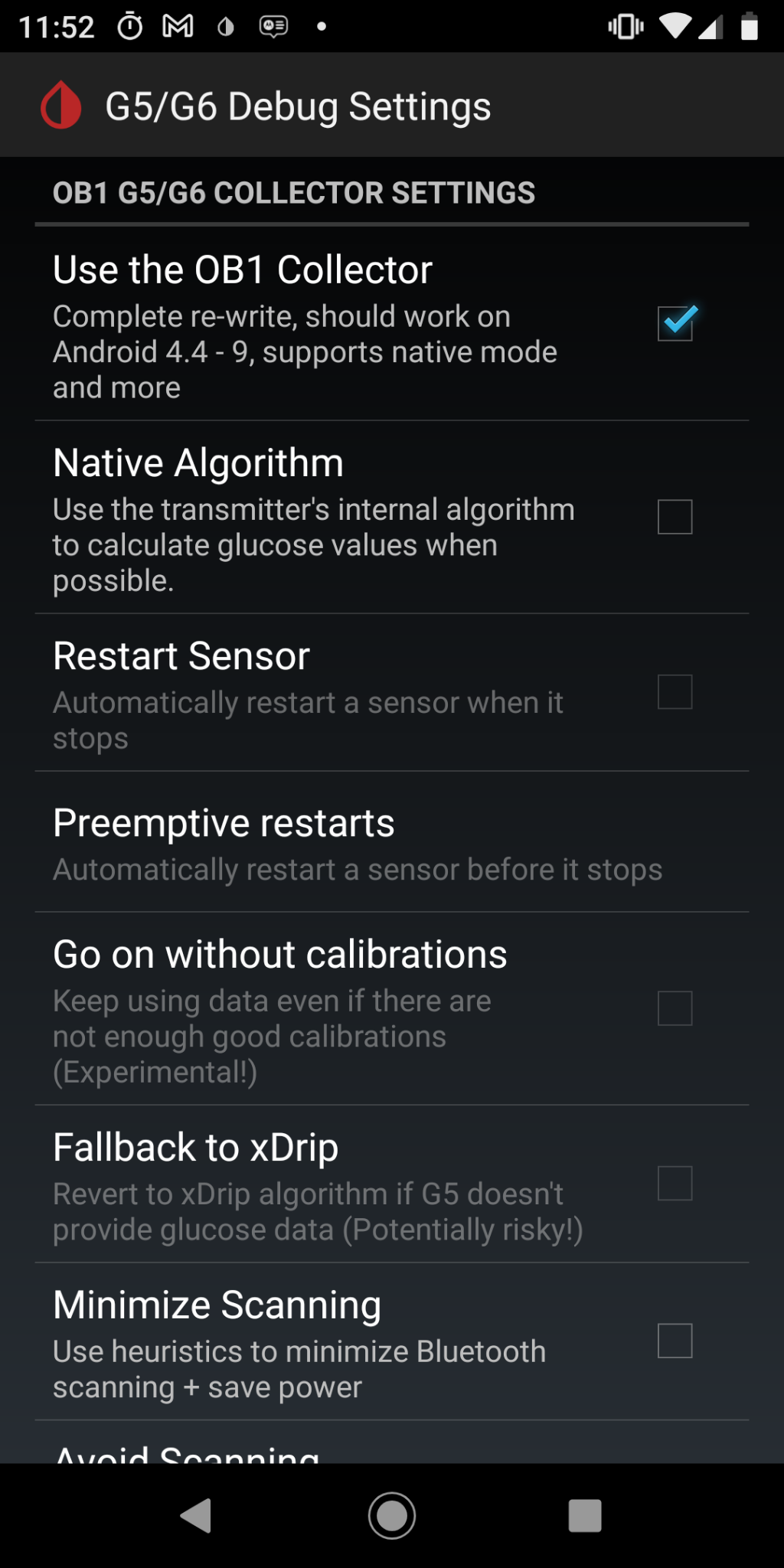
@Lynd Can you show a screenshot of the following page? |
Beta Was this translation helpful? Give feedback.
-
|
Sure. Here it is |
Beta Was this translation helpful? Give feedback.
-
|
Those settings are incorrect. You should be able to correctly set them. If there is a reason you cannot, please tell me why. |
Beta Was this translation helpful? Give feedback.

-
|
Not sure how I missed that. Sorry. Now, the pop-up is gone and main screen shows "stopped" and "sensor session does not appear to be started". |
Beta Was this translation helpful? Give feedback.

-
|
If all settings are correct, and you see stopped as the status, you have 2 options.
|
Beta Was this translation helpful? Give feedback.
-
|
Thank you. I did a restart right away and started getting readings. Those mistakes I made caused a really stressful 24 hours, but all is okay now. |
Beta Was this translation helpful? Give feedback.
-
|
Great |
Beta Was this translation helpful? Give feedback.


Uh oh!
There was an error while loading. Please reload this page.
-
I just changed my G6 sensor and transmitter (because transmitter was > 100 days and hard resets failed). Now, my transmitter will not connect, even after restarting the collector.
I receive errors "authentication failed!!!" and "could not verify challenge". There are other errors that indicate "Disconnected from MAC=.... with status 19". I tried rebooting my phone with no success.
Here are screenshots of my System Status pages:
s
Beta Was this translation helpful? Give feedback.
All reactions