Workflow Guide region segmentation
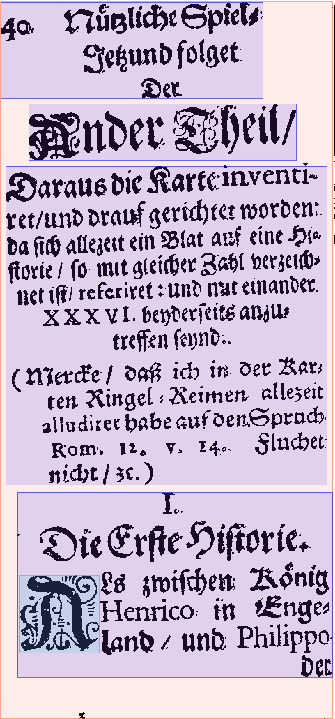
In this processing step, an (optimized) document image is taken as an input and the image is segmented into the various regions, including columns. Segments are also classified, either coarse (text, separator, image, table, ...) or fine-grained (paragraph, marginalia, heading, ...).
Note: If you use ocrd-tesserocr-segment-region, which uses only bounding boxes instead of polygon coordinates,
then you should post-process via ocrd-segment-repair with plausibilize=True to obtain better results without large overlaps.
Note: The ocrd-sbb-textline-detector and ocrd-cis-ocropy-segment processors do not only segment the page, but also the text lines within
the detected text regions in one step. Therefore with those (and only with those!) processors you don't
need to segment into lines in an extra step.

|
|
| Processor | Parameter | Remarks | Call |
|---|---|---|---|
| ocrd-tesserocr-segment-region | -P find_tables false |
Recommended | ocrd-tesserocr-segment-region -I OCR-D-DEWARP-PAGE -O OCR-D-SEG-REG |
| ocrd-segment-repair | -P plausibilize true |
Only to be used after ocrd-tesserocr-segment-region
|
ocrd-segment-repair -I OCR-D-SEG-REG -O OCR-D-SEG-REPAIR -P plausibilize true |
| ocrd-sbb-textline-detector | -P model /path/to/model |
Models can be found here; For model you need to pass the local path on your hard drive as parameter value. |
ocrd-sbb-textline-detector -I OCR-D-DEWARP-PAGE -O OCR-D-SEG-LINE -P model /path/to/model |
| ocrd-cis-ocropy-segment | -P level-of-operation page |
ocrd-cis-ocropy-segment -I OCR-D-DEWARP-PAGE -O OCR-D-SEG-LINE -P level-of-operation page |
|
| ocrd-anybaseocr-block-segmentation |
-P block_segmentation_model /path/to/mrcnn -P block_segmentation_weights /path/to/model/block_segmentation_weights.h5
|
For available models take a look at this site; you need to pass the local path on your hard drive as parameter value. | ocrd-anybaseocr-block-segmentation -I OCR-D-DEWARP-PAGE -O OCR-D-SEG-REG -P block_segmentation_model /path/to/mrcnn -P block_segmentation_weights /path/to/model/block_segmentation_weights.h5 |
| ocrd-pc-segmentation | ocrd-pc-segmentation -I OCR-D-DEWARP-PAGE -O OCR-D-SEG-REG |
E.g.
- which parameters do you use with what values?
- which parameters are insufficiently documented?
- which aspects of a processor should be parameterizable but are not?
E.g. which processors worked best with what material? -- feel free to post sample images here, too.