Here, I am assuming that you have already connected your GitHub account with the Visual Studio Code.
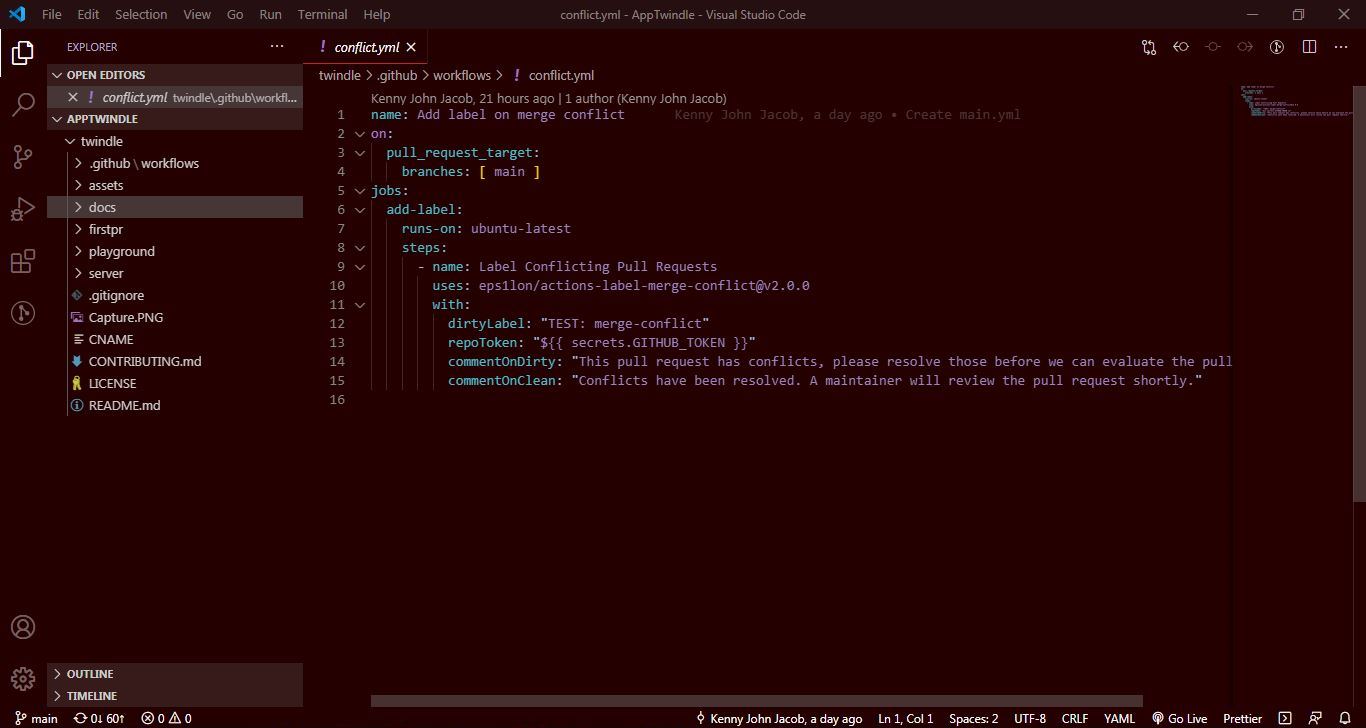
Step 1: - First, Open the folder in Visual Studio Code, which is connected to your GitHub account.
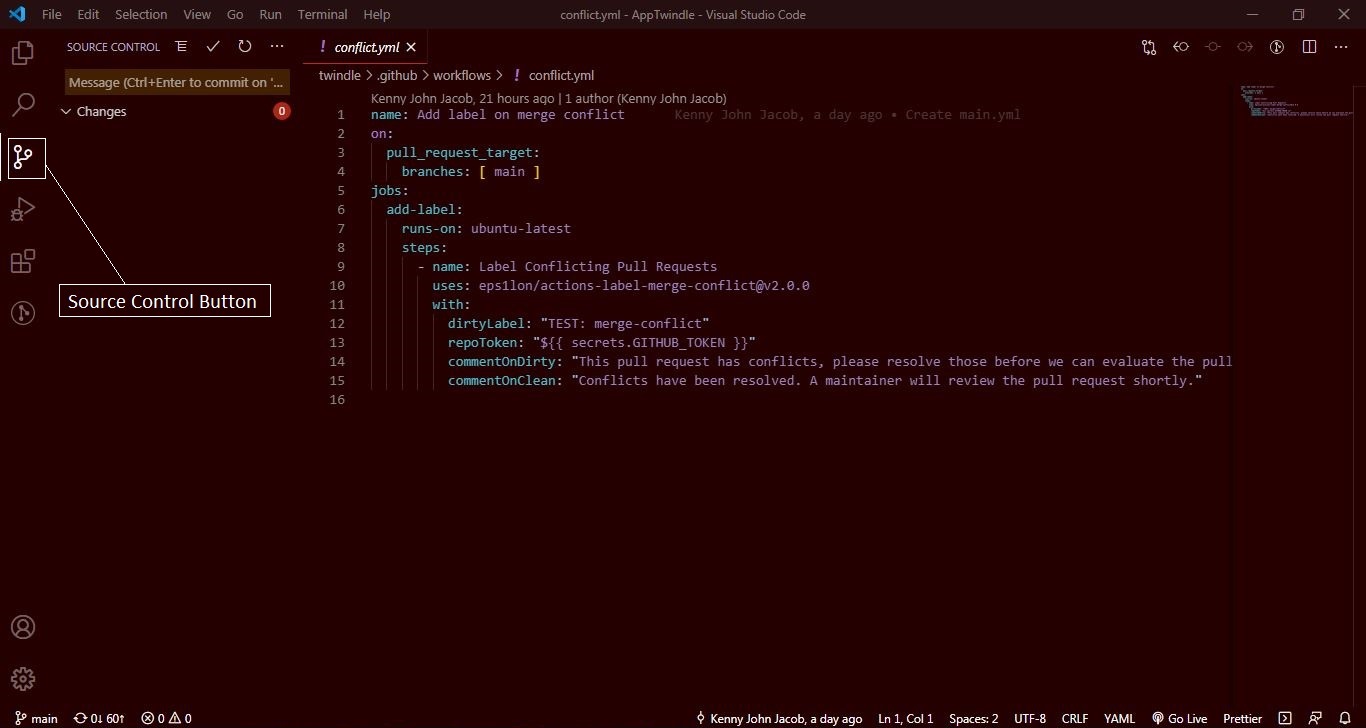
Step 2: - Then, click on the Source Control button
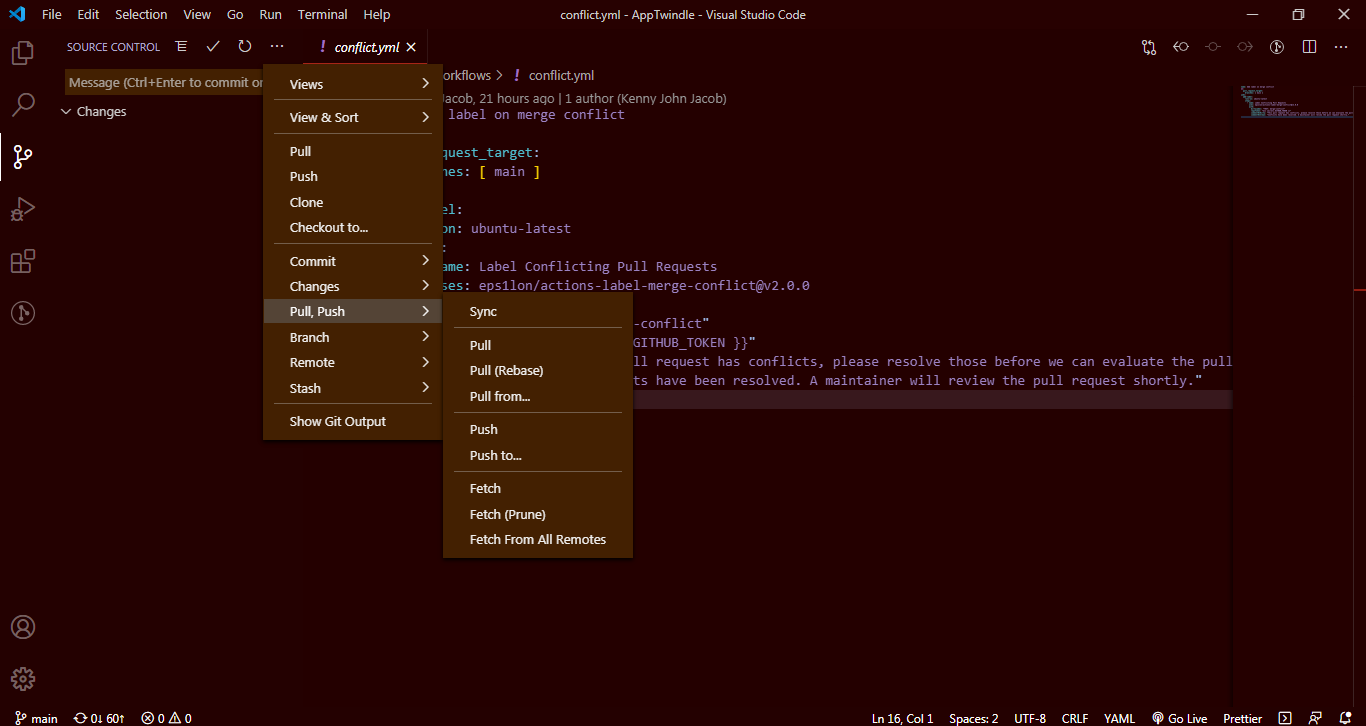
Step 3: - After clicking the Source Control Button, you will see Three dots, click it then a Dropdown will appear like shown below,
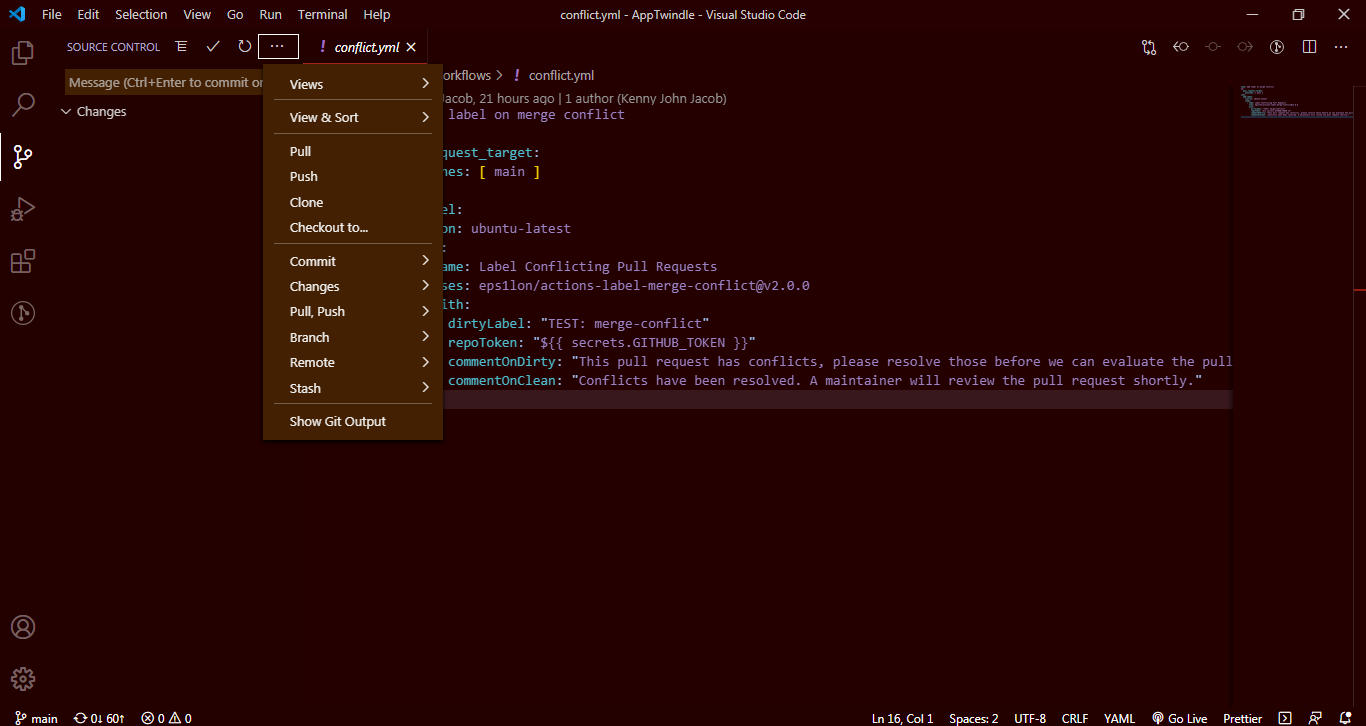
Step 4: - Click Pull, Push button then another Dropdown will appear where you have to click Pull from... button
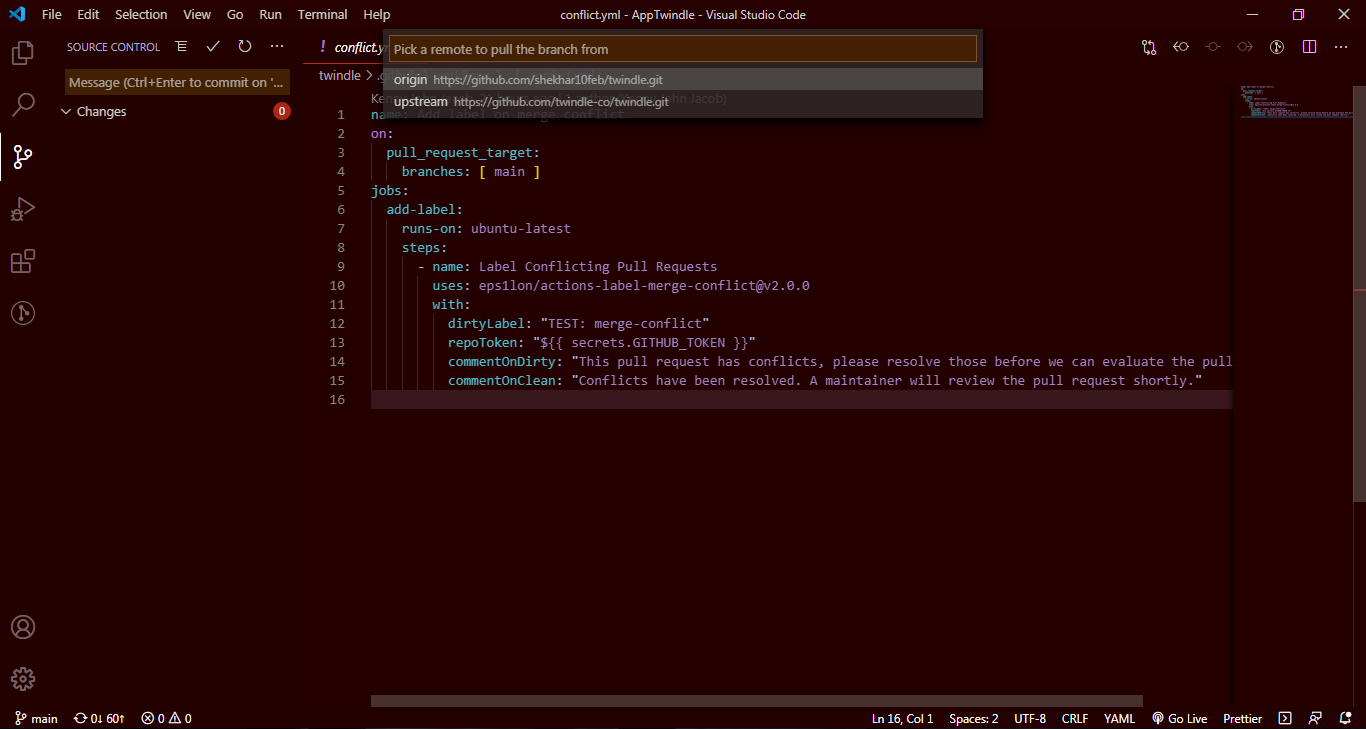
Step 5: - Here, you will see a Box with two options and you have to select Upstream option because Origin option is what you set it from your GitHub account, where you forked it from the main branch. Click Upstream option two times and wait for some times. Now, your local repository is synced with main repo.