FanControl stopped working after a restart #1419
Unanswered
Brayan2063
asked this question in
Q&A

Replies: 1 comment 1 reply

-
|
@Rem0o I am having the same issue, errors detecting most fans, very bizarre numbers for others (20 RPM for CPU and 9000 RPM on others). It was working for me on first install and after restart it no longer works. Tried deleting folder containing all of the info. Made sure to save/load my config. Any thoughts? |
Beta Was this translation helpful? Give feedback.
1 reply

-
|
I'm starting to get a bad feeling about my ASUS Prime B450 Plus motherboard after reading some more discussions lol. I would have been much less confused about all of this if FanControl hadn't worked flawlessly the first time! |
Beta Was this translation helpful? Give feedback.
Sign up for free
to join this conversation on GitHub.
Already have an account?
Sign in to comment


Uh oh!
There was an error while loading. Please reload this page.
-
Hello, so I installed FanControl yesterday and set everything up and it was perfect, I loved it.
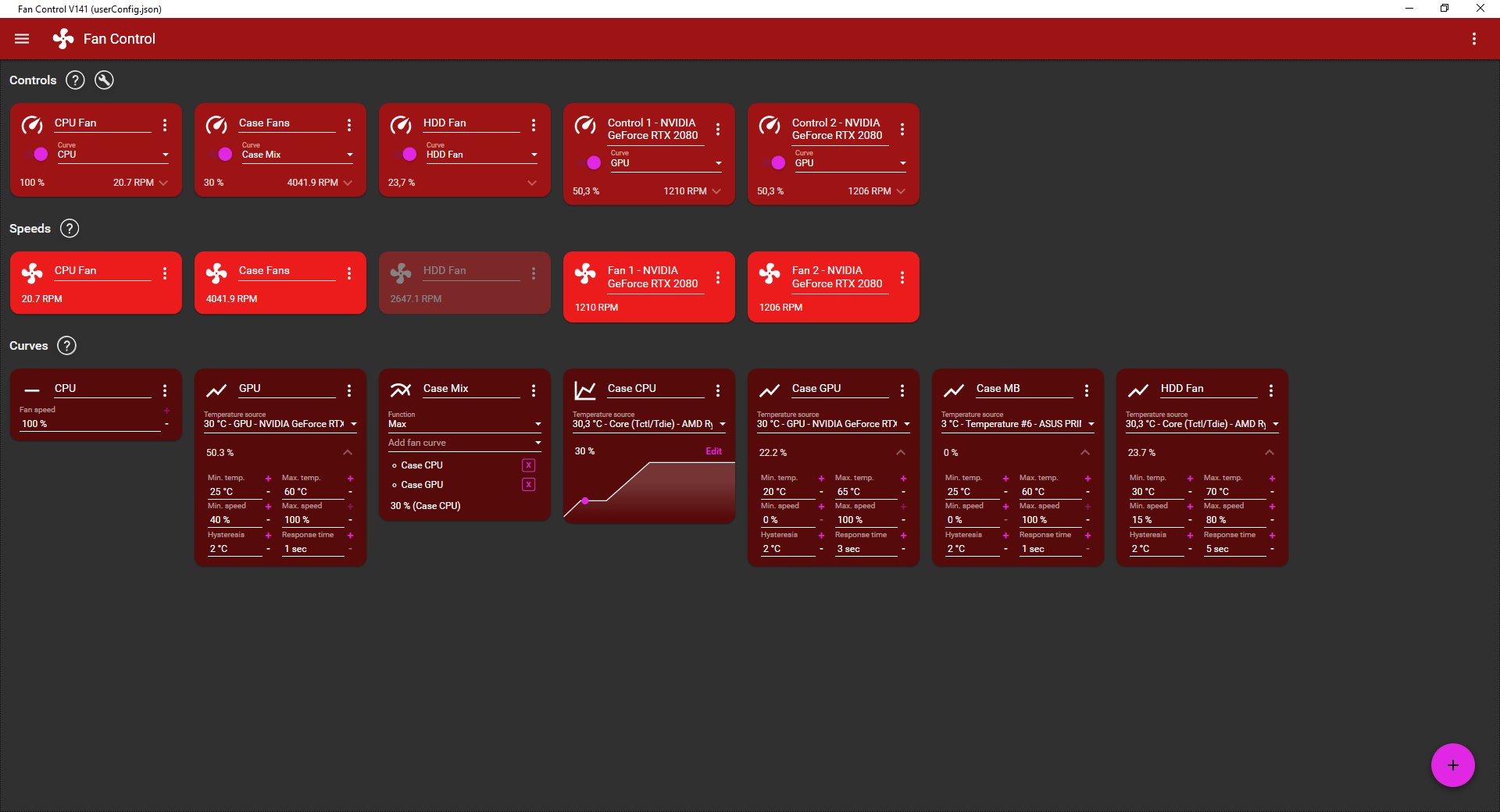
Today when starting my PC I noticed the fans were behaving weirly so I opened up FanControl and the first thing I noticed was a Motherboard temperature sensor going crazy, I clicked on it to change it because there are 6 in total, but it was the only MB sensor to show up. I simply removed that part from the mix controling my fans to fix it.
Then I noticed that, I was still hearing my case fans do weird stuff, even though FanControl should clearly set them to 30%.
I also noticed the fan speeds showing weird numbers, they don't really seem to make sense, except maybe the GPU fans.
At that point I tried setting fans to 100% to see if it works, but it only worked on the GPU. It seems like I can't control any of the other fans. I turned "Start with Windows" off and restarted my computer, I launched FanControl again and tried everything again, but I still can't conrol anything except the GPU fans.
Can any-one help me?
Beta Was this translation helpful? Give feedback.
All reactions