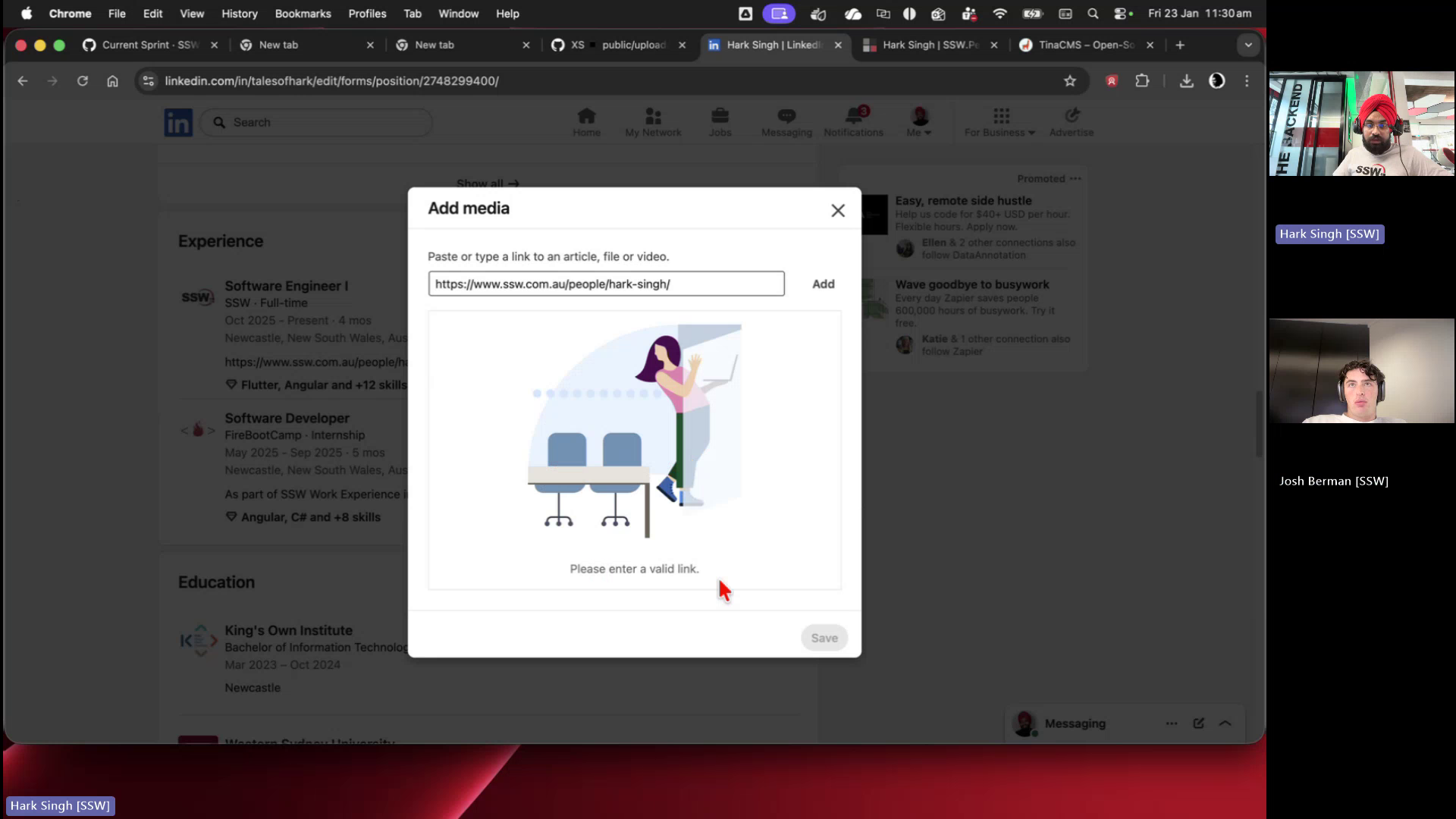
🐛 Bug - SSW People profile links rejected as invalid by LinkedIn #794

Description

Requested by: @0xharkirat via YakShaver.ai 🦬
cc: @0xharkirat, @joshbermanssw, @bradystroud, @jakebayliss, @jeoffreyfischer
Hi Team!
🟥 Watch the video (1 min 21 sec)
Url from screen share: https://linkedin.com/in/talesofhark/edit/forms/position/2748299400/
Pain
When adding an SSW People profile URL as media to the SSW experience section on LinkedIn, LinkedIn displays a 'Please enter a valid link' error. The same flow works when a different SSW People profile (e.g. Josh) is used, suggesting the issue may be related to URL formatting, redirects, or profile-specific configuration.
Acceptance Criteria
- An SSW People profile URL can be added as a media link to LinkedIn without triggering a 'Please enter a valid link' error.
- All SSW People profile URLs behave consistently when pasted into LinkedIn.
- SSW People profile URLs do not redirect in a way that causes LinkedIn to mark them as invalid.
- The fix is verified using multiple SSW People profiles.
Reproduce Steps
- Open an SSW People profile in a browser.
- Copy the profile URL.
- Open LinkedIn and edit your Experience section for 'SSW'.
- Add Media and paste the copied SSW People profile URL.
- Click 'Add' and observe the 'Please enter a valid link' error.
- Replace the URL with another SSW People profile (e.g. Josh) and observe that it is accepted.
Screenshot
Figure: LinkedIn rejects SSW People profile URL as an invalid link