🐛 Bug - Renamed categories stop appearing in rules list and another just missing #2376


Description

Requested by: @KostaMadorsky via YakShaver.ai 🦬
cc: @jakebayliss, @amankumarrr, @KostaMadorsky, @Marxoz, @PothieuG, @Freego1783
Hi Team!
🟥 Watch the video (1 min 59 sec)
Pain
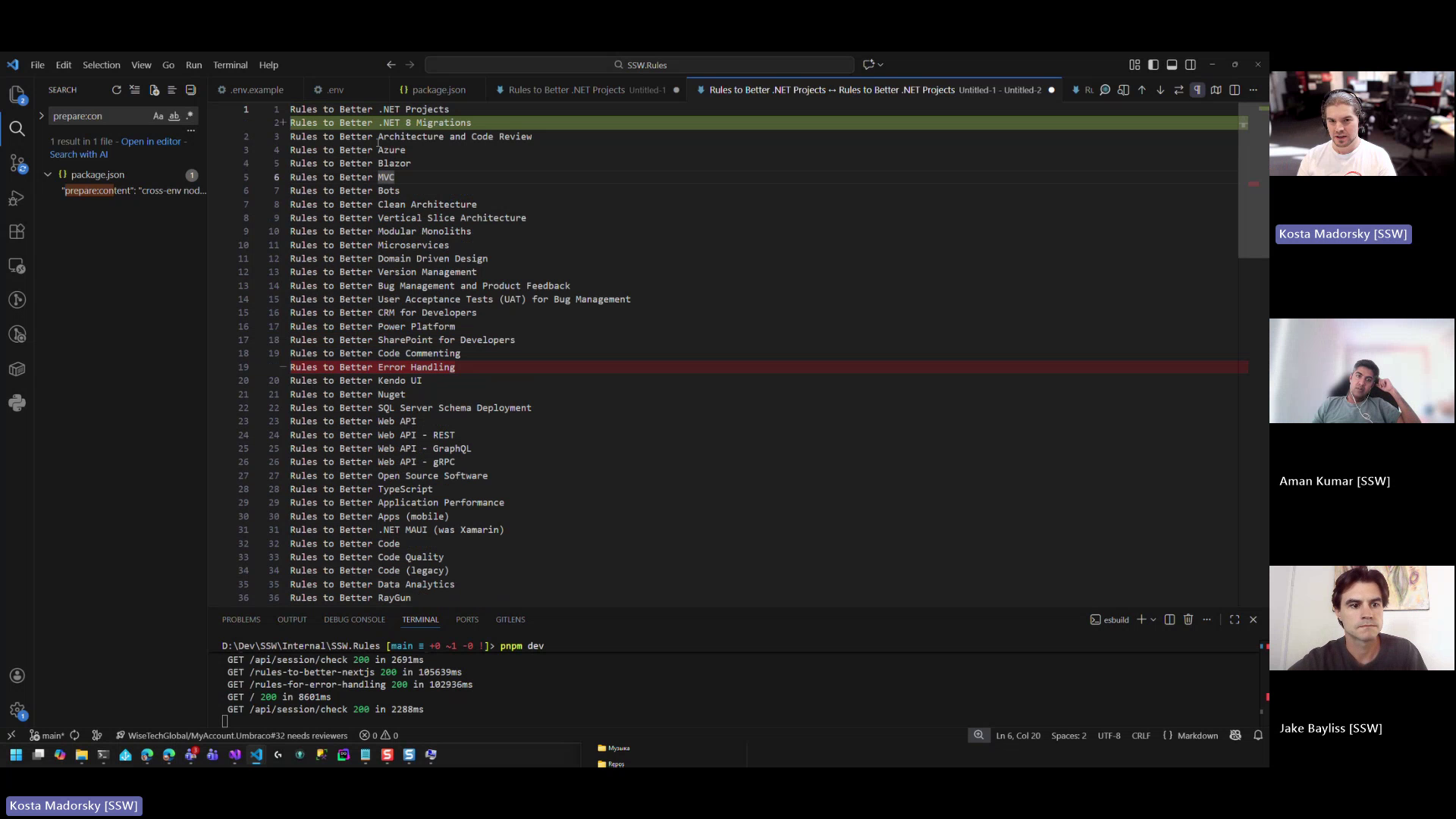
In Rules V3 (TinaCMS), renaming certain rule categories causes them to disappear from the rules list and navigation. Specifically, renaming the category "Rules for Better .NET Migrations" (URL renamed to ".NET 8 to .NET 10") results in the category no longer appearing under Software Development. Additionally, in Prod, the "Rules for Better Error Handling" category does not appear at all, despite existing and having the correct rule count. This indicates an issue with category renaming and/or category visibility consistency across environments.
Acceptance Criteria
- Renaming a category does not cause it to disappear from the rules list or navigation.
- The category "Rules for Better .NET Migrations" appears correctly under Software Development after being renamed.
- The "Rules for Better Error Handling" category is visible in Prod as expected.
- Category visibility and ordering are consistent between environments (e.g. Dev/Test and Prod).
- Rule counts remain unchanged and accurate after category renaming.
- No data loss occurs when updating category names or URLs.
Reproduce Steps
- Go to Rules V3 (TinaCMS).
- Navigate to Categories → Software Development.
- Rename the category "Rules for Better .NET Migrations" (e.g. update URL/name to ".NET 8 to .NET 10").
- Save the changes.
- Return to the Software Development rules list.
- Observe that the renamed category no longer appears.
- Check Prod environment and navigate to Software Development.
- Observe that the "Rules for Better Error Handling" category is missing despite existing rules.
Screenshot
Figure: Renamed rule category disappears from the rules list after URL change