Getting started on Mac
- Download the latest Mac stable from https://github.com/TNTwise/REAL-Video-Enhancer
- Extract the tar.gz
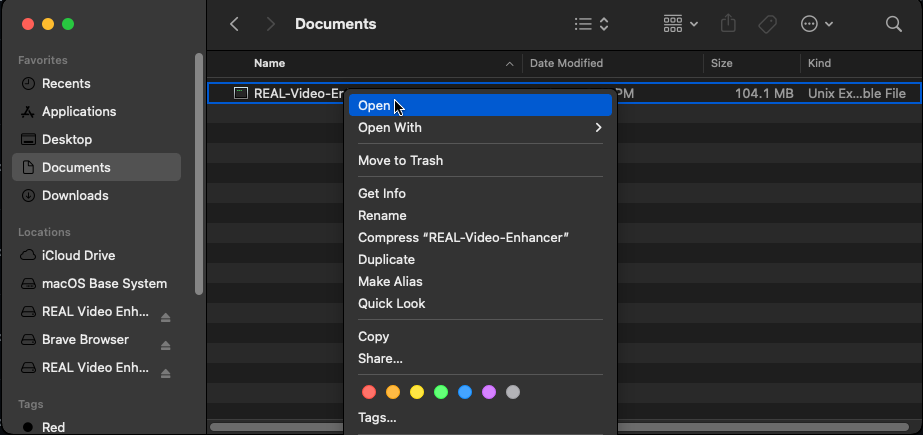
- To run the application for the first time, right click on REAL-Video-Enhancer, and hit 'open'.
- Done! Now to run the app, click on REAL-Video-Enhancer.