Live-visualize CALM architecture models while you edit them. Features an interactive preview, tree navigation, intelligent validation, and documentation generation.
- Live Architecture Visualization: Real-time diagram generation as you edit
- Smart Layout: Automatic positioning with multiple layout options
- Interactive Elements: Click to inspect, navigate between components
- Structured Overview: Browse Nodes, Relationships, and Flows
- Quick Navigation: Jump between editor and preview
- Search & Filter: Find elements across large models
- Automatic Validation: Documents are validated on open, save, and when switching editors
- Problems Panel Integration: Errors and warnings appear in the VS Code Problems panel
- Click-to-Navigate: Click any issue to jump directly to the problematic line in your document
- Bundled Schemas: CALM schemas are bundled with the extension - no network access required
- Schema Detection: Documents are identified as CALM files by their
$schemareference
- Hover Information: Rich tooltips for model elements
- Auto-Refresh: Preview updates automatically on save
- Diagnostics Integration: Validation errors in Problems panel
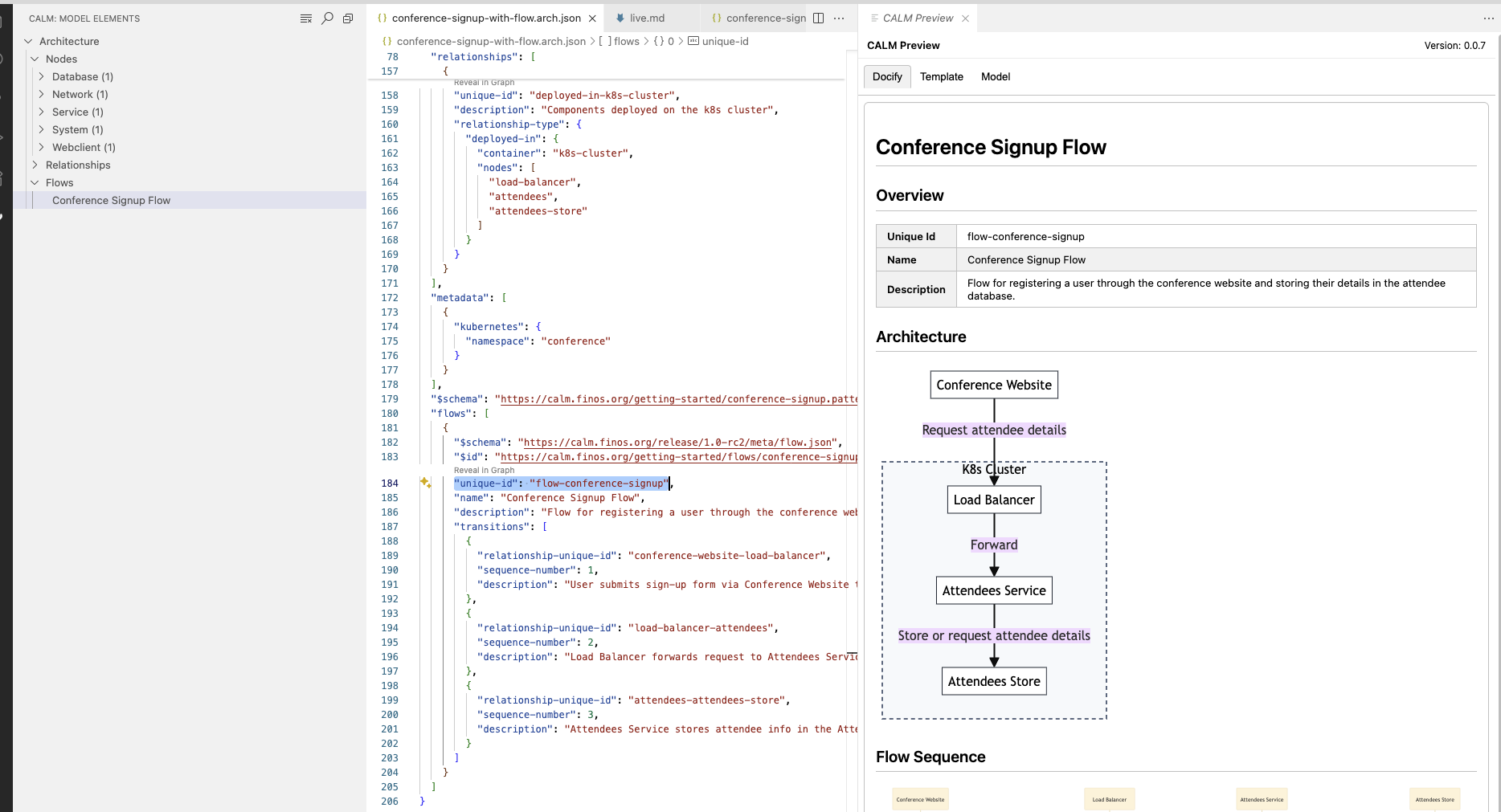 Interactive preview with tree navigation, editor integration, and live visualization
- Documentation Generation: Create docs from CALM models
- Live Mode: Auto-refresh as you edit
- Multiple Formats: HTML and Markdown output
- Custom Templates: Use built-in or custom templates
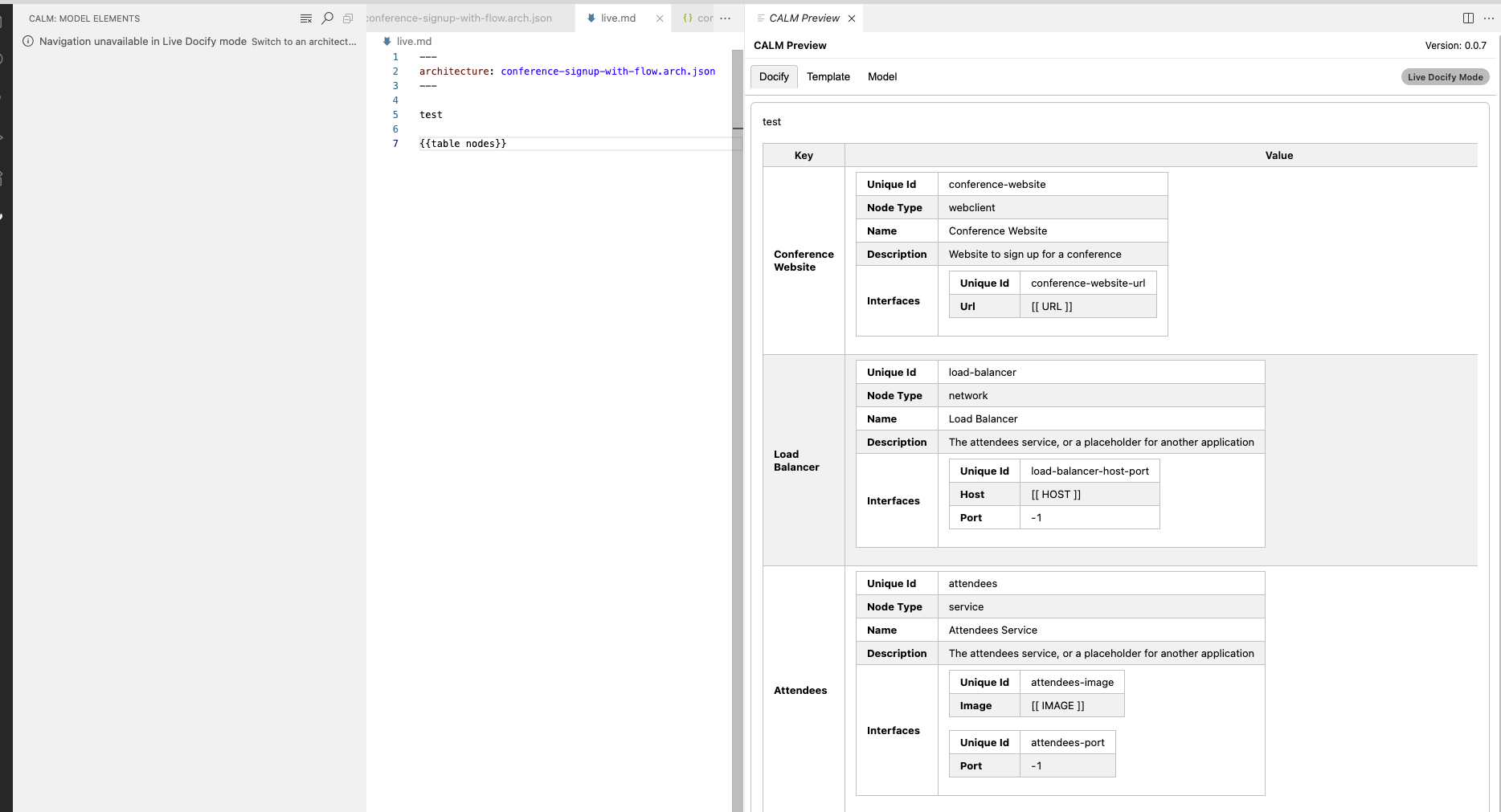 Live templating mode with real-time documentation generation
The extension can be configured via VS Code settings (.vscode/settings.json or User Settings).
Navigate between related CALM files using detailed-architecture references.
- Create a mapping file (e.g.,
calm-mapping.json) in your workspace:{ "https://specs.internal/payment-service": "./services/payment-service.json", "https://specs.internal/inventory": "./services/inventory.json" } - Configure the extension to use this mapping:
"calm.urlMapping": "calm-mapping.json"
For schema developers working on custom CALM schemas, you can configure additional local folders to load schemas from:
"calm.schemas.additionalFolders": ["./my-schemas", "./custom-calm-schemas"]Schemas in these folders are indexed by their $id field and can be referenced in your CALM documents.
Customize how the extension finds your CALM models and templates.
calm.files.globs: Patterns for CALM model files (Default:["calm/**/*.json", "calm/**/*.y?(a)ml"])calm.template.globs: Patterns for template files (Default:["**/*.md", "**/*.hbs", ...])calm.schemas.additionalFolders: Additional folders containing CALM schemas for validation (Default:[])
Four themes are supported for the live preview diagrams:
calm.docify.theme- set tolight,dark,high-contrast-lightorhigh-contrast-dark, orautoto automatically align to your VSCode theme.
Architecture as Code was developed as part of the DevOps Automation Special Interest Group before graduating as a top level project in it's own right. Our community Zoom meetups take place on the fourth Tuesday of every month, see here for upcoming and previous meetings. For active contributors we have Office Hours every Thursday, see the FINOS Event Calendar for meeting details.
Have an idea or feedback? Raise an issue in this repository.
Contributing: Issues and PRs welcome!