Home
While LabVIEW remains a formidable programming language, it lags behind its competitors, particularly in areas such as Continuous Integration/Continuous Deployment (CI/CD) and Quality Assurance (QA) tools.
The objective of this project is to fill a crucial gap by developing a robust test framework for User Interface (UI) testing. Although LabVIEW is frequently utilized for hardware communication and testing purposes, it's not uncommon to encounter larger applications developed within its environment. Hence, establishing a reliable UI testing framework within LabVIEW can greatly enhance its utility for broader software development purposes.
On the LabVIEW side, you will need to install the package LabVIEW UI Testing. Once this is done you will have the following VI added to your function palette:
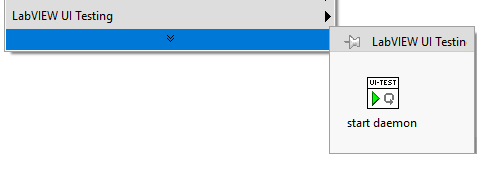
Simply add it to your top VI. It will take care to start the UI test daemon and shut it down automatically when your application stops.
Run the following command on your CLI (or venv) to add the package to your Python environment:
pip install lv-ui-testing
The framework is developed in a way that any language could communicate to the User Interface daemon. Presently, it exclusively supports Python, enabling the creation of test scripts using the pyTest framework.
The different methods can be found in the Python support page.
Some examples are available on the example page.
The framework supports access to:
- The Front Most VI, i.e. the User Interface (controls and indicators) of the front most window
- A SubPanel VI, i.e. the VI loaded in a subpanel within the front most VI
- A SubSubPanel VI, i.e. the VI loaded in a subpanel within the subpanel VI
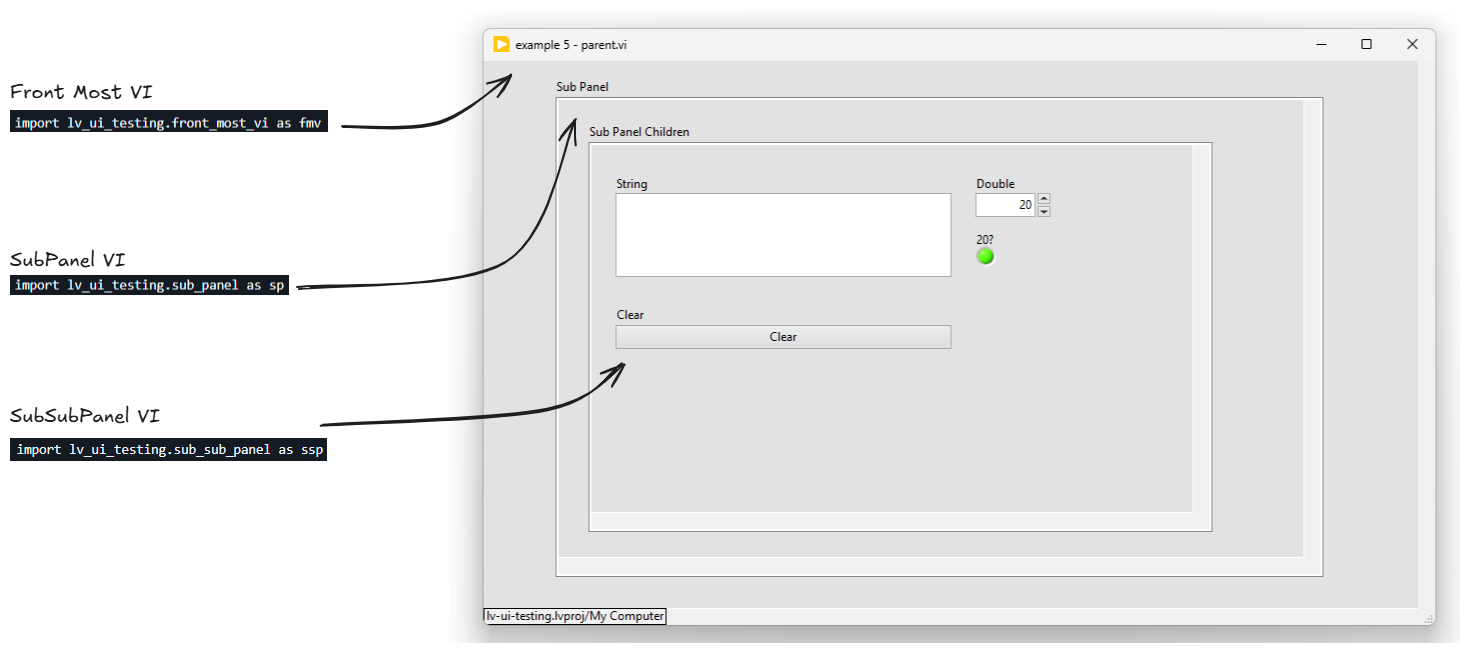
The shared methods can be called by the three packages; however, their arguments might differ. For example:
# Get the VI name of the front most window
front_most_vi = fmv.get_vi_name()

# Get the VI name of the subpanel called "Sub Panel" (This subpanel should be in the front most window)
sp_vi = sp.get_vi_name("Sub Panel")

# Get the VI name of the subpanel called "Sub Panel Children" which is contained in another subpanel called
# "Sub Panel"  (This subpanel should be in the front most window)
ssp_vi = ssp.get_vi_name("Sub Panel","Sub Panel Children")
A test can be written using pytest naming convention (test_), for example:
def test_read_string():
    # Clear string control by clicking on the clear button
    ssp.click_on_button(control_label="Clear", subpanel_label="Sub Panel", subsubpanel_label="Sub Panel Children")

    # Set the string control to "Hello"
    ssp.set_value_STR(control_label="String",subpanel_label="Sub Panel",subsubpanel_label="Sub Panel Children",value="Hello")

    # Ensure that the value was updated accordingly
    assert "Hello" == ssp.resolve_value(control_label="String", subpanel_label="Sub Panel", subsubpanel_label="Sub Panel Children")
This test comes from the automatic testing of the framework itself, hence the trivial nature of this test.