The Digital Banking Solution is a comprehensive online banking ecosystem that integrates Mini Banking Solution (Version 1 - 2022) and MTPE Digital Bank (Version 2 - 2023), combining web, mobile, backend, and admin services into a unified platform. This repository serves as the central hub for the Digital Banking Solution, built with modern technologies to deliver a secure, scalable, and user-friendly banking experience.
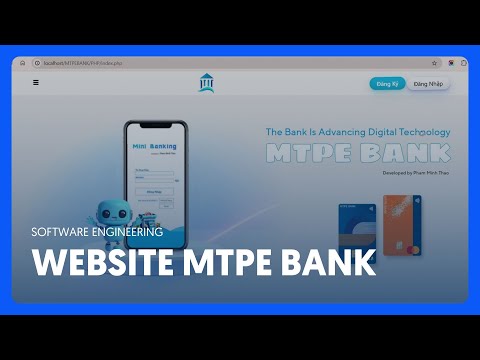
Watch the Introduction Video:
- Registration Screen:

- Home and Information Page:


- Main Interface:


The Digital Banking Solution is composed of two main projects, each contributing to a robust banking platform:
-
Mini Banking Solution (Version 1 - 2022) → Mini-Banking-Solution
A desktop-based banking application built with C#, focusing on core banking operations like account management and transactions. -
MTPE Digital Bank (Version 2 - 2023) → MTPE-Digital-Bank
An advanced online banking system built with PHP (Laravel), Hack, CSS, and JavaScript, offering a responsive web interface and enhanced features. -
Core Infrastructure
- MySQL → Primary relational database for storing user and transaction data (Version 1 & 2).
Architecture Diagram:

Entity Relationship Diagram (ERD):

Key Tables
users: Stores user accounts, personal info, and authentication details.accounts: Manages bank accounts, balances, and types (savings, checking, etc.).transactions: Records financial transactions (transfers, deposits, withdrawals).transaction_history: Detailed logs for auditing and user history viewing.security_logs: Tracks login attempts and security events (Version 2).
- Account Management: Create, update, and manage bank accounts (both versions).
- Money Transfers: Securely transfer funds between accounts with real-time confirmation.
- Transaction History: View and filter detailed transaction logs.
- User Information Security: Robust encryption and security measures (e.g., 2FA in Version 2).
- Responsive Design: Accessible on desktop (Version 1) and web/mobile (Version 2).
- Authentication: Email/password login (both versions).
For Mini Banking Solution (Version 1):
- Visual Studio (with .NET Framework support)
- MySQL
- Git
For MTPE Digital Bank (Version 2):
- PHP (>= 7.4)
- Composer
- MySQL (>= 5.7)
- Web server (e.g., Apache, or PHP's built-in server)
- Git
-
Fork the Repository:
- Navigate to Mini Banking Solution and click "Fork".
-
Clone the Repository:
git clone https://github.com/Trunks-Pham/Mini-Banking-Solution.git
-
Open the Project:
- Open
MiniBanking.slnin Visual Studio.
- Open
-
Build the Project:
- Select
Build>Build Solutionin Visual Studio.
- Select
-
Run the Project:
- Select
Debug>Start Debugging.
- Select
-
Fork the Repository:
- Navigate to MTPE Digital Bank and click "Fork".
-
Clone the Repository:
git clone https://github.com/Trunks-Pham/MTPE-Digital-Bank.git
-
Install Dependencies:
- Navigate to the project directory and run:
composer install
- Navigate to the project directory and run:
-
Configure the Database:
- Create a MySQL database and import the provided SQL schema.
- Update
config.phpwith database credentials (hostname, database name, username, password).
-
Start the Server:
- Use a web server or start PHP’s built-in server:
php -S localhost:8000
- Use a web server or start PHP’s built-in server:
-
Verify Setup:
- Ensure dependencies and database are correctly configured.
- Check for error logs in the console or server.
- Access the application via Visual Studio’s interface.
- Register a new account or log in.
- Perform banking functions like transferring money and viewing transaction history.
- Access the application at
http://localhost:8000. - Register a new account or log in with existing credentials.
- Perform core functions:
- Transfer funds between accounts.
- View and filter transaction history.
- Update personal information securely.
- Security Tips:
- Enable two-factor authentication (2FA).
- Use strong, unique passwords.
- Log out after each session.
We welcome contributions to both projects! To contribute:
- Fork the Repository: Create a copy in your GitHub account.
- Clone Your Fork:
or
git clone https://github.com/<your-username>/Mini-Banking-Solution.git
git clone https://github.com/<your-username>/MTPE-Digital-Bank.git
- Create a Branch:
git checkout -b feature/your-feature-name
- Commit Changes:
git commit -m "Add your descriptive message here" - Push to GitHub:
git push origin feature/your-feature-name
- Submit a Pull Request: Navigate to the original repository and submit a pull request.
- Be respectful and inclusive in all interactions.
- Follow best practices for coding, documentation, and testing.
- Report issues or bugs via GitHub Issues.
- Author: Pham Minh Thao
- GitHub: Trunks-Pham
- Email: For inquiries, please open an issue on GitHub.
- Thanks to the open-source community for providing tools and libraries.
- Special appreciation to contributors and testers of the Mini Banking Solution and MTPE Digital Bank projects.