Discord bot token
You need a discord account to acquire one.
- create an app on the developer portal https://discord.com/developers/applications
- go to Application > Settings > Bot and create the bot for your application
- under the bots name you should see a token or an option to reset the token

- go to Application > Settings > Bot
- under Privileged Gateway Intents check message content intent
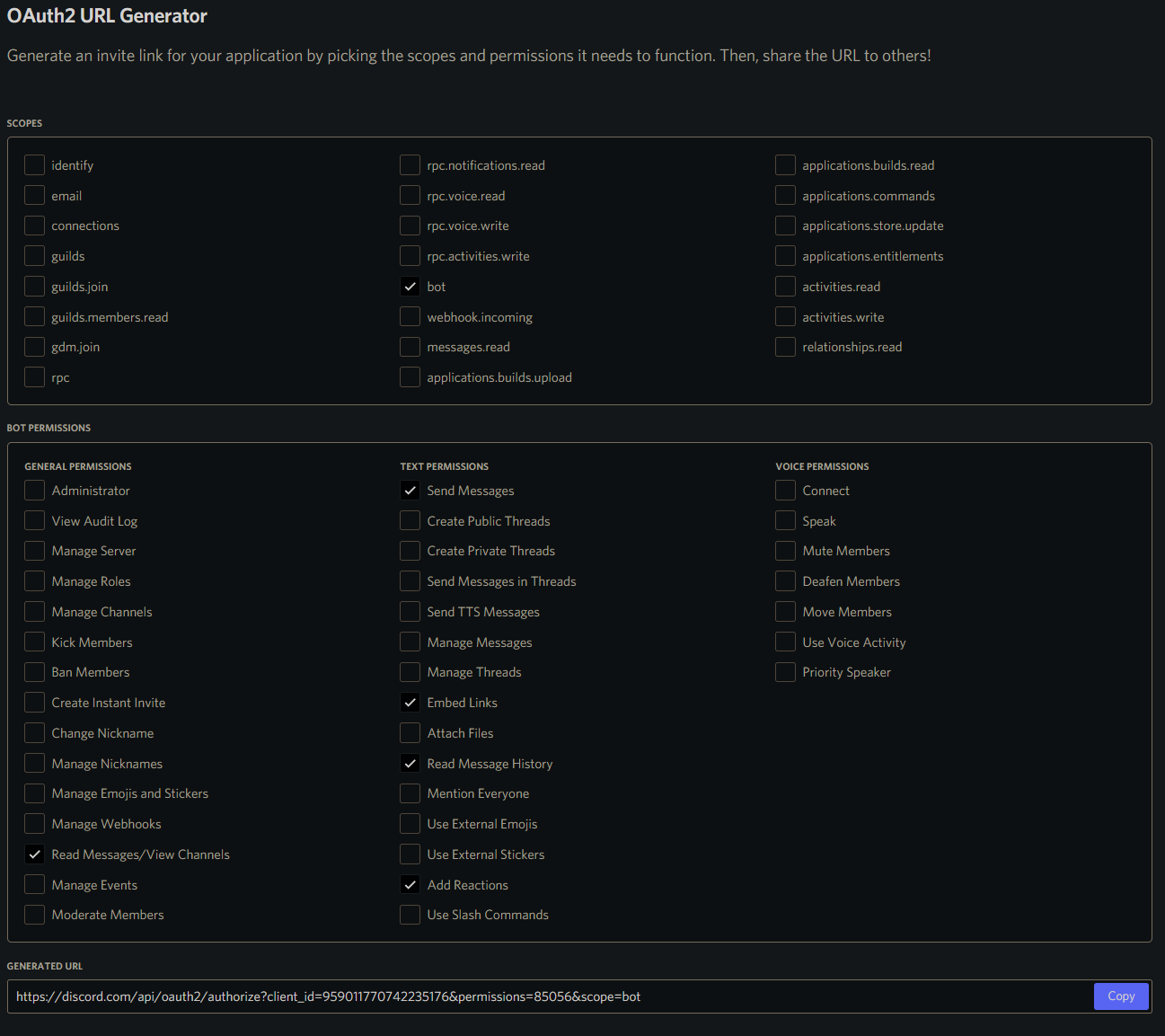
- under Application > Settings > OAUTH2 > URL generator check bot from scopes, then create bot invite link with the following permissions: Read Messages / View Channels, Send Messages, Embed Links, Read Message History, Add Reactions (85056)
- copy the generated URL into your browser and open it to invite the bot to your servers (guilds)
Set your token as the value of the DISCORD_BOT_TOKEN env var to enable discord bot features.
Each server can have multiple channels to post and update the server status message to. The channels are identified by the channel ID.
The simplest way to get a discord channel ID is to enable developer mode in settings, then right clicking on the channel name will give you the Copy ID option.