rospack find roscpp
	YOUR_INSTALL_PATH/share/roscpp
roscd roscpp
rosls <package-or-stack>[/subdir]
rosls roscpp_tutorials
source /opt/ros/melodix/setup.bash
mkdir -p ~/catkin_ws/src
cd ~/catkin_ws/
catkin_make
source devel/setup.bash
The package must contain a catkin compliant package.xml file.That package.xml file provides meta information about the package.
The package must contain a CMakeLists.txt which uses catkin.
Each package must have its own folder
-
workspace_folder/        -- WORKSPACE
  src/                   -- SOURCE SPACE
    CMakeLists.txt       -- 'Toplevel' CMake file, provided by catkin
    package_1/
      CMakeLists.txt     -- CMakeLists.txt file for package_1
      package.xml        -- Package manifest for package_1
    ...
    package_n/
      CMakeLists.txt     -- CMakeLists.txt file for package_n
      package.xml        -- Package manifest for package_n
cd ~/catkin_ws/src
catkin_create_pkg <package_name> [depend1] [depend2] [depend3]
catkin_create_pkg beginner_tutorials std_msgs rospy roscpp
cd ~/catkin_ws
catkin_make
#To add the workspace to your ROS environment you need to source the generated setup file:
. ~/catkin_ws/devel/setup.bash
rospack depends1 <package> #show the direct dependencies
rospack depends <package> #show the indirect dependencies
rospack depends1 beginner_tutorials #direct dependencies
	roscpp
	rospy
	std_msgs
These dependencies for a package are stored in the package.xml file:
cd ~/catkin_ws/
ls src
catkin_make
- Nodes: A node is an executable that uses ROS to communicate with other nodes.
- Messages: ROS data type used when subscribing or publishing to a topic.
- Topics: Nodes can publish messages to a topic as well as subscribe to a topic to receive messages.
- Master: Name service for ROS (i.e. helps nodes find each other)
- rosout: ROS equivalent of stdout/stderr, it collects and logs nodes' debugging output.
- roscore: Master + rosout + parameter server (parameter server will be introduced later)
roscore
rosnode list
rosnode info /<rosnode_name>

rosrun [package_name] [node_name]
rosrun turtlesim turtlesim_node
rosrun turtlesim turtlesim_node __name:=my_turtle
#using that command to change the name while running
rosnode ping my_turtle
roscore
rosrun turtlesim turtlesim_node
rosrun turtlesim turtle_teleop_key
rosrun rqt_graph rqt_graph
You can use the help option to get the available sub-commands for rostopic
rostopic -h
		rostopic bw     display bandwidth used by topic
        rostopic delay  display delay of topic from timestamp in header
        rostopic echo   print messages to screen
        rostopic find   find topics by type
        rostopic hz     display publishing rate of topic
        rostopic info   print information about active topic
        rostopic list   list active topics
        rostopic pub    publish data to topic
        rostopic type   print topic or field type
rostopic echo [topic]
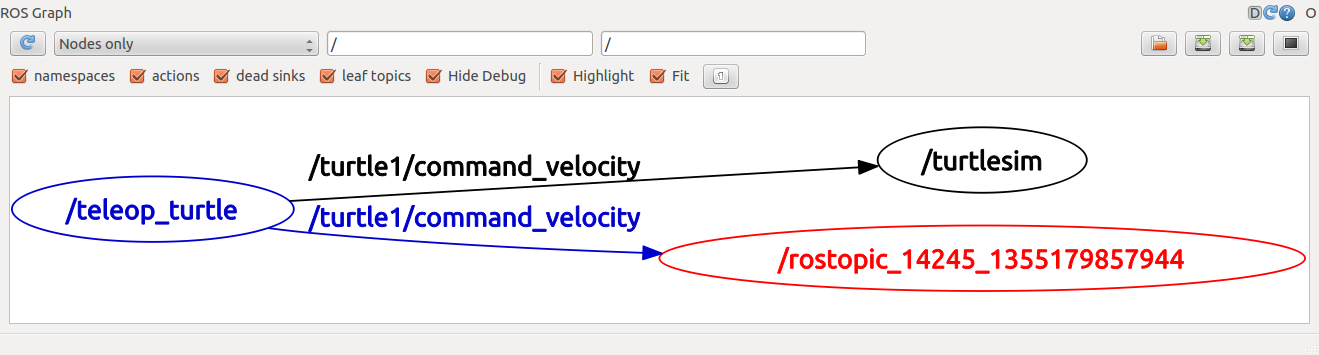
rostopic list -h
	Usage: rostopic list [/topic]

    Options:
      -h, --help            show this help message and exit
      -b BAGFILE, --bag=BAGFILE
                            list topics in .bag file
      -v, --verbose         list full details about each topic
      -p                    list only publishers
      -s                    list only subscribers
rostopic type [topic]
	rostopic type /turtle1/cmd_vel
		geometry_msgs/Twist
rosmsg show geometry_msgs/Twist
	geometry_msgs/Vector3 linear
      float64 x
      float64 y
      float64 z
    geometry_msgs/Vector3 angular
      float64 x
      float64 y
      float64 z
rostopic type /turtle1/cmd_vel | rosmsg show
rostopic pub [topic] [msg_type] [args]
rostopic pub -1 /turtle1/cmd_vel geometry_msgs/Twist -- '[2.0, 0.0, 0.0]' '[0.0, 0.0, 1.8]'
#rostopic pub:This command will publish messages to a given topic:
# -1 This option (dash-one) causes rostopic to only publish one message then exit:
#/turtle1/cmd_vel  This is the name of the topic to publish to:
#geometry_msgs/Twist   This is the message type to use when publishing to the topic:
#--	This option (double-dash) tells the option parser that none of the following arguments is an option. This is required in cases where your arguments have a leading dash -, like negative numbers.
#'[2.0, 0.0, 0.0]' '[0.0, 0.0, 1.8]' are actually in YAML syntax
#-r 1 publish at fq 1hz
#show the wave to debug
rosrun rqt_plot rqt_plot
Services are another way that nodes can communicate with each other. Services allow nodes to send a request and receive a response.
rosservice -h
	rosservice list         print information about active services
    rosservice call         call the service with the provided args
    rosservice type         print service type
    rosservice find         find services by service type
    rosservice uri          print service ROSRPC uri
rosservice type /spawn | rossrv show
	float32 x
    float32 y
    float32 theta
    string name
    ---
    string name
rosservice call /spawn 2 2 0.2 ""
rosparam -h
	rosparam set            set parameter
    rosparam get            get parameter
    rosparam load           load parameters from file
    rosparam dump           dump parameters to file
    rosparam delete         delete parameter
    rosparam list           list parameter names
rosparam set /turtlesim/background_r 150
rosparam get /
use rosparam get / to show us the contents of the entire Parameter Server.
rosparam dump params.yaml
sudo apt-get install ros-melodic-rqt ros-melodic-rqt-common-plugins ros-melodic-turtlesim
rosrun rqt_console rqt_console
rqt_console attaches to ROS's logging framework to display output from nodes.
rosrun rqt_logger_level rqt_logger_level
rqt_logger_level allows us to change the verbosity level (DEBUG, WARN, INFO, and ERROR) of nodes as they run.
roscd beginner_tutorials
mkdir launch
cd launch
- NOTE: The directory to store launch files doesn't necessarily have to be named
launch. In fact you don't even need to store them in a directory.roslaunchcommand automatically looks into the passed package and detects available launch files. However, this is considered good practice.
<launch>

  <group ns="turtlesim1">
    <node pkg="turtlesim" name="sim" type="turtlesim_node"/>
  </group>

  <group ns="turtlesim2">
    <node pkg="turtlesim" name="sim" type="turtlesim_node"/>
  </group>

  <node pkg="turtlesim" name="mimic" type="mimic">
    <remap from="input" to="turtlesim1/turtle1"/>
    <remap from="output" to="turtlesim2/turtle1"/>
  </node>

</launch>
<group ns="turtlesim1"> namespace tag of turtlesim1 and turtlesim2 with a turtlesim node with a name of sim.
rosnode list
/mimic
/rosout
/turtlesim
/turtlesim1/sim
/turtlesim2/sim
- msg: msg files are simple text files that describe the fields of a ROS message. They are used to generate source code for messages in different languages.
- srv: an srv file describes a service. It is composed of two parts: a request and a respons
msg files are stored in the msg directory of a package, and srv files are stored in the srv directory.
msgs are just simple text files with a field type and field name per line. The field types you can use are:
- int8, int16, int32, int64 (plus uint*)
- float32, float64
- string
- time, duration
- other msg files
- variable-length array[] and fixed-length array[C]
There is also a special type in ROS: Header, the header contains a timestamp and coordinate frame information that are commonly used in ROS.
srv files are just like msg files, except they contain two parts: a request and a response. The two parts are separated by a '---' line. Here is an example of a srv file:
int64 A
int64 B
---
int64 Sum
roscd beginner_tutorials
mkdir msg
echo "int64 num" > msg/Num.msg
There's one more step, though. We need to make sure that the msg files are turned into source code for C++, Python, and other languages:
Open package.xml, and make sure these two lines are in it and uncommented:
  <build_depend>message_generation</build_depend>
  <exec_depend>message_runtime</exec_depend>
Note that at build time, we need "message_generation", while at runtime, we only need "message_runtime".
Open CMakeLists.txt.
Add the message_generation dependency to the find_package call which already exists in your CMakeLists.txt so that you can generate messages. You can do this by simply adding message_generation to the list of COMPONENTS such that it looks like this:
# Do not just add this to your CMakeLists.txt, modify the existing text to add message_generation before the closing parenthesis
find_package(catkin REQUIRED COMPONENTS
   roscpp
   rospy
   std_msgs
   message_generation
)
Also make sure you export the message runtime dependency.
catkin_package(
  ...
  CATKIN_DEPENDS message_runtime ...
  ...)
add_message_files(
  FILES
  Num.msg
)
generate_messages(
  DEPENDENCIES
  std_msgs
)
rosmsg show [message type]
rosmsg show beginner_tutorials/Num
If you can't remember which Package a msg is in, you can leave out the package name. Try:
rosmsg show Num
    [beginner_tutorials/Num]:
    int64 num
roscd beginner_tutorials
add_executable(try src/try.cpp)
target_link_libraries(try ${catkin_LIBRARIES})