AIMA3e Using IntelliJ IDEA
Note: You will require a GitHub account for these steps to work correctly.
- Select the menu item
VCS->Checkout from Version Control->GitHub - In the
Clone Repsitorydialog enter theGit Repository UTRL:https://github.com/ctjoreilly/aima-java.git:
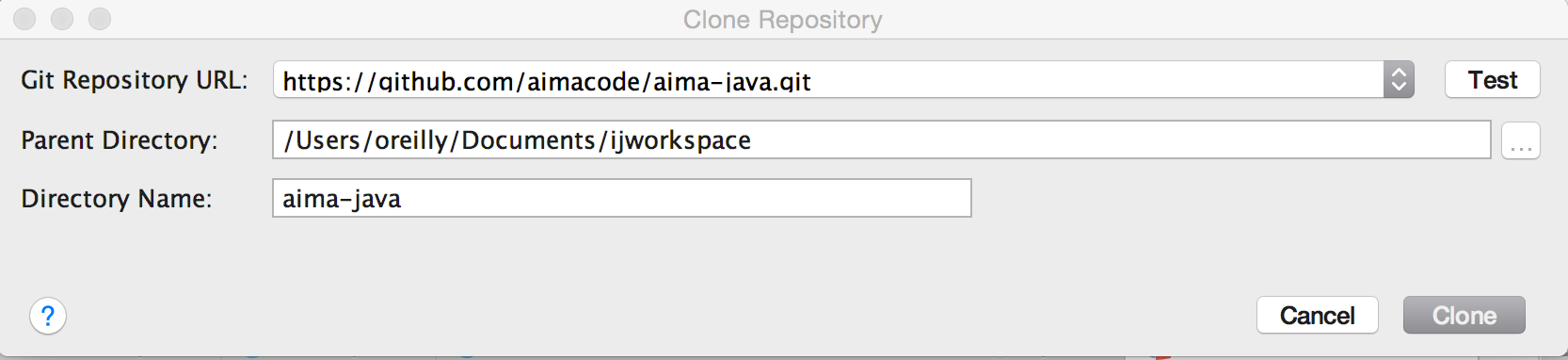
- Hit the
Clonebutton (you will need to wait a little bit while the repository is downloaded to your local drive). - When the
Checkout From Version Dialogpops up pressYes:
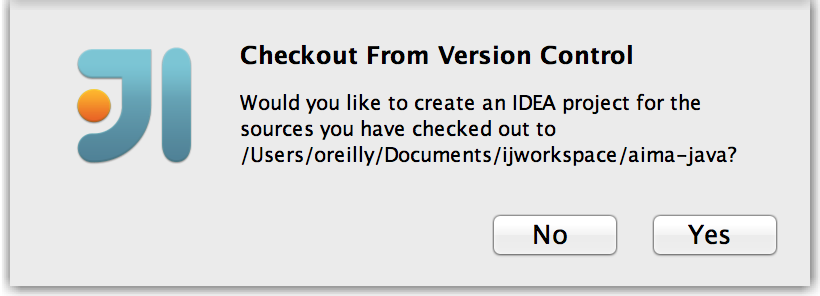
- In the
Import Projectdialog select theImport project from external modelradio button and selectEclipse:
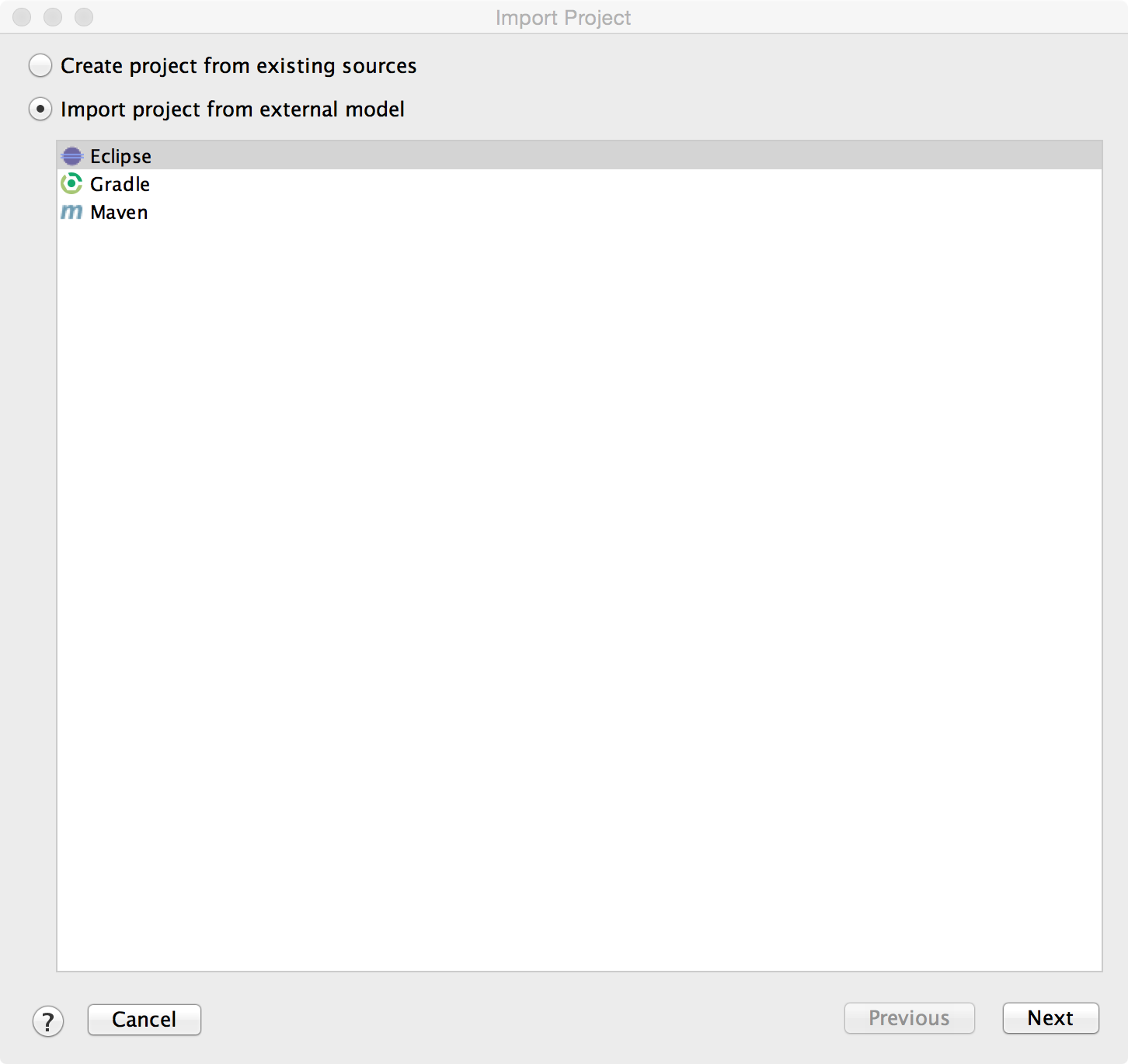
- Hit the
Next >button. - In the following
Import Projectdialog select options that suit your workspace:
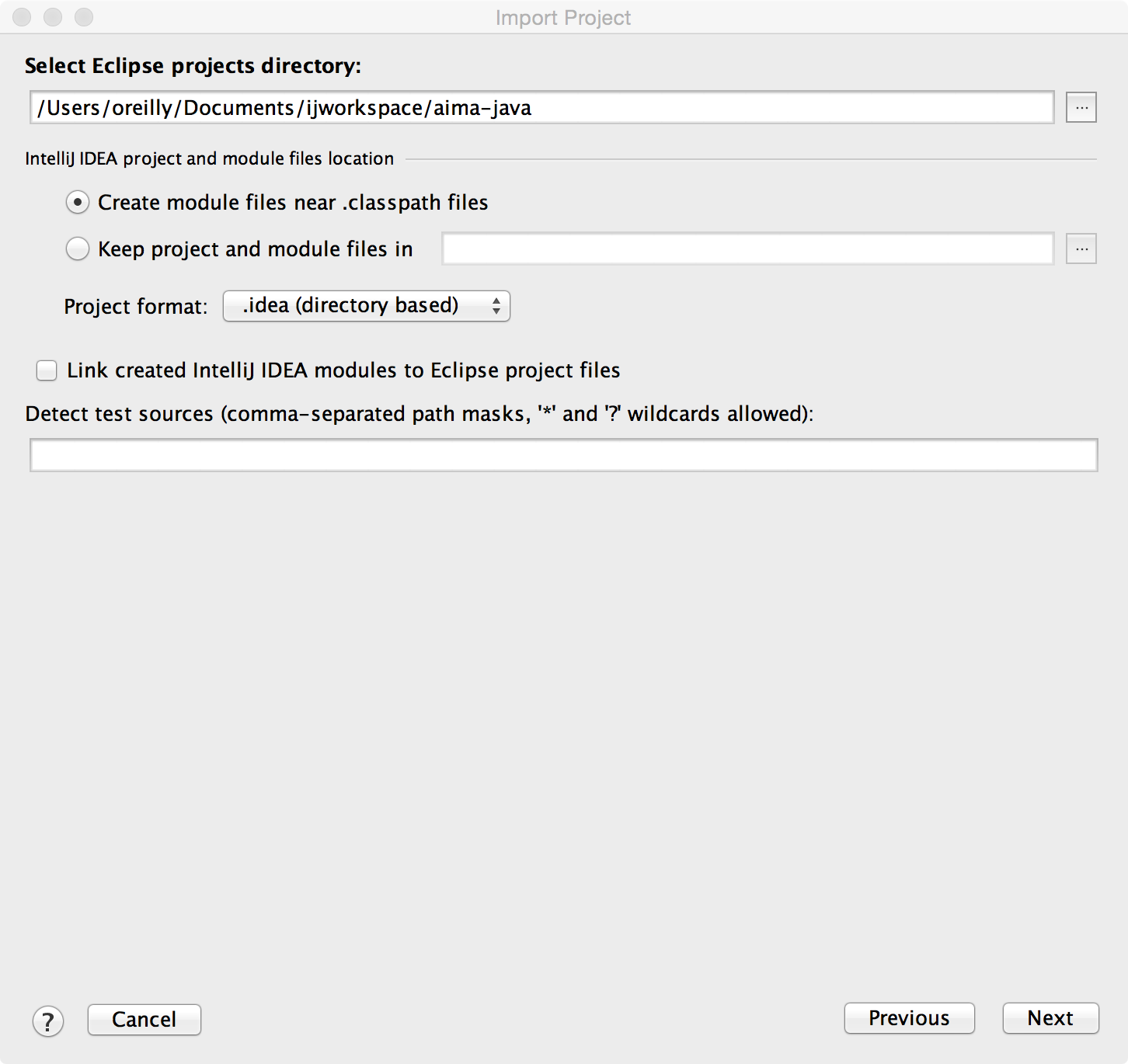
- Hit the
Next >button.