Dashboard
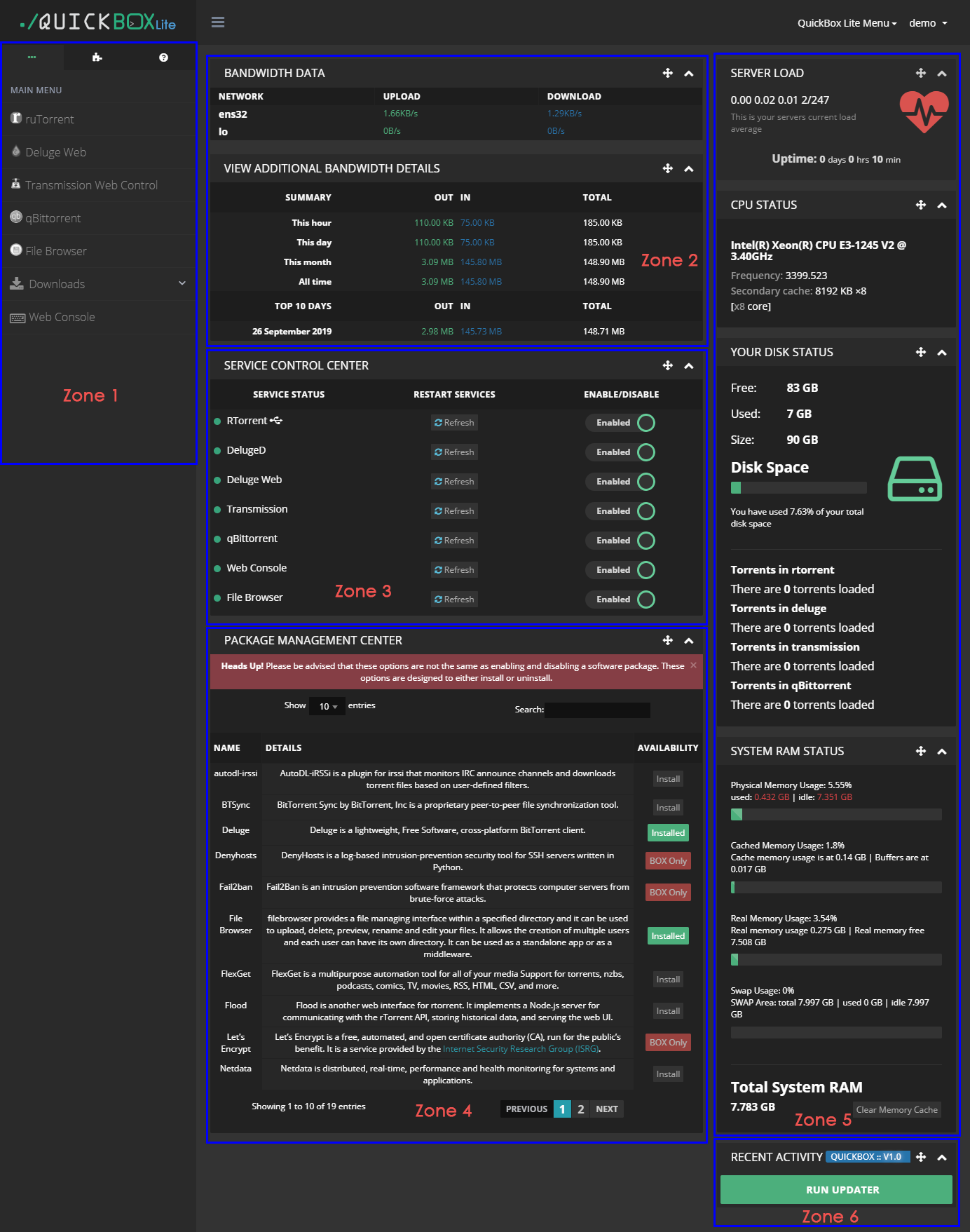
The QuickBox Lite Dashboard has several function zones:
In this zone, you will see all active service show it's URL here. You can quickly access them by click. You can also enable/disable a ruTorrent plugin by second Tab. Some basic commands are list in the third Tab.
In this zone, you will see network status here.
This widget is made for service control. You can restart/enable/disable a service by click those buttons.
You can install or uninstall a application via dashboard in this zone. Some of the applications only available in CLI, you have to install them through SSH.
All system status will showed here.
QuickBox Lite can be update by clicking RUN UPDATER button.