This repository was archived by the owner on Apr 17, 2023. It is now read-only.
Cannot Load Any Objects After Adding User Permissions #264

Description

Describe the bug
I'm not sure if this is intended behavior or a bug, but documenting it here either way. I didn't have access to a prefix that I should have had. When I went to add it in the administration site, I lost the ability to see any objects back in the Portal.
To Reproduce
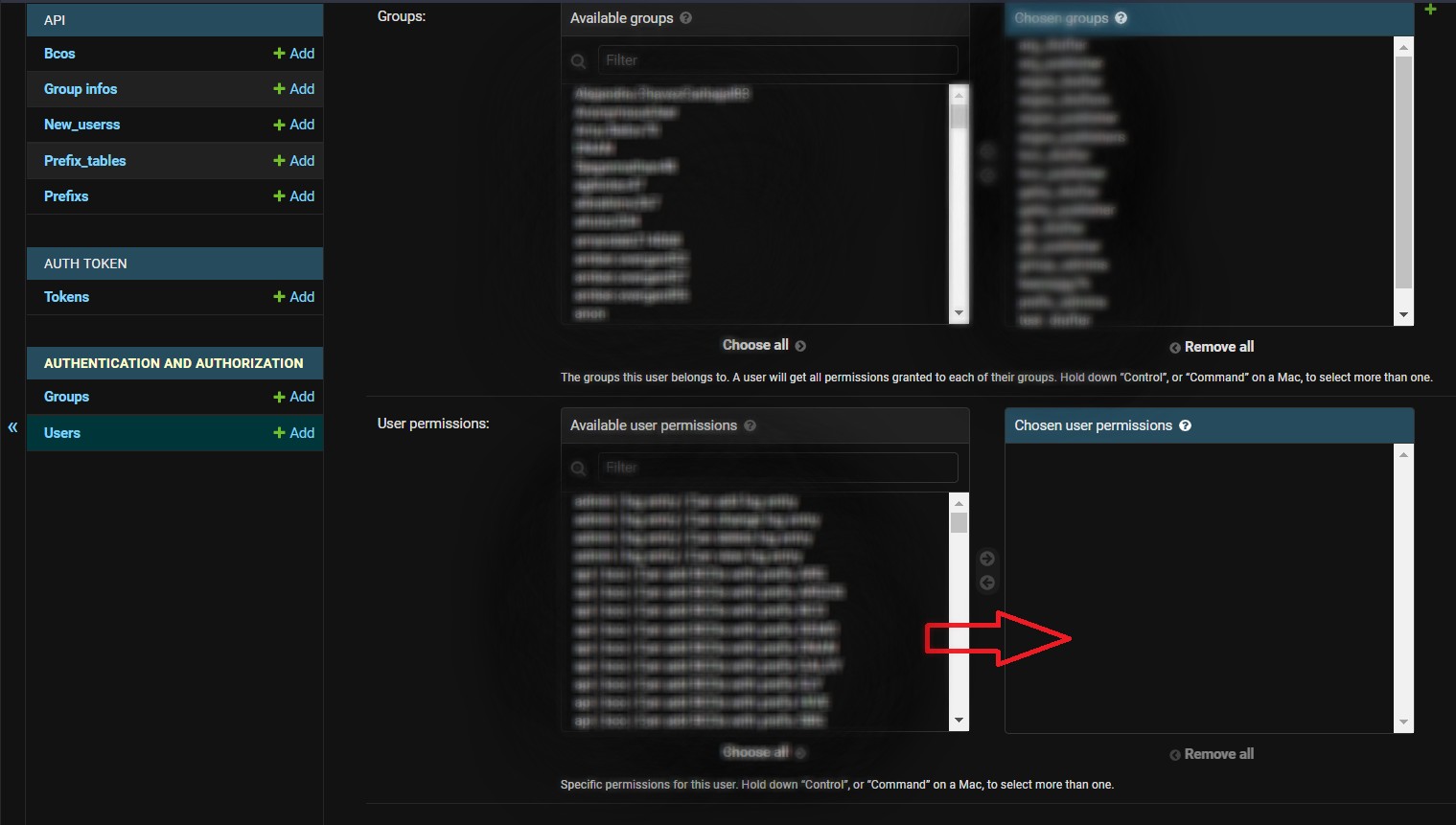
- Go to https://biocomputeobject.org/api/admin/ and log in as the admin
- Click on Users (under "AUTHENTICATION AND AUTHORIZATION")
- Click on a user
- Scroll down to "User permissions"
- Add all user permissions to the user (screenshot 1)
- Now log into https://biocomputeobject.org/ as that user
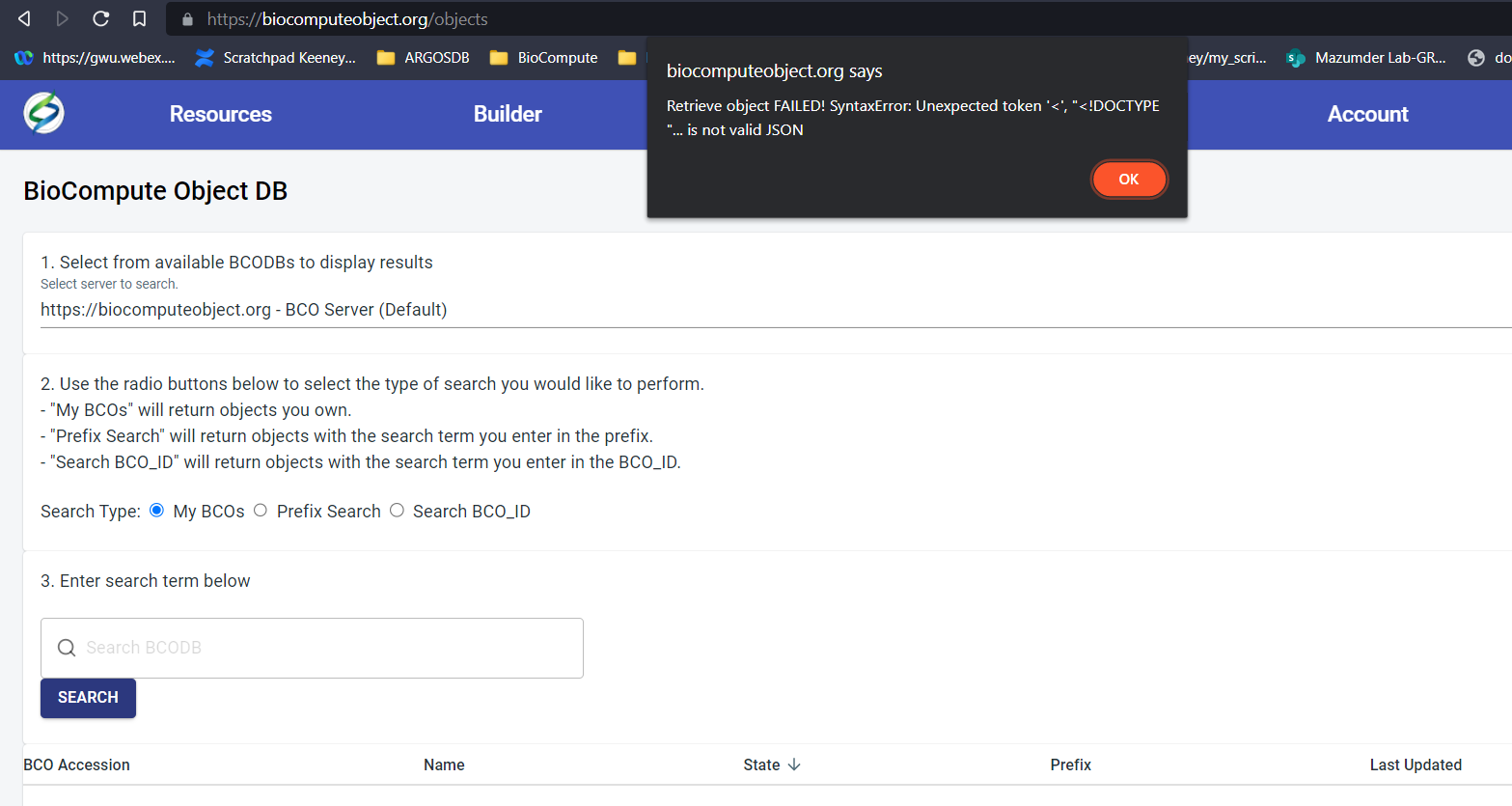
- Go to Objects in the top menu and search the usual way for any BCO via any Search Type (select server, select Search Type).
- Error returned (screenshot 2)
Expected behavior
Expect to see objects for which I have permission to view appear in the list of objects after search criteria entered.
Desktop (please complete the following information):
- OS: Windows10
- Browser Brave
Additional context
Normal behavior is restored when permissions are removed. Counter intuitive that adding permissions reduces functionality!