It is time to connect our applications! We will switch gears back to the frontend to load our cats. We will have two applications running on our machine at the same time. The Rails app will run on localhost:3000 and the React app will run on localhost:3001.
- can make cross-origin requests from the UI to an API
- can replace mock JSON with database payload
- can set state with the JSON data that is returned from our fetch request
- fetch
- The Rails app will run on
localhost:3000 - The React app will run on
localhost:3001
The tool that allows JavaScript developers to make asynchronous requests to an API is called fetch. Fetch is a method that takes an argument of the request url wrapped in a string.
fetch("rails-api-endpoint")The power of fetch is the asynchronicity. When the JavaScript program hits the fetch action it will run in the background allowing the program to continue running. What fetch provides as a placeholder is called a Promise. A Promise is a JavaScript class that is a proxy value for the eventual completion of an asynchronous action. A promise says, "Eventually this request will return a response. I promise."
Every request will receive a response. The response could be a success in which we would get back the expected JSON payload, or it could be a failure in which we would get an error code. Since a promise is a proxy value it can be in one of three states:
- Pending - the action is currently happening
- Fulfilled - the action was a success and we received the expected payload
- Rejected - the action was a failure and we received an error
The fetch method is followed by additional methods that handle the various states of a promise. The method .then() is a higher-order function that is chained to the end of a fetch action. A series of .then() methods will handle the response then the payload. If the promise returns an error the method .catch() will invoke error handling functionality.
The most basic fetch request will follow this format:
fetch("rails-api-endpoint")
  .then((response) => response.json())
  .then((payload) => console.log(payload))
.catch((error) => console.log(error))The frontend is going to ask the Rails API for information, then Rails will use Active Record to get that information out of the database and hand it back to the frontend as JSON.
We want to make that process as simple and re-useable as possible, because we can be pretty sure our Cat Tinder app will get bigger and more complex in the future (because everyone will be using this app!).
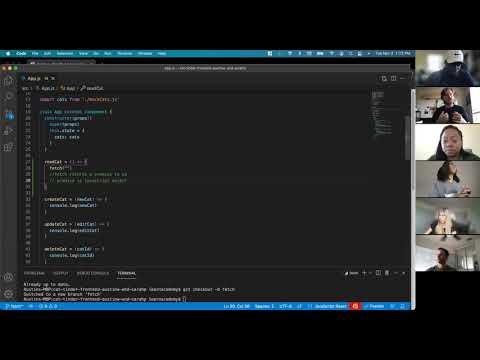
There will be a series of fetch requests to match the functionality required in our application. To start, we are going to load up all the cats from the database and save them into state. This will take the place of our mockCats. Since we want make this fetch call right away, we can create a method that will handle fetching all the cats. There is an action in React called useEffect(). The method will run automatically when the component loads to the browser. There are two parts of the useEffect() method: the action to be executed and the dependency value. In our case the action is a fetch to the endpoint that hold all the cats and the dependency value is an empty array.
The fetch request will be made to the URL that is running the Rails API. In this case, our Rails app is running on localhost:3000. We are making a request to the index route of our Rails app. Remembering our RESTful routes, we know that we need to make a request to a route called '/cats' to get all the cats.
Our fetch call will return a Promise. If the Promise is resolved successfully we will get back an array of cat objects. We can set this array in state and replace the mock cats with real cats from the database.
/src/App.js
const App = () => {
  // remove the mock cats and start with an empty array
  const [cats, setCats] = useState([])

  useEffect(() => {
    readCat()
  }, [])

  const readCat = () => {
    fetch("http://localhost:3000/cats")
      .then((response) => response.json())
      .then((payload) => {
        setCats(payload)
      })
      .catch((error) => console.log(error))
  }
As long as we have set up the frontend scaffolding correctly, the cat index and the cat show page should be working. But now we are pulling information from the database rather than mock data.
As a developer, I have been commissioned to create an application where a user can see cute cats looking for friends. As a user, I can see a list of cats. I can click on a cat and see more information about that cat. I can also add cats to the list of cats looking for friends. If my work is acceptable to my client, I may also be asked to add the ability to remove a cat from the list as well as edit cat information.
- As a developer, I can get the cats from the database and set the array in state.
- As a user, I can see all the cats.
- As a user, I can see the information for just one cat.