This repository was archived by the owner on Aug 4, 2020. It is now read-only.
Incoming donations #25


Description

general
This issue is an comparison of the user flow and what has to happen in parallel in odoo. I created this issue to give an structured overview of what needs to be done and why.
user flow
@jamescrowley created a nice user flow how new stock should be registered in Boxwise.
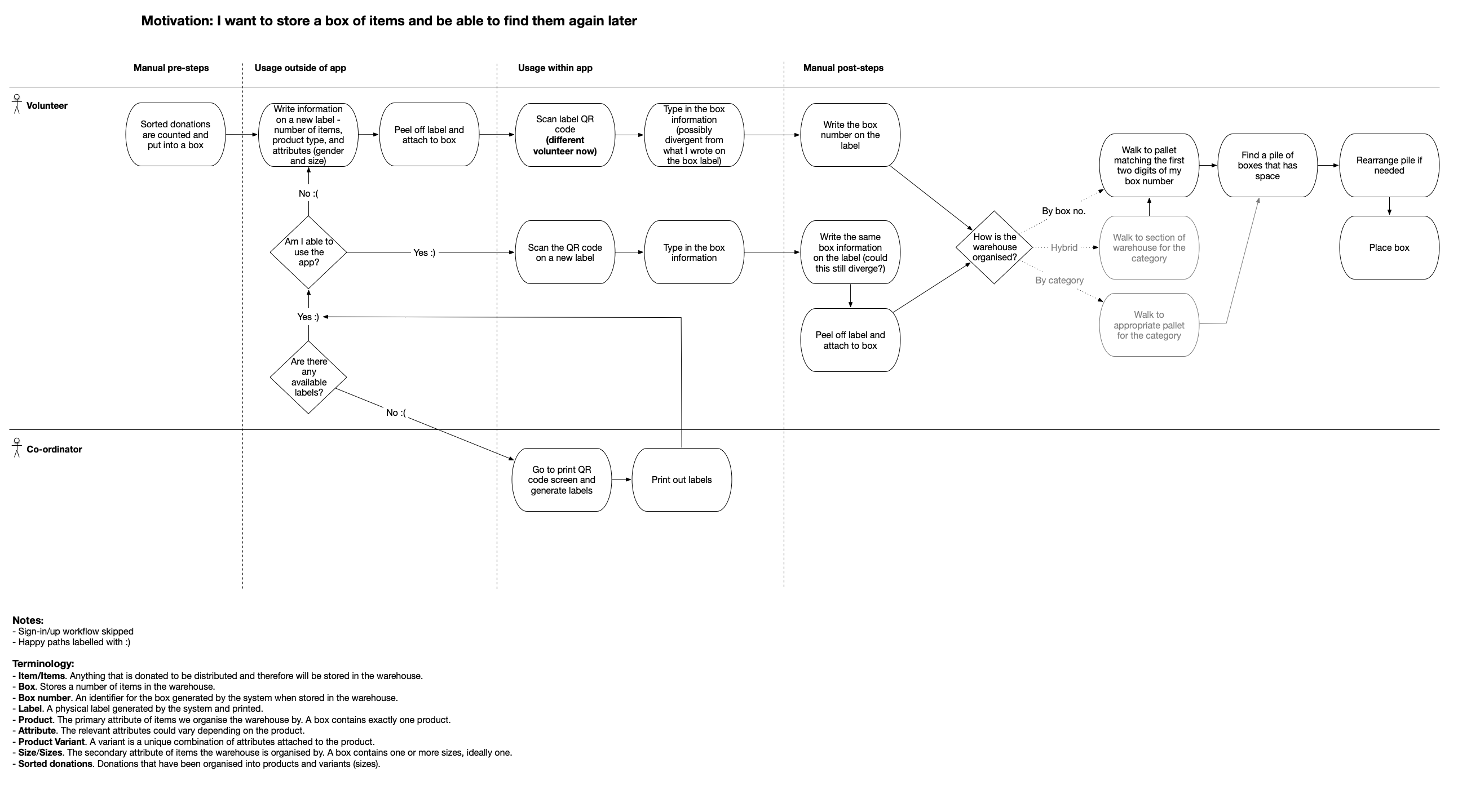
ToDos:
odoo dev tasks
Here, each subsection describes steps in the user flow diagram above and what the connected odoo dev tasks are (ordered according to the user flow).
Generate QR-codes and print them
- Create empty packages in bulk through an extra menu #9 Create empty packages / boxes in odoo
- Create Box number / Change odoo package sequence #24 Assign a unique identifier to each package / box.
- (optional Store / print url & boxnumber of a box in one qr-code #27) Store the right data in the QR-code.
- (optional Add a QR odoo field for packages to save the related QR-codes. #26) Store created qr-code as a field in
stock.quant.package - Design QR-codes label #23 Create a pdf layout to print the QR-code.
- (optional Automatically download newly created QR codes (packages) #32) Download created packages automatically.
Register the contents of a box
- Create "unknown donor" #14 Create a supplier in odoo from where new stock is coming from.
- "Add content to package" - Form #4 Create a mobile form which is dynamic depending on products and variants.
- "Add content to package" - Action #5 Create a odoo receipt to register incoming donations.
- mobile package info screen #6 Design the infoscreen which is shown when a box is scanned again.