support minecraft server? #25

Description

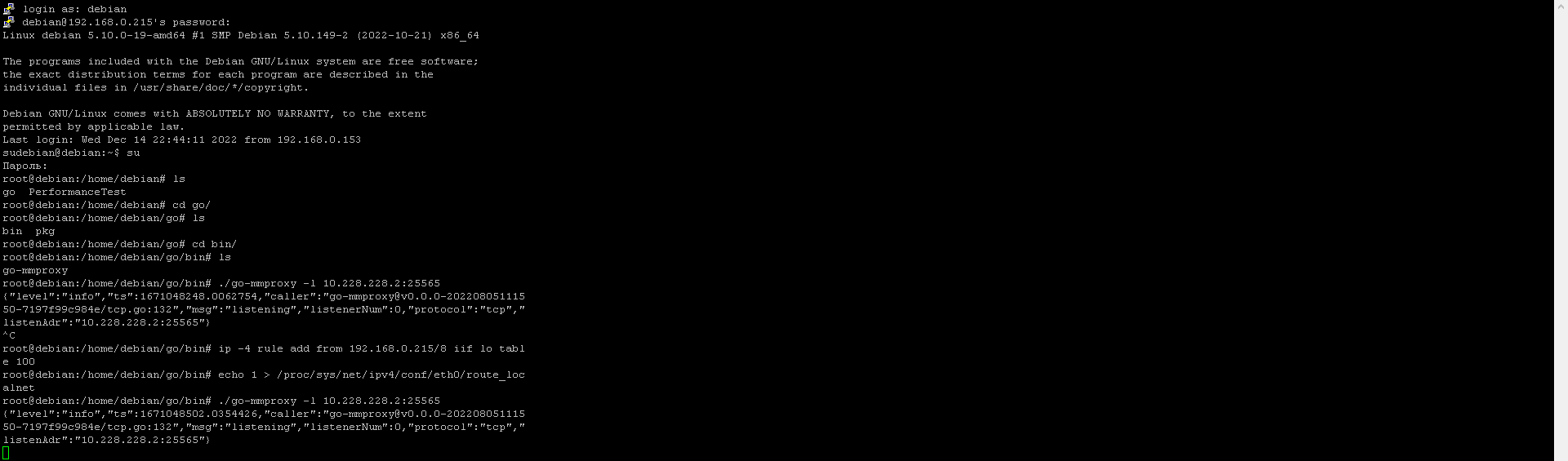
I have launched mmproxy with the following parameters: ./go-mmproxy -l 10.228.228.2:25565
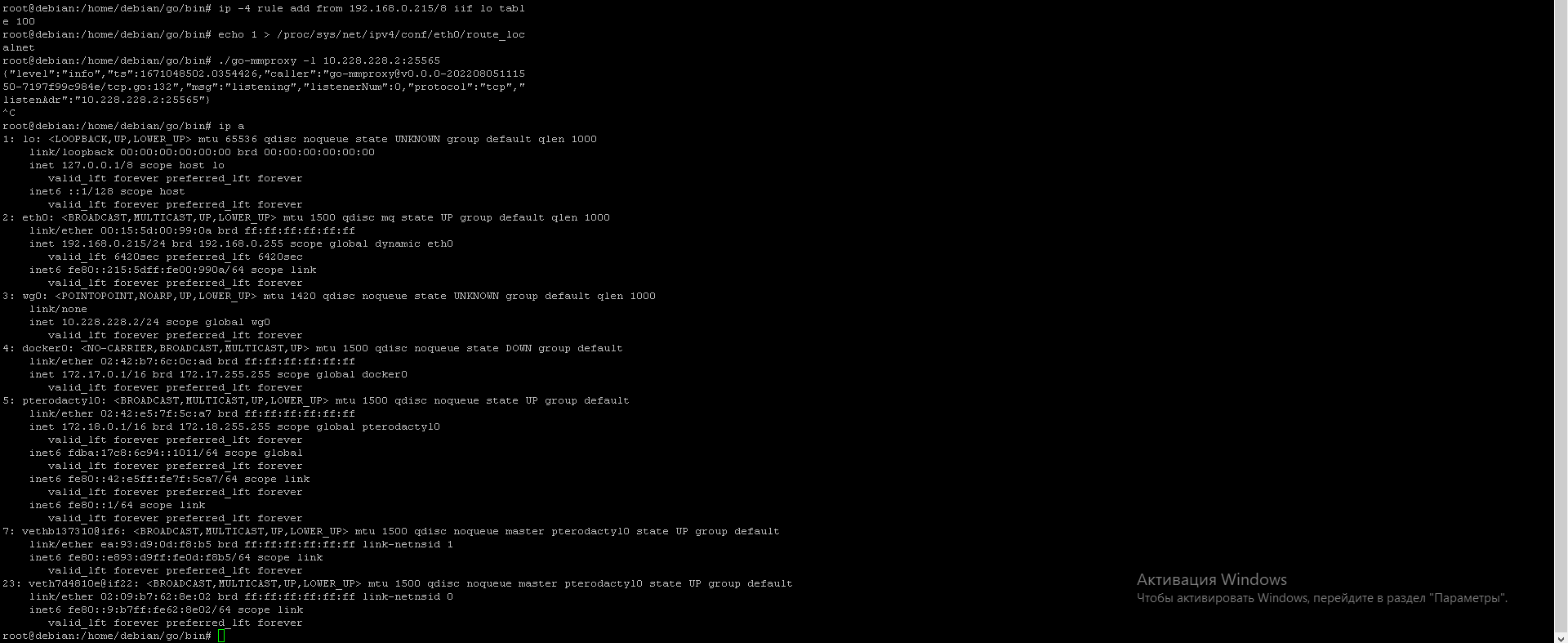
the game server is running on 192.168.0.215, 10.228.228.2 is the ip wireguard
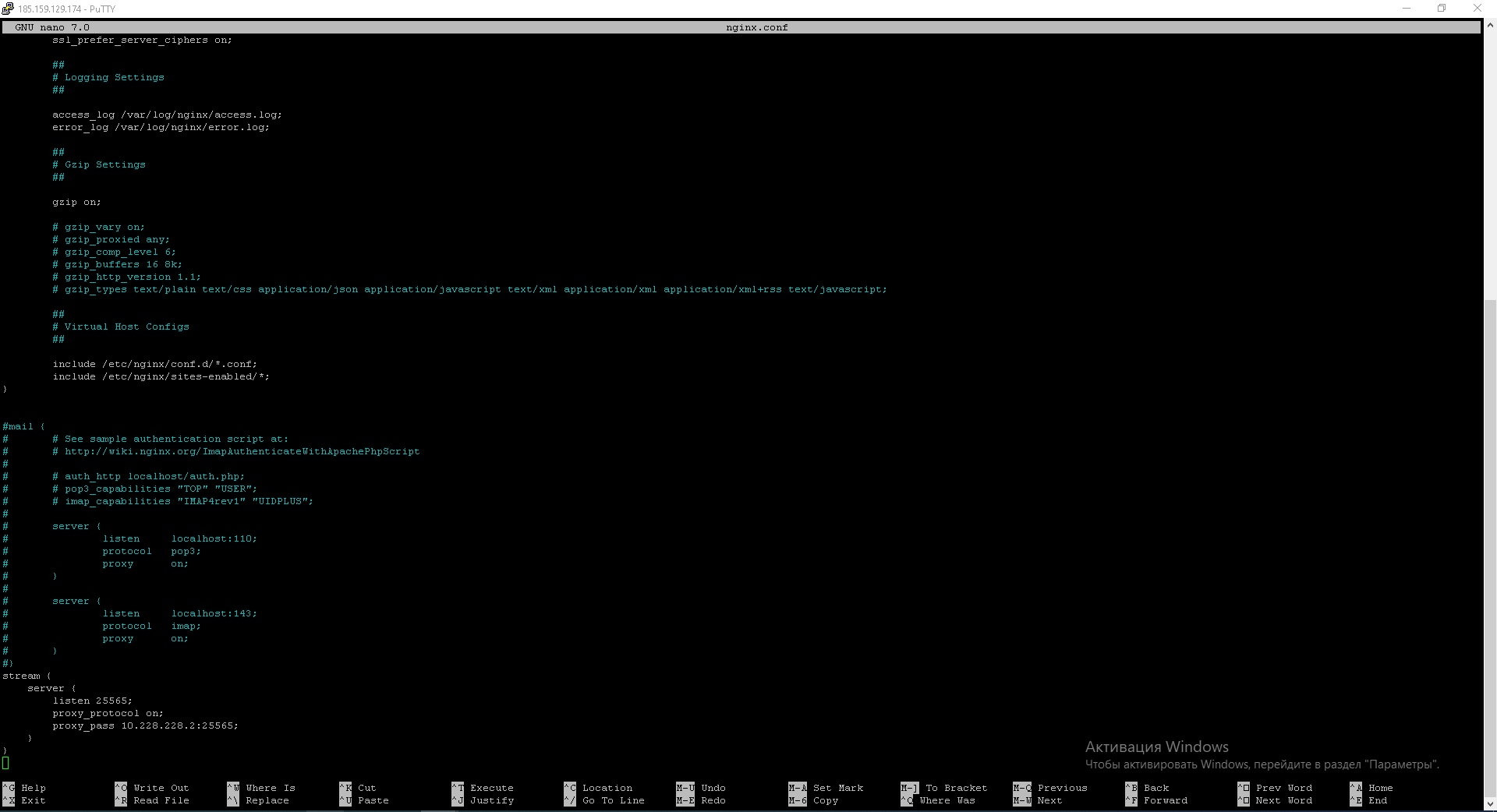
10.228.228.1 is on vds
10.228.228.2 on home pc.
how do I configure mmproxy to log in to a server with the proxy-protocol function enabled in nginx?
home pc:
vds:

minecraft server
 (server runs on 192.168.0.215)
How can I do so that I can log in to the server with the proxy-protocol in nginx option?