remeshing_isotropic_explicit_remeshing filter - Doubts on input parameters #113


-
|
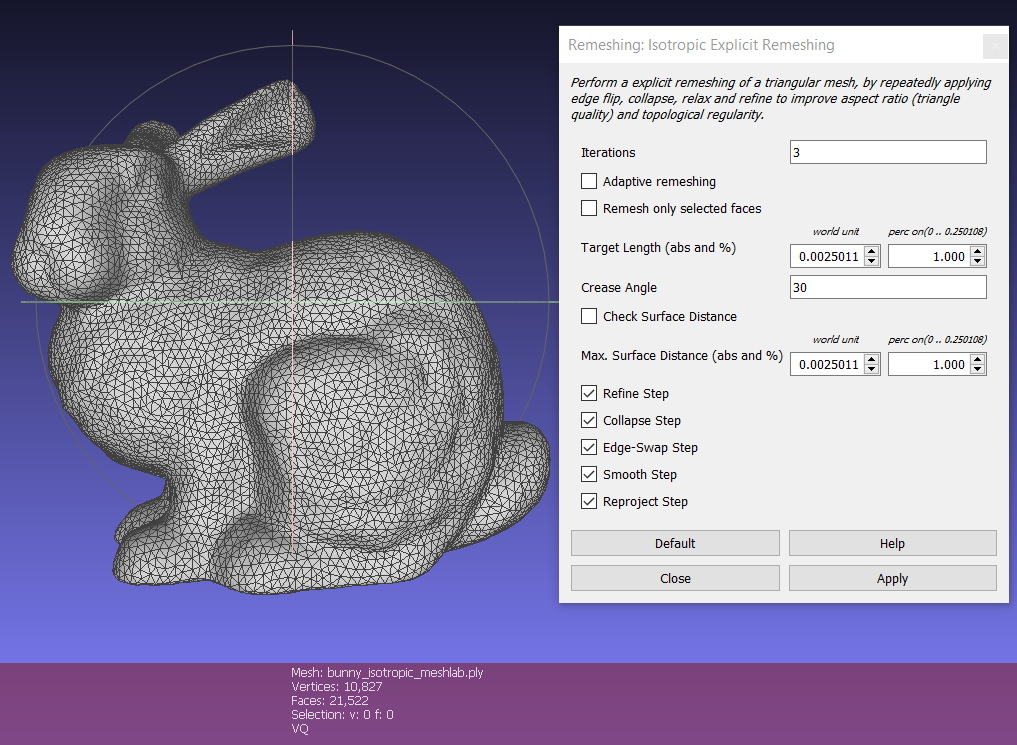
Let's consider the file bunny10k.ply available here which has 6614 vertices and 9999 faces. I am using MeshLab v2020.12 and pymeshlab 0.2.1. I have two questions. First Question If I open MeshLab and apply the filter "Remeshing: Isotropic Explicit Remeshing" without changing any parameter, I get a mesh having 10827 vertices and 21522 faces as you can see in the image below.
If I perform the same operation using pymeshlab (so the default parameters are not modified), I get a different result, that is I get a mesh having 10803 vertices and 21474 faces as you can see in the bloew. I have also pasted the code below. If I take a look at the documentation for this filter, the default values are equal to the MeshLab user interface default values. Thus, I wonder what is causing this difference. Without changing any parameter both in MeshLab and pymeshlab, I expect the two meshes to be equal. For sure I am doing something wrong, but I can't spot the error. Second Question Furthermore, I am having troubles understanding how to enter the "targetlen" and "maxsurfdist" values (so when I want to change the default values). In the documentation these values are defined as percentages, but if I enter in pymeshlab the same value that I enter in the user interface (percentage field) I get two totally different meshes. Thanks! |

Beta Was this translation helpful? Give feedback.
Replies: 1 comment 1 reply

-
|
For the first question, there could be two main reasons:
For the second question, if you pass as parameter a float value, it is interpreted as an absolute value. You need to pass a Percentage object. You can find an explicative example here. |
Beta Was this translation helpful? Give feedback.

-
|
Dear @alemuntoni, |
Beta Was this translation helpful? Give feedback.

For the first question, there could be two main reasons:
For the second question, if you pass as parameter a float valu…