Integration of Doctrine Migrations for Nette Framework.
Install package using composer.
composer require nettrine/migrationsRegister prepared compiler extension in your config.neon file.
extensions:
    nettrine.migrations: Nettrine\Migrations\DI\MigrationsExtension
Note
This is just Migrations, for ORM use nettrine/orm or DBAL use nettrine/dbal.
nettrine.migrations:
  directories:
App\Migrations: %appDir%/migrationsHere is the list of all available options with their types.
nettrine.migrations:
  table: <string>
  column: <string>
  directories: array<string, string>
  versionsOrganization: <null|year|year_and_month>
  customTemplate: <null|path>
  allOrNothing: <bool>

  migrationFactory: <service>
  logger: <service>
  connection: <string>
  manager: <string>
Multiple databases
$this->configurator->addDynamicParameters([
	'env' => getenv(),
]);nettrine.migrations:
directories:
App\Migrations: %appDir%/migrations
connection: %env.DATABASE_CONNECTION%Type bin/console in your terminal and there should be a migrations command group.
migrations:diffmigrations:executemigrations:generatemigrations:latestmigrations:migratemigrations:statusmigrations:up-to-datemigrations:version
You are mostly going to need migrations:diff and migrations:migrate.
You can create a new migration by running the following command.
bin/console migrations:generateIn the migration file, you can use dependency injection. Injecting into properties or via inject<> method is also supported.
<?php declare(strict_types = 1);

namespace App\Migrations;

use Doctrine\DBAL\Schema\Schema;
use Doctrine\Migrations\AbstractMigration;
use Nette\DI\Attributes\Inject;

final class Version20200000000001 extends AbstractMigration
{

  #[Inject]
  public DummyService $dummy;

  public function up(Schema $schema): void
  {
    $this->addSql('CREATE TABLE happy (id INT NOT NULL, coding INT NOT NULL, PRIMARY KEY(id))');
  }

}Tip
Doctrine Migrations needs a database connection and entities information. Take a look at nettrine/dbal and nettrine/orm.
composer require nettrine/dbal
composer require nettrine/ormTip
Doctrine DBAL needs Symfony Console to work. You can use symfony/console or contributte/console.
composer require contributte/consoleextensions:
console: Contributte\Console\DI\ConsoleExtension(%consoleMode%)
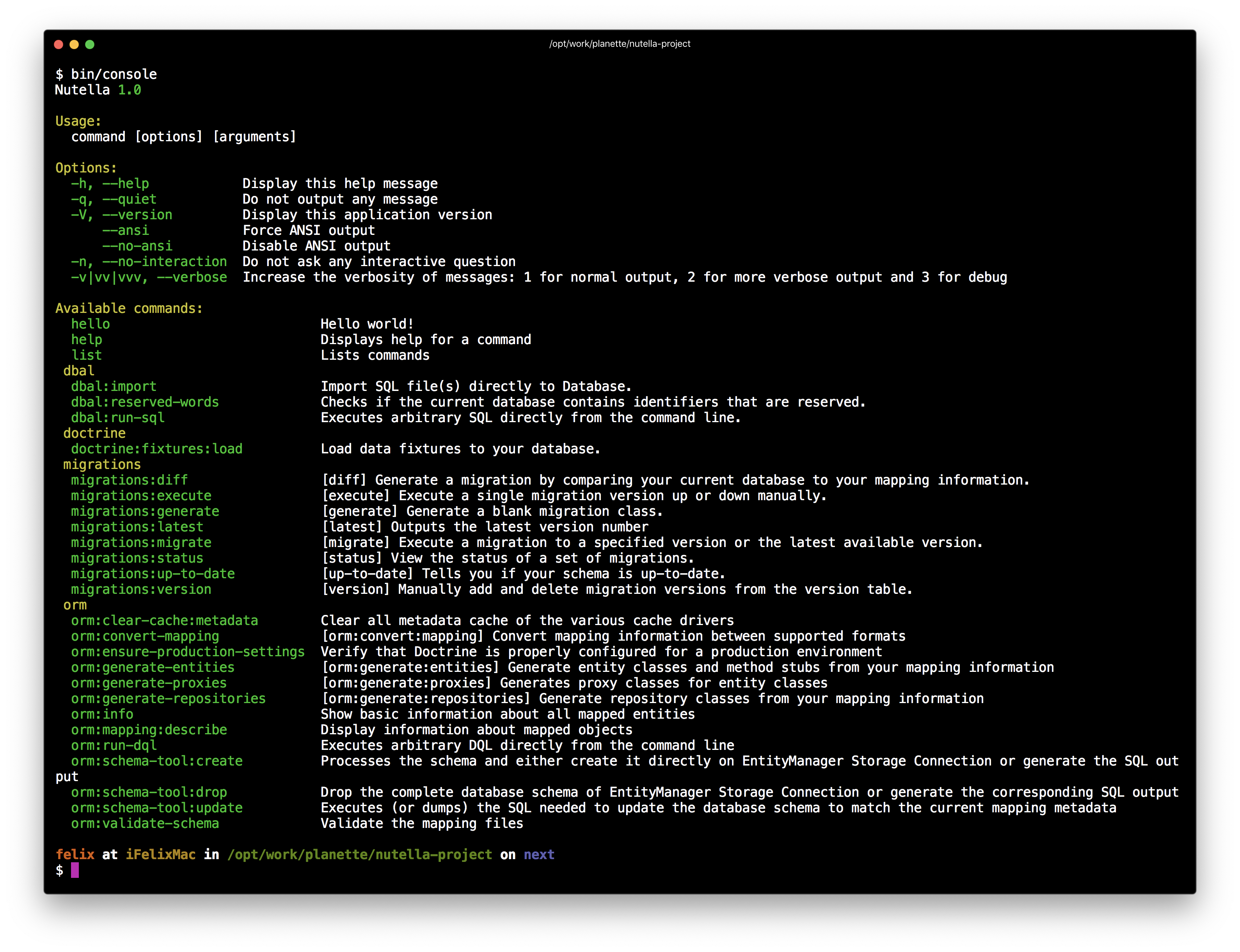
nettrine.dbal: Nettrine\DBAL\DI\DbalExtensionSince this moment when you type bin/console, there'll be registered commands from Doctrine DBAL.
Tip
Take a look at more examples in contributte/doctrine.