Decision structures, also called decision trees, conditional statements, or if/else statements, are fundamental to computer programming. Conditional statements are a sequence of well-defined instructions that produce a unique output based on the value of the input. Conditionals follow a flowchart-like structure and allow you create logic in your code.
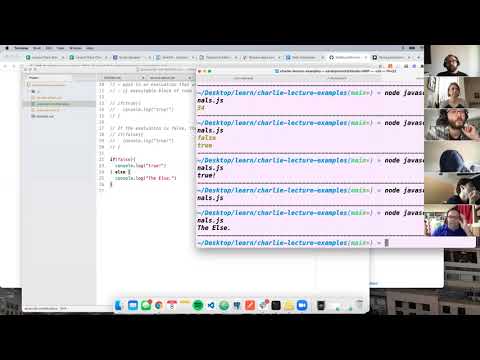
- can recall the syntax of an if/else block
- can create a tree of if/else decisions in order to produce a solution to a given problem
- can use console.log to see the appropriate output
- can successfully run a JavaScript file in the terminal
- conditional statement
- if
- else
- string interpolation
cdinto thejavascript-intro-challengesrepository- Create a new branch:
conditionals-initials1-initials2(ex. conditionals-aw-sp) toucha file with no spaces and.jsextension:conditionals-student1-student2.js(ex. conditionals-austin-sarah.js)- Open the folder in a text editor
- Code!
- Is the file path is correct?
Programming is the art of solving very complex problems or processes by breaking each problem into tiny, solvable pieces.
In development, conditionals statements are commands for handling decisions. Specifically, conditionals perform different actions depending on whether the outcome of a Boolean condition evaluates to true or false.
A conditional statement is defined by the JavaScript keyword if. The if function takes a statement to be evaluated. If the statement evaluates to the Boolean value of true, the corresponding code statement will be executed.
if(this thing is true) {
  console.log(do this)
}
A minimum need for a conditional statement is just a single if function. However, there is often more decisions that need to be made. Think of the logic behind a simple switch that is either on or off. In code we can create logic that says, if this thing is true, do this, otherwise, do this other thing. To create an either-or statement we need to add an else statement will act as a catch all.
if(this thing is true) {
  console.log(do this)
} else {
  console.log(do this other thing)
}
All conditionals must have an if statement. If the set condition is true, the program will continue to run. If the condition is not true, nothing will happen.
var carOn = true;

if (carOn === true) {
  console.log("The engine is running.");
}
If we want our code to execute something if the if condition is not true, we add an else to our program. Else is the catch all so we don't give it its own statement. It will automatically run if the if condition is not met.
var carOn = false;

if (carOn === true) {
  console.log("The engine is running.");
} else {
  console.log("The engine is off.");
}
If we want more options in our decision structure, we can add an else if statement. This runs after the initial if and before the catch all else. The cool thing about else if statements is that you can use as many as you want. Once a condition is met, the program has finished running so the most specific condition should be prioritized.
var carOn = true;

if (carOn === true) {
  console.log("The engine is running.");
} else if (carOn === false) {
  console.log("The engine is off.");
} else {
  console.log("The car is broken.");
}When executing code logic, is it often necessary to return a detailed statement that can involve variables and additional text. Template literals, also known as string interpolation allows variables to be embedded into strings. Prior to this neat syntax the only way to use variables inside of strings was to use concatenation.
var number1 = 34;
var number2 = 78;
console.log(number1 + " is less than " + number2);
This expression can be modified using string interpolation.
var number1 = 34;
var number2 = 78;
console.log(`${number1} is less than ${number2}`);Example: Write a statement that takes two variables and logs the one that has more letters.
var fruit1 = "orange";
var fruit2 = "apple";

if (fruit1.length > fruit2.length) {
  console.log(`${fruit1} has more letters`);
} else if (fruit1.length < fruit2.length) {
  console.log(`${fruit2} has more letters`);
} else {
  console.log("They have the same letters");
}Example: Write a statement that takes a number from 0 to 100 and logs the number of digits.
var number = 9;

if (number === 100) {
  console.log(`${number} is a triple digit number`);
} else if (number > 9 && number < 100) {
  console.log(`${number} is a double digit number`);
} else if (number >= 0 && number <= 9) {
  console.log(`${number} is a single digit number`);
} else {
  console.log("please enter a number from 0 to 100");
}Copy the challenges into your JavaScript file. Comment out the instructions and code the solution to each problem beneath the prompt.
Make sure you try different options and change the variables to ensure properly working code.
-
Write a statement that takes a variable of item and logs "in budget" if a price is $100 or less.
-
Write a statement that takes a variable of hungry and logs "eat food" if you are hungry and "keep coding" if you are not hungry.
-
Write a statement that takes a variable of trafficLight and logs "go" if the light is green, "slow down" if the light is yellow and "stop" if the light is red.
-
Write a statement that takes two variables that are numbers and outputs the larger number. If the numbers are equal, output "the numbers are the same".
-
Write a statement that takes a variable of a number and logs whether the number is odd, even, or zero.
-
Write a statement that takes a variable of a grade percentage and logs the letter grade for that percentage, if the grade is 100% log "perfect score", if the grade is zero log "no grade available."
-
Write a statement that takes a variable of a boolean, number, or string data type and logs the data type of the variable. HINT: Check out the JavaScript typeof operator.
-
Create a password checker using a single conditional statement. If a user inputs a password with 12 or more characters AND the password includes
!, then log "That is a mighty strong password!" If the user’s password is 8 or more characters OR includes!, then log "That password is strong enough." Log "That is not a valid password." for every other input.