- Ruby has lots of iteration methods
- Ruby uses the keywords
do/endor {} to create a block of code to be executed
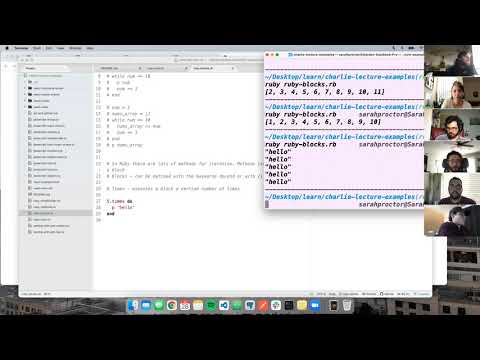
- Passing a block to a Ruby iteration method
- Exploring the do/end vs {} syntax
- blocks
- do/end
- times do
- each do
- while
- map
cdinto theruby-challengesrepository- Create a new branch:
blocks-initials1-initials2(ex. blocks-aw-sp) toucha file with no spaces and.rbextension:blocks-student1-student2.rb(ex. blocks-austin-sarah.rb)- Open the folder in a text editor
- Code!
Ruby has anonymous functions similar to JavaScript. They are called blocks. Blocks can be created with the do/end keywords OR with {}. Blocks are code that is passed to a method.
Times method is a very basic method that will repeat code a certain number of times.
my_num = 5
=> 5

> my_num.times do
   puts 'hello'
 end

hello
hello
hello
hello
hello
=> 5Each method will let you do something with every element of an object or array.
> nums = [1, 2, 3]

> nums.each do |value|
    puts value
  end
1
2
3
=> [1, 2, 3]

> nums
=> [1, 2, 3]
Note the original array is untouched.
# Block with a `do/end`
> nums.each do |value|
    puts value
  end
1
2
3
=> [1, 2, 3]


# Block with {}
> nums.each { |value| puts value }
1
2
3
=> [1, 2, 3]
Blocks can have multiple parameters.
# Block with a `do/end`
> nums.each_with_index do |value, index|
    puts "#{index.to_s} #{value.to_s}"
  end
0 1
1 2
2 3
=> [1, 2, 3]


# Block with {}
> nums.each_with_index { |value, index| puts "#{index.to_s} #{value.to_s}" }
0 1
1 2
2 3
=> [1, 2, 3]The while method is a little bit different in that it doesn't take a block as an argument. A while loop requires a starting value and runs until a particular condition is met.
> i = 0
> while i < 5
>   puts i
>   i += 1
> end
0
1
2
3
4Ruby's map method also lets you do something with every element of an array. Map returns a new array filled with whatever gets returned by the block each time it runs.
> my_array = [1, 2, 3]

# Block with a `do/end`
> my_array.map do |value|
    value * value
  end
=> [1, 4, 9]

> my_array
=> [1, 2, 3]

# --OR--

# Block with {}
> my_array.map { |value| value * value }
=> [1, 4, 9]

> my_array
=> [1, 2, 3]
Note the original array is untouched. To modify the original array use the bang operator.
> my_array = [1, 2, 3]

> my_array.map! do |value|
    value * value
  end
=> [1, 4, 9]

> my_array
=> [1, 4, 9]- Write a loop that prints the numbers 1 to 20.
- Write a loop that prints the numbers 1 to 20 using a different approach than previously used.
- Write a loop that prints only even numbers from 20 to 0.
- Create a method that takes in an array of numbers and returns a new array with all the numbers multiplied by 5.
- Create a method that takes in an array of lowercase words and capitalizes all of the words, permanently modifying the original array.
- Create a method that takes in an array of numbers and returns the largest number in the array.
- Create a method that takes in an array of numbers and returns the smallest number in the array.
- Create a method that takes in an array of numbers and returns only the odd numbers sorted from least to greatest.
- Create a method that takes in an array of strings and returns all the strings in reverse casing. All uppercased letters should be returned lowercased and all lowercased letters should be returned uppercased.
- Create a method that takes in an array of words and returns all the words that start with a particular letter. Ex) Given the array ['Apple', 'Avocado', 'Banana', 'Mango'] and the letter 'a' the method should return ['Apple', 'Avocado']. With the same method, given the letter 'm' should return ['Mango'].
- Write a method that prints the numbers from 1 to 100. For multiples of three print Fizz instead of the number, for multiples of five print Buzz instead of the number, for numbers that are multiples of both three and five print FizzBuzz, for all other numbers print the number.