Getting started
Get up and running with XrmDefinitelyTyped in a few minutes by following this guide.
- TypeScript >2.0 installed
- TypeScript is set up to compile
.tsfiles in your project
Setup:
- Install the package via NuGet
- Edit the
appSettingsin the configuration file (XrmDefinitelyTyped.exe.config) to fit your Dynamics CRM environment and needs (see arguments available to XDT). Avoid storing secrets in the config file and instead store them in a secure way and provide them when calling the executable. XrmDefinitlyTyped supports mixing configuration file and passed arguments.
Usage:
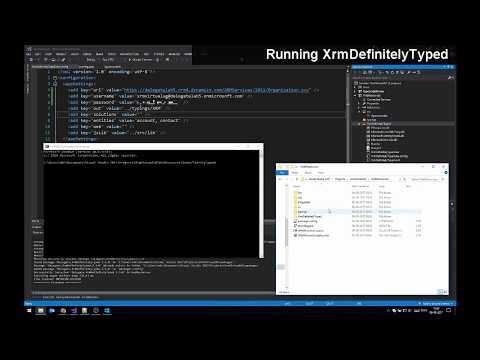
- Run
XrmDefinitelyTyped.exe*. This will generate the desired declaration files at the specified location (or in the current folder if none specified) - Make sure your
tsconfig.jsonfile includes the generated typings in the TypeScript context - Create a TypeScript file, or convert your old .js files to .ts
- Making form logic? Cast the
Xrm.Pageobject to the form you are coding towards - Start coding!
*: Since .exe files can not be run directly from Visual Studio (out-of-the-box at least), script files are included in the package to enable you to run it from the IDE (Powershell: Run.ps1, or F#: Run.fsx).
With the release of Dynamics CRM v9, Xrm.Page has been deprecated. This means that if you are developing towards version 9 or newer, you should use a different file-setup.
You can get the form context via the execution context on CRM function handlers, and cast it to the desired form type:
namespace DG.Contact {
    var Form: Form.contact.Main.Information;

    export function onLoad(executionContext: Xrm.ExecutionContext<any,any>) {
        Form = <Form.contact.Main.Information> executionContext.getFormContext();
        // Code here..
        Form.getAttribute("firstname");
    }
}
Remember to tick 'Pass execution context as first parameter' in CRM, when adding your function to the form.
Either make a new variable (i.e. Form), and set it to Xrm.Page casted to the desired form type:
namespace DG.Contact {
    const Form = <Form.contact.Main.Information> Xrm.Page;

    export function onLoad() {
        // Code here..
        Form.getAttribute("firstname");
    }
}
Or declare the Xrm object to be the form your want it to match:
namespace DG.Contact {
    declare var Xrm: Xrm<Form.contact.Main.Information>;

    export function onLoad() {
        // Code here..
        Xrm.Page.getAttribute("firstname");
    }
}