Options
Options can be managed for:
- Templates.
- Server control widgets.
Options edit form looks like that:
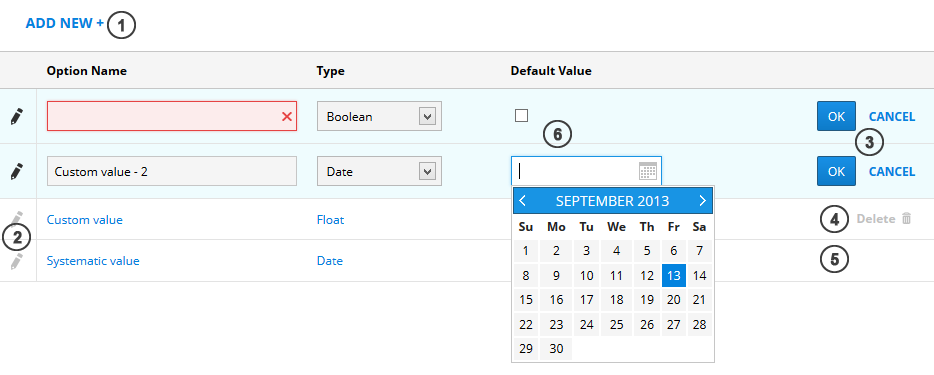
Each option contains fields: Option name (required, unique), Type (required, Text by default) and Default value (optional, format depends on Type).
Available types: Text, Integer, Boolean, Float, Date. Depending on type, different controls are shown (6), and different validations are executed.
To add new option, press add new button (1).
To enter edit mode, press edit icon (2). To save or cancel edit mode, choose one of buttons (3).
To delete and option, press delete button (4). Systematic options cannot be deleted (there is no delete button) (5).