Writing an Action
After writing a CloudCrowd::Action and installing it into the actions folder, CloudCrowd will be ready to run your own custom jobs. A minimal action consists of a single method, process, which defines the parallel part of the computation.
Optionally, actions may define a split method, which, running before process, splits up a single input into multiple inputs to be processed in parallel. All of the inputs to a job are already being run in parallel in the first place, so defining a split method simply multiplies the potential parallelism of your job by a certain factor. Actions may also define a merge method, which receive all of the outputs of process in order to derive a single result.
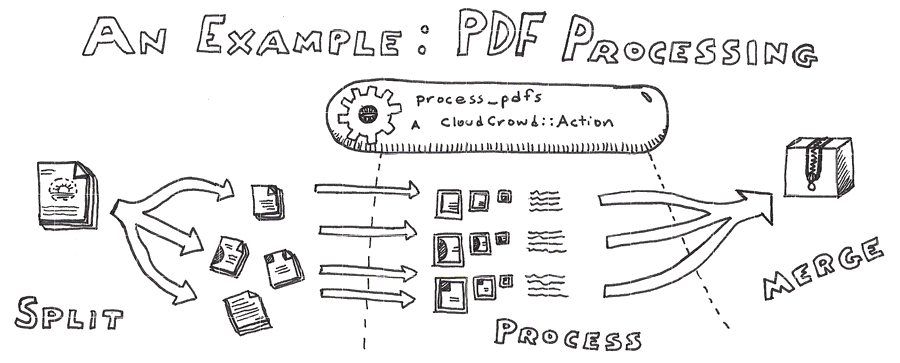
An example of an action which employs all three stages is the process_pdfs action, included by default. It splits a single PDF input into smaller 10-page chunks, processes each page into a series of scaled images, as well as extracting the full text for that page, and then, when complete, merges all of the resulting files back together into a zipped-up directory, ready for download and import.