Question about profile.html #663

Replies: 3 comments

-
|
Does that mean that I need achieve them by myself if I want use login、logout? |
Beta Was this translation helpful? Give feedback.

-
|
I believe this is correct, to my knowledge Elsa doesn't have authentication or authorization of its own. |
Beta Was this translation helpful? Give feedback.

-
|
What Craig said. Going forward with the Elsa 2 release (slated for end of March), this MVC area you are using now won't be there at all. Instead, there will be a new ASP.NET Core application built with Blazor. It won't ship with auth right away, but it will be a baseline dashboard app which will continue to be worked on. It will also have more and more extensibility points. In parallel to this app, the rewritten workflow designer itself will continue to be developed where it can ultimately be used "as-is" containing workflow management capabilities similar to the ones provided by the dashboard. The goal is for anyone to be able to simply drop a custom element in their web app (be it plain HTML/JS, React, Angular or even Blazor) and just use it. The component communicates with REST APIs exposed from the workflow server, which itself of course can be configured with auth. Until then I recommend you simply copy the MVC Area into your own application and add any functionality you need. You can see the area as a starting point. But again, be aware that Elsa 2 will not have this area. At least not initially - I do want to provide an ASP.NET Core component that works like Hangfire's dashboard middleware down the road. |
Beta Was this translation helpful? Give feedback.


Uh oh!
There was an error while loading. Please reload this page.
-
According to the instructions of the relevant documents, I successfully ran the project. Then I found a user-related avatar in the upper right corner, click on it to have a drop-down box.
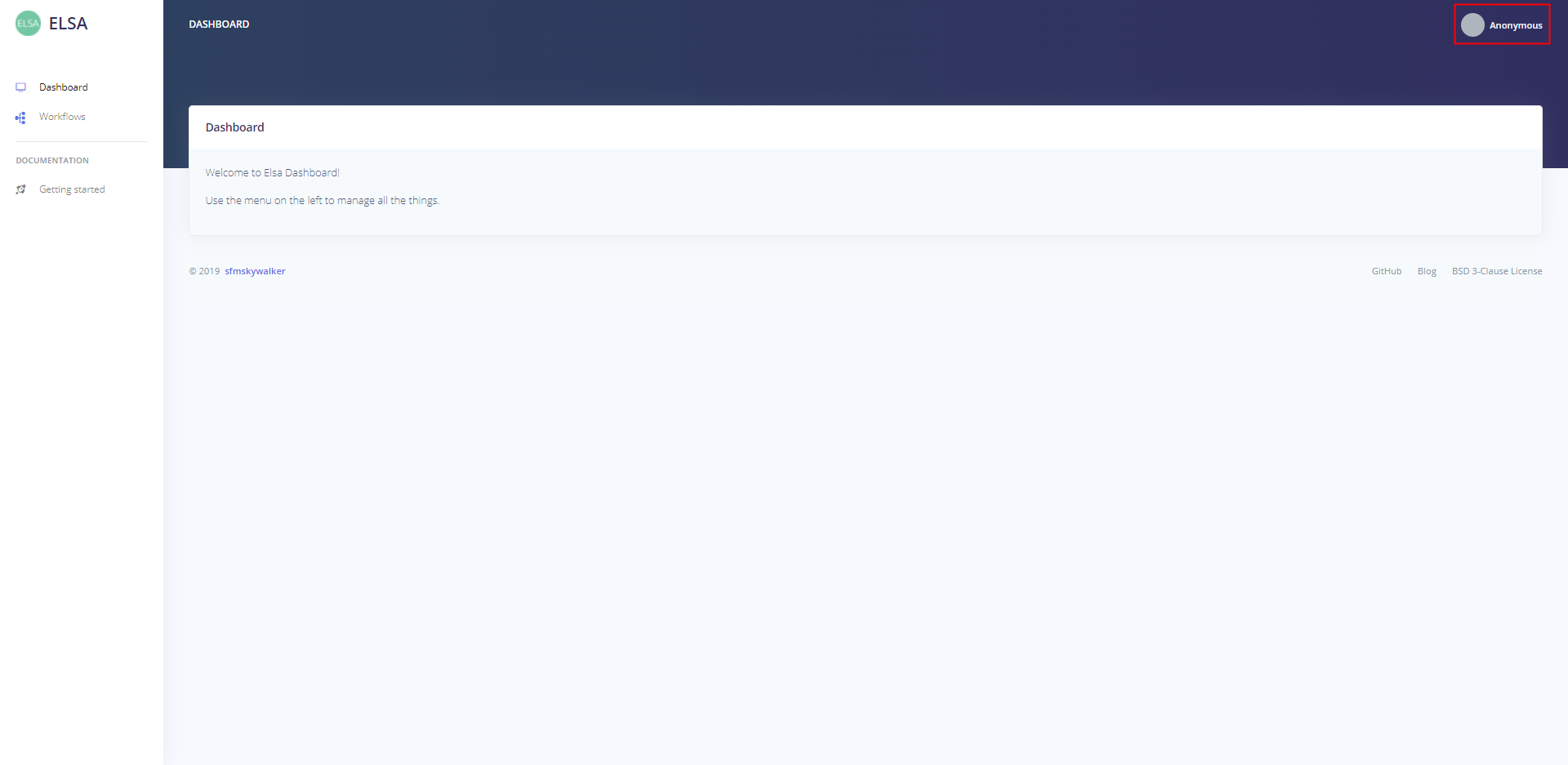
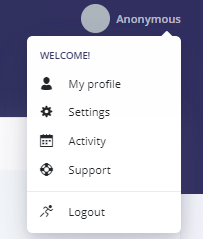
But,when I clicked, it is nothing.
Is it useful,or I use the wrong way to open it?
Beta Was this translation helpful? Give feedback.
All reactions