
Replies: 1 comment 2 replies

-
|
It is possible, but it can use some further improvements. To connect an outcome to an already existing activity, you need to press and hold the SHIFT button when hovering your mouse cursor on an outcome (on the PLUS icon) and CLICK. Then release the SHIFT button and CLICK on the target activity to connect to. Here's what it would look like:
|
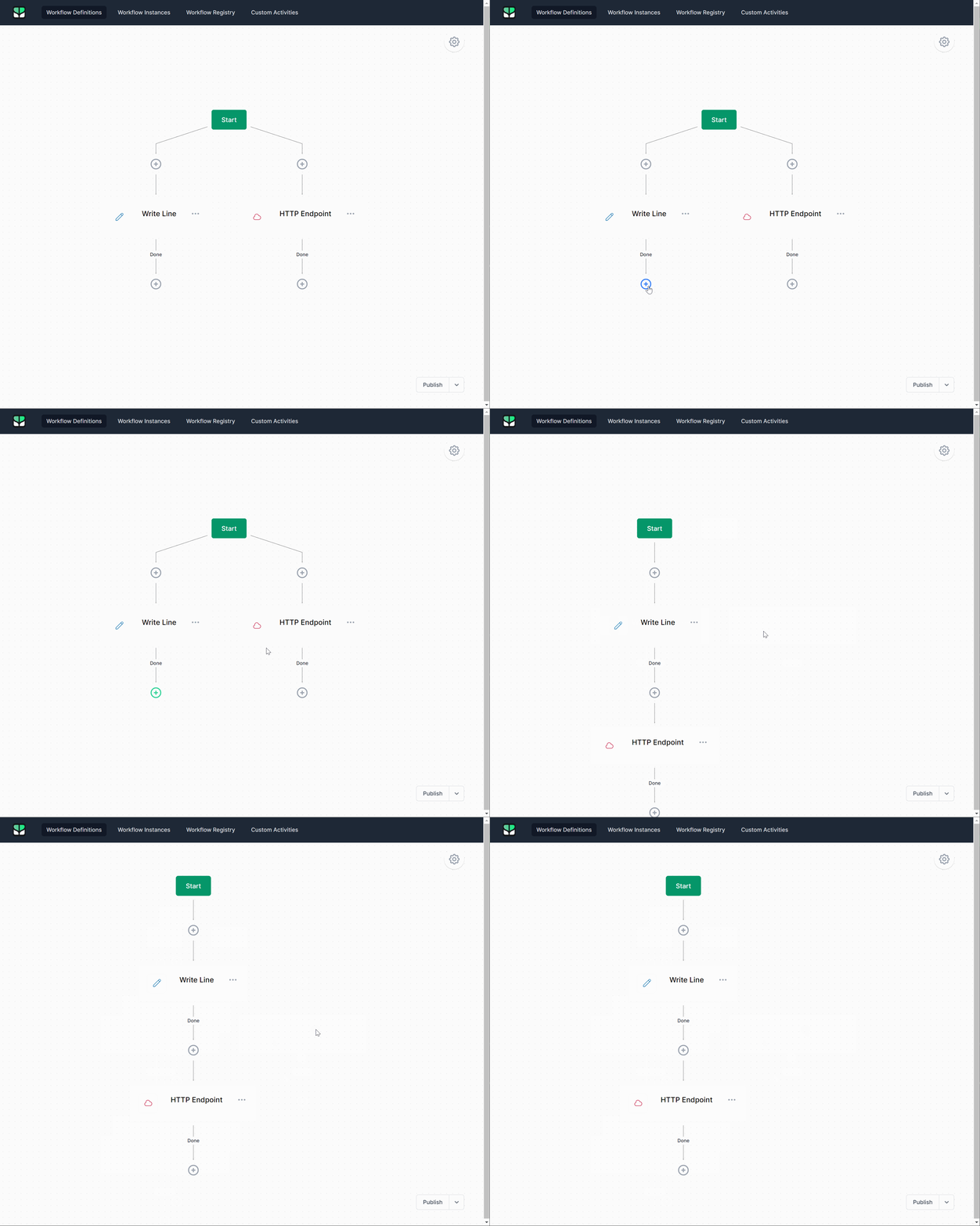
Beta Was this translation helpful? Give feedback.

-
|
OK, not ideal but connecting can be done. |
Beta Was this translation helpful? Give feedback.

-
|
That's something we should still try to implement, at some point. The first thing we'd have to change is the "automatic" panning as you drag the screen I think. Perhaps panning should be activated only when pressing space bar. Then it might be easier to capture drag/drop events from dagre-d3 when trying to drag a node. |
Beta Was this translation helpful? Give feedback.


Uh oh!
There was an error while loading. Please reload this page.
Uh oh!
There was an error while loading. Please reload this page.
-
Latest elsa from code and dagree designer....
In previous desinger you could click and drag from + on some block outcome to an existing block and it would connect this outcome to that existing block.
In new dagree designer this is not possible because click and drag does scrolling.
How do you connect to an existing block in new designer?
Same question goes for moving existing block to new position.
Previously you could drag existing block and drop it on any (preferably unconnected outcome +) and it would be placed there.
Again with new designer not possible due to drag and drop used for scrolling.
Is it possible any other way?
Beta Was this translation helpful? Give feedback.
All reactions