


PHPStan Report is a Laravel package that provides an elegant web interface for viewing, analyzing, and managing PHPStan static analysis results. Transform your code quality insights into an interactive, user-friendly dashboard.
- 🎯 Dynamic Level Control - Adjust PHPStan analysis levels (1-10) through an intuitive web interface
- ⚡ Real-time Analysis - Execute PHPStan analysis directly from your browser
- 📊 Beautiful Reports - View detailed analysis results with clear, organized presentation
- 🌓 Theme Support - Switch between dark and light themes with session persistence
- 📋 Copy Functionality - One-click copy for error messages and solutions
- 📱 Responsive Design - Optimized experience across mobile and desktop devices
- 🚀 Composer Integration - Seamless integration with Composer scripts
- 💾 Auto-save Settings - Automatically remembers your preferred configuration
- PHP: 8.3+
- Laravel: 11.0+ or 12.0+
- Composer: Latest stable version
Install the package via Composer:
composer require gboquizo/phpstan-reportRun the installation command to automatically configure PHPStan Report:
php artisan install:phpstan-reportThis command performs the following actions:
- Creates
phpstan.neon- Generates a configuration file with level 3 analysis (if not exists) - Publishes assets - Copies package assets to
public/vendor/phpstan-report - Updates
composer.json- Adds PHPStan script for easy execution - Runs initial analysis - Executes PHPStan analysis and asset discovery
The installation creates a basic phpstan.neon configuration:
parameters:
    level: 3
    paths:
        - app
You can customize this configuration according to your project needs.
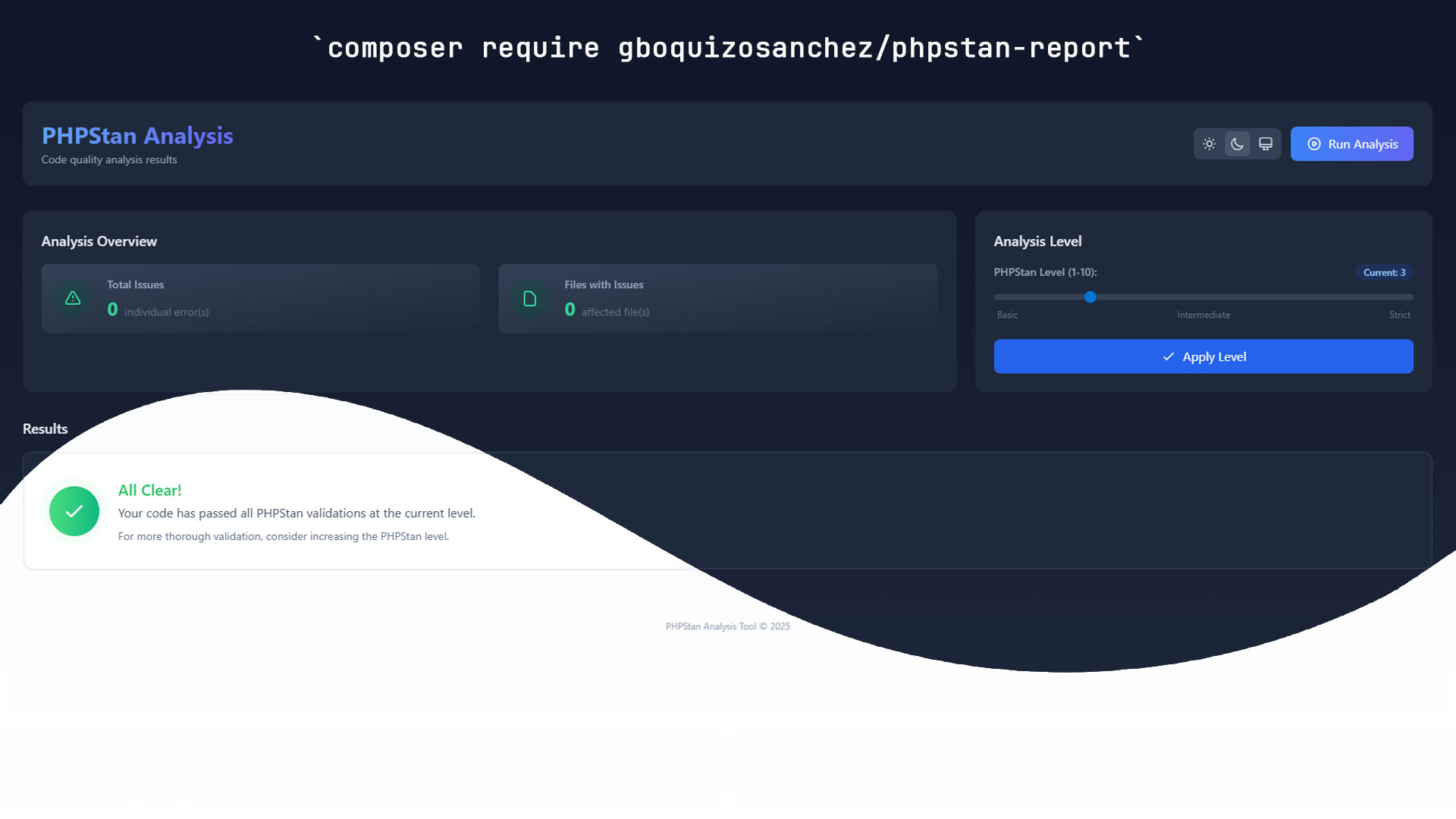
Navigate to the PHPStan Report dashboard using any of these methods:
- Direct URL:
https://your-application.com/phpstan-report - Artisan route list: Use
php artisan route:list --name=phpstanto verify the route
- Real-time statistics showing total errors, warnings, and analysis status
- File-based organization with expandable error lists
- Severity indicators with color-coded error types
- Interactive slider to adjust PHPStan analysis levels (1-10)
- Instant feedback showing level descriptions and expected behavior
- Automatic re-analysis when level changes are applied
- One-click analysis button for immediate code scanning
- Progress indicators showing analysis status
- Success/error notifications with detailed feedback
- Theme toggle between dark and light modes
- Persistent preferences saved across browser sessions
- Mobile-optimized interface for analysis on-the-go
- Copy-to-clipboard functionality for quick error sharing
You can also run PHPStan analysis through Composer:
# Run analysis (added by installation command)
composer phpstan-reportIf you encounter issues:
- Check the logs - Laravel logs may contain helpful error messages
- Verify requirements - Ensure PHP and Laravel versions meet minimum requirements
- Clear cache - Run
php artisan config:clearandphp artisan cache:clear - Open an issue - Report bugs or request features
We welcome contributions! Please feel free to:
- 🐛 Report bugs through GitHub issues
- 💡 Suggest features or improvements
- 🔧 Submit pull requests with bug fixes or enhancements
- 📖 Improve documentation or add examples
- Author: Germán Boquizo Sánchez
- Built with: PHPStan - The powerful PHP static analysis tool
- Framework: Laravel - The PHP framework
- Contributors: View all contributors
This package is open-source software licensed under the MIT License.
- Illuminate Console
- Illuminate Http
- Illuminate Support
- Illuminate View
- Phpstan Phpstan


- Hermes Dependencies
- Laravel Pint


- Alpinejs
- Autoprefixer
- Postcss
- Tailwindcss
- Vite


Made with ❤️ for the PHP community