
An extension for Regex Search in lieu of Chrome's CTRL+F.

Instead of writing a program to download a web page to find regex matches, use this simple extension to highlight regex matches on the web page dynamically as you type.
Offers customizable highlighting, case-insensitive and instantaneous search in the extension options.
Also, offers a search history that can be configured to the max number of records.
Note that textarea and input elements will not be highlighted as they cannot be styled by CSS3 natively.
Go to https://chrome.google.com/webstore/detail/chrome-regex-search/bpelaihoicobbkgmhcbikncnpacdbknn?hl=en&gl=US Click 'Add to Chrome'
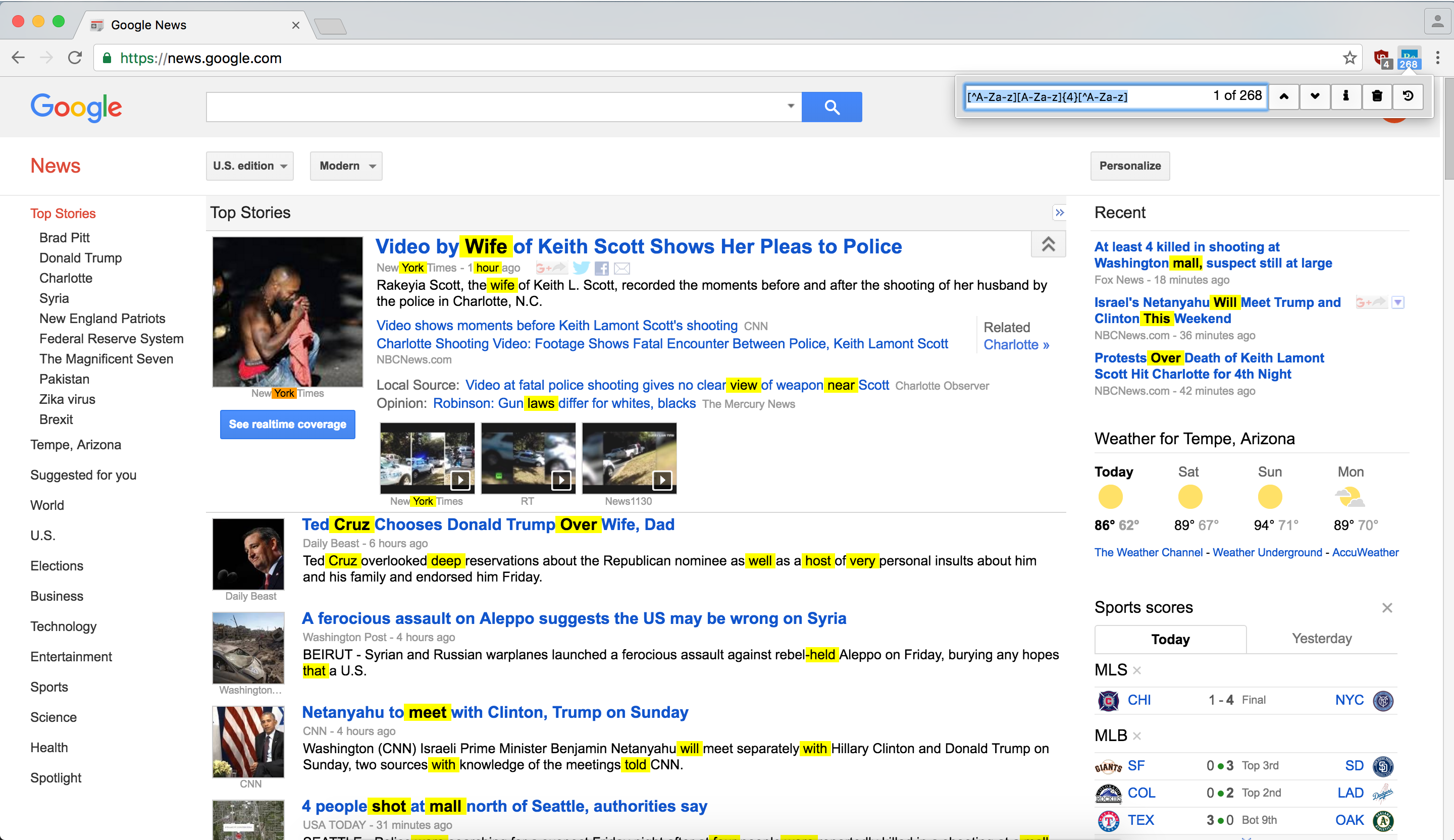

ENTER : select next regex match on page
SHIFT+ENTER : select previous regex match on page
Instructions to set up a keyboard shortcut to open the popup:
In your browser, go to chrome://extensions/
Scroll down to the bottom
Click 'Keyboard Shortcuts'
 Find this extension and click the box corresponding to 'Activate this extension'

Type your custom command (ie CTRL+SHIFT+F) and press 'OK'

Now whenever, you want to open the popup simply enter your custom command.
Chrome Regex Search is under the MIT license. See the LICENSE file for details.