⭐ Open source is hard work — give it a star if you like it! ⭐

A video projection tool built on three.js.
This tool projects a
THREE.VideoTexturefrom a projection camera onto target models in the scene. It supports depth-based occlusion (so projections won't show through geometry), edge feathering, intensity and opacity controls, and more.
Click on the images to view the live demos:
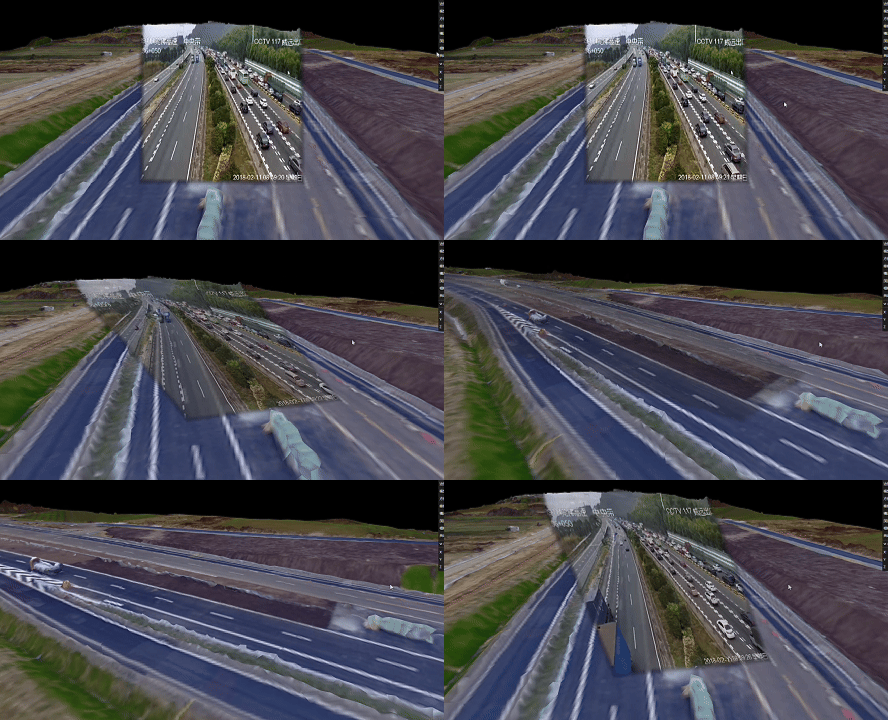
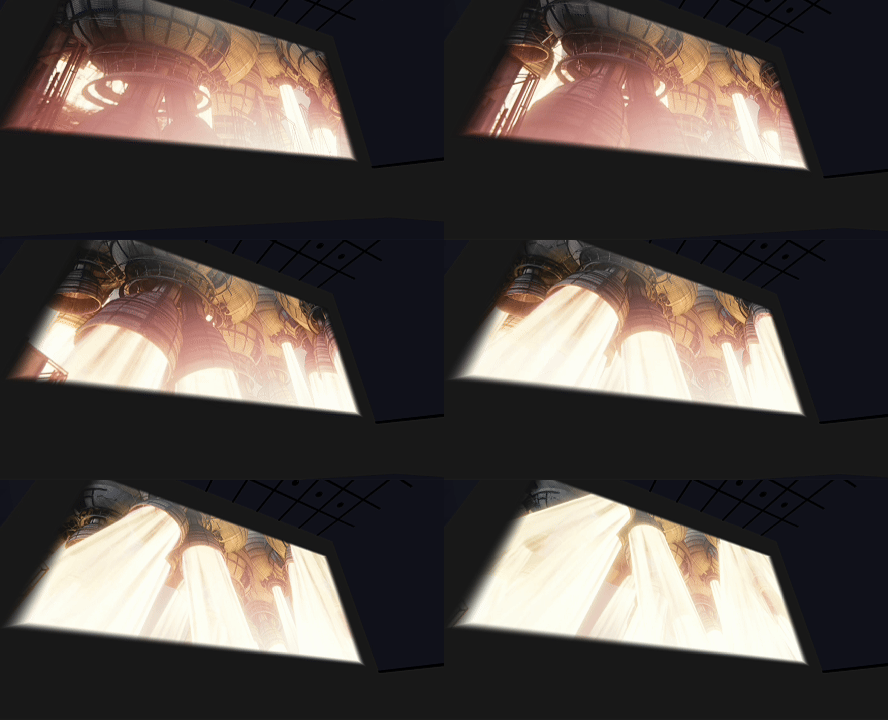
# Clone the repository
git clone https://github.com/hh-hang/three-video-projection.git

# Install dependencies
npm install

# Navigate to the example directory
cd example

# Install example dependencies
npm install

# Start the development server
npm run dev
Then open your browser and visit http://localhost:5173 to view the examples.
npm install three-video-projectionimport * as THREE from "three";
import { createVideoProjector } from "three-video-projection";
// Create a video element and a VideoTexture
const video = document.createElement("video");
video.src = "path/to/video.mp4";
video.loop = true;
video.muted = true;
video.playsInline = true;
await video.play();
const videoTexture = new THREE.VideoTexture(video);
// Note: you can also use a video stream as long as a VideoTexture is successfully created.
// Create the projector
const projector = await createVideoProjector({
scene, // three.js Scene
renderer, // three.js WebGLRenderer
videoTexture, // the video texture to project
projCamPosition: [2, 2, 2], // projector camera world position
projCamParams: { fov: 30, aspect: 1, near: 0.5, far: 50 }, // projector camera params
orientationParams: { azimuthDeg: 180, elevationDeg: -10, rollDeg: 0 }, // azimuth / elevation / roll in degrees
intensity: 1.0, // projection color intensity
opacity: 1.0, // projection opacity
projBias: 0.0001, // depth bias
edgeFeather: 0.05, // edge feather amount
isShowHelper: true, // show CameraHelper for the projector
});
// Add meshes to be projected onto
projector.addTargetMesh(Mesh1);
projector.addTargetMesh(Mesh2);
...
// Rendering loop
function animate() {
// ... update scene, controls, etc.
projector.update(); //( If the model position and projection parameters are fixed, there is no need to call the update() function. )
}
animate();
// Dispose when done
projector.dispose();scene: THREE.Scene— the three.js scene (required).renderer: THREE.WebGLRenderer— the renderer (required).videoTexture: THREE.VideoTexture— the video texture to project (required).projCamPosition?: [number, number, number]— projector camera world position. Default:[0, 0, 0].projCamParams?: { fov?: number; aspect?: number; near?: number; far?: number }— projector camera params. Default:{ fov: 30, aspect: 1, near: 0.5, far: 50 }.orientationParams?: { azimuthDeg?: number; elevationDeg?: number; rollDeg?: number }— azimuth / elevation / roll in degrees. Defaults:0for each.depthSize?: number— resolution (width/height) of the depth render target. Default:1024.intensity?: number— projection color intensity. Default:1.0.opacity?: number— global opacity (0–1). Default:1.0.projBias?: number— depth bias. Default:0.0001.edgeFeather?: number— edge feather width. Default:0.05.isShowHelper?: boolean— show aCameraHelperto visualize the projector camera. Default:true.
Methods:
addTargetMesh(mesh: THREE.Mesh): void— add a target mesh to the projection list. The tool creates an overlay mesh (for projection) and a depth proxy (for depth rendering) in the scene.removeTargetMesh(mesh: THREE.Mesh): void— remove a mesh from the projection list and clean up associated resources.update(): void— call each frame to update the depth render target, projector matrix, and sync overlays' matrices.dispose(): void— destroy internal resources and remove created objects from the scene.updateAzimuthDeg(deg: number): void— set the azimuth (degrees) on the projector camera.updateElevationDeg(deg: number): void— set the elevation (degrees).updateRollDeg(deg: number): void— set the roll (degrees).updateOpacity(opacity: number): void— update projection opacity (0–1).
Properties:
uniforms— exposed shader uniform object (containsprojectorMap,projectorDepthMap,projectorMatrix,intensity,projBias,edgeFeather,opacity, etc.).overlays: THREE.Mesh[]— list of internal overlay meshes (used for rendering the projection).targetMeshes: THREE.Mesh[]— current list of meshes being projected onto.projCam: THREE.PerspectiveCamera— the projector camera.camHelper: THREE.CameraHelper | null— optional CameraHelper instance.orientationParams— current azimuth/elevation/roll (degrees).