


Important
🔸 Cold Start Delay: This demo runs on a free-tier cloud service. If the link hasn't been clicked recently, the server may enter sleep mode.
🔸 First load could take from 10-50 seconds. After first load, following ones will be fast
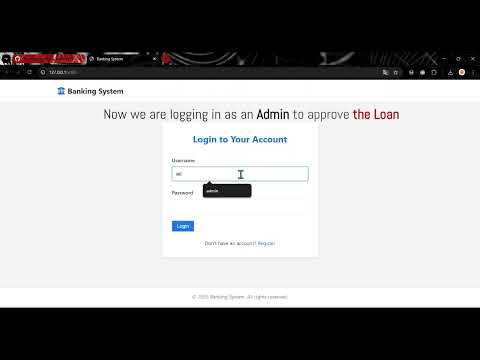
Watch Demo: Mini Banking System Web App Video Demo | Full-Stack Python Flask & JS
- Username:
admin - Password:
admin123
- Username:
user - Password:
user123
Tip
You can also create your own User Account via Registration Form
- User authentication and account management
- Multiple account types (Checking, Savings)
- Transaction history and money transfers
- Loan application and management
- Secure JWT-based authentication
- RESTful API for all banking operations
- Responsive web interface
• Python 3.8 or higher
• pip (Python package manager)
- 📥 Clone the repository:
git clone https://github.com/jafarbekyusupov/bankingSystem.git
cd bankingSystem
- Create virtual environment
python -m venv venv
source venv/bin/activate
Tip
On Windows:
python -m venv venv
venv\Scripts\activate
- 📦 Install dependencies:
pip install -r requirements.txt
- 🕹️ Run the application:
python run.py
- 🌐 Access the web application:
Open your browser and navigate to
http://localhost:5000
The API endpoints are available at /api/v1 and include:
- User endpoints:
/api/v1/users - Account endpoints:
/api/v1/accounts - Transaction endpoints:
/api/v1/transactions - Loan endpoints:
/api/v1/loans
For detailed API documentation, see the API section in the application.
- Password hashing with bcrypt
- JWT authentication for API requests
- CSRF protection for web forms
- Input validation and sanitization
Note
Explore the complete project overview, including UML Diagrams and in-depth explanations, provided by Cognition here.
The project follows a modular architecture with clear separation of concerns:
core/: Core domain modelsmanagers/: Business logic and data managementapi/: RESTful API implementationutils/: Utility functions and helpersstatic/: Web frontend (HTML, CSS, JavaScript)data/: JSON data storage
BankingSystem/
├── README.md                         # Project documentation
├── requirements.txt                  # Python dependencies
├── run.py                            # Application entry point
├── src/                              # Source code directory
│   ├── __init__.py                   # Package initialization
│   ├── app.py                        # Flask application setup
│   ├── models.py                     #
│   ├── core/                         # Core banking functionality
│   │   ├── __init__.py
│   │   ├── User.py                   # User class definition
│   │   ├── Account.py                # Account class definition
│   │   ├── Transaction.py            # Transaction class definition
│   │   └── Loan.py                   # Loan class definition
│   ├── managers/                     # Manager classes
│   │   ├── __init__.py
│   │   ├── UserManager.py            # User management
│   │   ├── AccountManager.py         # Account management
│   │   └── LoanManager.py            # Loan management
│   ├── utils/                        # Utility files
│   │   ├── __init__.py
│   │   ├── json_utils.py             # JSON serialization/deserialization
│   │   └── jwt_auth.py               # JWT authentication
│   ├── api/                          # API server files
│   │   ├── __init__.py
│   │   ├── routes/                   # API endpoints
│   │   │   ├── __init__.py
│   │   │   ├── user_routes.py
│   │   │   ├── account_routes.py
│   └─  └─  └── loan_routes.py
├── static/                           # Web frontend
│   ├── index.html                    # Main HTML file
│   ├── css/                          # Stylesheets
│   │   └── style.css
│   ├── js/                           # JavaScript files
│   │   ├── app.js
│   │   ├── api.js
│   │   ├── components/               # Frontend components
│   │   │   ├── dashboard.js
│   │   │   ├── accounts.js
│   │   │   ├── profile.js
│   │   │   ├── admin.js
│   │   │   ├── transactions.js
│   │   │   ├── transfers.js
│   └─  └─  └── loans.js
├── data/                             # LOCAL Data storage directory
│   ├── users.json                    # User data
│   ├── accounts.json                 # Account data
│   ├── transactions.json             # Transaction records
│   └── loans.json                    # Loan data
├── tests/                            # Test files
│   ├── conftest.py
│   ├── pytest.ini
│   ├── test_core/
│   │   ├── test_user.py
│   │   ├── test_account.py
│   │   ├── test_loan.py
│   │   └── test_transaction.py
│   ├── test_managers/
│   │   ├── test_user_manager.py
│   │   ├── test_account_manager.py
│   │   └── test_loan_manager.py
│   ├── test_routes/
│   │   ├── test_user_routes.py
│   │   ├── test_account_routes.py
└─  └─  └── test_loan_routes.py