




Posta is a self-hosted email delivery platform that allows applications to send emails through HTTP APIs while Posta manages SMTP delivery, templates, storage, security, and analytics.
It provides a developer-friendly and fully self-hostable alternative to services such as SendGrid, and Mailgun.
Example request:
curl -X POST http://localhost:9000/api/v1/emails/send \
  -H "Authorization: Bearer YOUR_API_KEY" \
  -H "Content-Type: application/json" \
  -d '{
    "from": "hello@example.com",
    "to": ["user@example.com"],
    "subject": "Hello from Posta",
    "html": "<h1>Hello!</h1>"
  }'
Response:
{
  "id": "email_01J8C8E5W3",
  "status": "queued"
}-
HTTP Email API Send single, batch, or template-based emails via REST endpoints.
-
File Attachments Attach files to emails using base64-encoded content.
-
Custom Headers & Unsubscribe Set custom email headers and automatic List-Unsubscribe support (URL and POST-based).
-
Scheduled Delivery Queue emails for delivery at a specified time.
-
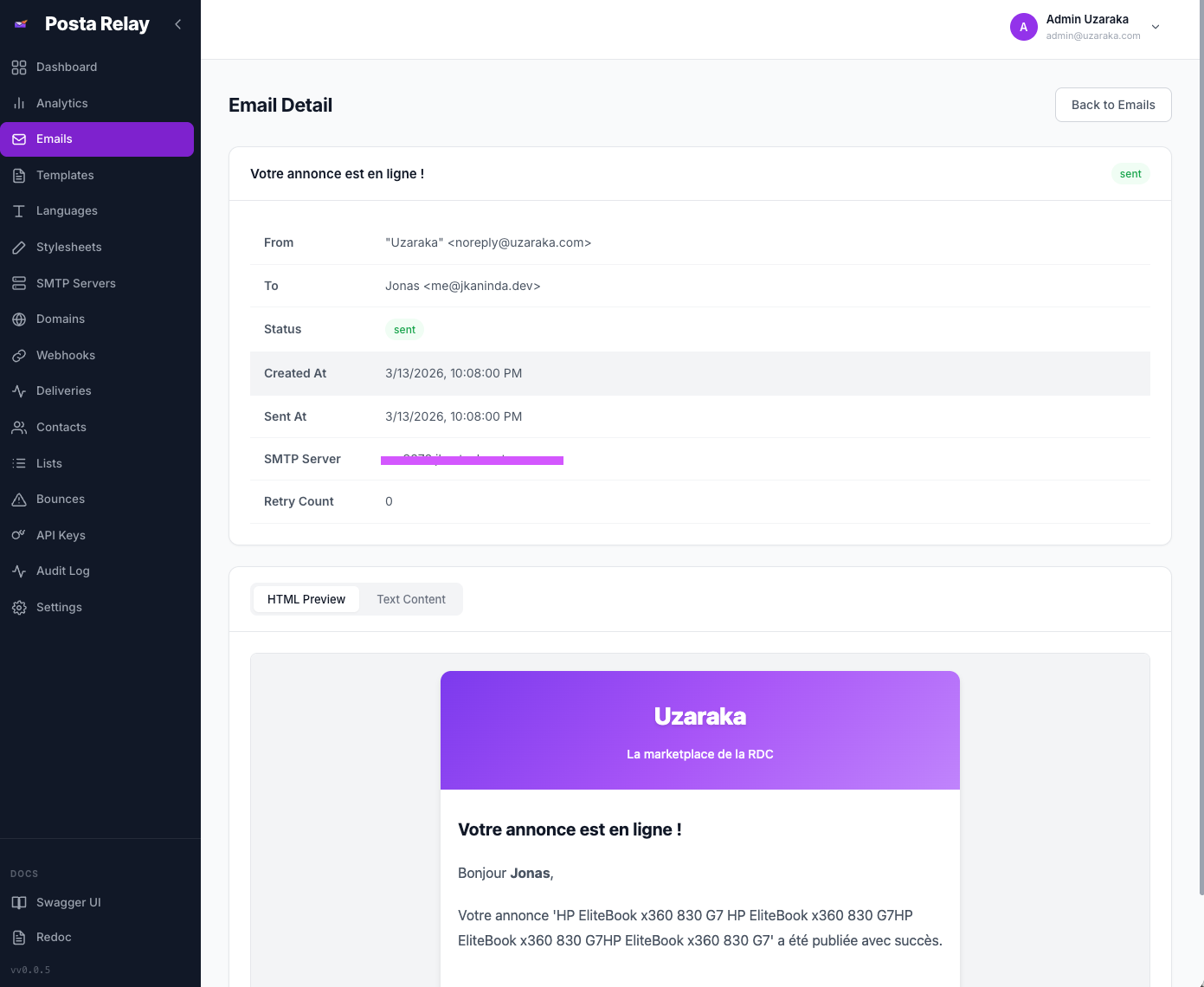
Email Preview Render and preview emails without sending via the API or dashboard.
-
Email Status Polling Lightweight status endpoint for tracking delivery state of individual emails.
-
Asynchronous Processing Background workers process email queues using Redis and Asynq with priority tiers (transactional, bulk, and low-priority).
-
Automatic Retry Failed emails are retried automatically with configurable retry limits per SMTP server. Retry failed emails manually from the dashboard.
-
Development Mode Store and preview emails in the dashboard without sending them.
-
Versioned Templates Create multiple template versions with a selectable active version.
-
Multi-language Support Templates support language-specific versions with variable substitution.
-
Managed Stylesheets Stylesheets are automatically inlined for email client compatibility.
-
Template Preview Render and preview templates directly from the dashboard.
-
Template Import / Export Export templates as JSON and import them across environments.
-
Multiple SMTP Servers Configure multiple SMTP servers per user with SSL or STARTTLS support.
-
Shared SMTP Pool Administrators can define shared SMTP servers available to all users.
-
Domain Verification Verify domain ownership via DNS records including SPF, DKIM, and DMARC.
-
Verified Sending Enforcement Optionally restrict sending to verified domains only.
-
API Key Authentication Secure API keys with hashing, prefix identification, expiration, IP allowlisting, and revocation.
-
Dashboard Authentication JWT-based authentication with role-based access control.
-
Two-Factor Authentication TOTP-based 2FA setup and verification.
-
Session Management List active sessions, revoke individual sessions, or force-logout all other sessions.
-
Rate Limiting Redis-backed hourly and daily email limits per user.
-
CORS Support Configurable allowed origins for cross-origin requests.
-
Contact Management Automatically track recipients with send and failure statistics.
-
Contact Lists Organize recipients into reusable mailing lists.
-
Bounce Tracking Track hard bounces, soft bounces, and complaints.
-
Automatic Suppression Automatically suppress recipients based on bounce behavior.
-
Webhooks Subscribe to events such as
email.sentandemail.failedwith HMAC-SHA256 signature verification. -
Webhook Delivery History Track delivery attempts, HTTP status codes, retry counts, and response details per webhook.
-
Configurable Retries Set max retries and request timeout per webhook with exponential backoff.
-
Audit Logs Track platform and user activity with filtering and real-time streaming using Server-Sent Events.
-
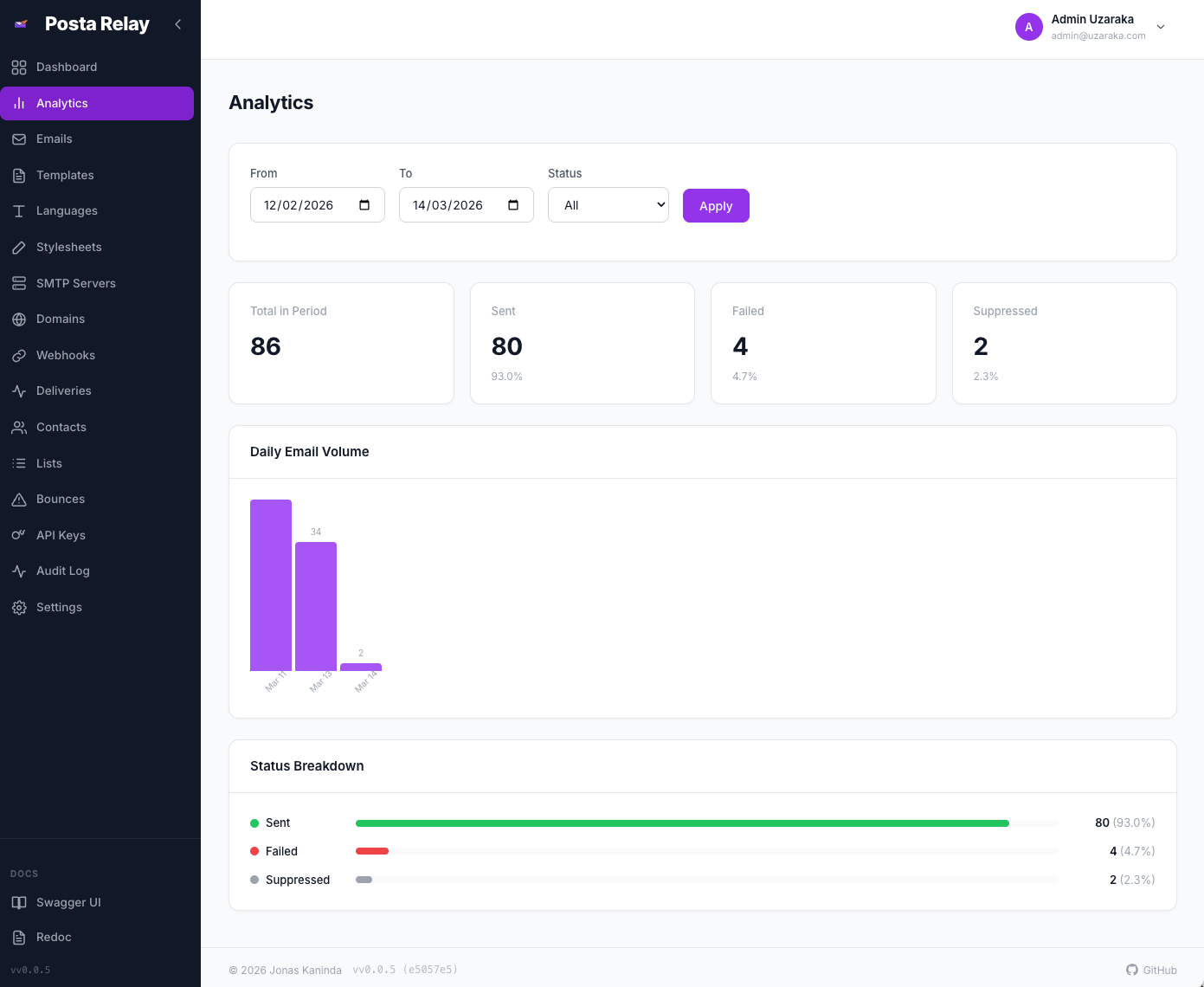
Email Analytics View daily email volume and status breakdown with date filtering.
-
Dashboard Statistics Delivery rate trends, bounce rate graphs, and latency percentiles.
-
Daily Reports Opt-in daily email reports with sent/failed counts and delivery rate per user.
-
Prometheus Metrics Export metrics including request counts, latencies, email delivery counters, and webhook delivery stats.
-
Health Probes Liveness (
/healthz) and readiness (/readyz) endpoints.
-
User Management Create, deactivate, and manage users and roles. Disable 2FA for users. View per-user metrics.
-
Platform Metrics Aggregate statistics across the entire platform including total users, emails, bounces, and suppressed recipients.
-
Shared SMTP Servers Manage SMTP servers available to all users with domain allowlists and strict/permissive security modes.
-
API Key Management List and revoke API keys across all users.
-
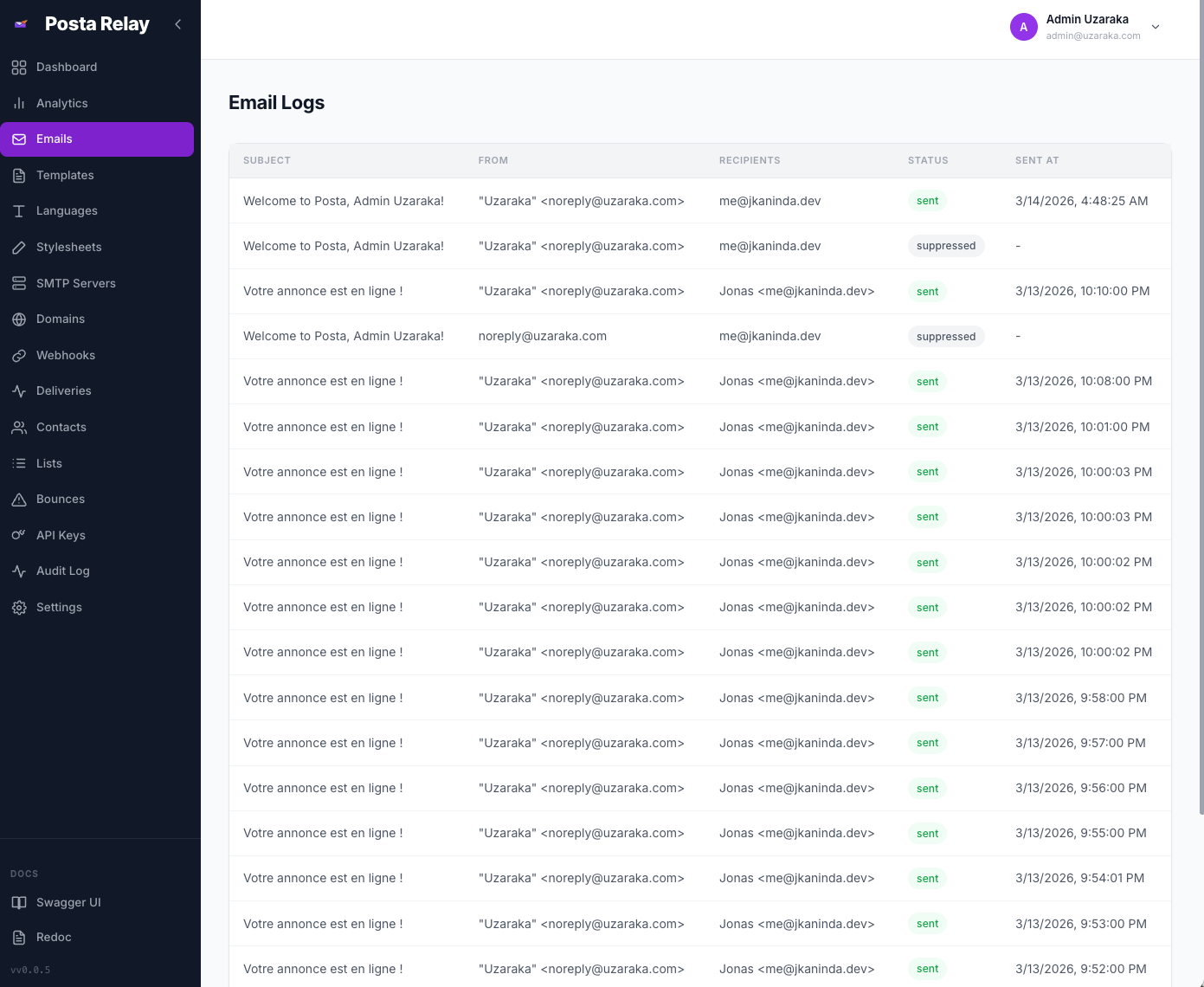
Platform Email Logs View and search emails across all users.
-
Job Monitoring Track scheduled cron jobs such as retention cleanup and daily reports with execution history and error tracking.
-
Platform Settings Configure registration, retention policies (email logs, audit logs, webhook deliveries), and bounce handling.
-
Real-time Event Streaming Live audit log updates via Server-Sent Events.
-
User Data Export Export all user data (templates, stylesheets, contacts, contact lists, webhooks, suppressions, and settings) as JSON.
-
User Data Import Import previously exported data with duplicate handling.
-
GDPR Contact Deletion Delete specific contacts or all contacts with associated suppressions and list memberships.
-
Email Log Cleanup Delete email logs and associated bounces older than a specified number of days.
-
Vue.js Web Interface Manage templates, SMTP servers, domains, API keys, contacts, webhooks, and email logs.
-
Dark and Light Themes Toggle between dark and light mode.
-
User Settings Configure timezone, default sender, notification preferences, API key expiration, bounce handling, and daily reports.
-
Embedded Worker Mode Run the background worker within the API server process using
POSTA_EMBEDDED_WORKERfor simpler deployments. -
Configurable Worker Concurrency Tune worker parallelism with
POSTA_WORKER_CONCURRENCY. -
Automatic Database Migrations Schema is created and migrated automatically on startup.
- Swagger UI —
/docs - ReDoc —
/redoc
Frontend
- Framework: Vue 3 with Composition API
- Build Tool: Vite
- State Management: Pinia
- HTTP Client: Axios
Backend
- Language: Go
- Framework: Okapi
- Database: PostgreSQL
- Queue: Redis with Asynq
- Metrics: Prometheus-compatible
- Go 1.25+
- PostgreSQL
- Redis
git clone https://github.com/jkaninda/posta.git
cd posta

make dev-deps
make dev
make dev-workerdocker compose up -dThis starts:
- Posta API server
- Background worker
- PostgreSQL
- Redis
Dashboard:
http://localhost:9000
Default admin credentials:
Email: admin@example.com
Password: admin1234
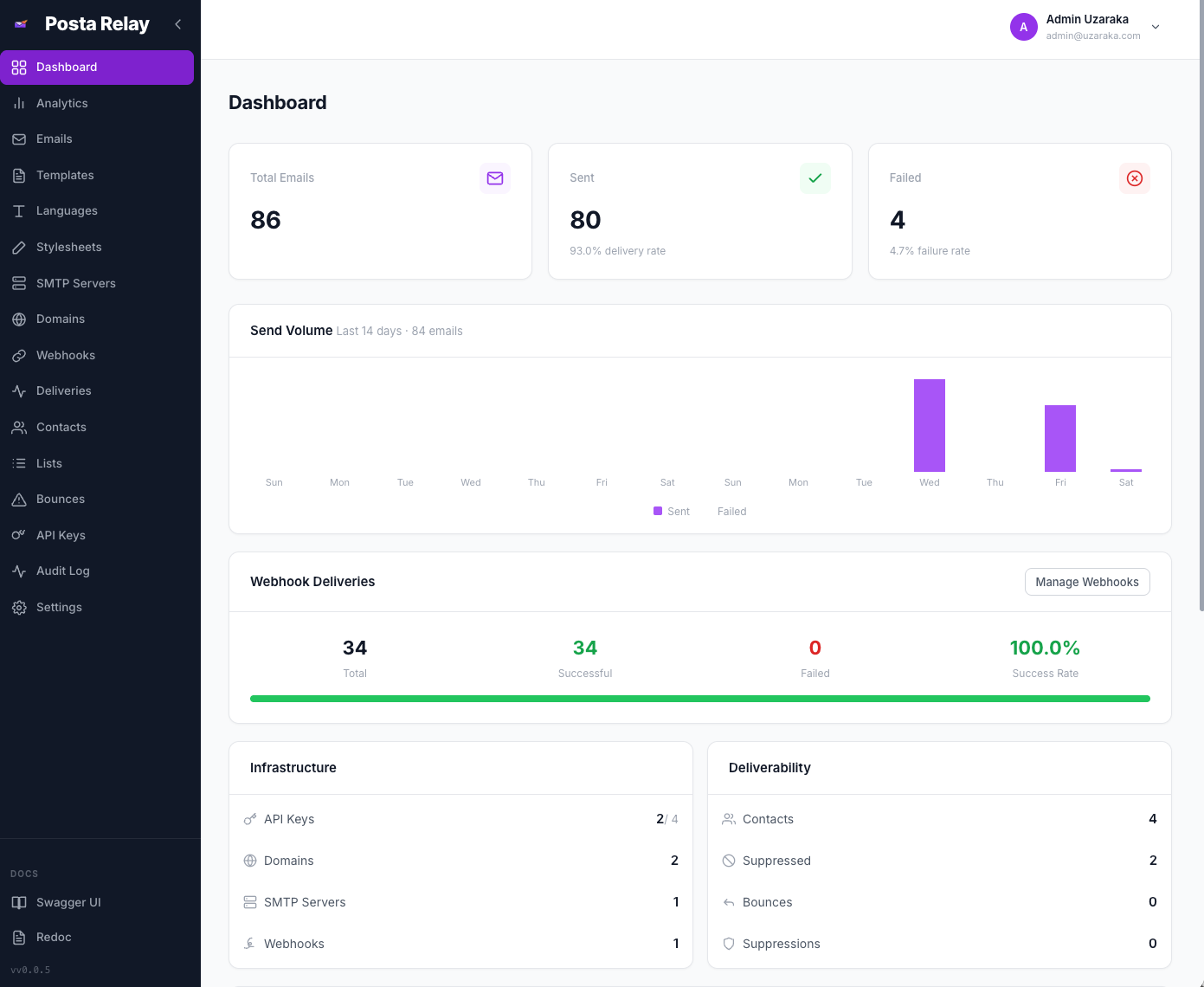
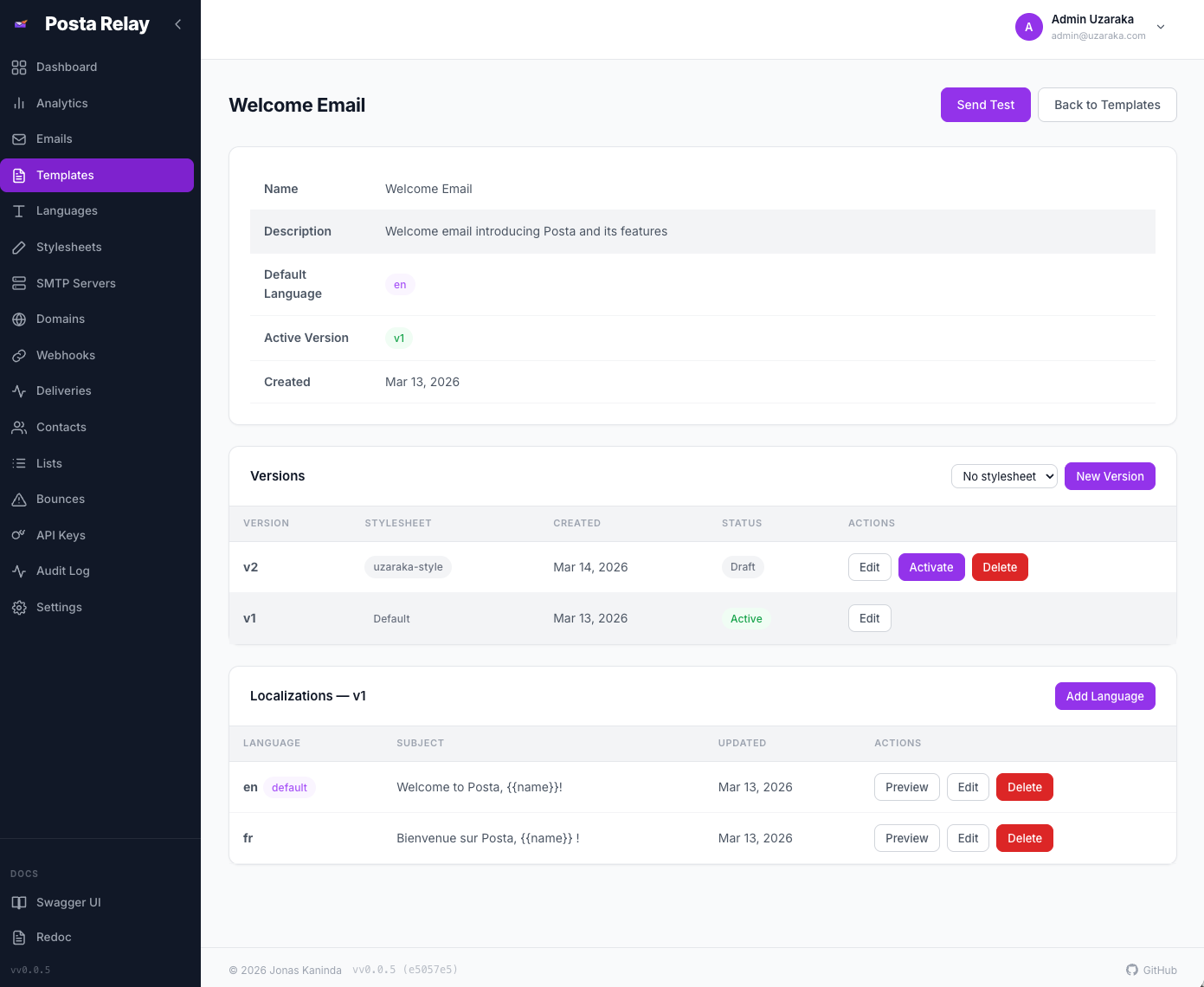
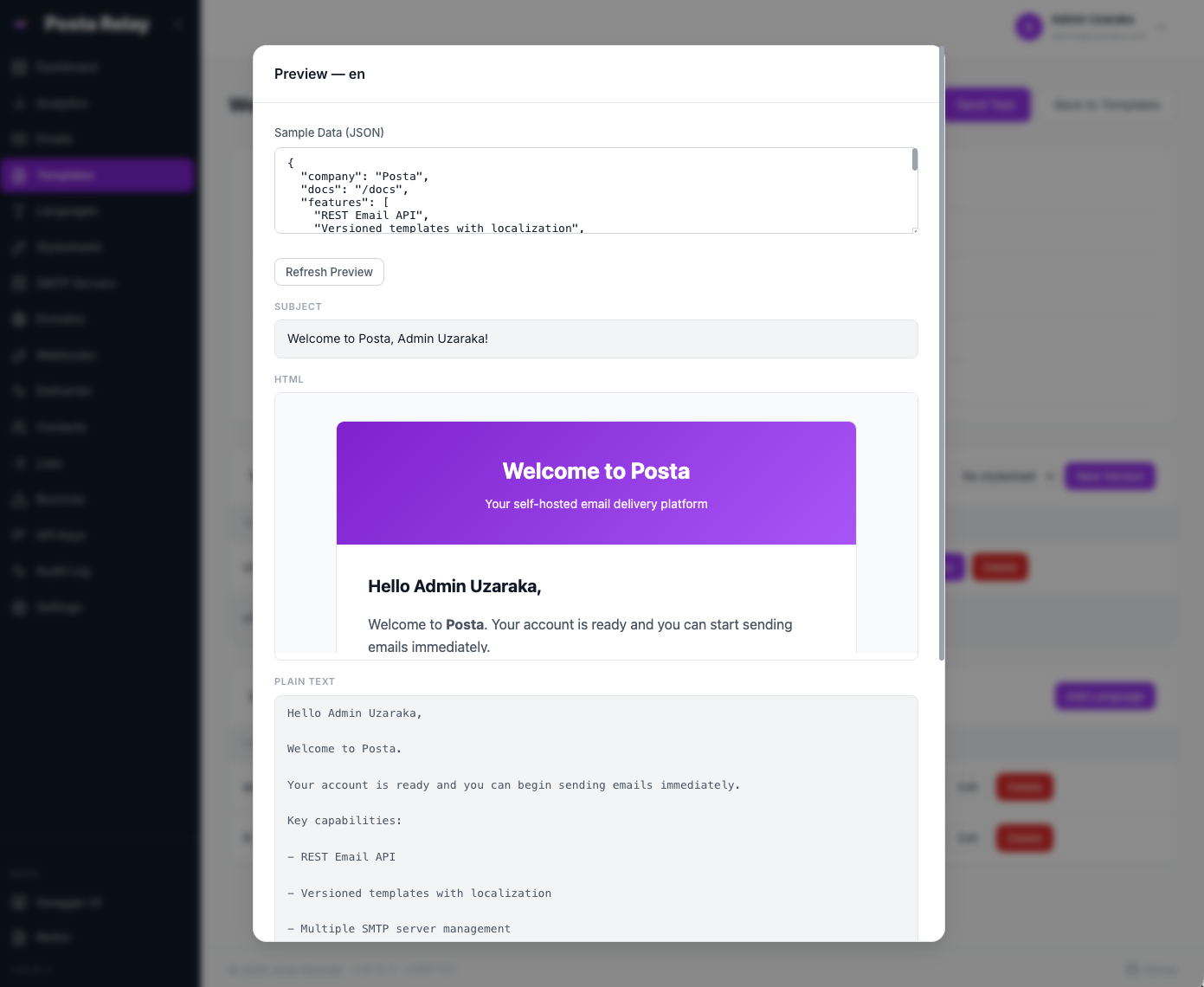
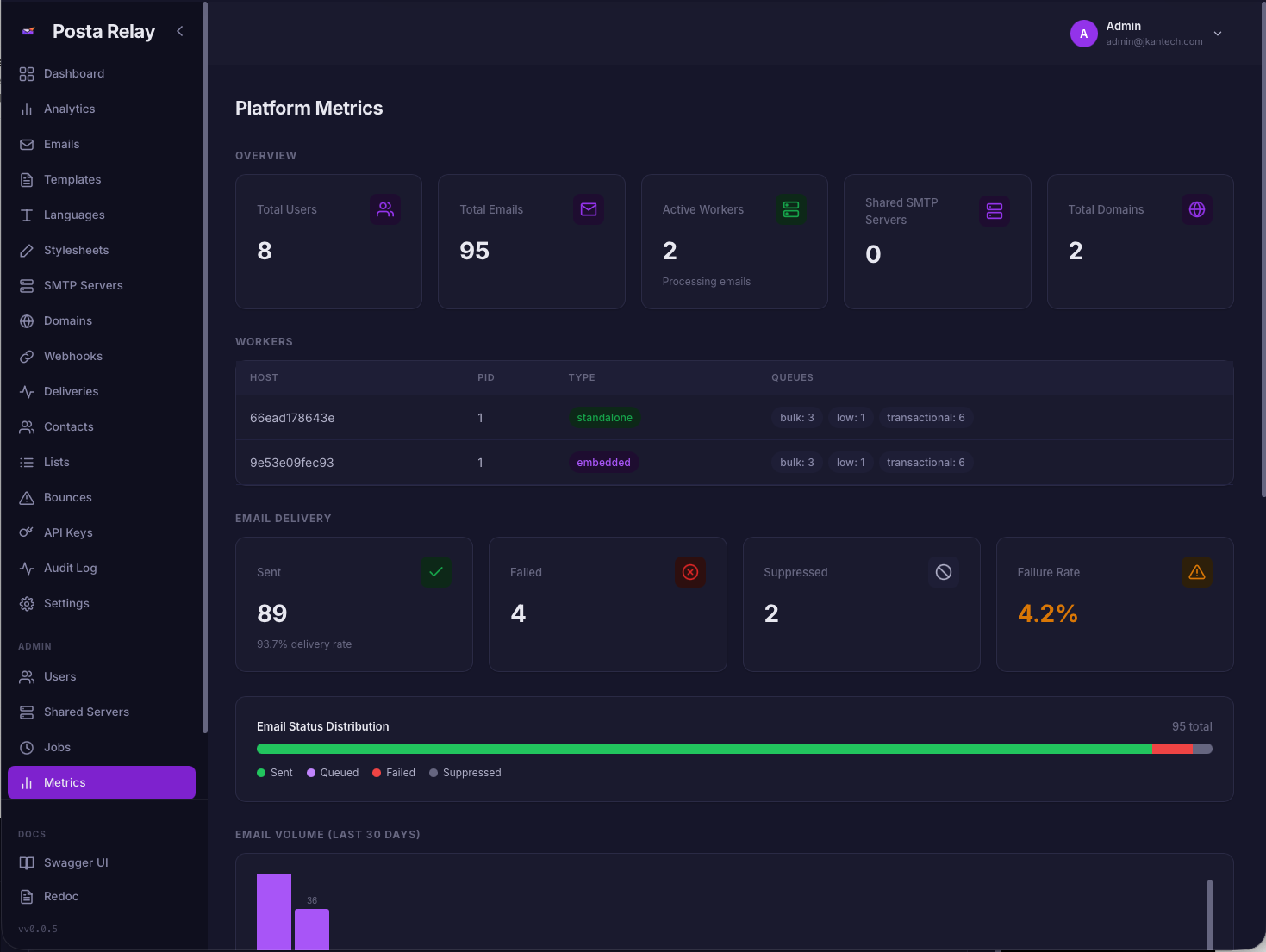
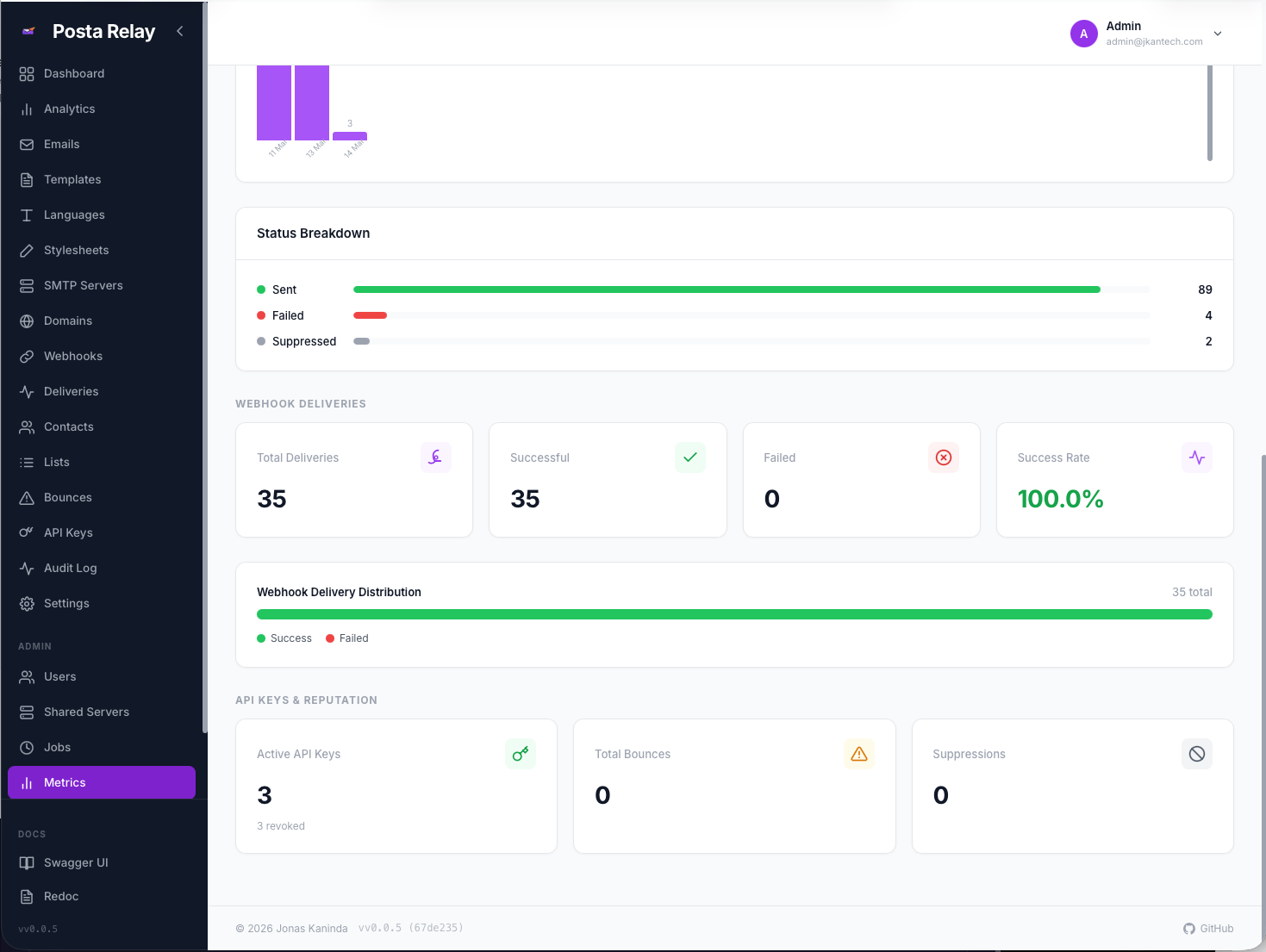
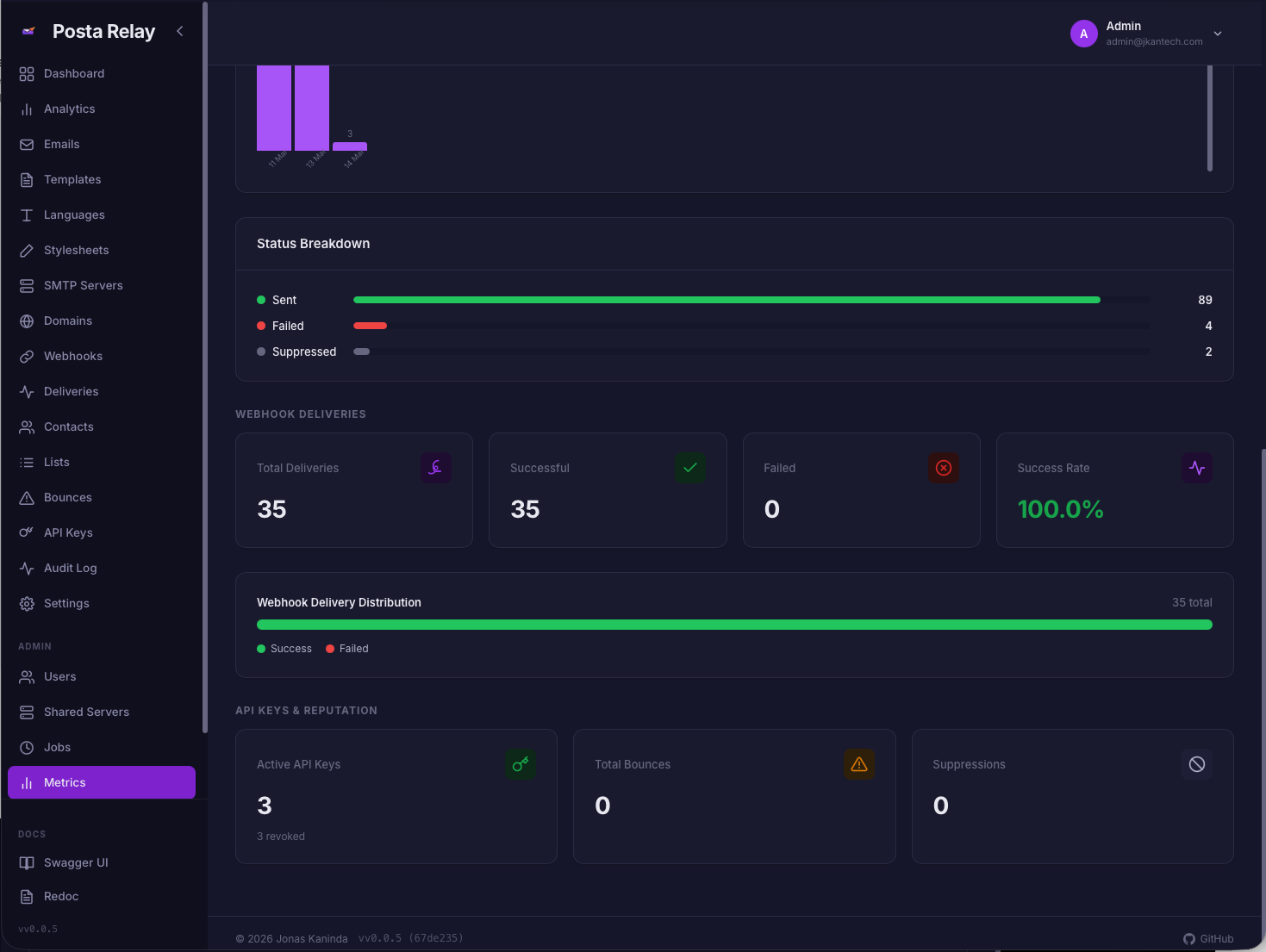
Posta includes a web dashboard for managing templates, SMTP servers, domains, contacts, API keys, and analytics.
- Go: https://github.com/jkaninda/posta-go
- Php: https://github.com/jkaninda/posta-php
- Java: https://github.com/jkaninda/posta-java
An official Go client is available:
Install:
go get github.com/jkaninda/posta-goExample:
package main

import (
    "fmt"
    "log"

    posta "github.com/jkaninda/posta-go"
)

func main() {
    client := posta.New("https://posta.example.com", "your-api-key")

    resp, err := client.SendEmail(&posta.SendEmailRequest{
        From:    "sender@example.com",
        To:      []string{"recipient@example.com"},
        Subject: "Hello from Posta",
        HTML:    "<h1>Hello!</h1>",
    })

    if err != nil {
        log.Fatal(err)
    }

    fmt.Printf("Email sent: id=%s status=%s\n", resp.ID, resp.Status)
}Contributions are welcome! Please open an issue to discuss proposed changes before submitting a pull request.
Copyright 2026 Jonas Kaninda
Licensed under the Apache License, Version 2.0 (the "License"); you may not use this file except in compliance with the License. You may obtain a copy of the License at
http://www.apache.org/licenses/LICENSE-2.0
Made with ❤️ for the developer community
⭐ Star us on GitHub — it motivates us to keep improving!
Copyright © 2026 Jonas Kaninda