Greek translation needs some UI changes: text does not fit in some buttons and dialog window #53

Description

After jmix-projects/jmix-bom#35
Greek translation added to Jmix and works fine with dependency
implementation 'io.jmix.translations:jmix-translations-el'
except cases described below.
Non-critical bug, but a notice: Greek text does not fit in some buttons and dialog windows.
Case 0. Quartz add-on is not translated.
Case 1. Additional actions for User
Add dependency
implementation 'io.jmix.translations:jmix-translations-el'
and load gradle changes.
Run Jmix application.
Open http://localhost:8080 in browser, select Greek language, login as default user.
Open main menu: Application > User
Select an existing user record (or create a new one), click 'additional' button.
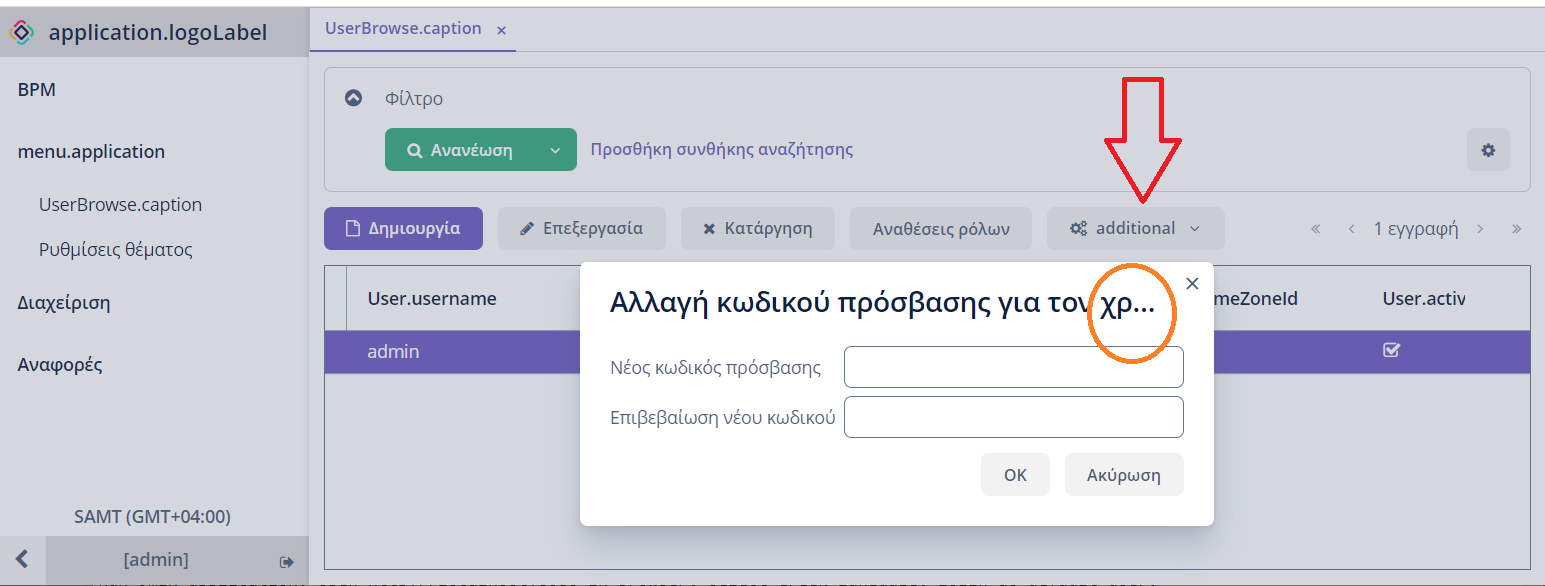
1. select Αλλαγή κωδικού πρόσβασης (Change password) from the drop-down list
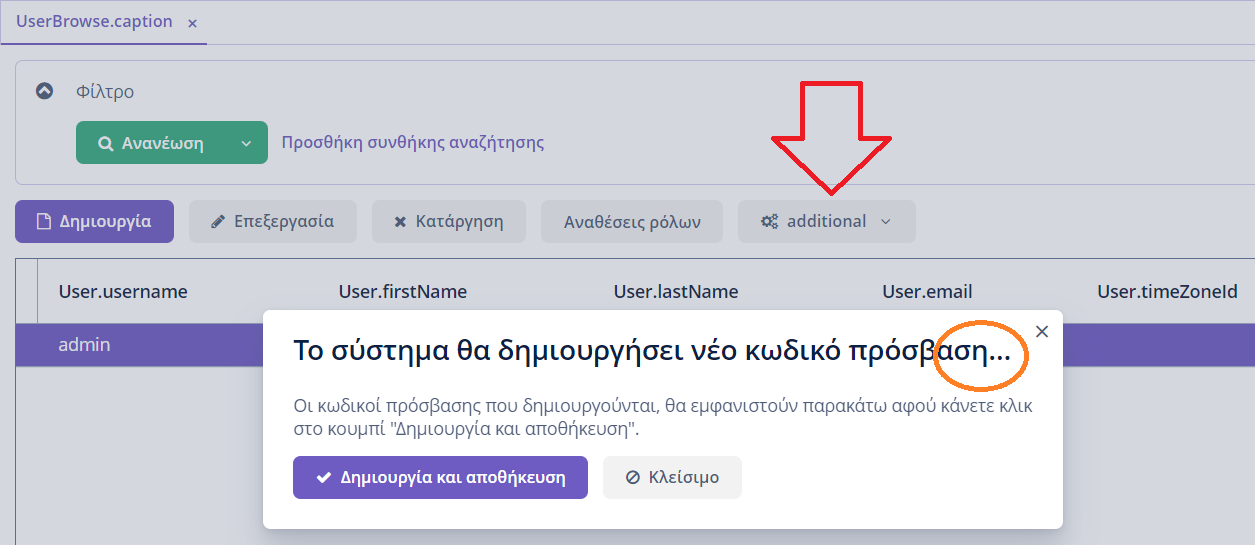
2. select Επαναφορά κωδικού πρόσβασης (Reset password)
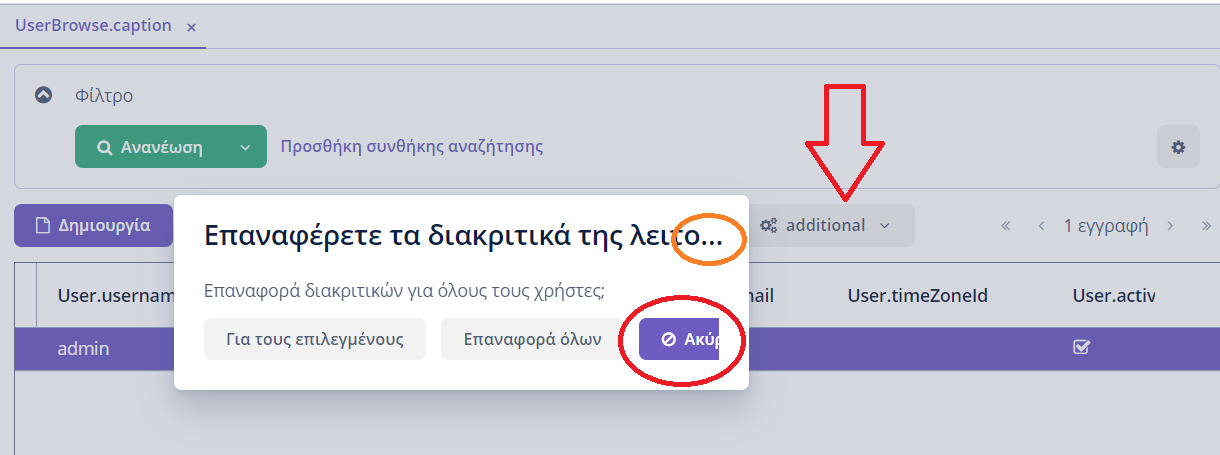
3. select Επαναφορά διακριτικών της... (Reset 'remember me' tokens)
AR:
0. Text on the 'additional' button is not translated.
- Greek title does not fit in the dialog window.
- Greek title does not fit in the dialog window.
- 'Ακύρωση' button does not fit in the dialog window.
Greek title does not fit in the dialog window.
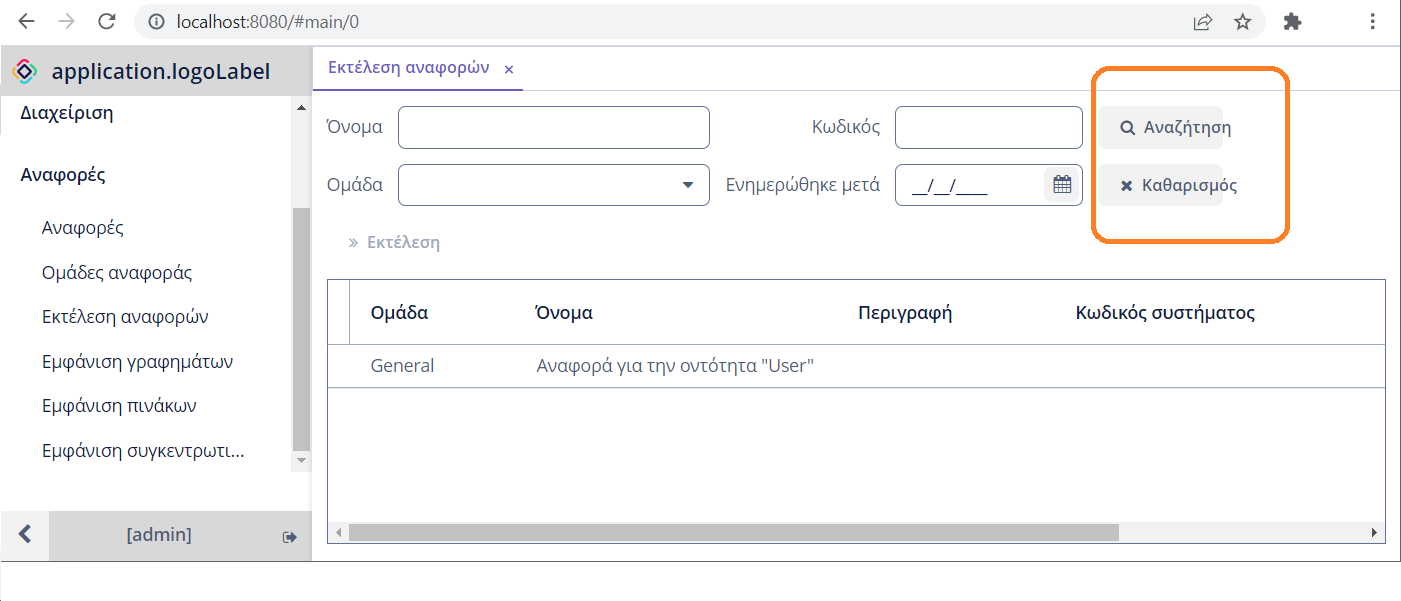
Case 2. Filter buttons
Add Reports add-on.
Run Jmix application. Open http://localhost:8080 in browser, select Greek language, login as default user.
Open main menu: Αναφορές > Εκτέλεση αναφορών
(Reports > Run reports)
Take a look on the fiters buttons on the top.
AR: Text on 'Search' (Αναζήτηση) and 'Clear' (Καθαρός) filter buttons does not fit in the buttons.
Case 3. Business calendar
Case 3.1
Add Business calendar add-on.
Run Jmix application. Open http://localhost:8080 in browser, select Greek language, login as default user.
Open main menu: Επαγγελματικα ημερολόγια
Add a new Business calendar or open an exising one. Go to 'Αργίες' (Holidays) tab.
Click 'Δημιουργία' (Create) button.
Select 'Ετήσια αργία' (Annual holiday) and then click 'Μηνας' (month) to open the list.
AR: Month names are not translated.
Case 3.2
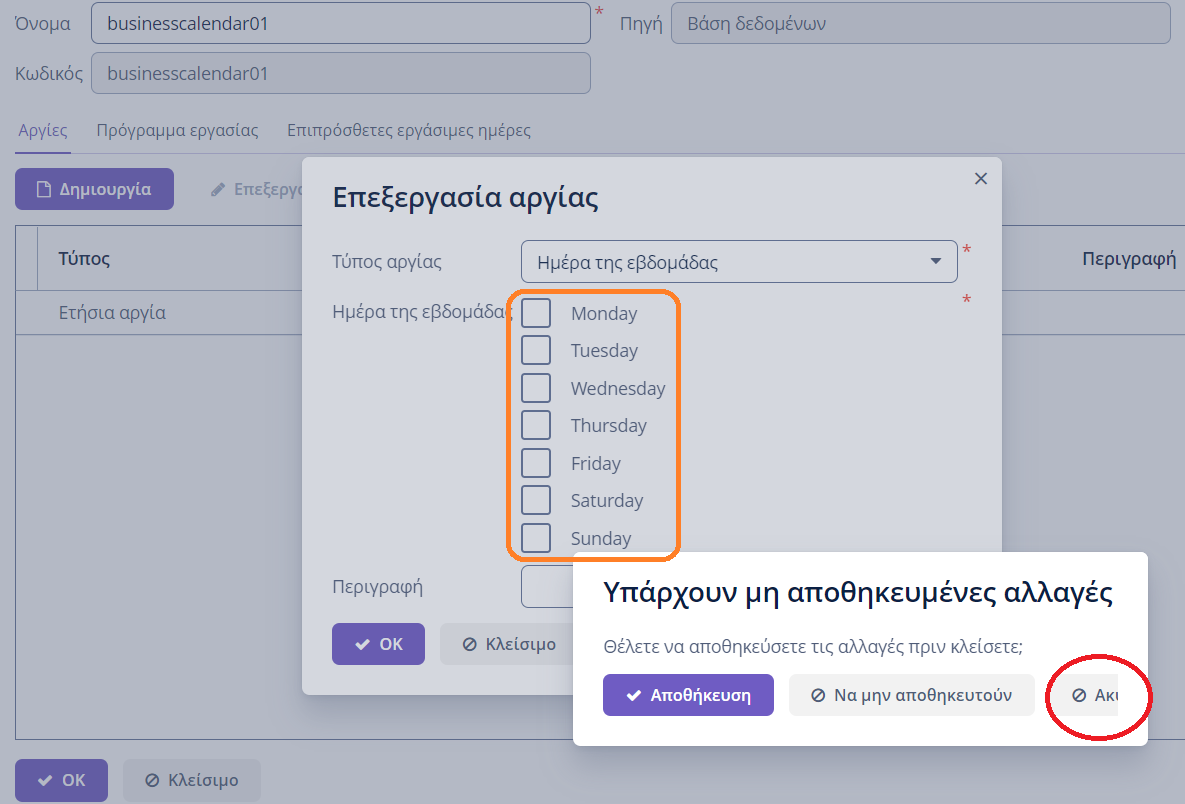
Select 'Ημέρα της εβδομάδας' (Day of week), then click 'Κλείσιμο' (Cancel) button.
AR: Days list is not translated.
Cancel button (on the right) does not fit in the dialog window.