An open-source audio sampler project based on RaspberryPi.
Website: www.samplerbox.org
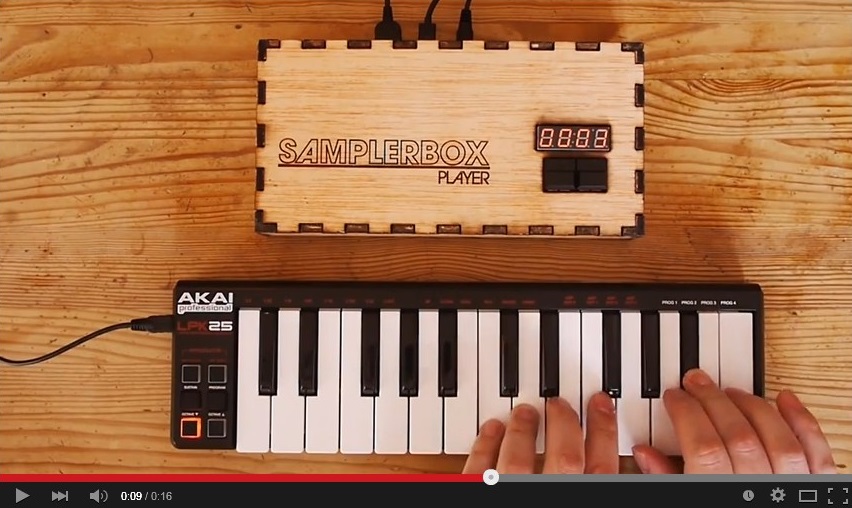
SamplerBox works with the RaspberryPi's built-in soundcard, but it is recommended to use a USB DAC (such as this 6€ one) for better sound quality.
- Install the required dependencies (Python-related packages and audio libraries):
sudo apt-get update ; sudo apt-get -y install git python-dev python-pip python-numpy cython python-smbus portaudio19-dev libportaudio2 libffi-dev
sudo pip install rtmidi-python pyaudio cffi sounddevice
- Download SamplerBox and build it with:
git clone https://github.com/josephernest/SamplerBox.git ;
cd SamplerBox ; make

3. Run the soft with `python samplerbox.py`.

4. Play some notes on the connected MIDI keyboard, you'll hear some sound!

*(Optional)*  Modify `samplerbox.py`'s first lines if you want to change root directory for sample-sets, default soundcard, etc.


[How to use it](#howto)
----

See the [FAQ](http://www.samplerbox.org/faq) on www.samplerbox.org.


[ISO image](#isoimage)
----

The ready-to-use ISO images available on [www.samplerbox.org](http://www.samplerbox.org) are built with the help of a script that can be found in `isoimage/samplerbox_iso_maker.sh`.


[About](#about)
----

Author : Joseph Ernest (twitter: [@JosephErnest](http:/twitter.com/JosephErnest), mail: [contact@samplerbox.org](mailto:contact@samplerbox.org))


[License](#license)
----

[Creative Commons BY-SA 3.0](http://creativecommons.org/licenses/by-sa/3.0/)