Maintainers also can use Breeze for other purposes (those are commands that regular contributors likely do not need or have no access to run). Those are usually connected with releasing Airflow:
The outline for this document in GitHub is available at top-right corner button (with 3-dots and 3 lines).
Those are all of the available release management commands:
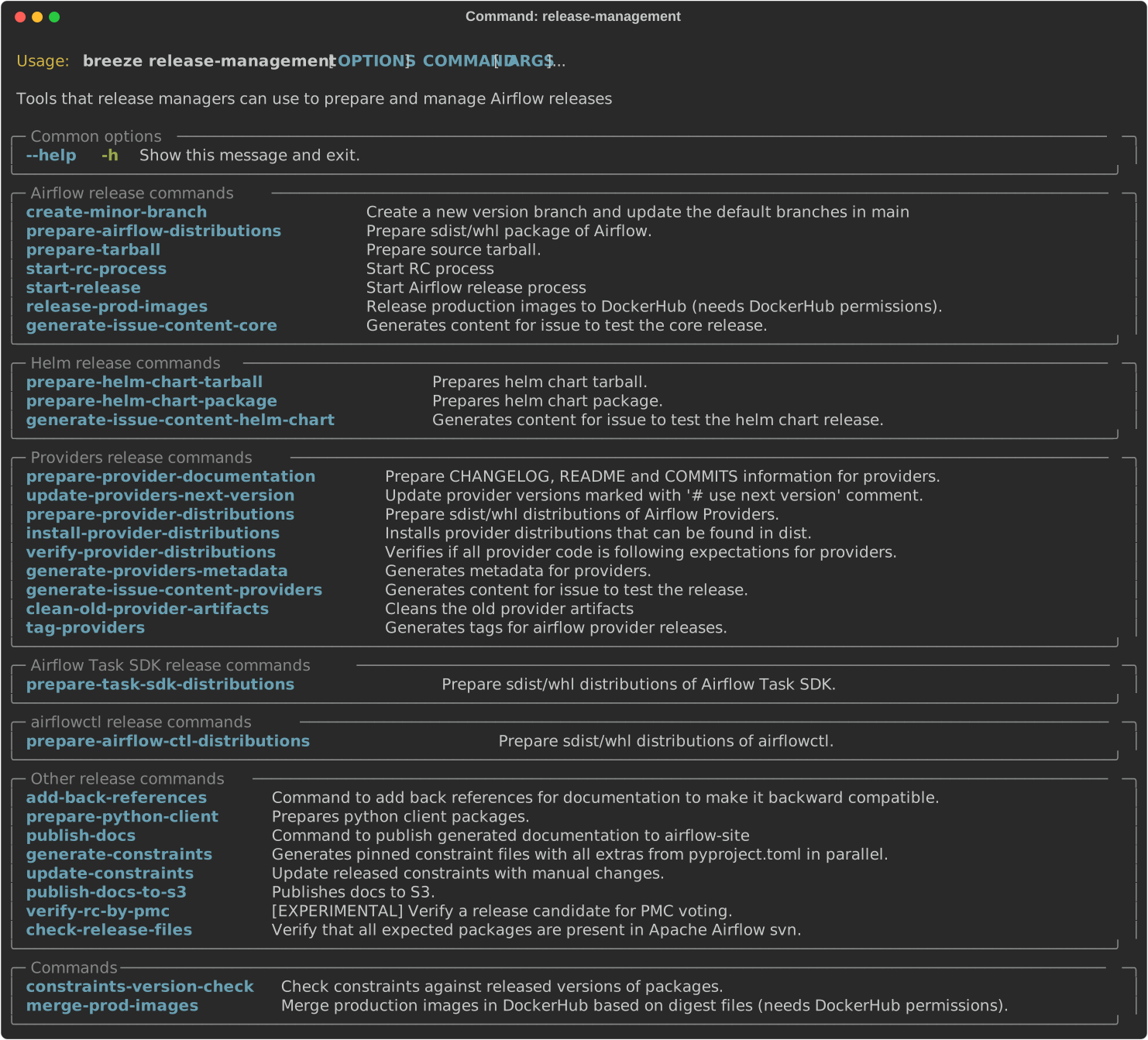
Running Airflow release commands is part of the release procedure performed by the release managers and it is described in detail in dev .
You can prepare Airflow distributions using Breeze:
breeze release-management prepare-airflow-distributionsThis prepares Airflow .whl package in the dist folder.
Again, you can specify optional --distribution-format flag to build selected formats of Airflow distributions,
default is to build both type of distributions sdist and wheel.
breeze release-management prepare-airflow-distributions --distribution-format=wheelIf you pass --tag fag, the distribution will create a source tarball release along with sdist.
--tag flag corresponds to actual tag in git.
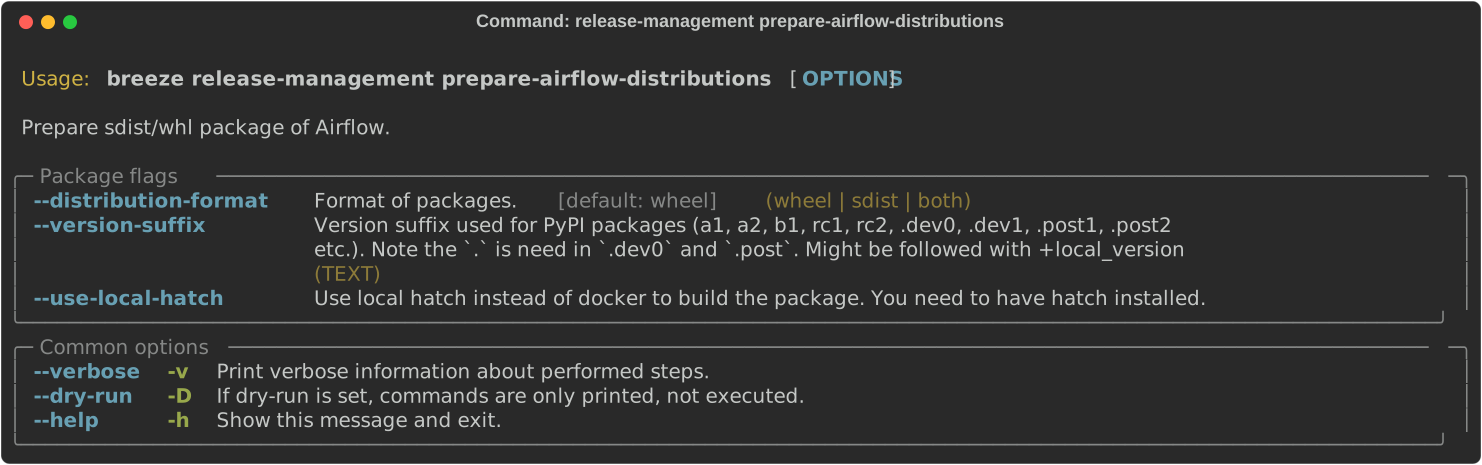
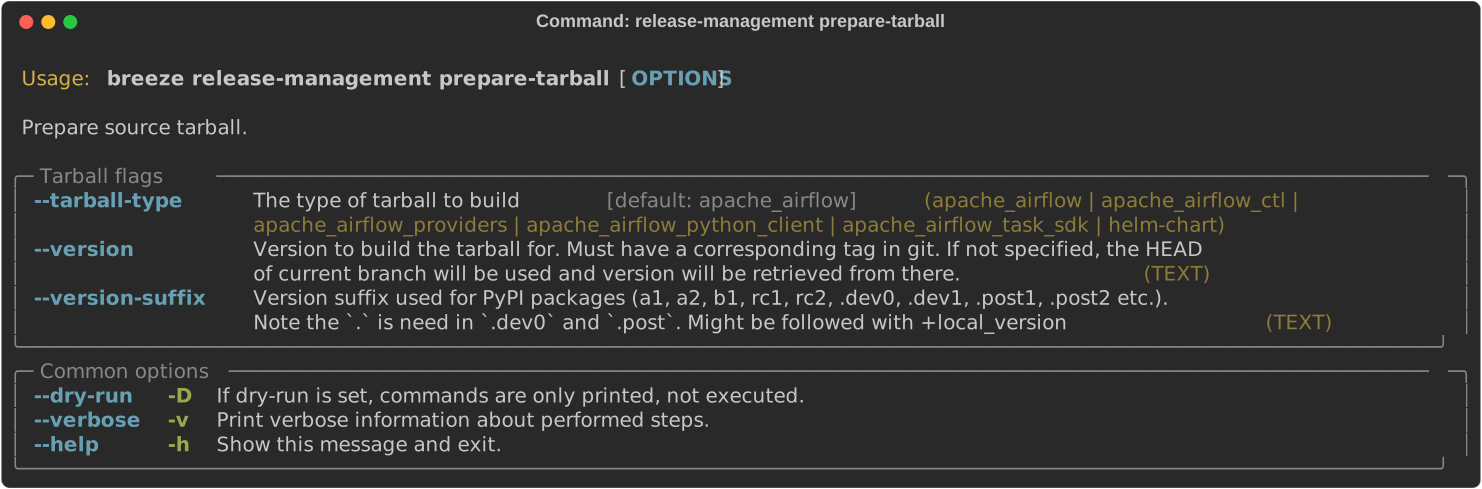
You can prepare source tarball using Breeze - they are used as official releases according to ASF release policies.
breeze release-management prepare-tarballThis prepares airflow -source.tar.gz package in the dist folder.
breeze release-management prepare-tarballYou can also specify distribution name which distribution of Airflow you are preparing the tarball for. By default it is "apache_airflow". The version will be automatically derived from the version specified in the --tag
breeze release-management prepare-tarball --tarball-type apache_airflow_ctlWhen testing from HEAD of the branch when the tag
PMC members can use Breeze to automate verification of release candidates instead of manually running multiple verification steps. This command validates SVN files, GPG signatures, SHA512 checksums, Apache RAT licenses, and reproducible builds.
breeze release-management validate-rc-by-pmc --distribution airflow --version 3.1.3rc1 --task-sdk-version 1.1.3rc1 --svn-path ~/asf-dist/dev/airflowYou can run individual checks by specifying the --checks flag:
breeze release-management validate-rc-by-pmc \
  --distribution airflow \
  --version 3.1.3rc1 \
  --svn-path ~/asf-dist/dev/airflow \
  --checks svn,signatures,checksums,licenses
When we create a new minor branch of Airflow, we need to perform a few maintenance tasks. This command automates it.
breeze release-management create-minor-branch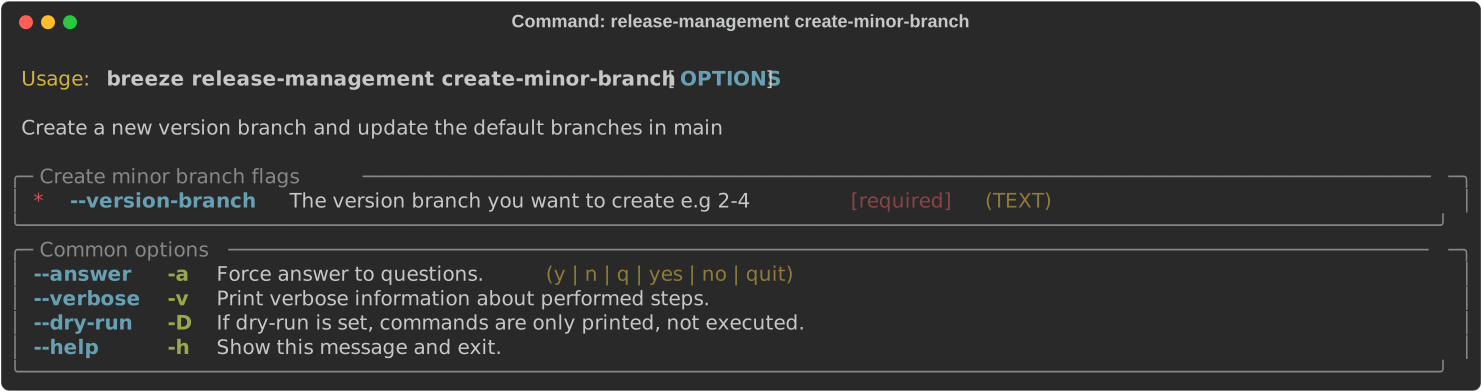
When we prepare release candidate, we automate some of the steps we need to do.
breeze release-management start-rc-process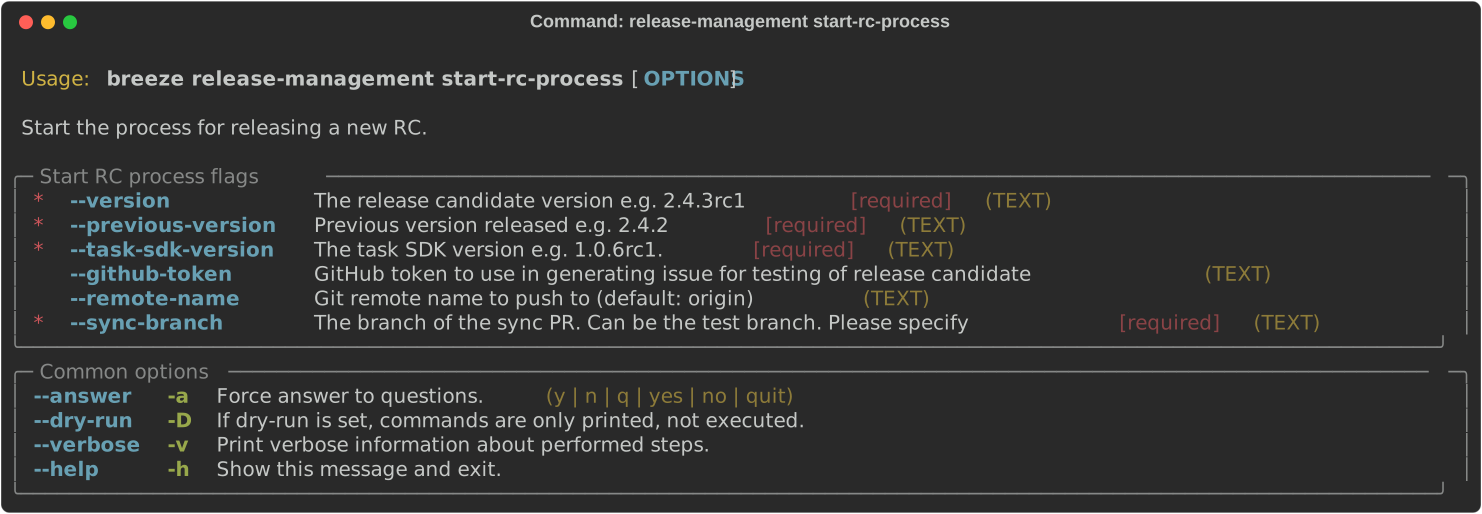
When we prepare final release, we automate some of the steps we need to do.
breeze release-management start-release
You can use Breeze to generate a Airflow core issue when you release new airflow.
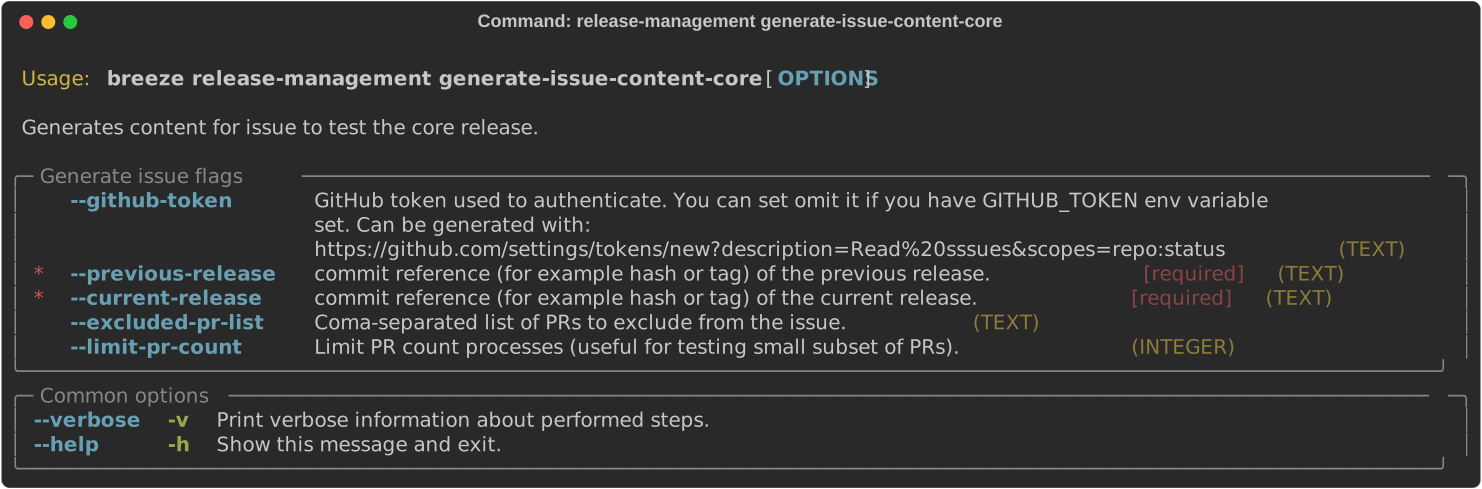
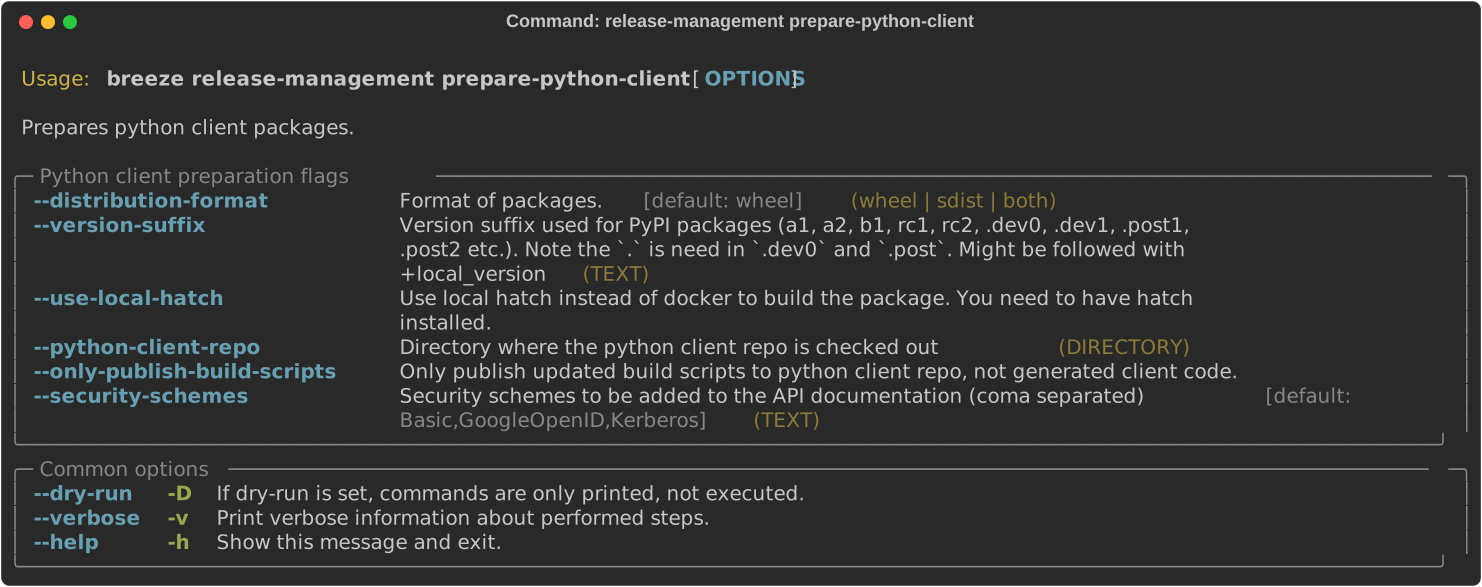
The Python client source code can be generated and Python client distribution could be built. For that you need to have python client's repository checked out
breeze release-management prepare-python-client --python-client-repo ~/code/airflow-client-pythonYou can also generate python client with custom security schemes.
These are all of the available flags for the command:
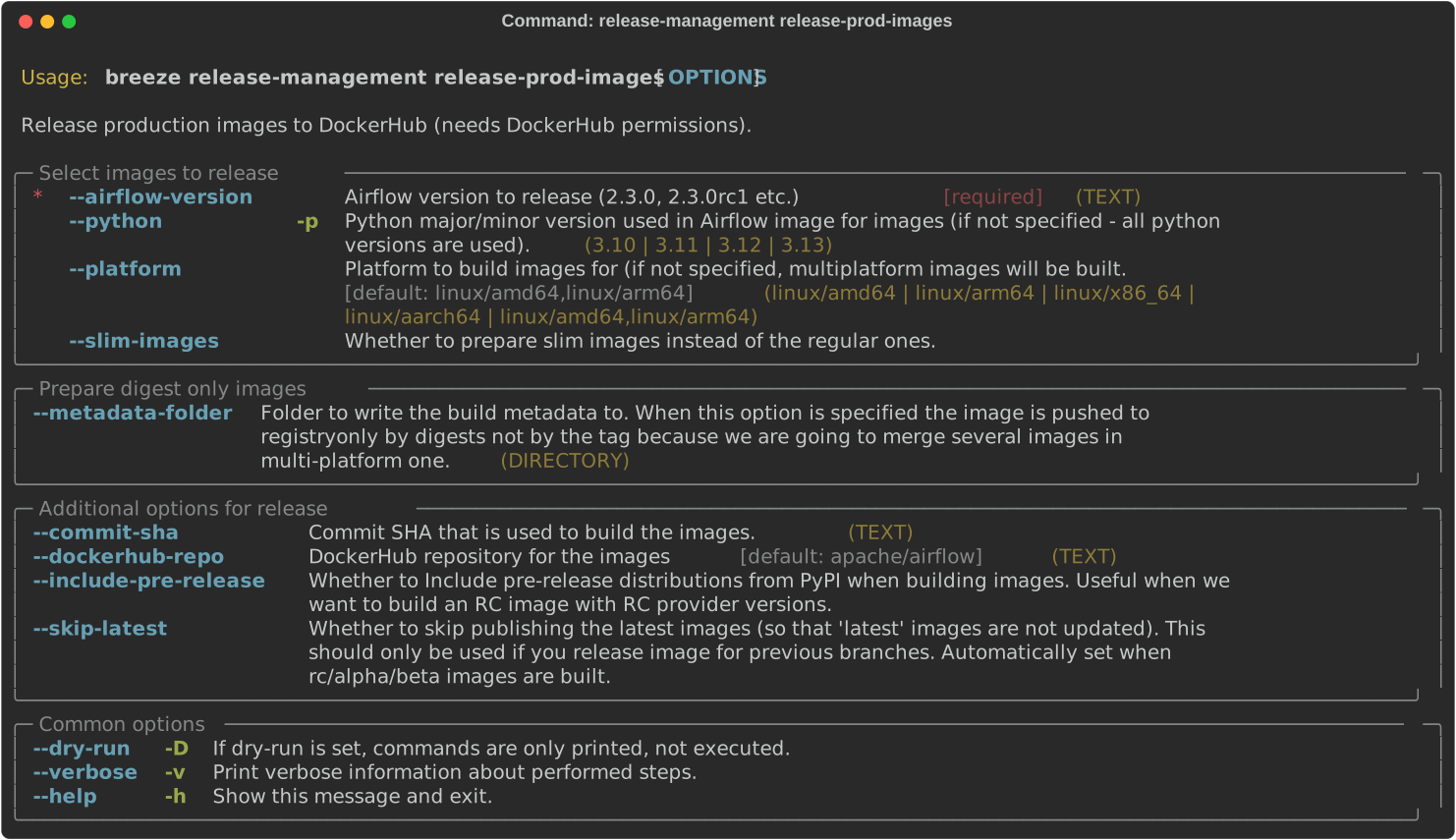
The Production image can be released by release managers who have permissions to push the image. This happens only when there is an RC candidate or final version of Airflow released. Normally it happens in CI, via ("Release PROD images" workflow that uses appropriate breeze commands, but you can also do it locally, providing that you are release manager and you have write access to the DockerHub registry.
You release "regular" and "slim" images as separate steps.
Releasing "regular" images:
breeze release-management release-prod-images --airflow-version 3.0.0Or "slim" images:
breeze release-management release-prod-images --airflow-version 3.0.0 --slim-imagesBy default when you are releasing the "final" image, we also tag image with "latest" tags but this
step can be skipped if you pass the --skip-latest flag (last python version is always tagged
as non-versioned image). For example:
- airflow-3.0.0-python3.12 is tagged as airflow-3.0.0
If `airflow-3.0.0' is the latest version:
- airflow-3.0.0-python3.12 is tagged as airflow-latest
- airflow-3.0.0-python3.12 is tagged as airflow-latest-python3.12
- airflow-3.0.0-python3.11 is tagged as airflow-latest-python3.11
and so on.
This command by default uses either emulation or you need to have driver configured to be able to build a multi-platform image on your local machine - but this might be long (for emulation) or a bit complex to setup (to have multi-hardware support in your buildx driver). The steps to do so are described in the MANUALLY_BUILDING_IMAGES.md document.
However you can also use the --metadata-folder flag to specify the folder with metadata files where
information about the image is stored and build the images separately on each hardware. The images are pushed
to the registry as digest-only images without tags and digest information is stored in the locally generated
metadata files. You can then transfer the metadata files generated on different hardware to a single machine
and run breeze merge-production-images command below to merge and publish such
multi-platform image. Again - details of this process are described in the same
MANUALLY_BUILDING_IMAGES.md document. In case --metadata-folder,
tagging is skipped and it is only performed when you merge the images.
Releasing "regular" images:
breeze release-management release-prod-images --airflow-version 3.0.0 --metadata-folder distOr "slim" images:
breeze release-management release-prod-images --airflow-version 3.0.0 --slim-images --metadata-folder distThese are all of the available flags for the release-prod-images command:
As described in the previous step, when you are building images separately - on separate hardware (ARM separately
and AMD separately), you push images as digest-only images without tags and digest information is stored
in the locally generated metadata files. You can then transfer the metadata files generated on different
hardware to a single machine and run breeze merge-production-images command below to merge and publish
such multi-platform image.
You merge "regular" and "slim" images as separate steps.
Merging "regular" images (after getting all the metadata files in the metadata folder):
breeze release-management merge-prod-images --airflow-version 3.0.0 --metadata-folder distOr "slim" images:
breeze release-management release-prod-images --airflow-version 2.4.0 --slim-images distBy default when you are releasing the "final" image, we also tag image with "latest" tags but this
step can be skipped if you pass the --skip-latest flag.
These are all of the available flags for the merge-prod-images command:
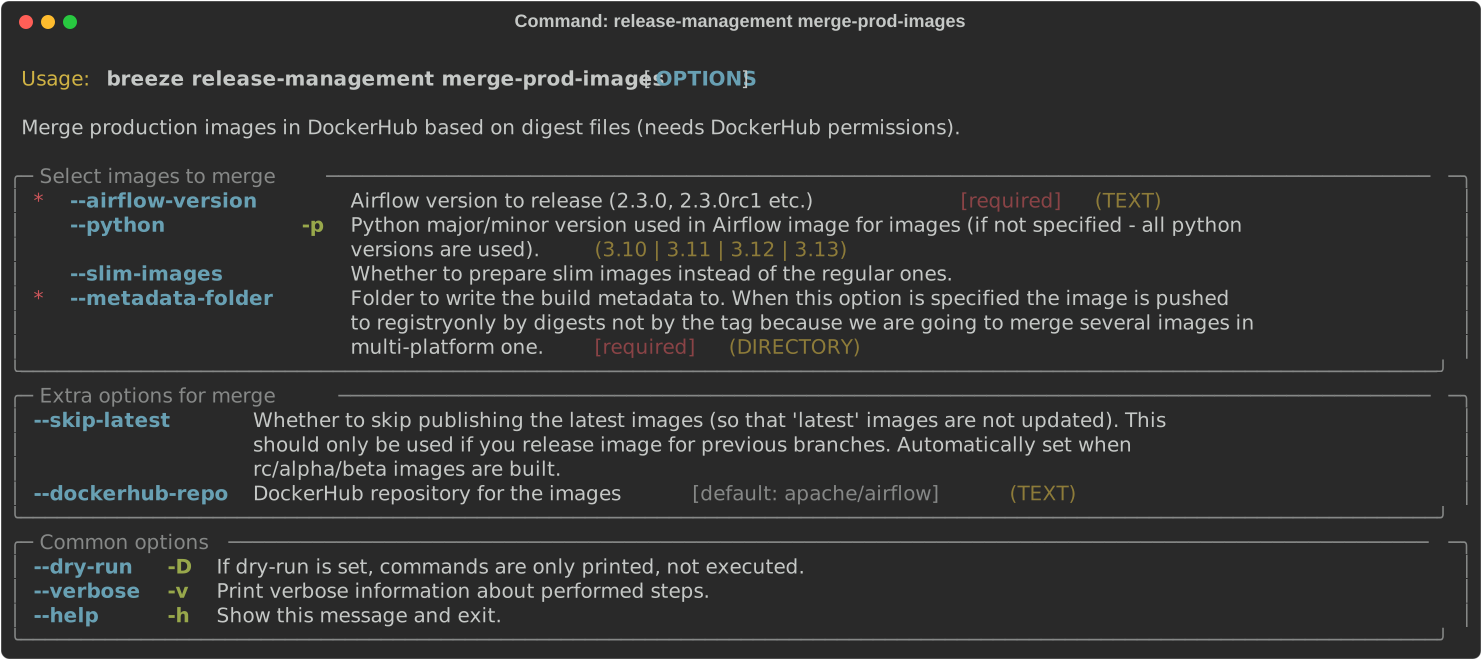
The images are also aliased in dockerhub as appropriate.
This command can be utilized to manage git tags for providers within the Airflow remote repository during provider releases. Sometimes in cases when there is a connectivity issue to GitHub, it might be possible that local tags get created and lead to annoying errors. The default behaviour would be to clean such local tags up.
The flag --clean-tags can be used to delete the local tags.
However, If you want to disable this behaviour, set the envvar CLEAN_LOCAL_TAGS to false or use the
--no-clean-tags flag.
breeze release-management tag-providersThese are all of the available flags for the tag-providers command:

You can prepare helm chart source tarball using Breeze:
breeze release-management prepare-helm-chart-tarballThis prepares helm chart -source.tar.gz package in the dist folder.
You must specify --version and --version-suffix flags that specify
which version of Helm Chart you are preparing the tarball for.
breeze release-management prepare-helm-chart-tarball --version 1.12.0 --version-suffix rc1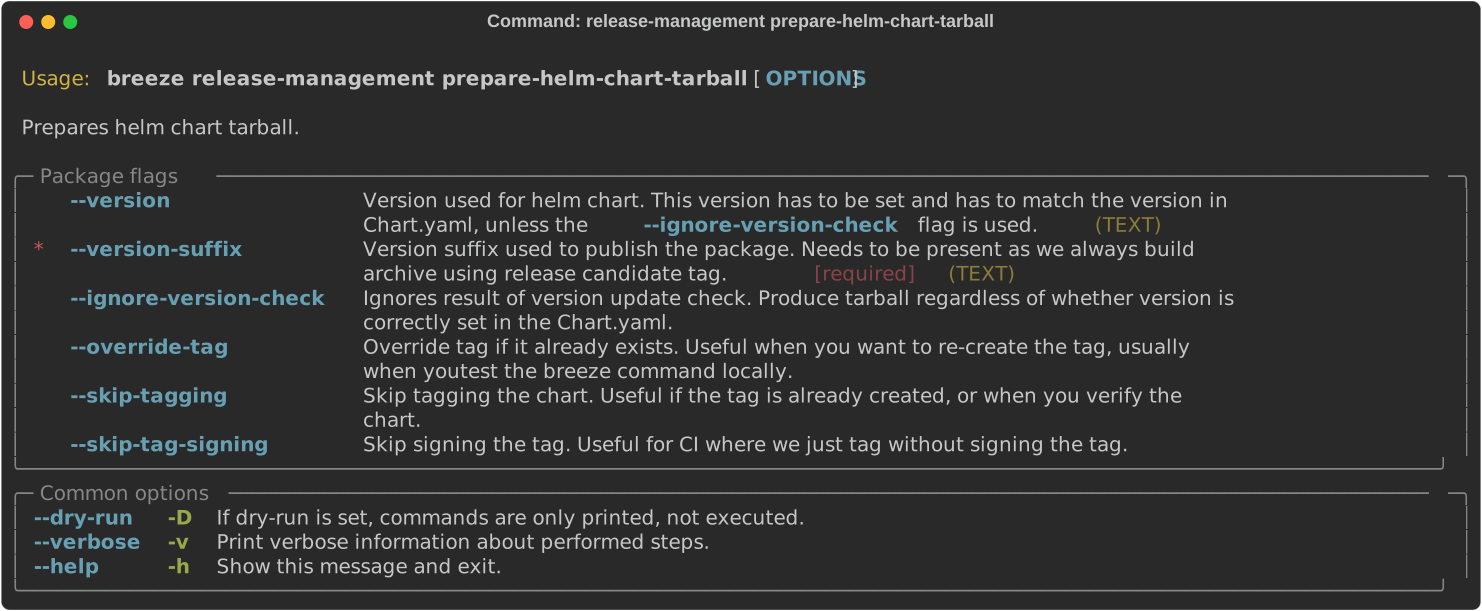
You can prepare helm chart package and optionally sign it using Breeze:
breeze release-management prepare-helm-chart-packageThis prepares helm chart .tar.gz package in the dist folder.
breeze release-management prepare-helm-chart-package --sign myemail@apache.org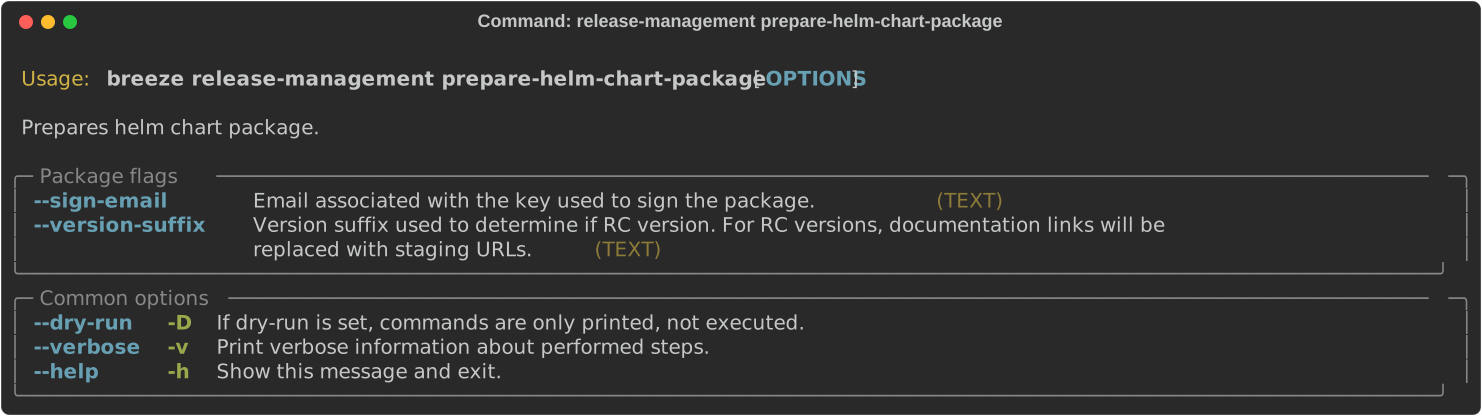
You can use Breeze to generate a helm chart issue when you release new helm chart.
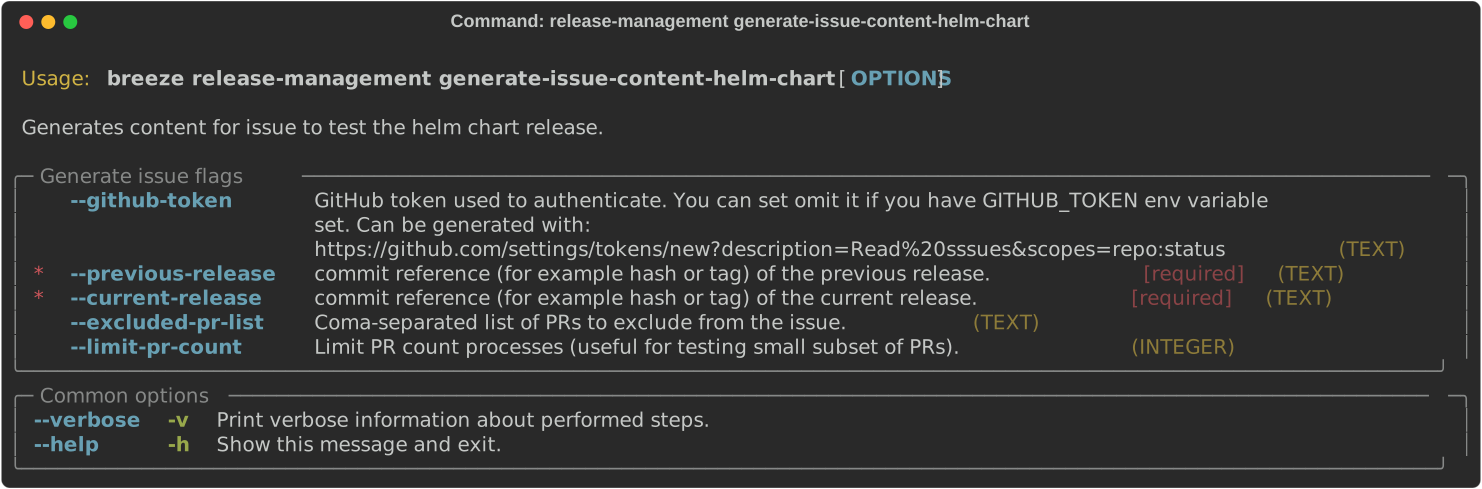
Preparing provider release is part of the release procedure by the release managers and it is described in detail in dev .
You can use Breeze to prepare provider documentation.
The below example perform documentation preparation for providers.
breeze release-management prepare-provider-documentationYou can also add --answer yes to perform non-interactive build.
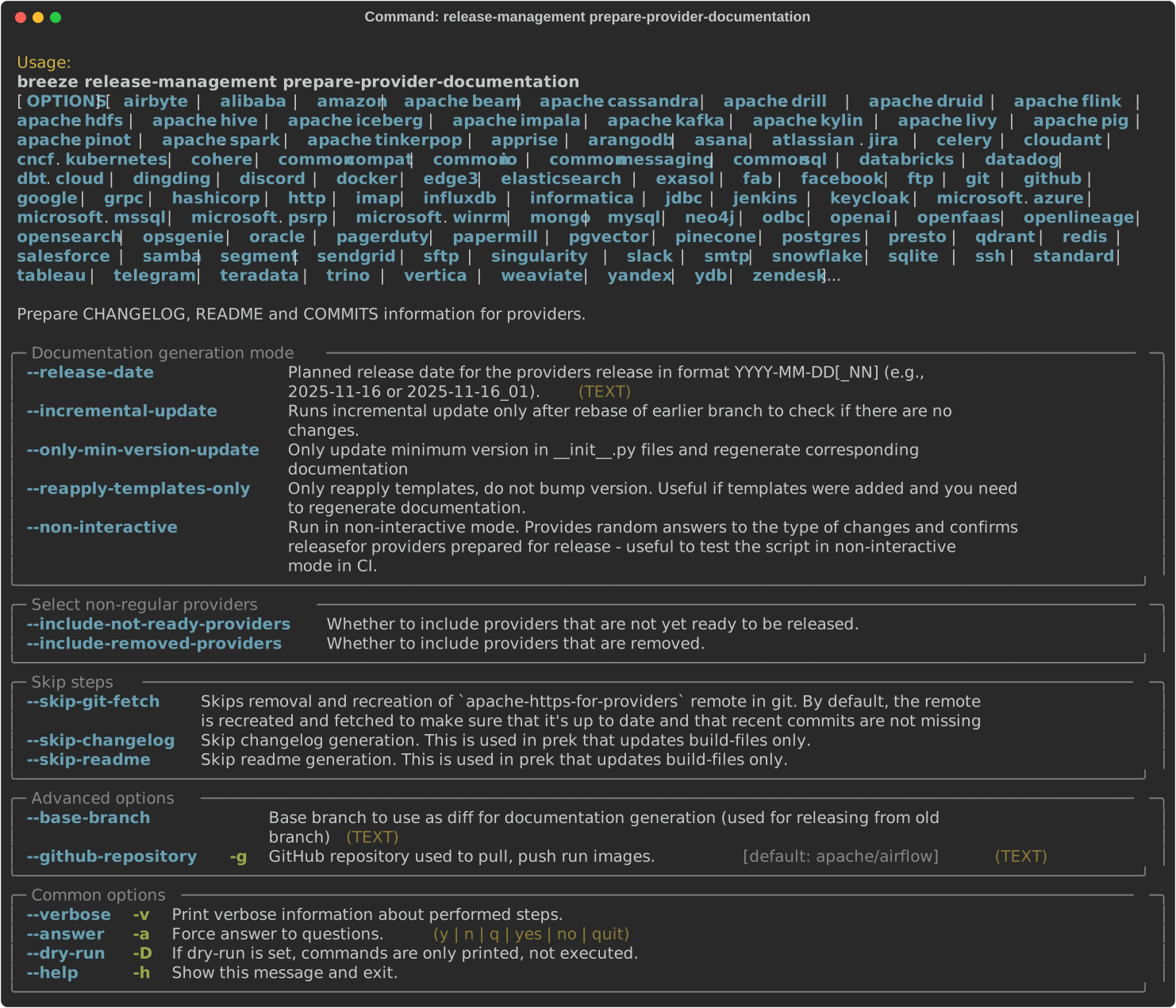
You can use Breeze to update references to other providers automatically to the
next version of dependent providers, when they are commented with # use next version.
The below example perform the upgrade.
breeze release-management update-providers-next-version
You can use Breeze to prepare providers.
The distributions are prepared in dist folder. Note, that this command cleans up the dist folder
before running, so you should run it before generating Airflow package below as it will be removed.
The below example builds providers in the wheel format.
breeze release-management prepare-provider-distributions --distribution-format wheelThe below example builds providers in both wheel and tar.gz (sdist) formats.
breeze release-management prepare-provider-distributionsIf you run this command without distributions, you will prepare all distributions, you can however specify
providers that you would like to build. By default both types of distributions are prepared (
wheel and sdist, but you can change it providing optional --distribution-format flag.
breeze release-management prepare-provider-distributions google amazonYou can see all providers available by running this command:
breeze release-management prepare-provider-distributions --helpIf you pass --tag fag, the distribution will create a source tarball release along with sdist.
--tag flag corresponds to actual tag in git.
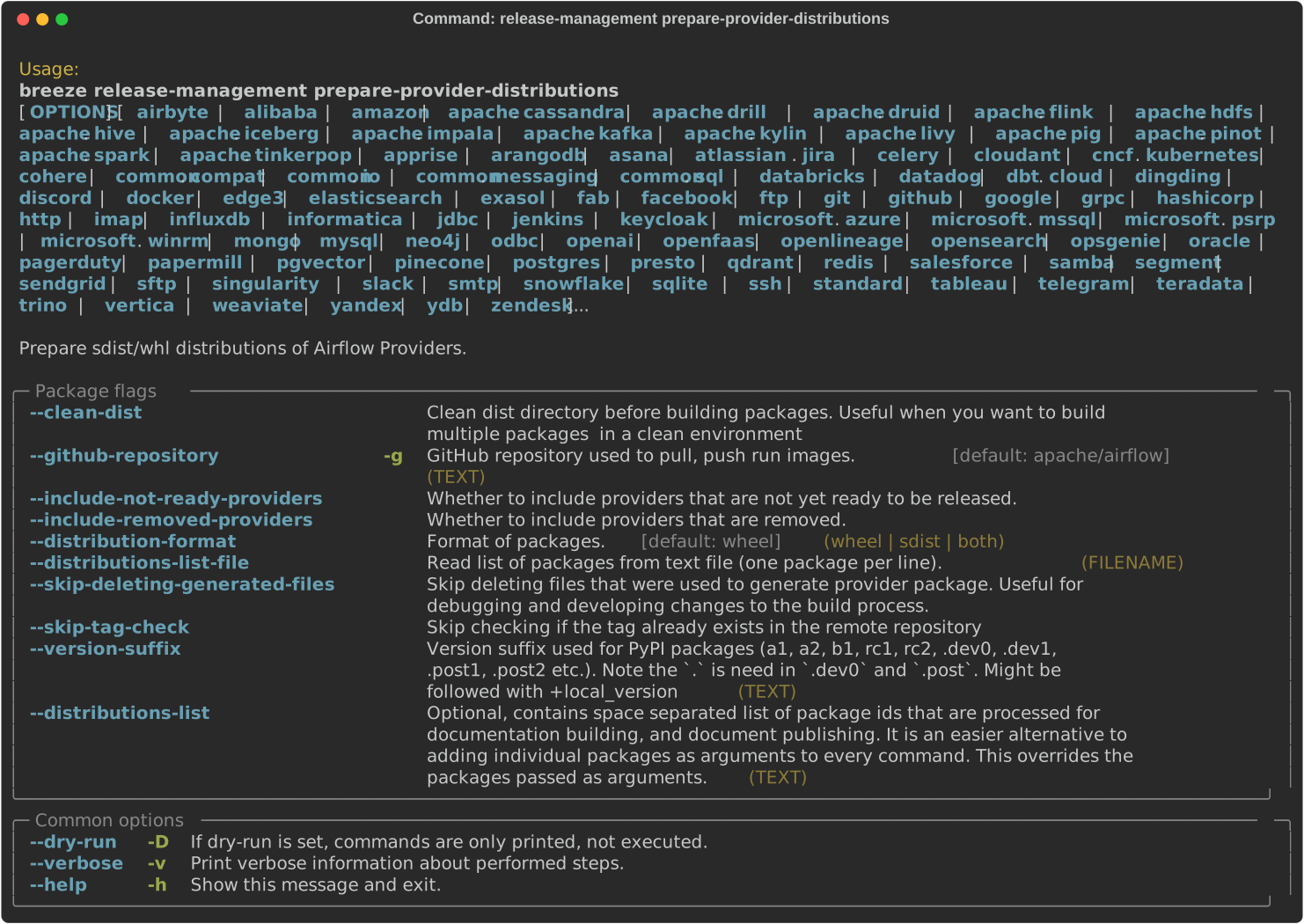
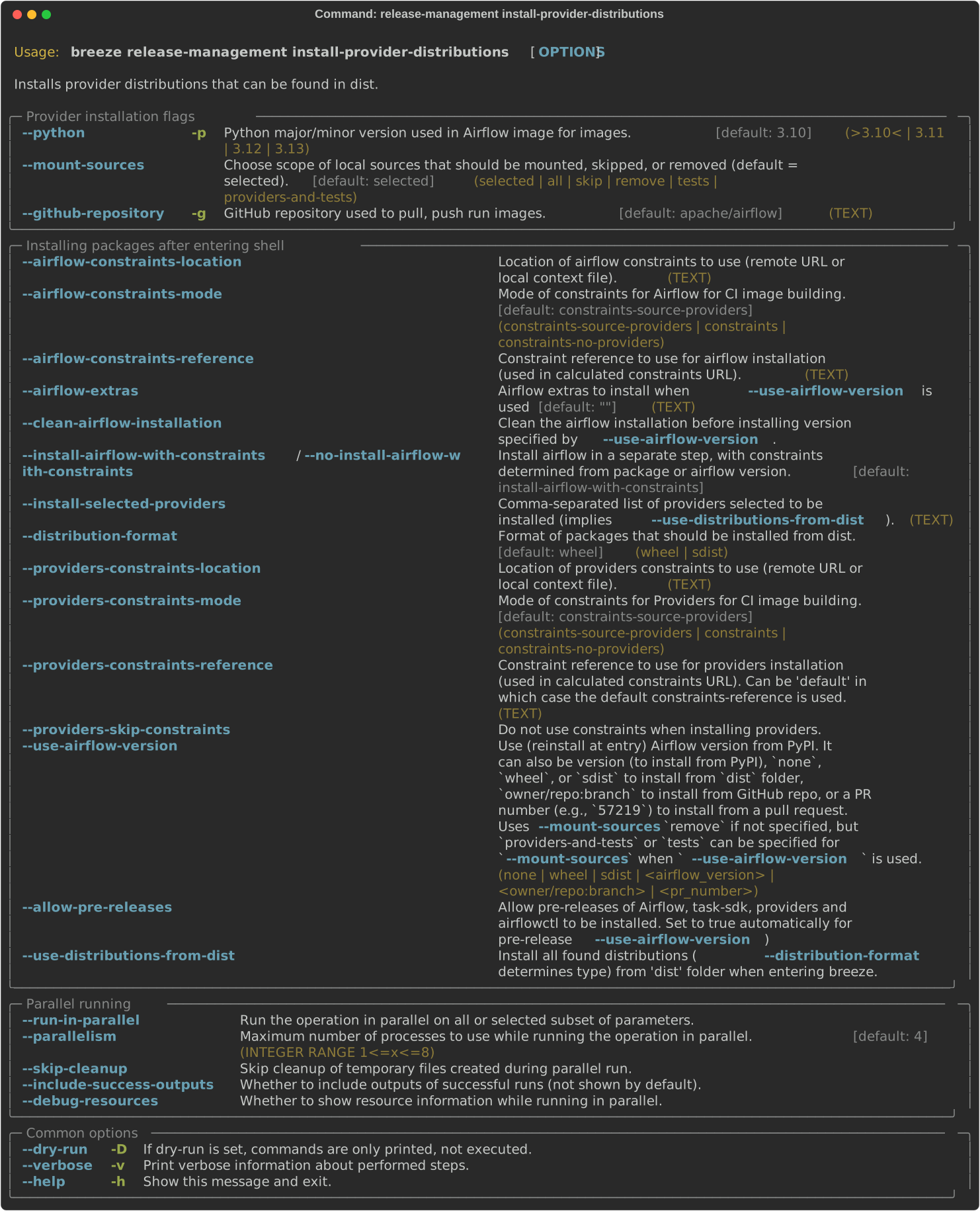
In some cases we want to just see if the providers generated can be installed with Airflow without
verifying them. This happens automatically on CI for sdist packages but you can also run it manually if you
just prepared providers and they are present in dist folder.
breeze release-management install-provider-distributionsYou can also run the verification with an earlier Airflow version to check for compatibility.
breeze release-management install-provider-distributions --use-airflow-version 2.4.0All the command parameters are here:
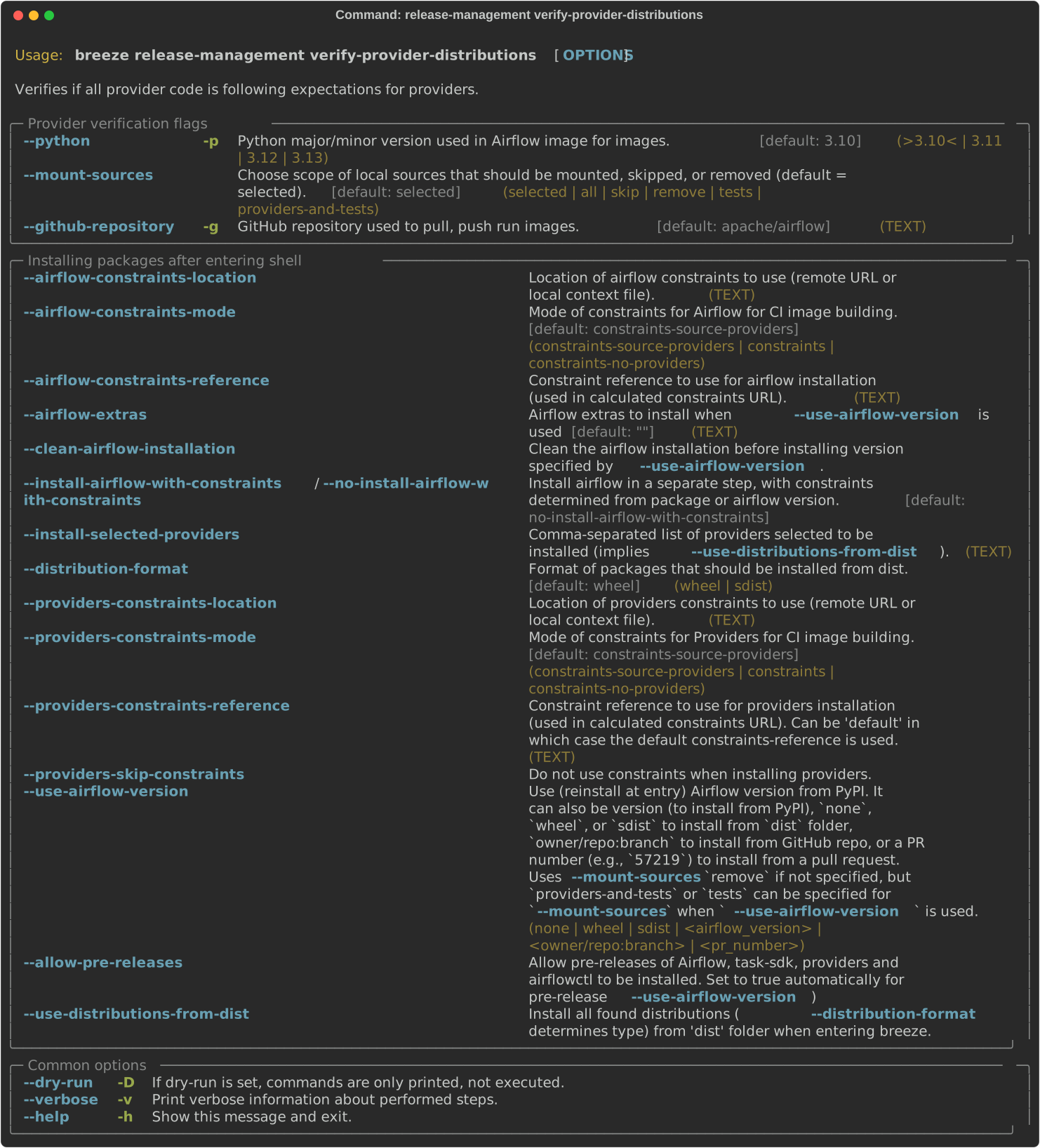
Breeze can also be used to verify if provider classes are importable and if they are following the
right naming conventions. This happens automatically on CI but you can also run it manually if you
just prepared providers and they are present in dist folder.
breeze release-management verify-provider-distributionsYou can also run the verification with an earlier Airflow version to check for compatibility.
breeze release-management verify-provider-distributions --use-airflow-version 2.4.0All the command parameters are here:
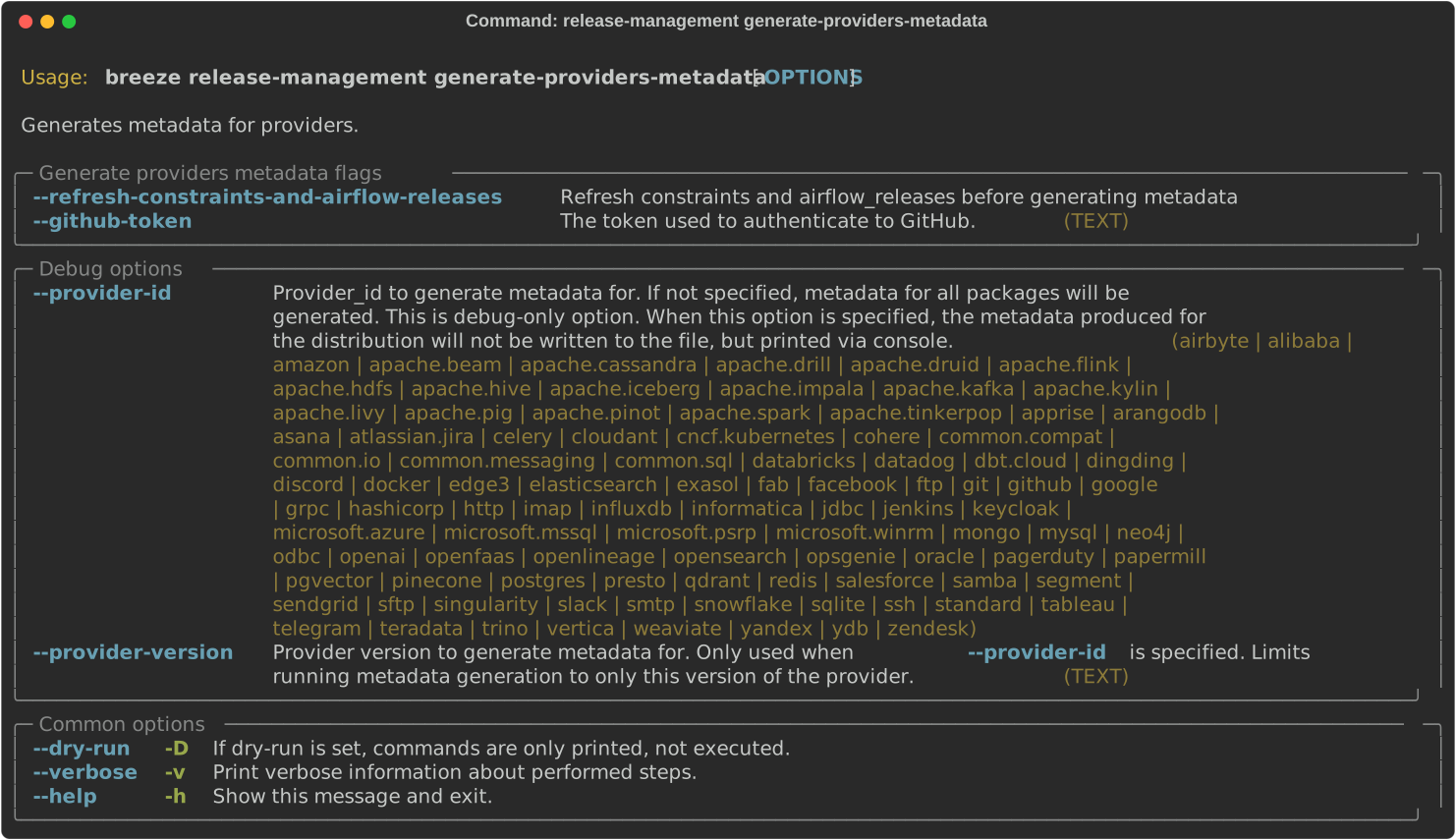
The release manager can generate providers metadata per provider version - information about provider versions including the associated Airflow version for the provider version (i.e first Airflow version released after the provider has been released) and date of the release of the provider version.
These are all of the available flags for the generate-providers-metadata command:
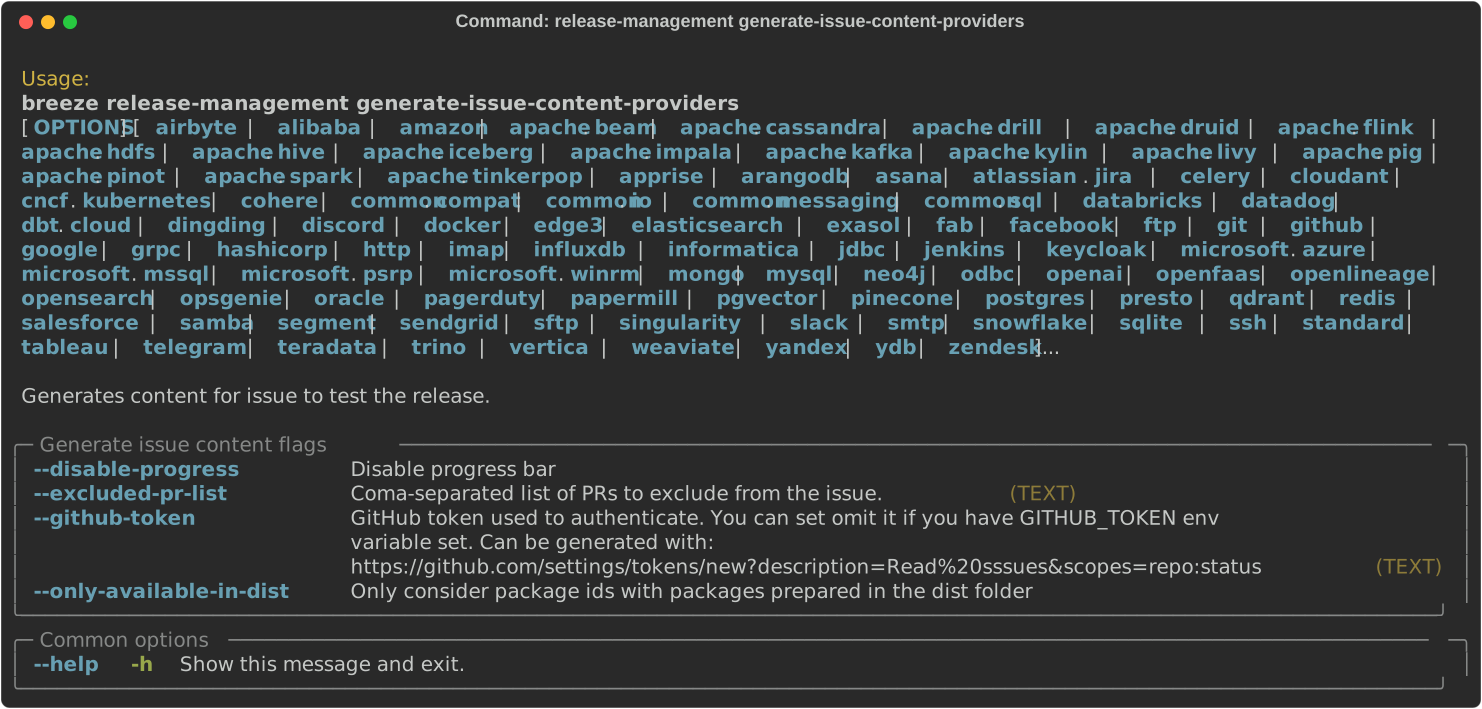
You can use Breeze to generate a provider issue when you release new providers.
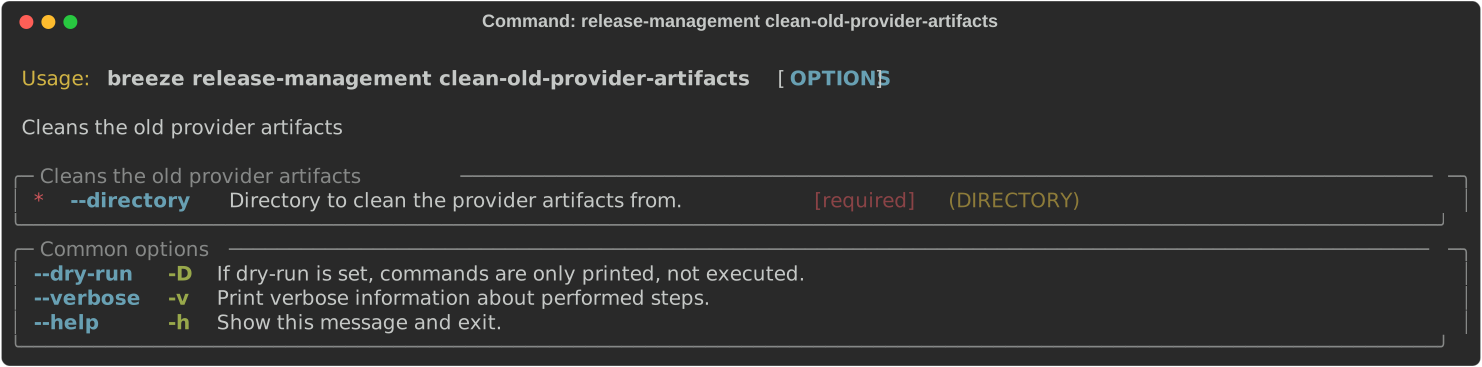
During the provider releases, we need to clean up the older provider versions in the SVN release folder.
Earlier this was done using a script, but now it is being migrated to a breeze command to ease the life of
release managers for providers. This can be achieved using breeze release-management clean-old-provider-artifacts
command.
These are all available flags of clean-old-provider-artifacts command:
Whenever pyproject.toml gets modified, the CI main job will re-generate constraint files. Those constraint
files are stored in separated orphan branches: constraints-main, constraints-2-0.
Those are constraint files as described in detail in the /contributing-docs/13_airflow_dependencies_and_extras.rst#pinned-constraint-files contributing documentation.
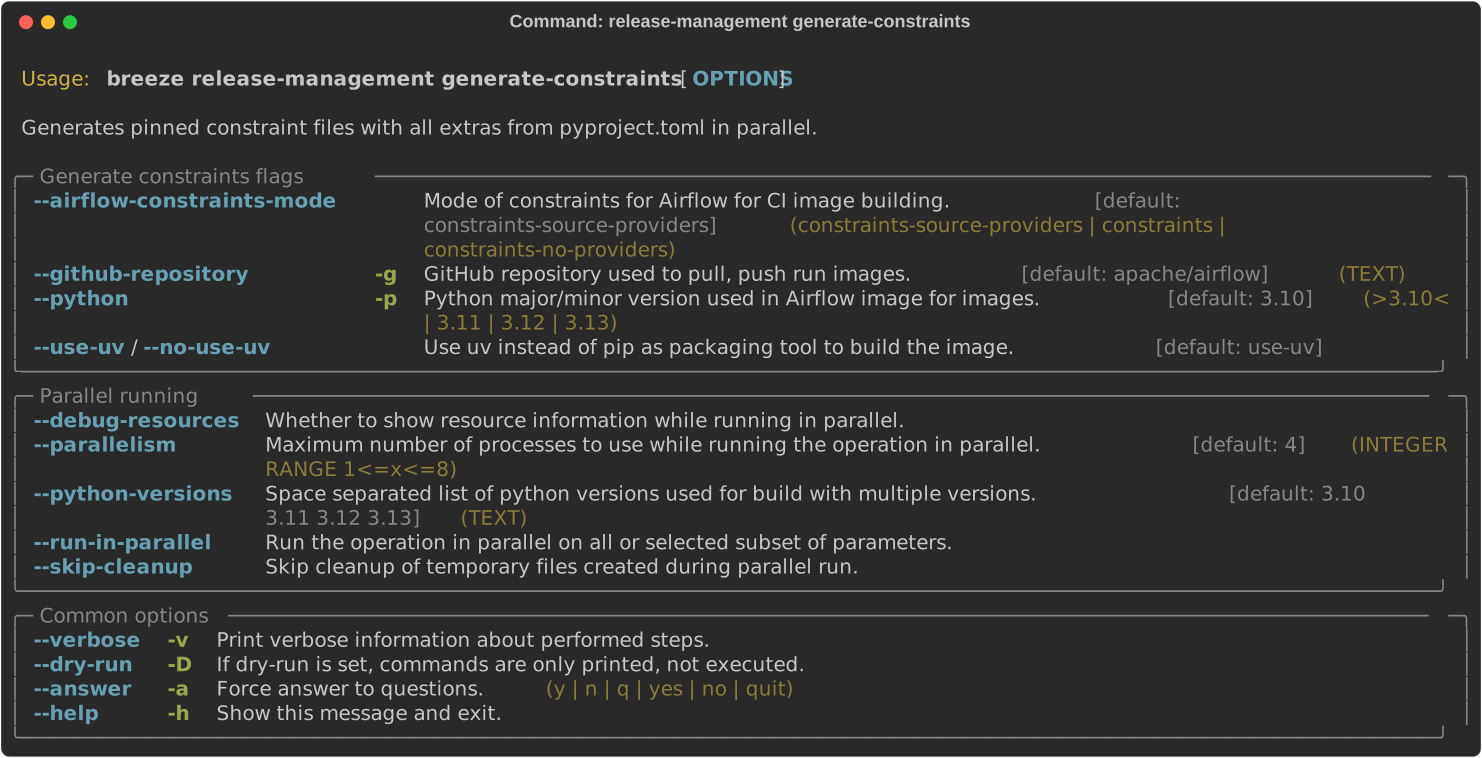
You can use breeze release-management generate-constraints command to manually generate constraints for
all or selected python version and single constraint mode like this:
Warning
In order to generate constraints, you need to build all images with --upgrade-to-newer-dependencies
flag - for all python versions.
breeze release-management generate-constraints --airflow-constraints-mode constraintsConstraints are generated separately for each python version and there are separate constraints modes:
- 'constraints' - those are constraints generated by matching the current Airflow version from sources
- and providers that are installed from PyPI. Those are constraints used by the users who want to install Airflow with pip.
- "constraints-source-providers" - those are constraints generated by using providers installed from current sources. While adding new providers their dependencies might change, so this set of providers is the current set of the constraints for Airflow and providers from the current main sources. Those providers are used by CI system to keep "stable" set of constraints.
- "constraints-no-providers" - those are constraints generated from only Apache Airflow, without any providers. If you want to manage Airflow separately and then add providers individually, you can use those.
These are all available flags of generate-constraints command:
In case someone modifies pyproject.toml, the scheduled CI Tests automatically upgrades and
pushes changes to the constraint files, however you can also perform test run of this locally using
the procedure described in the
Manually generating image cache and constraints
which utilises multiple processors on your local machine to generate such constraints faster.
This bumps the constraint files to latest versions and stores hash of pyproject.toml. The generated constraint
and pyproject.toml hash files are stored in the files folder and while generating the constraints diff
of changes vs the previous constraint files is printed.
Sometimes (very rarely) we might want to update individual distributions in constraints that we generated and
tagged already in the past. This can be done using breeze release-management update-constraints command.
These are all available flags of update-constraints command:
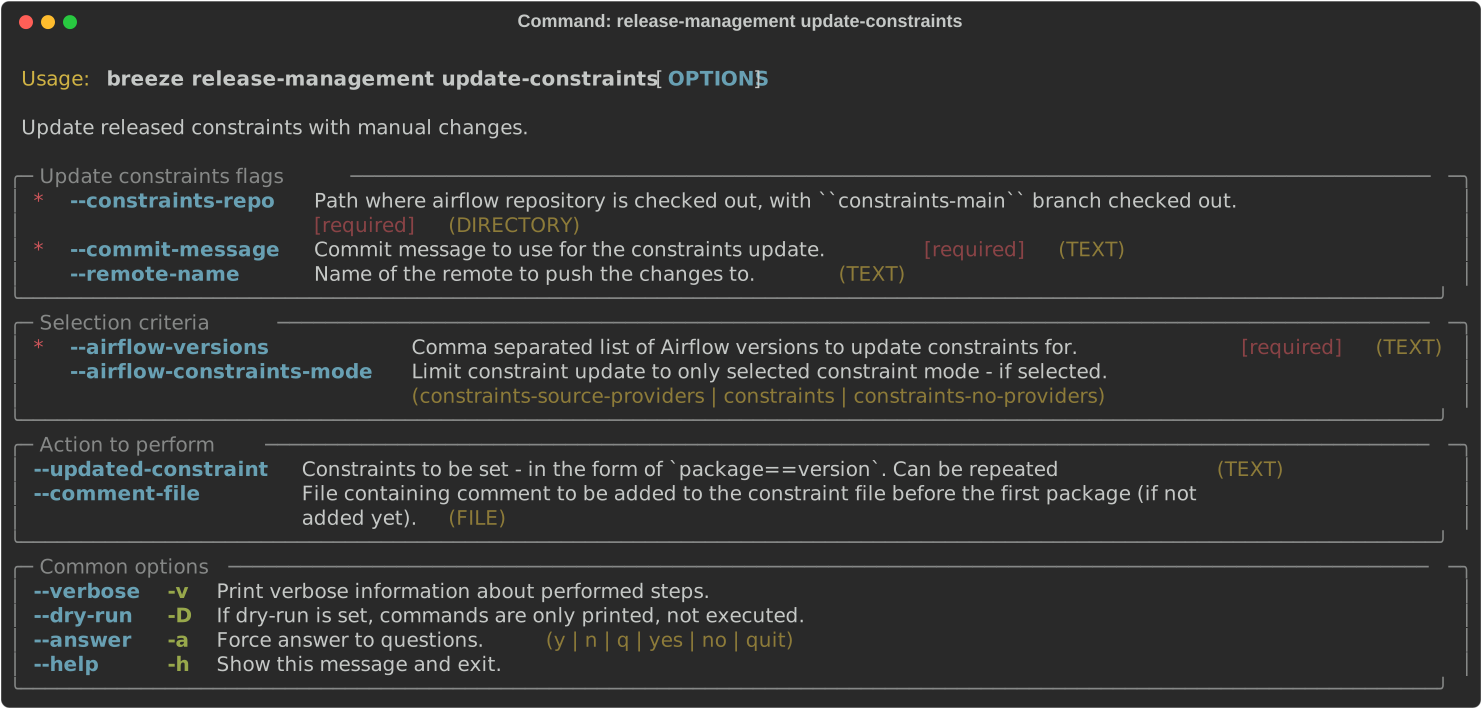
You can read more details about what happens when you update constraints in the Manually generating image cache and constraints
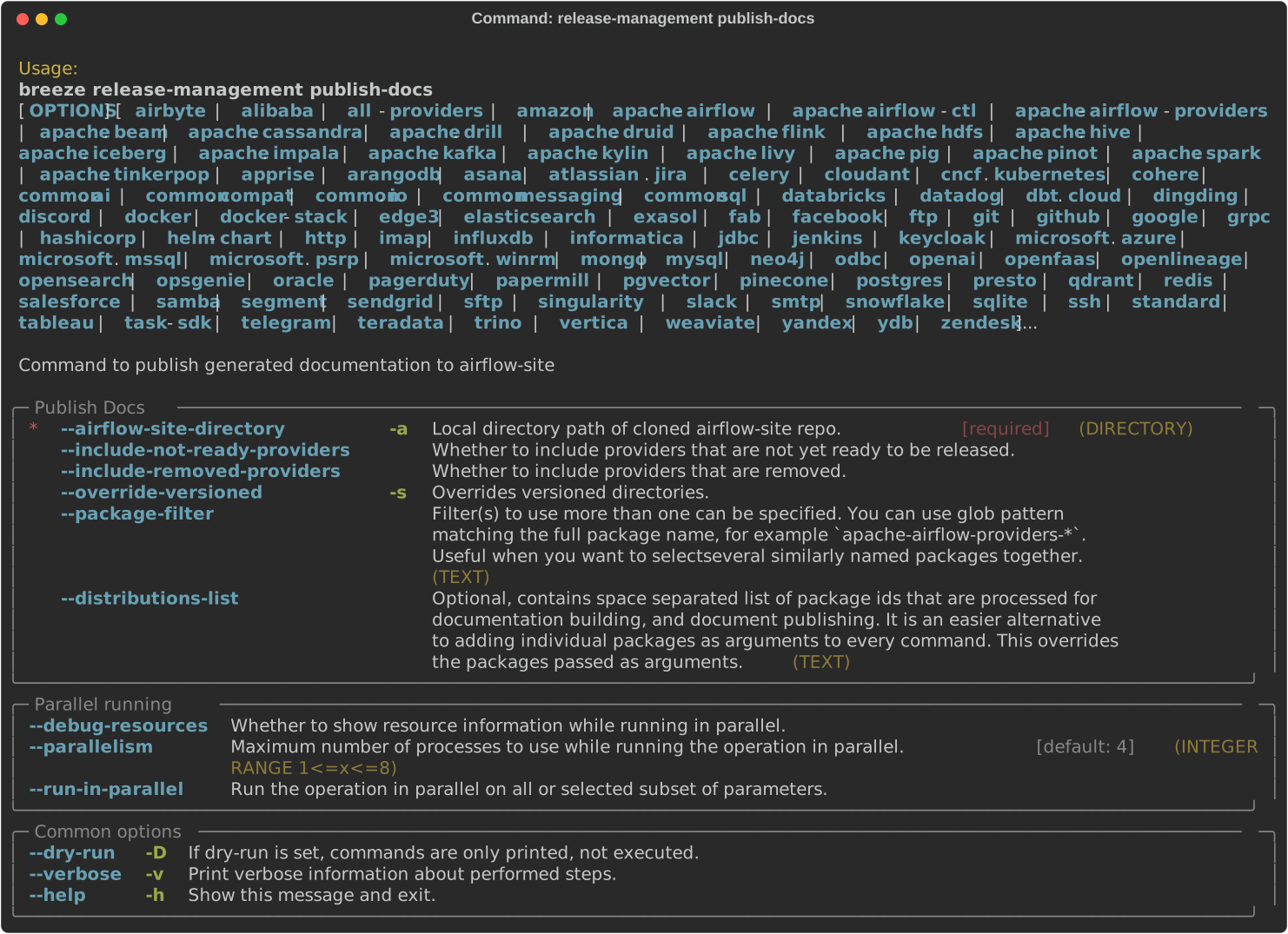
To publish the documentation generated by build-docs in Breeze to airflow-site,
use the release-management publish-docs command:
breeze release-management publish-docsThe publishing documentation consists of the following steps:
- checking out the latest
mainof clonedairflow-site - copying the documentation to
airflow-site - running post-docs scripts on the docs to generate back referencing HTML for new versions of docs
breeze release-management publish-docs <provider id>Where provider id is a short form of provider name.
breeze release-management publish-docs amazonThe flag --package-filter can be used to selectively publish docs during a release. The filters are glob
pattern matching full package names and can be used to select more than one package with single filter.
breeze release-management publish-docs "apache-airflow-providers-microsoft*"breeze release-management publish-docs --override-versionedThe flag --override-versioned is a boolean flag that is used to override the versioned directories
while publishing the documentation.
breeze release-management publish-docs --airflow-site-directoryYou can also use shorthand names as arguments instead of using the full names for Airflow providers. To find the short hand names, follow the instructions in :ref:`generating_short_form_names`.
The flag --airflow-site-directory takes the path of the cloned airflow-site. The command will
not proceed if this is an invalid path.
When you have multi-processor machine docs publishing can be vastly sped up by using --run-in-parallel option when
publishing docs for multiple providers.
These are all available flags of release-management publish-docs command:
To add back references to the documentation generated by build-docs in Breeze to airflow-site,
use the release-management add-back-references command. This is important to support backward compatibility
the Airflow documentation.
You have to specify which distributions you run it on. For example you can run it for all providers:
breeze release-management add-back-references --airflow-site-directory DIRECTORY all-providersThe flag --airflow-site-directory takes the path of the cloned airflow-site. The command will
not proceed if this is an invalid path.
You can also run the command for apache-airflow (core documentation):
breeze release-management publish-docs --airflow-site-directory DIRECTORY apache-airflowAlso for helm-chart package:
breeze release-management publish-docs --airflow-site-directory DIRECTORY helm-chartYou can also manually specify (it's auto-completable) list of distributions to run the command for including individual providers - you can mix apache-airflow, helm-chart and providers this way:
breeze release-management publish-docs --airflow-site-directory DIRECTORY apache.airflow apache.beam googleThese are all available flags of release-management add-back-references command:

Maintainers also can use Breeze for SBOM generation:
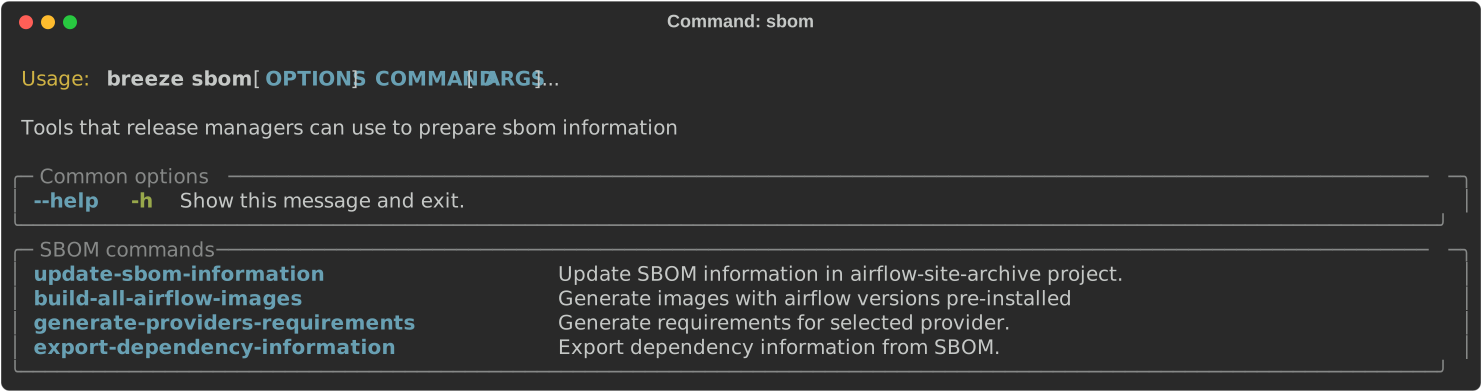
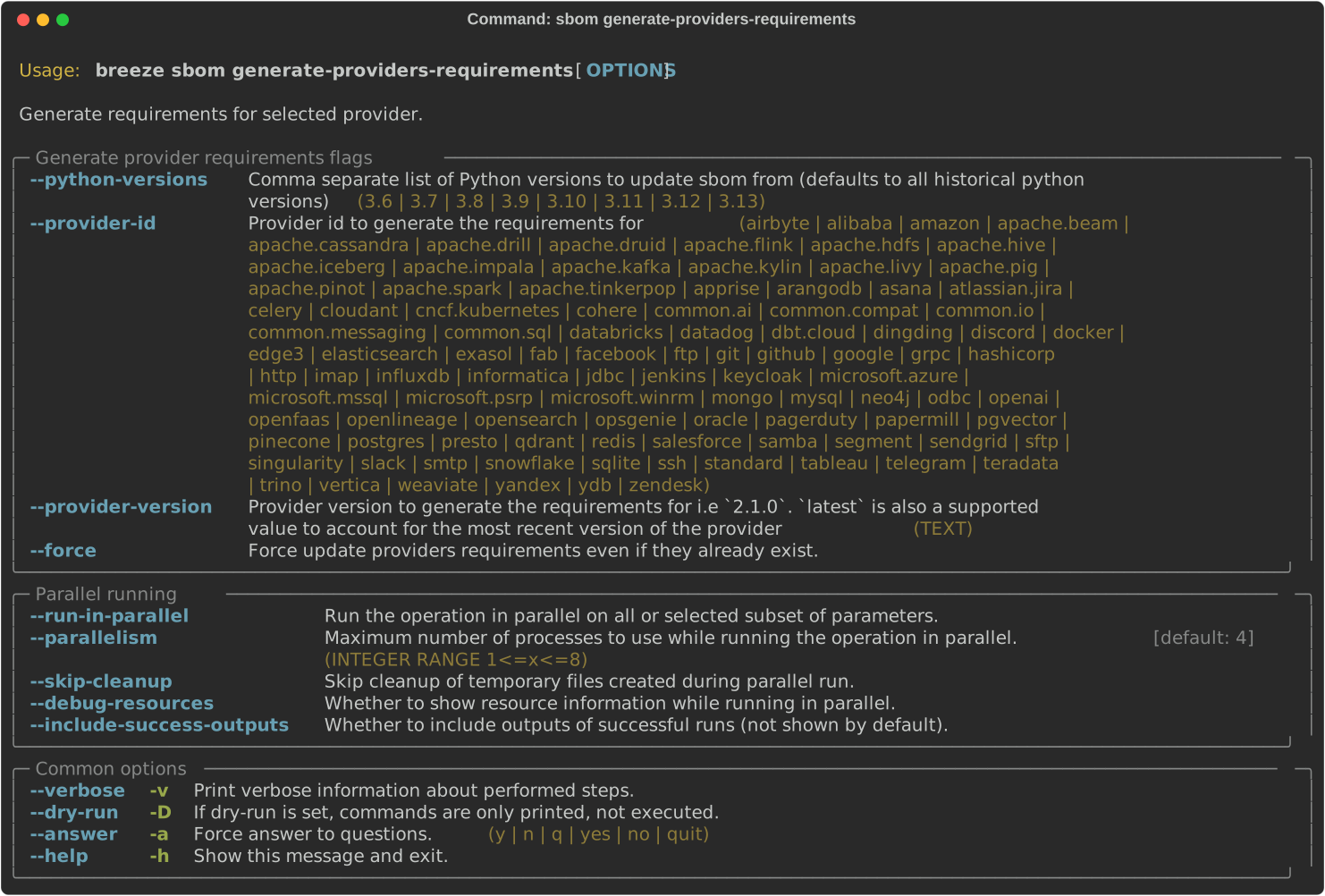
In order to generate SBOM information for providers, we need to generate requirements for them. This is
done by the generate-providers-requirements command. This command generates requirements for the
selected provider and python version, using the Airflow version specified.
Thanks to our constraints captured for all versions of Airflow we can easily generate SBOM information for
Apache Airflow. SBOM information contains information about Airflow dependencies that are possible to consume
by our users and allow them to determine whether security issues in dependencies affect them. The SBOM
information is written directly to docs-archive in airflow-site repository.
These are all of the available flags for the update-sbom-information command:

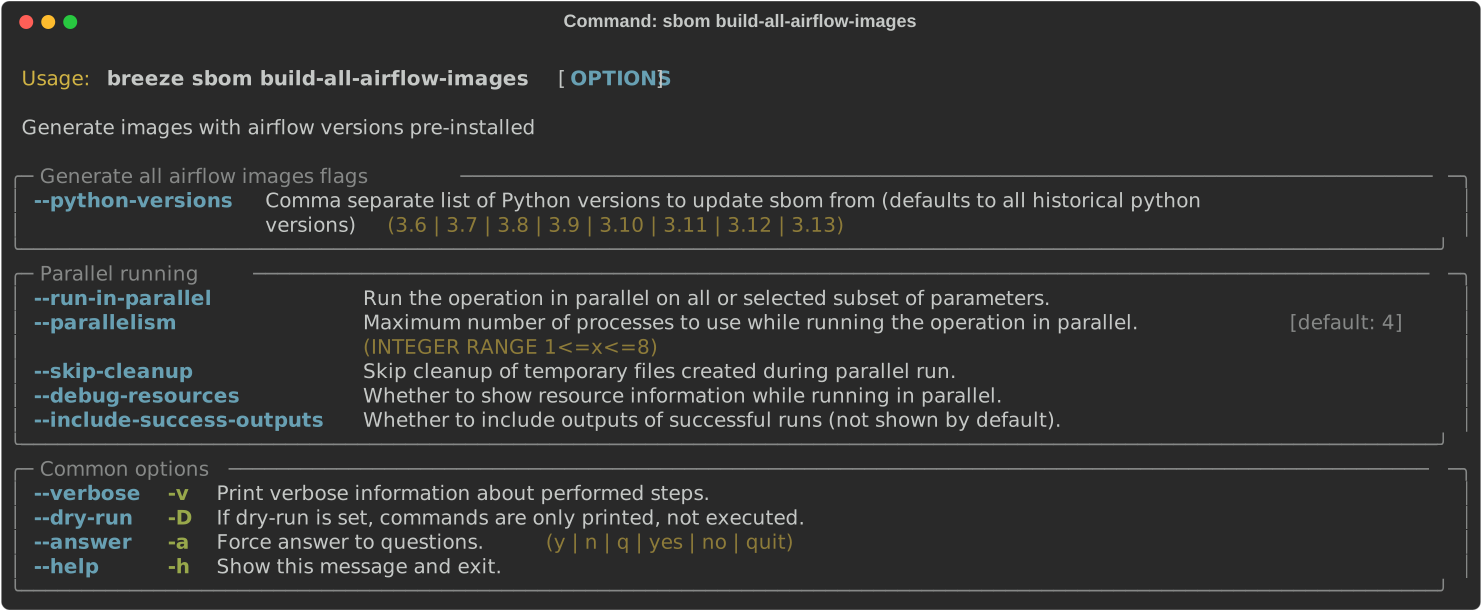
In order to generate providers requirements, we need docker images with all Airflow versions pre-installed,
such images are built with the build-all-airflow-images command.
This command will build one docker image per python version, with all the Airflow versions >=2.0.0 compatible.
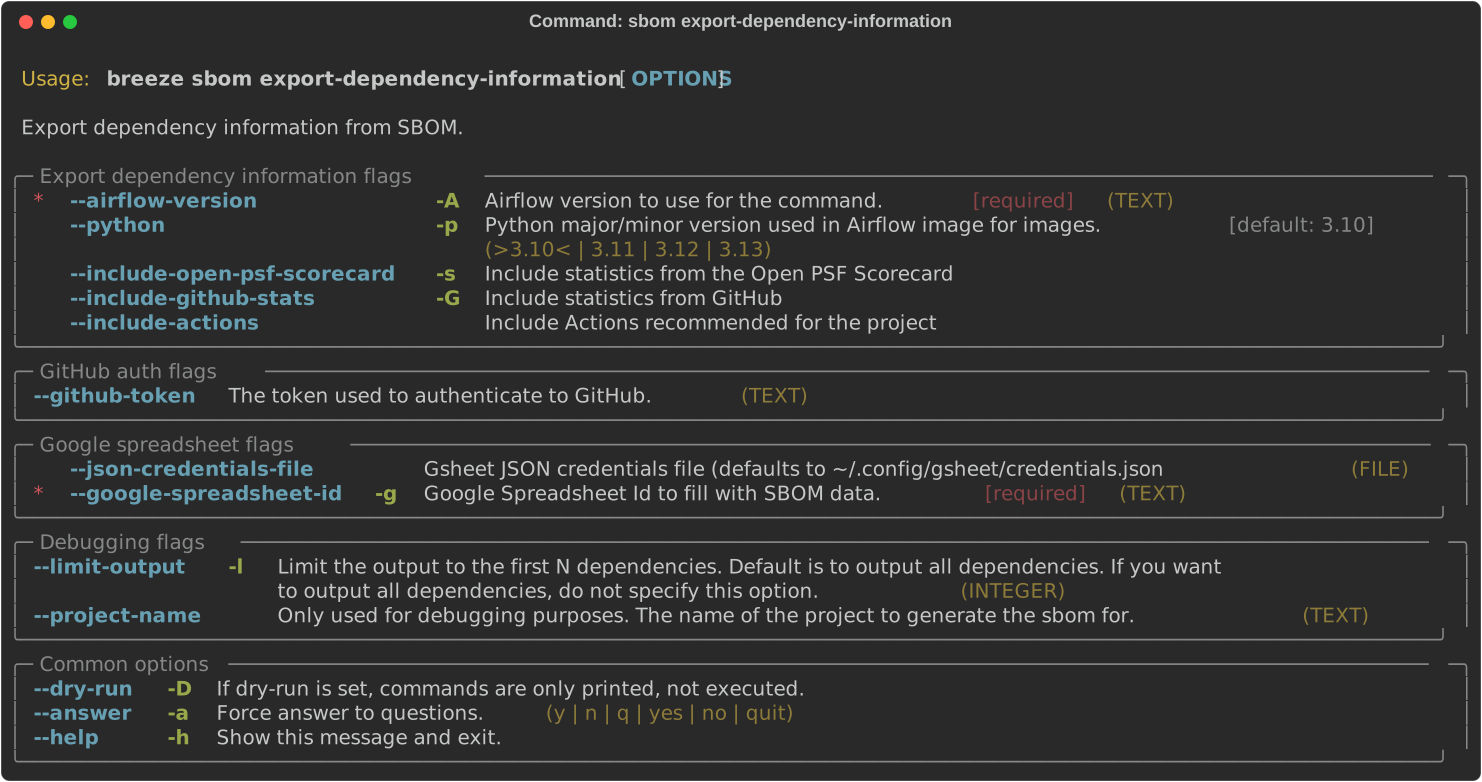
The SBOM information published on our website can be converted into a spreadsheet that we are using to analyse security
properties of the dependencies. This is done by the export-dependency-information command.
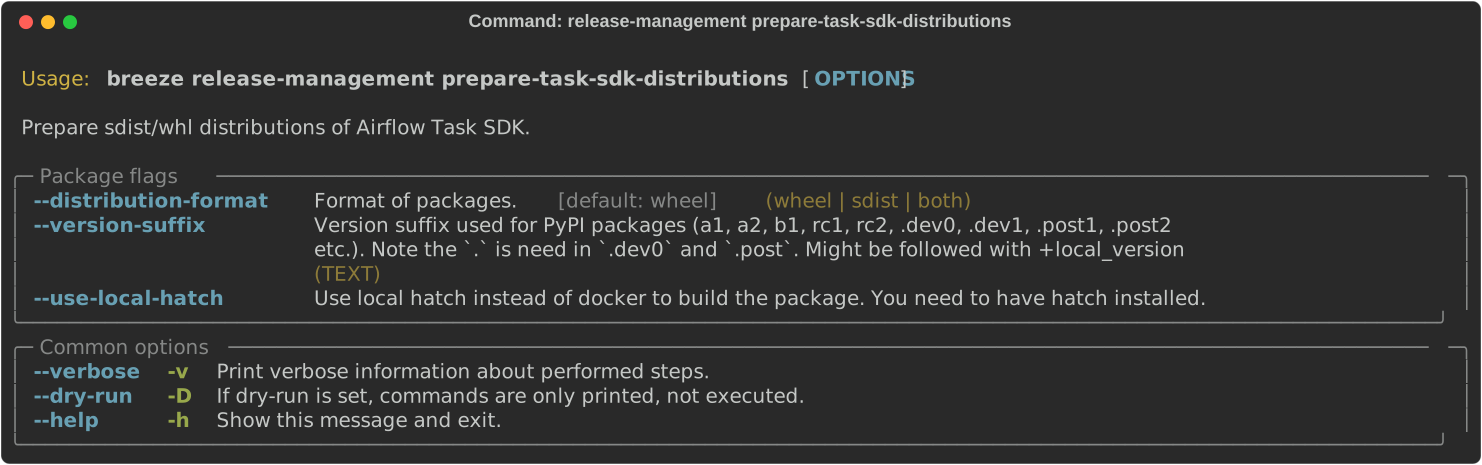
You can prepare Airflow distributions using Breeze:
breeze release-management prepare-task-sdk-distributionsThis prepares Airflow Task SDK .whl package in the dist folder.
Again, you can specify optional --distribution-format flag to build selected formats of the Task SDK distributions,
default is to build both type of distributions sdist and wheel.
breeze release-management prepare-task-sdk-distributions --distribution-format=wheelIf you pass --tag fag, the distribution will create a source tarball release along with sdist.
--tag flag corresponds to actual tag in git.
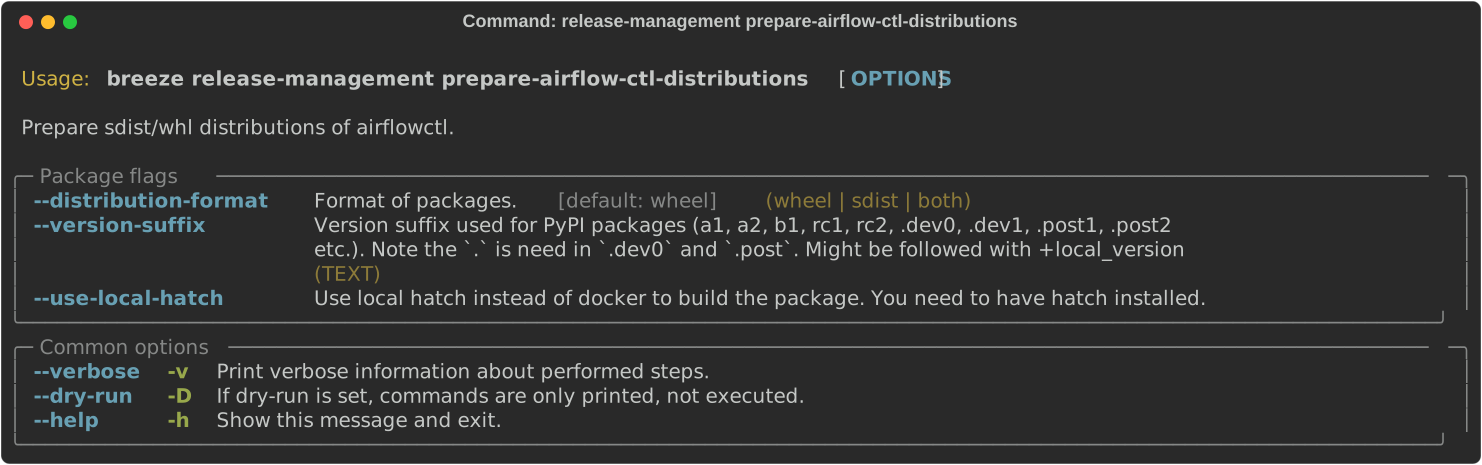
You can prepare Airflow distributions using Breeze:
breeze release-management prepare-airflow-ctl-distributionsThis prepares Airflow Task SDK .whl package in the dist folder.
Again, you can specify optional --distribution-format flag to build selected formats of the airflowctl distributions,
default is to build both type of distributions sdist and wheel.
breeze release-management prepare-airflow-ctl-distributions --distribution-format=wheelIf you pass --tag fag, the distribution will create a source tarball release along with sdist.
--tag flag corresponds to actual tag in git.
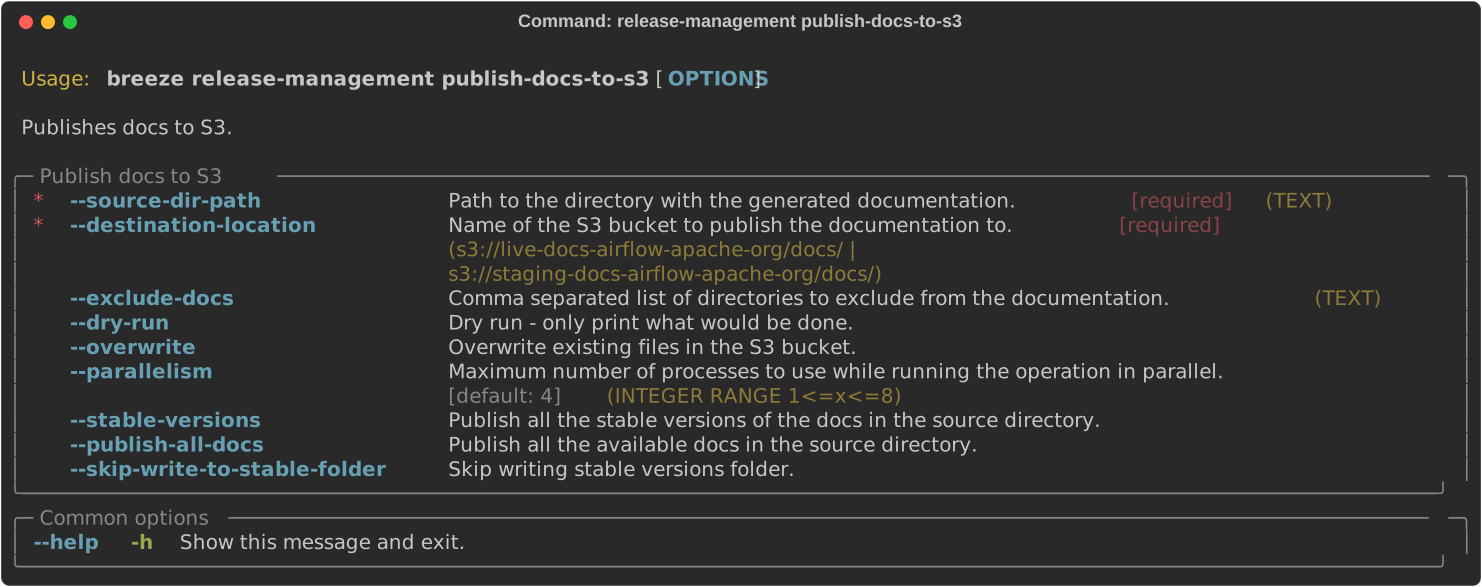
To publish the documentation generated by build-docs in Breeze to S3,
use the release-management publish-docs-to-s3 command:
breeze release-management publish-docs-to-s3The documentation publish to S3 should be done after the breeze release-management publish-docs command.
Once documentation is available in docs-archive directory of airflow-site, it can be published to S3.
The publishing documentation to S3 consists of the following steps:
breeze release-management publish-docs --source-dir-path <> --destination-location <>Where --source-dir-path is a doc-archive location path and --destination-location is the S3 bucket path.
breeze release-management publish-docs --source-dir-path /User/pavan/airflow-site/docs-archive
--destination-location s3://airflow-docs/docs
To exclude any documentation from publishing to S3, you can use the --exclude flag.
breeze release-management publish-docs --source-dir-path /User/pavan/airflow-site/docs-archive
--destination-location s3://airflow-docs/docs --exclude "amazon,apache.kafka"
To override the versioned directories while publishing the documentation to S3, you can use the --overwrite flag.
breeze release-management publish-docs --source-dir-path /User/pavan/airflow-site/docs-archive
--destination-location s3://airflow-docs/docs --overwrite
To check what documents will be published to S3, you can use the --dry-run flag.
breeze release-management publish-docs --source-dir-path /User/pavan/airflow-site/docs-archive
--destination-location s3://airflow-docs/docs --dry-run
These are all available flags of release-management publish-docs-to-s3 command:
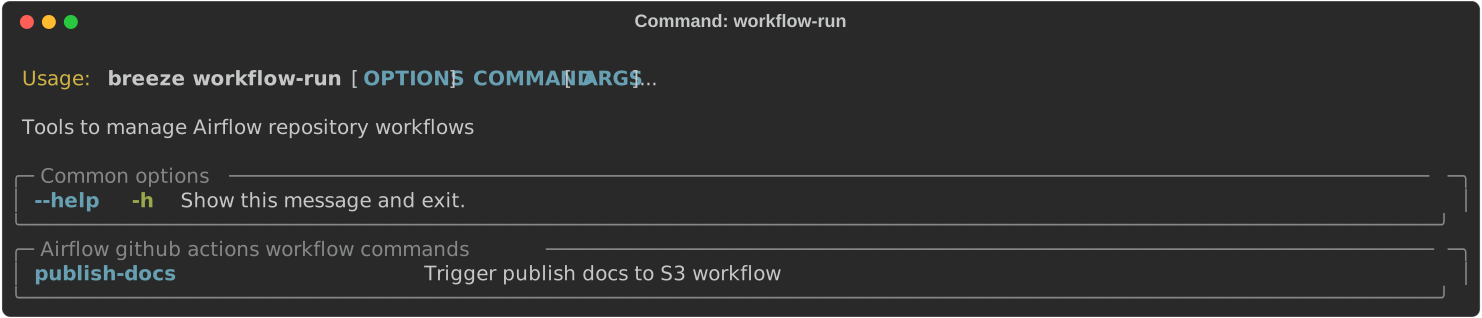
To trigger the GitHub Actions workflow that publishes the documentation to S3, you can use the
breeze workflow-run publish-docs command.
These are all available flags of workflow-run command:
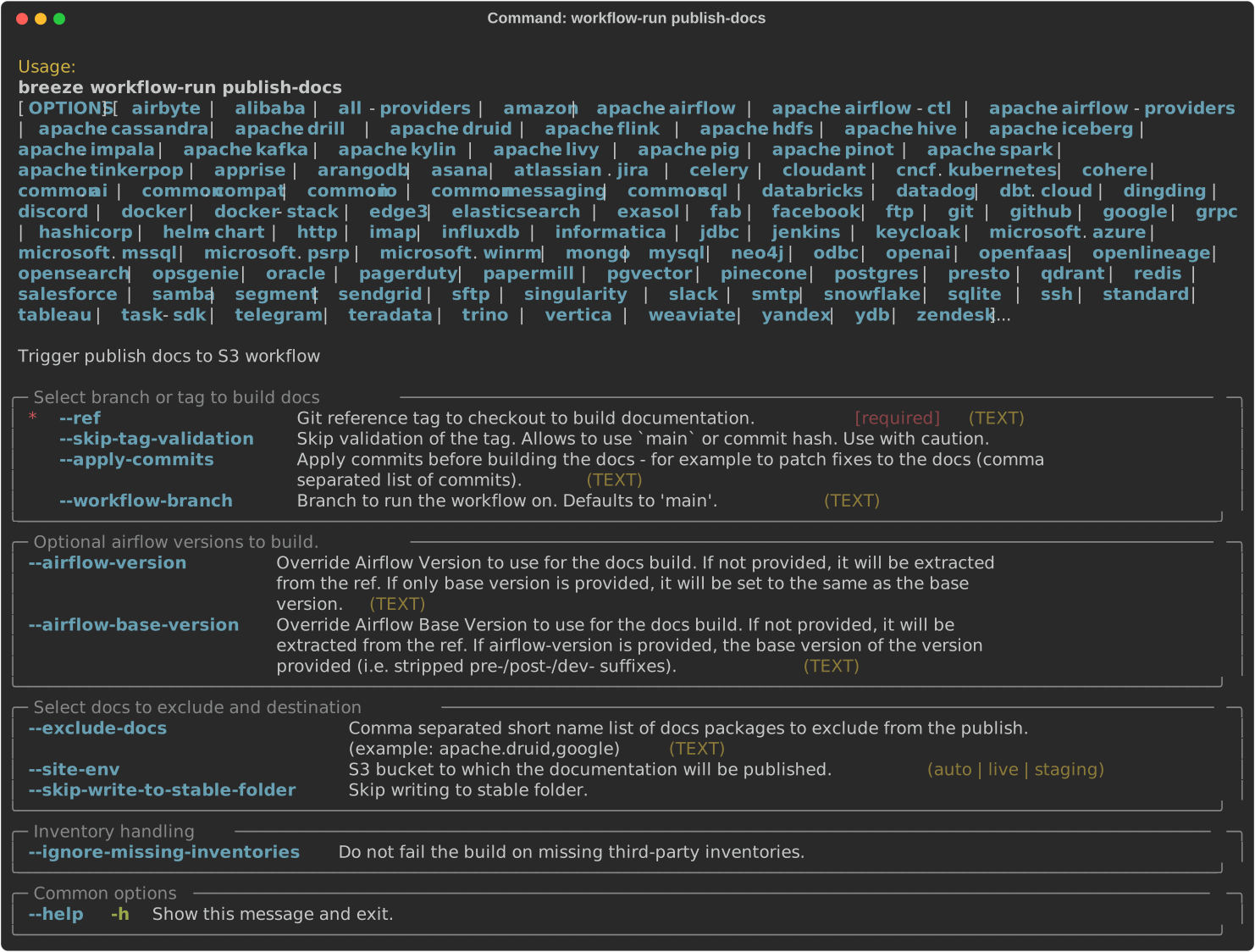
breeze workflow-run publish-docs --ref <ref> --exclude-docs <exclude-docs> --site-env <site-env> --refresh-site --skip-write-to-stable-folder <docs_packages>

example:
 breeze workflow-run publish-docs --ref providers-amazon/1.0.0 --site-env live --refresh-site --skip-write-to-stable-folder amazon apache.kafka
--ref specifies the Git reference tag checkout and build docs.
--exclude-docs specifies the documentation packages to exclude from the publish process.
--site-env specifies the environment to use for the site (e.g., auto, live, staging). the default is auto, based on the ref it decides live or staging.
--refresh-site specifies whether to refresh the site after publishing the documentation. This triggers workflow on apache/airflow-site repository to refresh the site.
--skip-write-to-stable-folder specifies the documentation packages to skip writing to the stable folder.
These are all available flags of workflow-run publish-docs command:
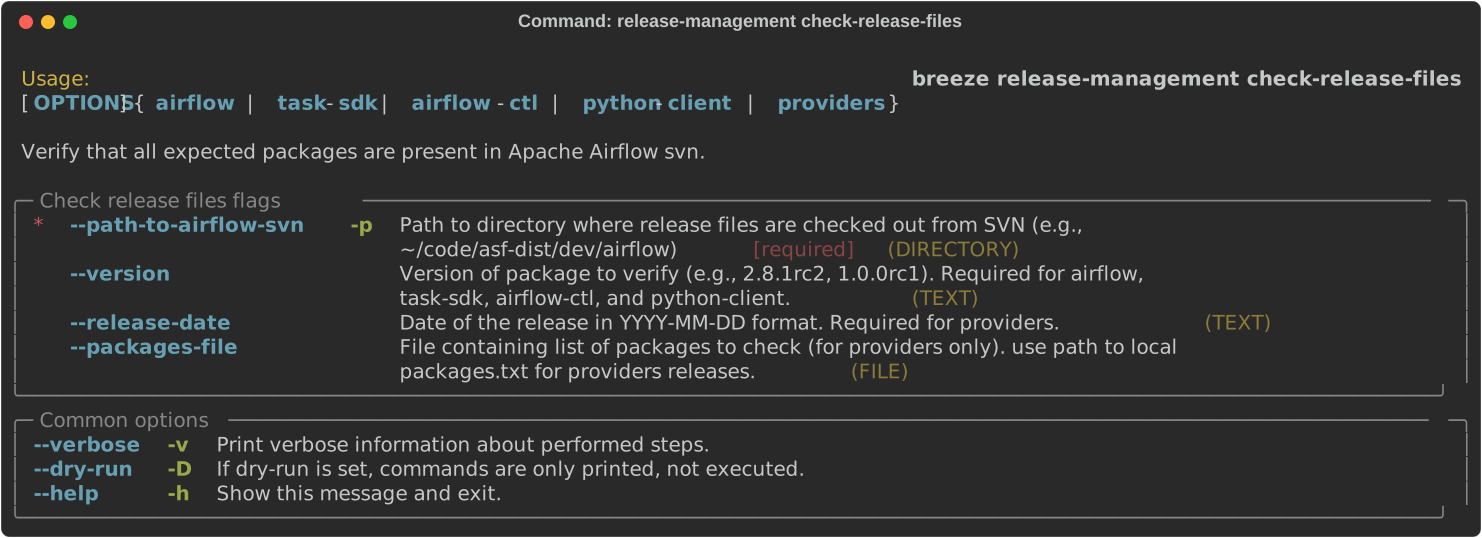
To verify that all expected packages and artifacts are present in the Apache Airflow SVN release directory,
you can use the breeze release-management check-release-files command. This is useful for release
managers and PMC members to validate that all required files (including .asc signatures and .sha512
checksums) are present when voting for release.
The command supports checking files for different release types:
Checking Airflow release files:
breeze release-management check-release-files airflow --path-to-airflow-svn ~/code/asf-dist/dev/airflow --version 2.8.1rc2Checking Task SDK release files:
breeze release-management check-release-files task-sdk --path-to-airflow-svn ~/code/asf-dist/dev/airflow --version 1.0.0rc1Checking Airflow CTL release files:
breeze release-management check-release-files airflow-ctl --path-to-airflow-svn ~/code/asf-dist/dev/airflow --version 0.1.0rc1Checking Python client release files:
breeze release-management check-release-files python-client --path-to-airflow-svn ~/code/asf-dist/dev/airflow --version 2.10.0rc1Checking Provider release files:
breeze release-management check-release-files providers --path-to-airflow-svn ~/code/asf-dist/dev/airflow --release-date 2024-01-01For providers, you can specify a custom packages file (default is packages.txt):
breeze release-management check-release-files providers --path-to-airflow-svn ~/code/asf-dist/dev/airflow --release-date 2024-01-01 --packages-file my-packages.txtThe command checks for the presence of:
- Source distributions (
.tar.gz) - Wheel distributions (
.whl) - ASF signatures (
.asc) - SHA512 checksums (
.sha512)
If any expected files are missing, the command will report them and exit with a non-zero status code. If all files are present, it will also provide a Dockerfile snippet you can use to test the installation.
These are all available flags of release-management check-release-files command:
To check if the constraints files are up to date in the current Airflow version, you can use the
breeze release-management check-constraints-updates command.
These are all available flags of check-constraints-updates command:
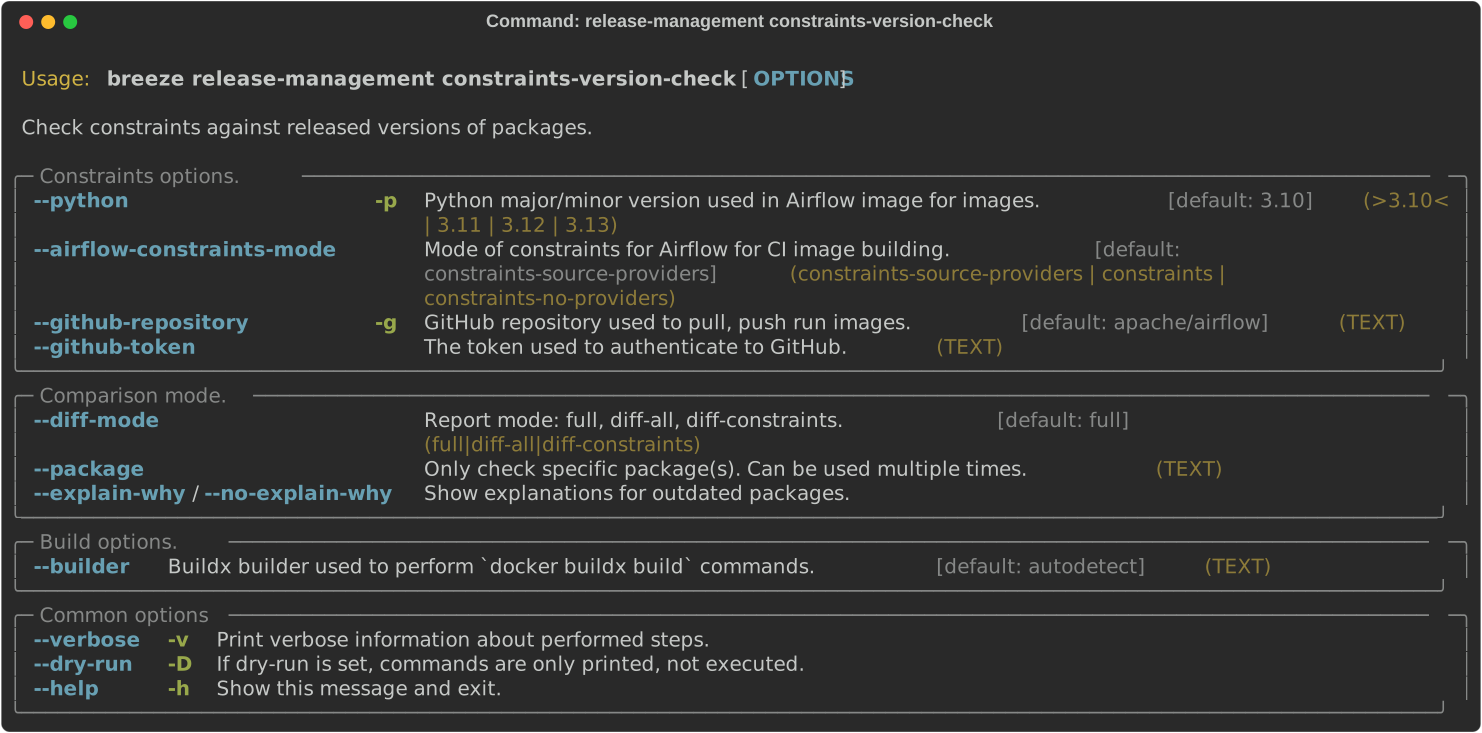
Example usage:
breeze release-management constraints-version-check --python 3.10 --airflow-constraints-mode constraints-source-providers --explain-whyNext step: Follow the UI Tasks to learn more about UI tasks.