In modern web applications, communication between the frontend application and the backend server happens using JSON. APIs are packets full of raw data (JSON) meant to be consumed by other websites. To consume an external API, a developer creates a request to the API's url and parses through the data response (JSON) to return meaningful information to the user. Using external APIs in your applications will expand functionality and increase user enjoyment.
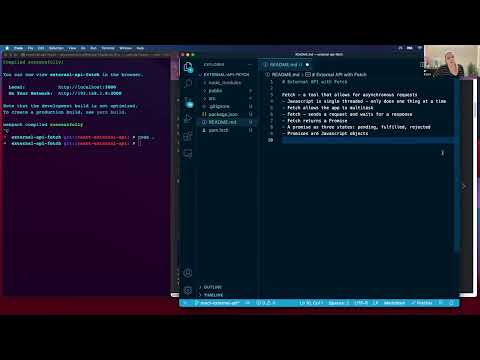
- can define fetch
- can apply correct syntax to execute a fetch call to an external API
- can apply intermittent steps to scaffold an application
- can access appropriate values from a JSON data set
- can conditionally render markup to facilitate a response
- API
- external API
- endpoint
- JSON
- single threaded
- asynchronous requests
- fetch
- Promise
- Is there error on the request or on the response?
In the simplest terms, content that is on the internet breaks down into two categories. The first category is websites that are designed to have interactions with users. This is what we typically think of when browsing websites or interacting with web applications. The second category is websites that provide data. Websites that provide data are not typically accessed directly by a user but rather the data is used to support a user-facing site.
Think about going to a website like Yelp and seeing restaurants near you plotted on a map inset. That functionality requires a lot of data. Yelp needs the appropriate locations on the map and a lot of restaurants listings in order to create their user experience. To access this data the Yelp user-facing website will make requests to other websites that contain raw data of restaurant listings and map coordinates. Yelp can then display the results to the user. A website that contains data that can be accessed by other websites is called an API.
From a full-stack developer's standpoint, APIs come in two flavors: APIs that store information specifically for a single user-facing application and APIs that have been made open for general use. An API that is designed for one specific application is often thought of as the "backend" of the application. In the Yelp example, the "backend" of the application might be a database full of restaurant listings. But Yelp is likely not creating their own map service when other companies like Google have already built that functionality. Yelp could use the data from their own backend application to get all the appropriate restaurants and then use Google's API to create the map and plot the restaurant locations. In this case Google's API is an external API. An external API is a website that exposes data to third-party users so that functionality can be more easily accessed. The user-facing Yelp website would make a request to their own internal API as well as to the external Google API.
APIs are websites that provide data to other websites. Just like user-facing websites, APIs are accessed via the request-response cycle. The request requires an action and a location. The action is one of the HTTP verbs: get, post, put, patch, delete. The location is the url. The url specifies the request and sets in motion the routing of the website. When this is done on a user-facing website typically the url is specifying a particular view. In APIs the url is specifying an endpoint. An endpoint is the touch point of the particular set of data being requested. Just like websites can have many different pages to view, APIs can have many endpoints that provide data sets.
After a request has hit the appropriate API endpoint, we get a corresponding response. The response consists of a status code and the payload. In a user-facing website the payload is HTML that creates a view. The payload of an API is JSON. JSON (JavaScript Object Notation) is a widely accepted data format used to send information across the internet. The JSON structure was adopted from the JavaScript programming language in the late 1990s. The JavaScript language has made changes to its object structure over the years while JSON's ubiquitousness and popularity has kept the structure unchanged.
While request-response cycles happen very quickly they are not instantaneous. Using external APIs provides developers with access to data but it puts the developer at the mercy of the speed of an external server. It is important to take this unknown time lag into consideration.
JavaScript is single threaded which means the programs run top to bottom and executes one thing at a time. If a given action takes an unexpectedly long time to execute the next thing in the queue is delayed until the previous action finishes. This can cause an application to appear to be broken.
While JavaScript is single threaded, there are tools that can manage actions with unknown timelines without disrupting the user experience on the rest of the application. These tools allow JavaScript developers to make asynchronous requests which is an action that steps outside the queue of JavaScript executions allowing the program to continue while waiting for the action to complete.
Asynchronous actions allow developers to use images or animations to communicate to the user that more content is coming. As users we recognize these spinning circles or progress bars as indications that the page is loading and we should be patient. This communication would not be possible in a single threaded environment since these actions require code executions.
The tool that allows JavaScript developers to make asynchronous requests to an API is called fetch. Fetch is a method that takes an argument of the request url wrapped in a string.
fetch("https://api-url-here.com")The power of fetch is the asynchronicity. When the JavaScript program hits the fetch action it will run in the background allowing the program to continue its executions. What fetch provides as a placeholder is called a Promise. A Promise is a JavaScript class that is a proxy value for the eventual completion of an asynchronous action. A promise says, "Eventually this request will return a response. I promise."
Every request will receive a response. The response could be a success in which we would get back the expected JSON payload, or it could be a failure in which we would get an error code. Since a promise is a proxy value it can be in one of three states:
- Pending - the action is currently happening
- Fulfilled - the action was a success and we received the expected payload
- Rejected - the action was a failure and we received an error
The fetch method is followed by additional methods that handle the various states of a promise. The method .then() is a higher-order function that is chained to the end of a fetch action. A series of .then() methods will handle the response then the payload. If the promise returns an error the method .catch() will invoke error handling functionality.
The most basic fetch request will follow this format:
fetch("https://api-url-here.com")
  .then((response) => response.json())
  .then((payload) => console.log(payload))
.catch((error) => console.log(error))Allowing data to be available for use by other developers creates integrated applications with quick access to complex functionality. For example, many apps need to integrate information like weather data, map services, public transportation information, and prices of various goods and services. It would be time consuming and repetitive to create those resources for each individual application. Luckily it is a common practice to make APIs available for others to use.
External APIs allow developers to quickly incorporate data into an application. In the following example we will use a free API with open access. The API is called Meowfacts and returns cat facts.
First we have to read the documentation and be sure to understand what endpoints are available. In this particular API the base url is https://meowfacts.herokuapp.com/ which will return one cat fact. By entering this url into the browser we can see the data that gets returned.
{"data":["Jaguars are the only big cats that don't roar."]}There is an option to add a param to the url that will determine how many cat facts will be returned. https://meowfacts.herokuapp.com/?count=3
{"data":["Cats, especially older cats, do get cancer. Many times this disease can be treated successfully.","Adult cats only meow to communicate with humans.","Retractable claws are a physical phenomenon that sets cats apart from the rest of the animal kingdom. In the cat family, only cheetahs cannot retract their claws."]}Now that we can see the outcome of our request we can built the user view.
Before incorporating the fetch request, we can build out the basic functionality of the application. At this stage, the app will include a couple logs. One to ensure we can allow the user to select the number of facts. The second to make sure the button is calling the function that will eventually hold the fetch request.
import React, { useState } from "react"

const App = () => {
  const [catFacts, setCatFacts] = useState(null)
  const [numberOfFacts, setNumberOfFacts] = useState(1)

  const requestCatFacts = () => {
    // fetch will go here
    console.log("the button is working")
  }

  console.log(numberOfFacts)
  return (
    <>
      <h1>Cat Facts</h1>
      <label>Enter a number:</label>
      <input
        type="number"
        min="1"
        max="50"
        onChange={(e) => setNumberOfFacts(e.target.value)}
      />
      <div>
        <button onClick={requestCatFacts}>Click here for cat facts</button>
      </div>
    </>
  )
}

export default App
After ensuring the application is operating correctly, we can add the fetch request. Since we want the user to be able to determine the number of facts, the request url will be wrapped in string interpolation backticks to pass in a variable from state. The console.log will now show the result of the fetch request.
import React, { useState } from "react"

const App = () => {
  const [catFacts, setCatFacts] = useState(null)
  const [numberOfFacts, setNumberOfFacts] = useState(1)

  const requestCatFacts = () => {
    fetch(`https://meowfacts.herokuapp.com/?count=${numberOfFacts}`)
      .then((response) => response.json())
      .then((payload) => setCatFacts(payload))
      .catch((error) => console.log(error))
  }

  console.log(catFacts)
  return (
    <>
      <h1>Cat Facts</h1>
      <label>Enter a number:</label>
      <input
        type="number"
        min="1"
        max="50"
        onChange={(e) => setNumberOfFacts(e.target.value)}
      />
      <div>
        <button onClick={requestCatFacts}>Click here for cat facts</button>
      </div>
    </>
  )
}

export default App
The last step is to display the data that is returned from the API. Since we are using an external API, we don't have control over the structure of the data that is returned. We have parse into the data structure to get to the content we want.
We only want the tags used to display cat facts to be visible once there are cat facts to show. Since the default value of the state variable catFacts is null we can use conditional rendering in the tags. If the value is null all the code inside the curly braces will be ignored. When the fetch request returns data and updates the state variable the tags will render to the page.
import React, { useState } from "react"

const App = () => {
  const [catFacts, setCatFacts] = useState(null)
  const [numberOfFacts, setNumberOfFacts] = useState(1)

  const requestCatFacts = () => {
    fetch(`https://meowfacts.herokuapp.com/?count=${numberOfFacts}`)
      .then((response) => response.json())
      .then((payload) => setCatFacts(payload))
      .catch((error) => console.log(error))
  }

  return (
    <>
      <h1>Cat Facts</h1>
      <label>Enter a number:</label>
      <input
        type="number"
        min="1"
        max="50"
        onChange={(e) => setNumberOfFacts(e.target.value)}
      />
      <div>
        <button onClick={requestCatFacts}>Click here for cat facts</button>
      </div>
      <ul>
        {catFacts?.data.map((fact, index) => {
          return <li key={index}>{fact}</li>
        })}
      </ul>
    </>
  )
}

export default App
Now we have a user-facing application that is making a request to an external API and displaying the resulting data.
Create a React application that shows the user their current location and IP address using the IP API.
- As a user, I can see a landing page with a header.
- As a user, I can see a button to click to retrieve my IP address and location.
- As a user, when I click the button I can see my IP address and location render on the page.