A hash is a collection of unique keys and their values. A hash is a bit like an array but instead of the values being referenced by an index, the values are reference by their unique key. The class Hash falls under the category of enumerable, which means you can use iterable methods on a hash.
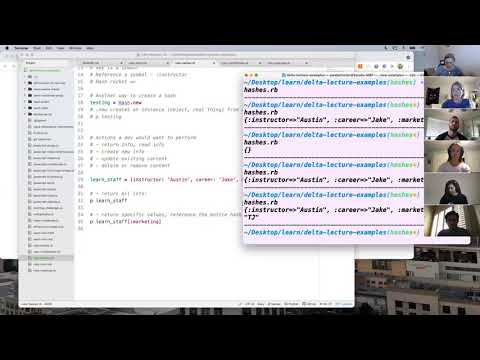
- can define the accepted syntax of a Ruby hash
- can define a symbol
- can identify a hash rocket in the output of a hash
- can define duck typing
- can explain the similarities between hashes and JavaScript objects
- Ruby hash
- symbol
- hash rocket
- CRUD
- duck typing
- enumerable module
cdinto theruby-challengesrepository- Create a new branch:
hashes-initials1-initials2(ex. hashes-aw-sp) toucha file with no spaces and.rbextension:hashes-student1-student2.rb(ex. hashes-austin-sarah.rb)- Open the folder in a text editor
- Code!
A Ruby hash is a dictionary-like container for unique keys and their corresponding values. As is common in programming, there are many ways to define the keys and values in a hash.
recipe = { flour: '2 1/4 cups', sugar: '1 cup', eggs: 2 }This structure looks very similar to an object in JavaScript. The JavaScript object pattern is widely popular in programming in general and Ruby 2.7 implemented this syntax for hashes. However, if we look at the output of the hash in the terminal we see a different syntax.
# output: {:flour=>"2 1/4 cups", :sugar=>"1 cup", :eggs=>2}This output illustrates an older syntax of hashes. While you won't necessarily see this version of hashes used in code there are some important things to note with this particular output.
The first is the data type of the key which is a Ruby symbol. A symbol is a unique identifier in a key:value pair that is expressed with the colon on the left side of the variable such as :flour.
The second is the hash rocket. A hash rocket separates the key and the value using the syntax =>. Hash rockets were once the only way to define a value in a hash. With the adoption of the JavaScript-like syntax, that is no longer the case but hash rockets are still valid Ruby code and are used in many situations so it is important to recognize the syntax.
In programming, there are four general actions that can be performed on data. We can create new data, see data that currently exists, update existing data, and delete or remove data. These four actions have a delightful acronym: CRUD. CRUD (create, read, update, delete) is a programmer's checklist describing the complete list of data manipulation. With this in mind, let's look at how we can perform these four actions on hashes.
Create
There are two basic ways to create a new hash. The first way is to create a variable and list out the desired key:value pairs. Another way is to use some fundamental Ruby principles. As we know, everything in Ruby is a class. So we can call the .new method on the class Hash to instantiate a new instance of class Hash.
recipe = Hash.new

p recipe
# output: {}
Update
We can add values to the hash by providing a key in square braces and assigning that key a value. The key can be names whatever best describes the data it holds and will be a Ruby symbol. The data must be a valid Ruby data type such as strings and integers. This action modifies the existing hash by adding content.
recipe[:flour] = "2 1/4 cups"
recipe[:sugar] = "1 cup"
recipe[:eggs] = 1

p recipe
# output: { :flour => '2 1/4 cups', :sugar =>'1 cup', :eggs => 1 }
This same syntax can be used to update the value in a hash.
recipe[:eggs] = 2

p recipe
# output: { :flour => '2 1/4 cups', :sugar =>'1 cup', :eggs => 2 }
Now, what if we needed to update the name of a key? That requires a little bit more Ruby code.
recipe[:buter] = '1 cup'Oops, we misspelled butter. Let's update that key to be the correct spelling using this format: hash[:new_key] = hash.delete(:old_key)
recipe[:butter] = recipe.delete(:buter)

p recipe
# output: { :flour => '2 1/4 cups', :sugar =>'1 cup', :eggs => 2, :butter => '1 cup' }
Read
Reading data can be done in a variety of ways. The read action returns existing data. We can return the hash as a whole or just individual values. When we log recipe we can see the entire hash.
p recipe
# output: { :flour => '2 1/4 cups', :sugar =>'1 cup', :eggs => 2, :butter => '1 cup' }
Or we can look at just a single value from the hash by logging the name of hash and the corresponding key.
p recipe[:sugar]
# output: '2 cups'
We can also look at just the keys or just the values in a given hash. Calling .keys will return an array with just the keys and calling .values will return an array with only the values
p recipe.keys
# output: [:flour, :sugar, :eggs, :butter]

p recipe.values
# output: ['2 1/4 cups', '1 cup', 2, '1 cup']
Delete
To remove a key:value pair from the hash all together we can use the Ruby method .delete and pass in the key as an argument. Ruby will return the value from the deleted key as an output of that method. And when calling the variable recipe we see the key:value pair has been removed.
p recipe.delete(:butter)
# output: '1 cup'

p recipe
# output: { :flour => '2 1/4 cups', :sugar => '2 cups', :eggs => 2 }Everything in Ruby is an instance of a class. And each class has certain abilities. For example, instances of class Integer have the ability to perform mathematical operations while that is not true of NilClass.
We know that methods are functions that belong to a class. And Ruby decides which methods belong to which class based on the ability of the class (what it can do) rather than what each class is. This concept of allowing like-data types to share methods is called duck typing. "If it looks like a duck and quacks like a duck just go ahead and treat it like a duck."
Duck typing is useful because hashes share abilities with Ruby classes like arrays and ranges. This means the same methods available to those classes can be applied to class Hash.
Methods such as .each and .map can be applied to instance of class Hash. Since these methods work on all things that are iterable they are grouped together. The group of iterable methods that include .each and .map is called the enumerable module.
When applied to a hash, .each can take two possible arguments: the key and the value, in that order. These arguments are simply placeholders used inside the block.
recipe = {flour: '2 1/4 cups', sugar: '2 cups', eggs: 2, butter: '1 cup'}

recipe.each do |key, value|
  p "Add #{value} #{key} to the bowl."
end

# output:
'Add 2 1/4 cups flour to the bowl.'
'Add 2 cups sugar to the bowl.'
'Add 2 eggs to the bowl.'
'Add 1 cup butter to the bowl.'
.map also executes once for each key:value pair and returns an array of the same length.
recipe.map do |key, value|
  p "Add #{value} #{key} to the bowl."
end

# output: ['Add 2 1/4 cups flour to the bowl.', 'Add 2 cups sugar to the bowl.', 'Add 2 eggs to the bowl.', 'Add 1 cup butter to the bowl.']- As a developer, I can create a hash called my_phone using the Ruby method
.new. - As a developer, I can add five key:value pairs of app names and their descriptions to my hash.
- As a developer, I can return a value from my_phone by passing in the name of a key.
- As a developer, I can update two keys in my_phone.
- As a developer, I can update two values in my_phone.
- As a developer, I can delete two key:value pairs from my_phone.
- As a developer, I can use an enumerable method to return information about all of my_phone's applications.
- As a developer, I can create a custom method that takes in my_phone and returns an array with the app name capitalized and information about each phone app.
- As a developer, I can create a custom method that takes in my_phone and returns an array with a sentence about the name of each app.